How Do You Build a Local Listings Management Workflow for Agencies?

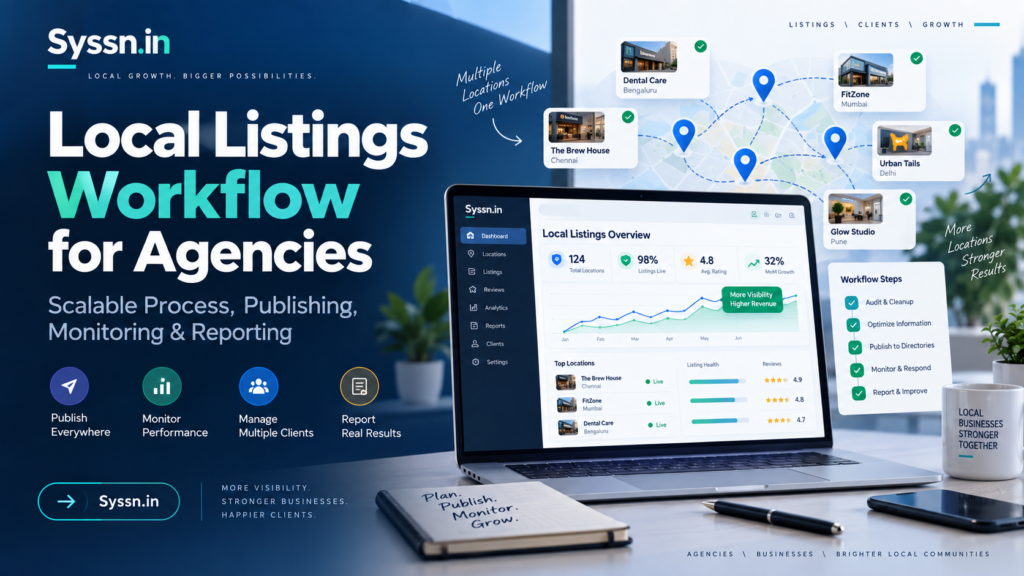
A reliable local listings management workflow for agencies starts with one controlled source of business data, clear client ownership rules, standardized onboarding, controlled publishing, error monitoring, and repeatable reporting. The software matters, but the operating process matters more. An agency managing 10 clients can sometimes correct listings manually; an agency handling hundreds or thousands of locations needs defined permissions, bulk-update procedures, approval rules, escalation paths, and client offboarding standards. The strongest workflow keeps Google, Apple, Bing, directories, websites, and other discovery platforms aligned without letting account managers make undocumented changes or allowing clients to lose control of their profiles.
Key Takeaways
- Build one canonical location record before publishing anything.
- Keep clients as owners of important first-party accounts wherever practical, while the agency receives appropriate management access.
- Separate onboarding, routine changes, emergency changes, monitoring, and offboarding into documented workflows.
- Google provides agency organizations and business groups for managing multiple Business Profiles, but agencies cannot bulk-verify unrelated businesses together.
- Use software when the cost of manually updating, checking, and reporting on locations exceeds the cost of centralizing those tasks.
- For agency-oriented platforms in this comparison, Yext ranks first, Uberall second, Synup third, BrightLocal fourth, and Semrush Local fifth based on scale, agency workflow, publisher control, reporting, and operational fit.
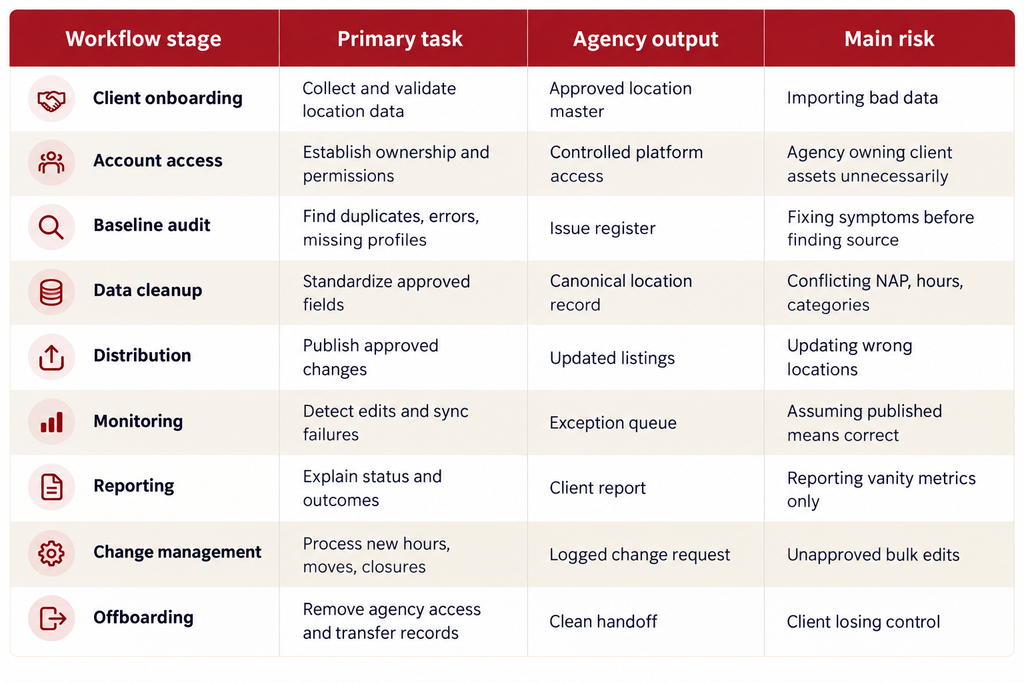
Quick Comparison: An Agency Listings Workflow
What Is a Local Listings Management Workflow for Agencies?
A local listings management workflow is the repeatable process an agency uses to collect, approve, distribute, monitor, correct, and report on business-location information for clients.
That information usually begins with the basics: business name, address, phone number, website, and opening hours. At agency scale, the data model becomes much larger. Categories, services, appointment links, descriptions, photos, accessibility attributes, geographic coordinates, special hours, temporary closures, opening dates, location IDs, and internal client identifiers may also need to be controlled.
Google Business Profile is one major destination. Google says businesses can maintain hours, websites, phone numbers, and location information through their profiles, and larger organizations can use Business Profile Manager for bulk management.
But Google should not become the agency’s only source of truth.
The same client may also appear on Apple, Bing, Facebook, Yelp, industry directories, navigation systems, review sites, and data providers. The company website and store locator create another set of public records.
A workflow exists to stop these systems from gradually disagreeing with one another.
For agencies, there is an additional complication: the agency rarely owns the underlying business. Your team is acting on behalf of another company. That means account ownership, authorization, approval, access, and offboarding need to be designed into the process.
How Do You Build a Local Listings Management Workflow?
The simplest useful model has nine stages. Each stage should have an owner, an input, an expected output, and a rule for exceptions.
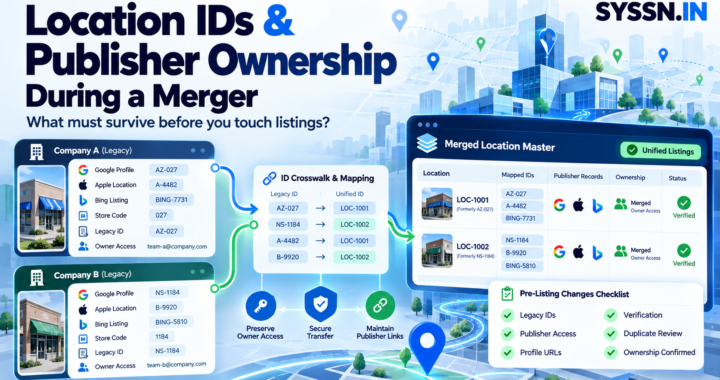
Step 1: Decide Who Owns the Accounts Before You Touch the Listings
Account ownership is one of the first decisions agencies should make.
As a general operating principle, the client should retain ownership of major business assets while the agency receives the level of access required to do its work. That approach reduces problems when employees leave, agencies change, or a contract ends.
Google supports agency organizations, business groups, organization roles, and user groups specifically for managing Business Profiles at scale. A business group can contain profiles managed collectively, and access can be shared without treating every profile as a standalone login.
Avoid building an entire client portfolio around one employee’s personal email address.
Create an access register instead. It should record which client owns each account, which agency organization or user group has access, the permission level, date granted, and who approved the access.
The same principle applies outside Google. Microsoft directs businesses to Bing Places for Business when they need to claim or update information in Bing Maps. Apple now manages business presence through its broader Apple Business environment, which includes customer-facing business functionality alongside other business services.
Ownership should be settled before optimization begins.
Step 2: Create a Canonical Location Record
Your agency needs one approved record that answers the question: What information is actually correct for this location?
Do not use Google as the master spreadsheet. Do not use the website as the master spreadsheet unless the client has formally designated it as the source system. Do not assume the oldest directory record is correct.
Build a location master.
For each location, include a permanent internal location ID. Then document the approved business name, street address, suite information, phone number, landing-page URL, primary category, secondary categories, normal hours, special hours, opening status, services, service area where applicable, and relevant attributes.
This record needs an owner.
If an agency manages a restaurant chain, for example, the account manager should not change a store’s closing time because they received a casual Slack message from a franchise employee. There should be a recognized approver, such as the client’s operations lead.
The purpose of the canonical record is simple: when Google says one thing and Apple says another, your team knows which value is supposed to win.
Step 3: Audit the Existing Digital Footprint
Do not start by pushing new data everywhere.
Start by understanding what already exists.
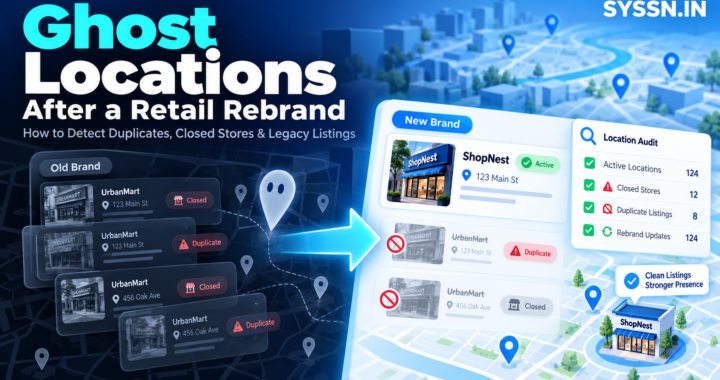
Search for every client location on Google, Apple Maps, Bing, major industry directories, major review platforms, and the client’s own site. Look for duplicate profiles, former addresses, incorrect numbers, unclaimed listings, old brand names, inconsistent categories, and locations that should be marked closed.
An audit should distinguish between three problems.
The first is incorrect data, where the listing exists but contains the wrong fact.
The second is duplicate identity, where multiple records appear to describe the same location.
The third is missing coverage, where no useful record exists on an important platform.
These problems need different remedies.
Creating another listing to solve incorrect information can make the situation worse. Likewise, suppressing a suspected duplicate before confirming that it represents the same real-world location can remove a legitimate profile.
Your onboarding audit should become an issue register with a severity level and owner.
A wrong phone number on a high-traffic Google profile deserves faster escalation than a missing description on a minor directory.
Step 4: Clean the Data Before Distribution
Bulk publishing magnifies mistakes.
If one address is wrong and you manually update a single profile, you have one problem. If your agency sends that wrong address through a distribution platform, you may create dozens.
Normalize the location master first.
Check unit and suite information. Confirm that phone numbers route to the correct business. Test URLs. Verify whether the client actually wants local phone numbers or centralized call tracking. Confirm categories with the business instead of choosing them solely because a competitor uses them.
Pay particular attention to hours.
Regular hours, holiday hours, temporary closures, emergency closures, and appointment-only schedules are different operational states. The workflow should tell your team which one to use.
Google allows businesses with 10 or more locations of the same business to qualify for bulk management and verification when requirements are met. Importantly for agencies, Google states that agencies with more than one business in an account cannot bulk-verify those unrelated businesses together.
That is a good example of why an agency workflow cannot simply treat every client’s locations as one giant upload.
Step 5: Establish an Approval Workflow
The person who enters a change should not automatically be the person who authorizes every high-risk change.
Define low-risk and high-risk fields.
A new photo or minor description edit may follow a lightweight approval process. An address change, business-name change, closure, primary category change, phone-number replacement, or website-domain change deserves stricter controls.
At a small agency, approval can be as simple as an account manager confirming the change against a client email.
At a larger agency, use a ticketing or workflow system with a clear status such as Requested, Validating, Approved, Publishing, Verifying, and Closed.
The important point is traceability.
Six months later, your team should be able to answer who requested a change, who approved it, where it was published, and whether it was confirmed live.
This becomes especially important for franchises. A franchisee may request a profile change that conflicts with the franchisor’s naming or category standard. Your workflow needs to establish whose rules govern which fields.
Step 6: Publish Changes in Controlled Batches
Once the location master is clean and approved, distribution can begin.
For a new client, do not necessarily push every location and every field on day one.
Start with a pilot group. Five or ten representative locations can expose unexpected category rules, platform permissions, duplicates, formatting issues, and integration failures before they affect the entire portfolio.
Google’s bulk-management documentation recommends creating a business group, compiling location data, uploading it, reviewing errors, and keeping the information updated after publication.
The same principle applies when using third-party software.
Your workflow should distinguish between submitted, accepted, and confirmed live.
Those statuses are not equivalent.
A software platform may successfully send data to a publisher while the publisher still rejects, delays, overrides, or partially applies the change.
Agencies should report live status where possible, not merely submission status.
Step 7: Build a Monitoring and Exception Queue
Listings management does not end when the onboarding project finishes.
Profiles drift.
Users suggest edits. Publishers import information from other sources. Clients change hours without telling the agency. Locations move. Phone routing changes. New duplicates appear.
Google itself notes that profile information can be updated using sources such as user reports and licensed content.
That means your agency needs an exception queue.
Instead of manually reviewing every field on every profile every morning, monitor for things that require intervention: sync failures, duplicate listings, disconnected accounts, unverified profiles, publisher rejections, changed hours, closed-location conflicts, missing fields, or differences between approved and live data.
Assign severity.
A suspended Google Business Profile is urgent. A secondary-directory description mismatch generally is not.
Without severity rules, listings teams spend too much time clearing low-impact alerts while serious problems sit unresolved.
Step 8: Report What the Agency Actually Controls
A good listings report should tell clients whether their data is healthy and what your agency did.
It should not imply that every movement in local rankings came from listing synchronization.
Report operational metrics such as the number of managed locations, profiles requiring action, significant inaccuracies corrected, duplicate issues resolved, publisher problems, and major changes completed.
Then report outcome metrics separately where appropriate: profile views, calls, website actions, directions, rankings, or review activity.
Keep cause and correlation separate.
If calls increased 15% after a cleanup, you can report the increase. Unless the evidence supports causation, do not claim that fixing listings alone produced all of it.
This makes reports more credible and more useful.
The client should be able to see what changed, where problems remain, and what action is required from them.
Step 9: Design the Offboarding Workflow Before You Need It
Agencies often design onboarding in detail and treat offboarding as an afterthought.
That is risky.
Your agreement and SOP should establish what happens when a client leaves.
Document how agency users are removed, which profiles remain client-owned, what data can be exported, which reports are retained, whether listing synchronization changes after software cancellation, and which credentials or administrative records must be transferred.
Never create unnecessary dependence on an individual employee.
A clean offboarding should leave the client with control of their core profiles and a copy of the approved location dataset.
It also protects your agency. A former client should not remain inside an active agency workspace indefinitely, and former employees should not retain access to client profiles.
Best Local Listings Management Platforms for Agency Workflows at a Glance
Software should support the workflow rather than define it. For this comparison, the important factors are multi-location management, publisher connectivity, agency or partner functionality, permissions, reporting, duplicate management, and the ability to handle recurring changes without creating manual work.
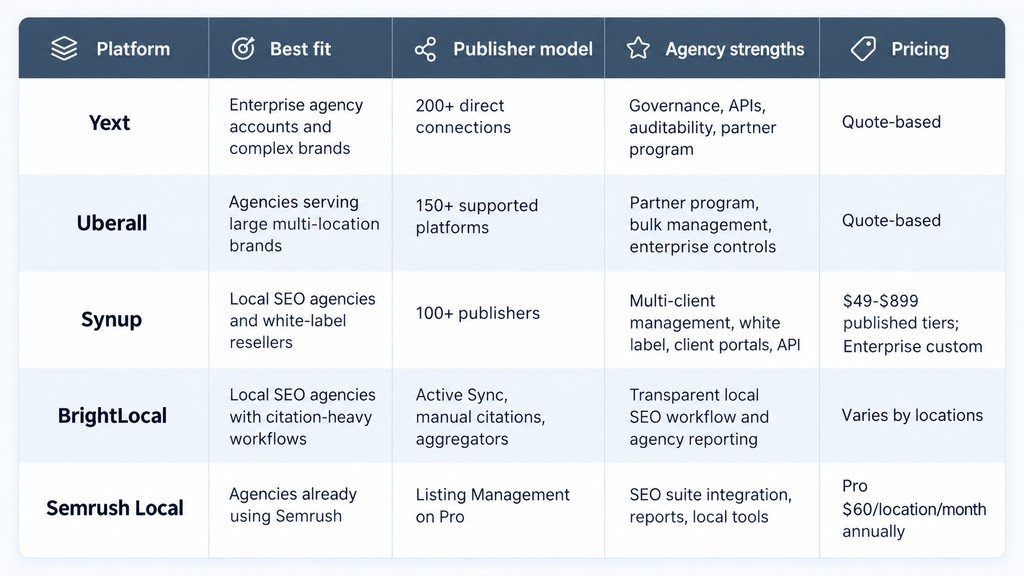
Best Agency Listings Platforms in 2026
1. Yext
Best for: Agencies managing enterprise clients that need strict data governance and large publisher coverage.
Yext’s Listings product currently states that it has 200+ direct publisher connections and manages 12M+ locations. It supports centralized business data, bulk updates, duplicate detection, live publisher monitoring, role-based workflows, audit trails, analytics, and structured information across numerous fields.
For agencies, Yext also operates a formal partner program. The company says partners can use the platform to help customers synchronize data across digital touchpoints, integrate existing systems, and provide services and support.
This makes Yext particularly suitable when an agency is acting as an implementation or managed-services partner for a large retailer, healthcare network, restaurant brand, or financial-services organization. The controls also work well when several internal and external teams need to touch the same location dataset.
The main tradeoff is procurement complexity. Yext’s core enterprise use cases typically involve sales-led pricing rather than a simple public agency rate card.
Pricing: Contact Yext for a quote.
Assessment: Strongest fit here for enterprise-scale governance, direct publisher connections, and complex client programs.
2. Uberall
Best for: Agencies and partners managing large multi-location portfolios with substantial local-marketing requirements.
Uberall’s current Listings product supports distribution across 150+ platforms and describes real-time API synchronization, duplicate suppression, centralized media management, bulk data control, and integrations with major services including Google, Apple Maps, Facebook, Bing, TomTom, and Waze.
The vendor also runs a dedicated partner program, which makes it relevant for agencies that want more than access to an individual client’s software account. Uberall’s broader platform combines listings with reviews, local pages, social publishing, location analytics, and generative-search products, so agencies serving complex multi-location clients can consolidate several local marketing activities under one vendor.
Its operating model is better suited to substantial client programs than small citation-only retainers. An agency managing three local plumbers may not need the same infrastructure as an agency responsible for a national retail chain with continuous openings, closures, and store-level changes.
Pricing: Core listings pricing is sales-led and should be confirmed directly.
Assessment: A strong option for agencies whose clients require enterprise location operations plus broader local-marketing capabilities.
3. Synup
Best for: Agencies and resellers that want local listings, multi-client operations, and white-label delivery in one platform.
Synup currently states that it connects listings with 100+ publishers and supports Google Business Profile, Apple, Bing, Facebook, voice assistants, and data aggregators. Its agency-focused features include a multi-client command center, branded client portals, custom domains, white labeling, team roles, scoped client permissions, automated reporting, APIs, and MCP support.
That structure fits an agency workflow well because each client can remain separate while account managers work from one operational environment. The platform also combines listings with review management, social publishing, SEO, location pages, and AEO monitoring.
Synup’s current pricing is more public than many enterprise competitors. Solo is $49 per month for one location. Premium is $299 for up to 10 locations and adds white labeling; Pro is $499 for up to 25; Scale is $899 for up to 50; Enterprise is custom above 50 locations. Annual pricing receives a published discount.
Pricing: $49-$899 monthly across published tiers, with Enterprise quoted separately.
Assessment: Particularly relevant for agencies that prioritize client separation and white-label delivery rather than enterprise governance alone.
4. BrightLocal
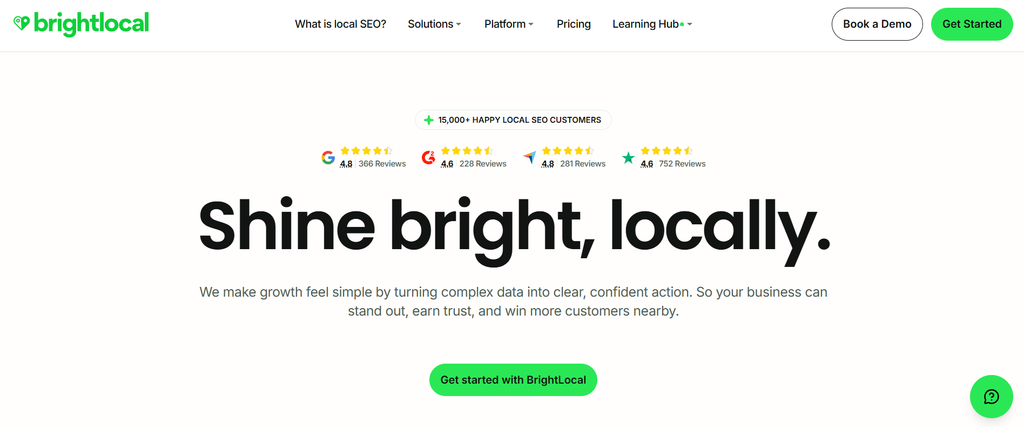
Best for: Local SEO agencies that combine listing synchronization with hands-on citation work and local SEO reporting.
BrightLocal differs from pure distribution platforms because it mixes ongoing management with manual citation services and data aggregators. Its Listings Management offering supports synchronization across key sites, while Citation Builder can create or correct individual citations. BrightLocal also works with aggregators including Data Axle and Foursquare.
Its broader platform includes citation auditing, Google Business Profile auditing, local rank tracking, geo-grid reporting, AI visibility tracking, review management, and client reporting. That combination is useful for agencies whose listing service sits inside a wider local SEO retainer.
The workflow is less centered on an enterprise knowledge graph than Yext and less oriented around a completely branded multi-client operating environment than Synup. In return, agencies get a familiar local SEO toolkit that can work well for smaller and mid-sized client books.
BrightLocal’s pricing page adjusts by location count and offers Track, Manage, and Grow configurations, with custom plans available as portfolios increase.
Pricing: Depends on location count and selected plan.
Assessment: Well suited to agencies where citation building, auditing, rankings, and local SEO execution matter alongside listing synchronization.
5. Semrush Local
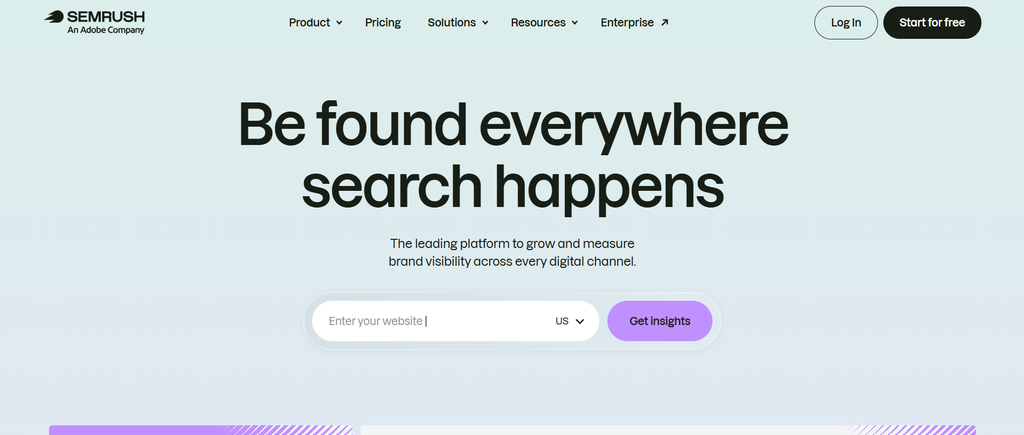
Best for: Agencies that already use Semrush and want listings incorporated into the same broader search-marketing stack.
Semrush Local combines Google Business Profile management, map-rank tracking, reviews, and listings. Its current Base plan costs $30 per location per month billed annually, but full Listing Management is included in Pro at $60 per location per month billed annually. Business pricing is custom.
For agencies, one attraction is consolidation. Teams already managing SEO projects, client reporting, and other search workflows in Semrush can add local operations without bringing another vendor into the stack. The Pro Report add-on currently includes branding and white-labeling, scheduled delivery, integrations, and AI-generated summaries for $20 per month.
The tradeoff is that Semrush Local is a local-marketing module rather than a dedicated white-label agency operating system. Per-location pricing can also become significant when an agency manages hundreds of locations.
Agencies should model the actual cost of Pro, reporting, extra users, and location volume rather than evaluating the cheaper Base tier, because Base does not include Listing Management.
Pricing: Pro is $60 per location per month when billed annually.
Assessment: Most useful when the agency already relies heavily on Semrush and wants listings integrated with its existing workflow.
How Should Agencies Choose a Listings Platform?
Start with the workflow problems you need the software to solve.
If the agency serves enterprise clients with thousands of locations and complicated approval structures, permissions, direct publisher connectivity, APIs, and audit logs may be more important than published SMB pricing.
If your agency resells local SEO to many independent clients, white labeling, multi-client separation, client portals, pricing predictability, and automated reporting can matter more.
Also examine publisher coverage carefully.
Do not choose solely on the largest directory number. Confirm whether your clients’ important destinations are supported and how updates are delivered. A direct API integration, data aggregator, manual citation submission, and one-time claim are different operating models.
Finally, model labor.
Suppose your agency manages 100 locations and spends 20 minutes per location every month manually checking listings. That is more than 33 staff hours before you have corrected anything. Even modest automation can become economical at that point.
Frequently Asked Questions
What is the first step in an agency listings workflow?
Establish account ownership and a canonical location-data source. You need to know who legally or operationally controls each profile and which dataset is considered correct before you begin correcting publishers.
Should agencies own their clients’ Google Business Profiles?
Generally, the client should retain appropriate ownership while the agency is granted the access needed to manage the profile. Google provides agency organizations and business groups that help agencies manage profiles without relying on one shared personal login.
Can an agency bulk-verify all of its Google Business Profile clients together?
No. Google’s current bulk-verification documentation says the spreadsheet must contain 10 or more profiles from the same business and specifically notes that agencies with more than one business in one account cannot bulk-verify those unrelated businesses together.
How often should an agency audit local listings?
Continuous monitoring is better than relying on one annual audit. A more practical workflow combines ongoing alerts with formal monthly or quarterly reviews, depending on how frequently the client’s location information changes.
What should an agency include in its location master?
At minimum, maintain location ID, approved business name, address, phone, URL, primary category, hours, special hours, location status, and services. More complex clients may also need coordinates, attributes, photos, appointment URLs, service areas, opening dates, and internal approval fields.
How should agencies handle emergency hours changes?
Create a high-priority change path separate from normal optimization work. Confirm the request with an authorized client contact, apply the update to the central record, distribute it to priority platforms, then verify whether the critical profiles display the new hours correctly.
What happens if the listing platform says an update was submitted but the directory is still wrong?
Treat submission and publication as different statuses. Check the publisher response, account connection, verification status, platform rules, and live profile. Escalate the problem if the publisher continually rejects or overwrites the approved data.
Is white-label software necessary for a listings agency?
No. Some agencies never give clients access to the underlying software and instead deliver their own reports. White labeling becomes more important when the platform itself is part of the client experience or is resold as an agency-branded service.
What should happen when a listings client leaves?
Remove agency users where appropriate, return or confirm client control of major accounts, export the approved location dataset and agreed reporting history, document unresolved issues, and explain what will happen to any paid synchronization service after cancellation.
What is the most important listings management metric for agencies?
There is no single metric. Operationally, the most useful measure is whether important business information is accurate on the platforms customers use. Listing health, unresolved errors, duplicate issues, and live-data accuracy are usually more meaningful than reporting the number of directories submitted to.
Final Recommendation
An effective local listings management workflow for agencies is built around control, not constant manual editing.
Start with client ownership and permissions. Create one approved location record. Audit before publishing. Resolve contradictory data. Put high-risk edits through an approval process. Roll major changes out in controlled batches. Monitor live profiles for drift and publisher errors. Report the work separately from broader SEO results. Design offboarding before a client ever asks to leave.
Then select software that supports that process.
For enterprise agency programs, Yext offers the strongest mix in this comparison of direct publisher distribution and large-scale governance. Uberall is a close fit for agencies handling sophisticated multi-location brands. Synup is third, with a particularly agency-oriented combination of multi-client management, white labeling, client portals, published pricing tiers, and local marketing tools. BrightLocal fits agencies that blend citation work with wider local SEO, while Semrush Local makes sense when local listings are one component of an existing Semrush workflow.
The software can remove repetitive work.
Your process still decides whether the right information gets published to the right location, with the right approval, at the right time.