ContactMonkey Alternatives in 2026: 7 Internal Email and Employee Communication Platforms Compared

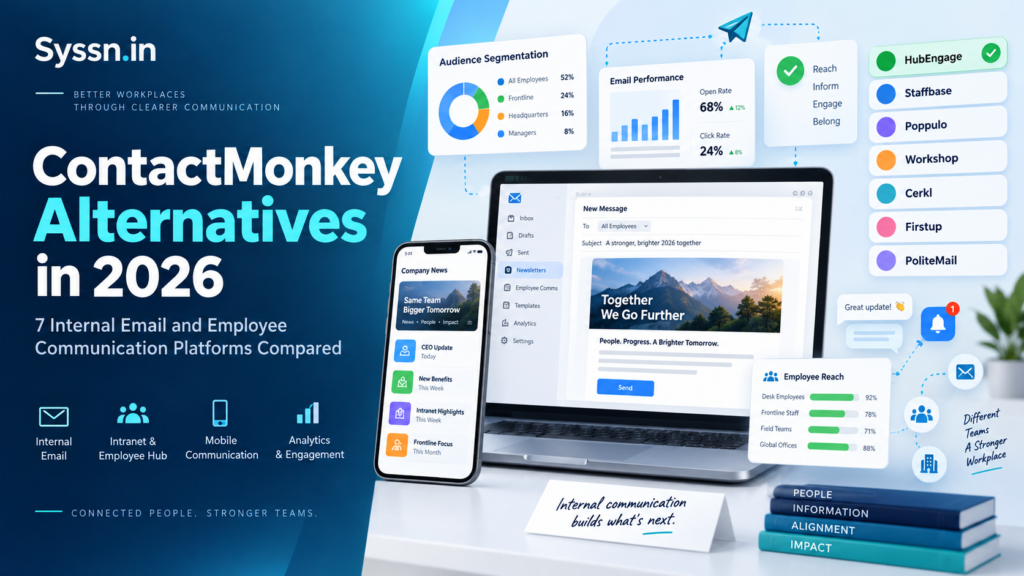
The best ContactMonkey alternatives in 2026 include HubEngage, Staffbase, Poppulo, Workshop, Cerkl Broadcast, Firstup, and PoliteMail.
I would not pick between them by counting features. The more useful question is how employees in your company actually receive information.
If most people live in Outlook, an email-first platform such as Workshop or PoliteMail may be enough. If you also need to reach store teams, warehouse employees, field staff, or people without regular corporate email access, products such as HubEngage, Staffbase, Poppulo, Cerkl, and Firstup become more interesting.
That difference changes the whole comparison.
What are ContactMonkey alternatives?
ContactMonkey alternatives are platforms used for internal newsletters, employee announcements, audience targeting, surveys, email analytics, campaign reporting, and broader employee communication.
ContactMonkey itself already covers a fair amount. It supports Outlook and Gmail, employee surveys, audience segmentation, dynamic content, Microsoft Teams and SharePoint connections, HRIS integrations, and AI-assisted communication features.
So replacing it usually is not about finding another tool that can send a newsletter.
You are more likely asking one of these questions:
- Can we reach frontline employees better?
- Can we combine email with mobile, SMS, intranet, or digital signage?
- Can we simplify communication across several countries or business units?
- Can we measure employee response more clearly?
- Can we keep everything inside Outlook?
- Can employee data automatically control who receives each message?
That is where the differences between these platforms start to matter.
ContactMonkey alternatives at a glance
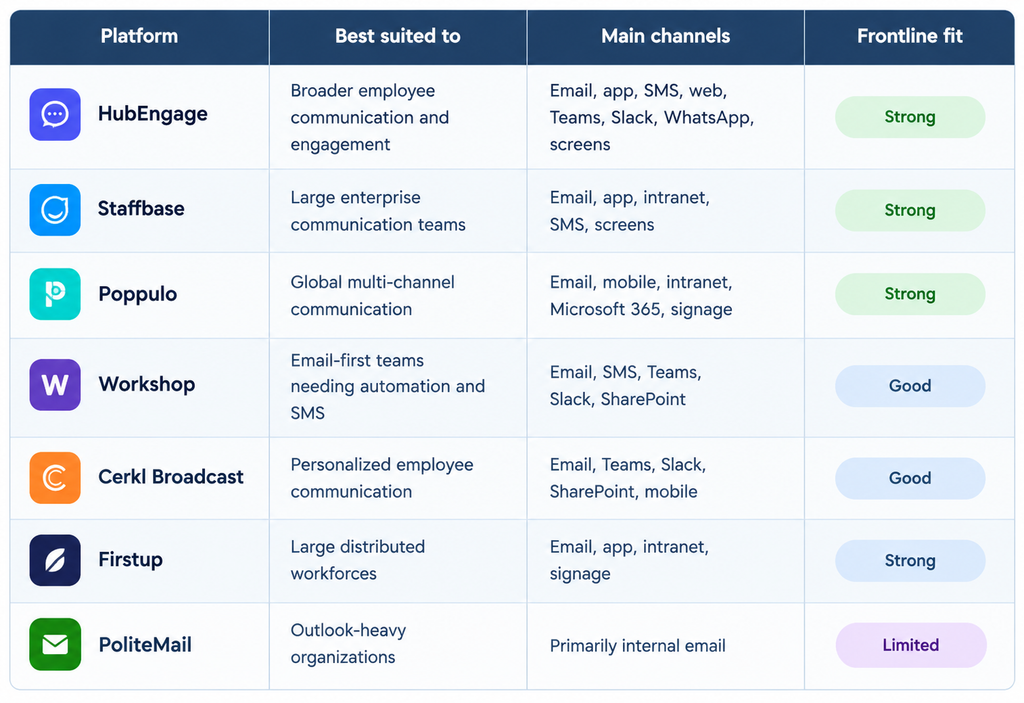
Features and availability can vary by plan.
When does replacing ContactMonkey make sense?
I would not replace ContactMonkey simply because another vendor has a longer feature page.
ContactMonkey remains a practical choice for teams that rely heavily on internal email and want newsletter creation, targeting, surveys, and detailed reporting.
The reason to look elsewhere usually appears when your workforce changes.
Imagine a retailer with 20,000 store employees. Corporate staff may read Outlook every day, while store associates rarely do. Email analytics can tell the communication team what happened inside inboxes, but they still need another way to reach everyone else.
A professional-services firm may have the opposite problem. Almost every employee uses Outlook, so introducing a new employee app could create more work without solving anything.
That is why I would start with employee behavior before comparing software.
1. HubEngage
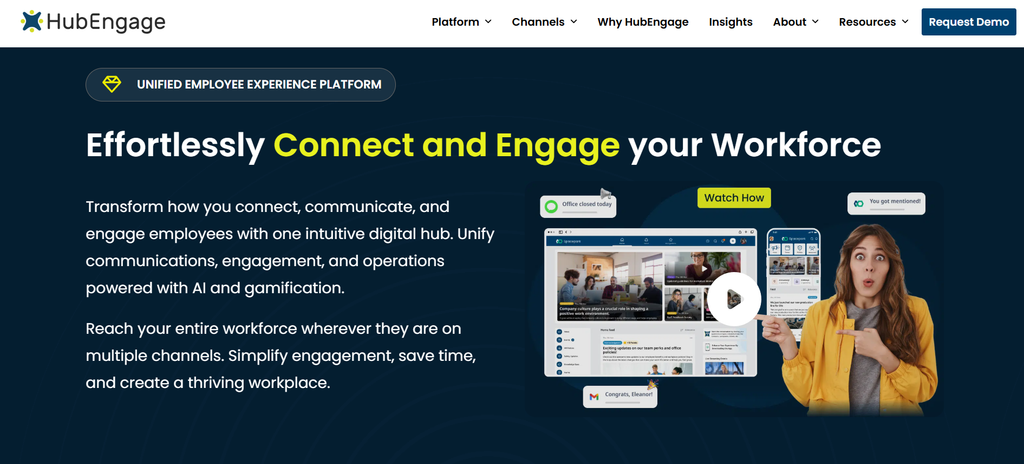
Best for: Companies that want internal email combined with mobile and frontline communication.
HubEngage takes a broader approach than a typical internal email product. It supports employee email alongside mobile apps, web access, SMS, Microsoft Teams, Slack, WhatsApp, push notifications, and digital displays.
That combination becomes useful when a company has several types of employees.
An office employee may receive the weekly update through email. A warehouse employee could see it on mobile. A retail team might receive an SMS or view the same announcement on a workplace screen.
HubEngage also includes employee surveys, recognition, social features, intranet functions, and other employee engagement tools. Reporting can cover email activity as well as engagement elsewhere in the platform.
I would consider HubEngage when the requirement has grown beyond newsletters and email tracking.
Before buying, I would ask exactly which communication channels and modules are included in the proposed package. SMS, employee apps, digital displays, and engagement tools can change the scope of the implementation considerably.
2. Staffbase
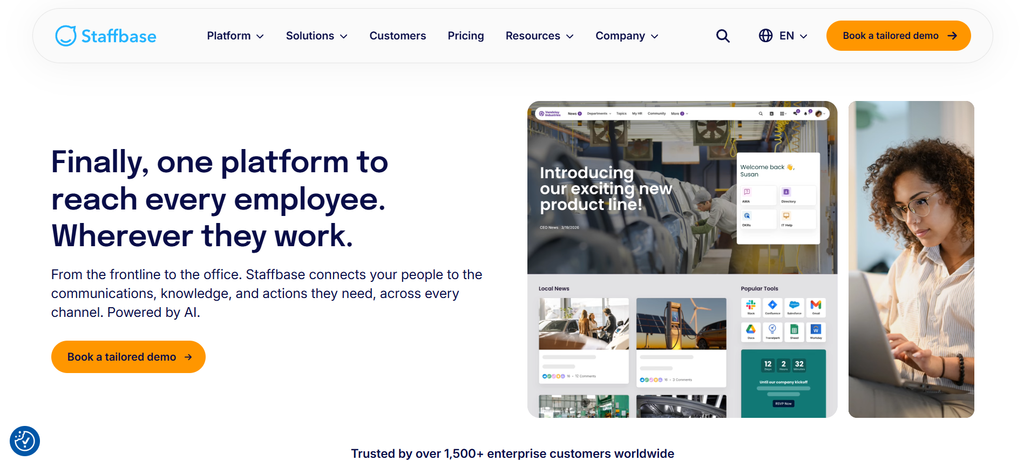
Best for: Large organizations running structured communication across several channels.
Staffbase combines internal email with an employee app, intranet, SMS, digital signage, planning tools, and communication analytics.
Its email product can also operate separately, which makes the comparison with ContactMonkey more interesting. Communication teams can build targeted emails, manage employee audiences, follow up with people who did not open a message, and review engagement data.
The larger Staffbase platform makes more sense when communication responsibilities are spread across countries, departments, business units, and employee groups.
Its employee app also gives companies another route to workers who do not spend their day inside Outlook or Gmail.
I would look at Staffbase when communication has become an operational problem rather than a newsletter problem.
Before buying, I would separate the quote into the parts you actually need. Ask what Staffbase Email costs on its own, then compare that with the cost of adding the employee app, intranet, integrations, analytics, implementation, and other modules.
3. Poppulo
Best for: Global companies communicating through email, mobile, Microsoft 365, intranet, and workplace screens.
Poppulo is another platform I would put on the list when internal communication needs to operate across several channels.
Its employee communication products cover email, newsletters, mobile communication, intranet experiences, Microsoft 365 connections, and digital signage.
Reporting is a major part of the product. Communication teams can measure email campaigns as well as activity across broader employee communication programs. Poppulo also supports data connections that can feed reporting tools such as Power BI and Tableau.
Its integrations include Microsoft Teams, SharePoint, Microsoft Entra ID, Workday, SAP, and PeopleSoft.
That breadth makes Poppulo more suitable for complex organizations than a team simply looking for a nicer email editor.
I would consider it when global communication needs centralized planning and measurement.
Before buying, work out the full operating cost. Email, screens, employee data, integrations, implementation, mobile access, and analytics may all affect the final package.
4. Workshop
Best for: Teams that still want email to remain the main internal communication channel.
Workshop stays closer to ContactMonkey than many of the wider employee communication platforms on this list.
Teams can create branded employee emails, manage distribution lists, target groups, schedule communication, and track metrics such as opens, clicks, read time, and audience engagement.
Workshop also adds automation through its Journeys feature. That can be useful for communication that happens repeatedly, such as onboarding, benefits reminders, training sequences, or employee lifecycle messages.
It also supports SMS, Teams, Slack, and SharePoint.
SMS is particularly useful if your company has employees without corporate email accounts. They can receive messages without needing to download another employee app.
I would shortlist Workshop when email works well for most of the workforce but you want stronger automation or a practical way to reach the remaining employees.
Before buying, check which plans include Journeys, SMS, personalization, analytics, and the integrations you expect to use.
5. Cerkl Broadcast
Best for: Companies that want more personalized communication across the tools employees already use.
Cerkl Broadcast combines internal email, audience management, personalization, analytics, and multi-channel distribution.
It can distribute employee content through Outlook, Gmail, Microsoft Teams, SharePoint, Slack, newsletters, microsites, and mobile experiences.
Employee data from systems such as Workday, SAP, PeopleSoft, ADP, and Active Directory can help determine which content each audience receives.
This makes Cerkl particularly relevant when your organization already uses several employee communication tools and does not necessarily want to replace all of them.
Its reporting can also bring activity from different channels into a broader view rather than treating every email as an isolated campaign.
I would consider Cerkl when personalization is one of the main reasons you are moving away from ContactMonkey.
Before buying, look carefully at plan limits. Some mobile and broader cross-channel functions may require higher packages, so ask the vendor to map your required workflow to the exact plan being quoted.
6. Firstup
Best for: Large distributed companies running targeted employee communication journeys.
Firstup treats employee communication as a broader delivery system rather than a collection of newsletters.
Its platform includes employee email, an employee app, intranet capabilities, digital signage, audience targeting, campaign tools, personalized journeys, search, and analytics.
The email side supports targeting by factors such as role, location, and shift. Companies can also use automated follow-ups and acknowledgment tracking when employees need to take action after receiving a message.
That can be useful for policy changes, benefits communication, onboarding, training, or operational updates.
Its app and signage options also make Firstup relevant to frontline workforces where traditional corporate email has limited reach.
I would look at Firstup when communication needs to change based on employee group, behavior, or stage in the employee lifecycle.
Before buying, define how much of the platform you really need. Email, journeys, app access, intranet, signage, and advanced reporting can turn a simple replacement project into a much larger rollout.
7. PoliteMail
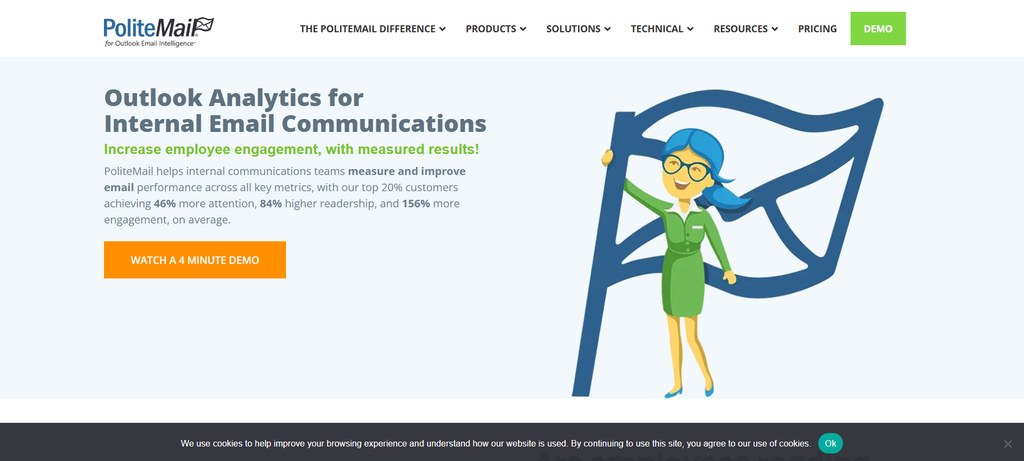
Best for: Microsoft 365 organizations that want to keep Outlook at the center of internal communication.
PoliteMail has a narrower focus than HubEngage, Staffbase, Poppulo, or Firstup.
That can actually be an advantage.
If your employees already use Outlook and the main problem is email measurement, introducing a separate app or communication platform may be unnecessary.
PoliteMail focuses heavily on internal email creation and measurement inside Microsoft environments. Reporting covers reach, readership, engagement, clicks, employee segments, and benchmarks.
Teams can also analyze communication using employee attributes such as region, role, or other fields.
I would consider PoliteMail when the company is happy with email as the primary employee channel but wants better visibility into what happens after messages are sent.
The main limitation is also clear. If a large part of your workforce does not use corporate email, an email-centered platform may leave the underlying communication problem unchanged.
How I would choose between ContactMonkey alternatives
When I compare communication software, I prefer scoring a few practical requirements rather than trying to compare hundreds of features.
A simple framework looks like this:
| Factor | Suggested weight |
|---|---|
| Workforce reach | 25% |
| Audience targeting | 20% |
| Measurement | 20% |
| Creation and approvals | 15% |
| Employee and manager usability | 10% |
| Integrations and AI controls | 10% |
Score each product from 1 to 5.
Then change the weights based on your company.
A retailer with thousands of store employees might give workforce reach 35% of the score.
A consulting firm where nearly everyone works in Outlook could reduce that number and place more weight on email analytics and Microsoft 365 workflow.
The point is not the exact percentage.
The useful part is forcing yourself to decide what actually matters before the vendor demonstration starts.
What should you check before replacing ContactMonkey?
I would document your current communication process first.
Start with email access. How many employees actually have and regularly use corporate email?
Then list the messages you send repeatedly:
- Company newsletters
- Executive announcements
- Benefits communication
- Emergency messages
- Onboarding
- Policy changes
- Training reminders
- Employee surveys
- Local or regional updates
Next, identify what employees are supposed to do after receiving each message.
Sometimes reading is enough. Other messages require acknowledgment, training completion, enrollment, attendance, or another action.
I would then ask every shortlisted vendor to demonstrate the same scenario.
For example:
Send a safety announcement to 3,000 employees across 20 locations. Show me how the audience is created, how employees without email receive it, how acknowledgment is measured, and how a manager finds the locations that need follow-up.
That demonstration tells you much more than asking, “Do you have analytics?”
Also check implementation costs, integrations, SMS charges, employee data migration, support, training, branded apps, and any additional modules.
Frequently asked questions
What are the best ContactMonkey alternatives in 2026?
Strong options include HubEngage, Staffbase, Poppulo, Workshop, Cerkl Broadcast, Firstup, and PoliteMail.
HubEngage is worth considering for broader employee and frontline communication. Workshop and PoliteMail stay closer to email. Staffbase, Poppulo, Cerkl, and Firstup suit companies that need several employee communication channels.
Which platform is most similar to ContactMonkey?
Workshop, Staffbase Email, and PoliteMail are among the closest options when email remains the main requirement.
Workshop combines internal email with analytics and automation. Staffbase Email adds enterprise targeting and can connect to the broader Staffbase platform. PoliteMail stays particularly close to Outlook.
Which ContactMonkey alternative is best for frontline employees?
HubEngage is a strong option because it supports mobile, SMS, web, email, Teams, Slack, WhatsApp, push notifications, and digital displays.
Staffbase, Poppulo, Cerkl Broadcast, and Firstup also offer mobile or frontline communication options.
Workshop can reach employees through SMS without requiring them to install an app.
Which ContactMonkey alternatives work well with Microsoft 365?
Staffbase, Poppulo, Cerkl Broadcast, PoliteMail, HubEngage, and Workshop all provide Microsoft-related capabilities.
PoliteMail is particularly Outlook-focused, while Staffbase, Poppulo, and Cerkl connect internal communication with a wider set of Microsoft tools.
The exact workflow matters more than the phrase “Microsoft 365 integration,” so test it during the demo.
Which ContactMonkey alternative is best for employee newsletters?
Workshop, Staffbase Email, Cerkl Broadcast, PoliteMail, and HubEngage are all reasonable choices.
I would pick Workshop or PoliteMail if newsletters remain the main job.
HubEngage makes more sense when newsletters need to reach people through email and other channels. Staffbase and Cerkl become more interesting when newsletters sit inside a larger employee communication operation.
ContactMonkey vs HubEngage: what is the main difference?
ContactMonkey is more closely centered on internal email creation, targeting, surveys, and measurement.
HubEngage includes internal email but places it inside a broader employee communication platform covering mobile apps, SMS, digital screens, web, Teams, Slack, WhatsApp, surveys, recognition, and other employee-facing functions.
If most employees already live in email, ContactMonkey’s narrower approach may be enough.
If your workforce includes large frontline or deskless groups, the additional delivery options in HubEngage may be more useful.
Final verdict
There is no single ContactMonkey replacement I would recommend to every company.
Start with HubEngage if you need email plus stronger mobile and frontline communication.
Look at Staffbase when you need structured enterprise communication across several employee channels.
Consider Poppulo for large global communication programs.
Choose Workshop when email remains central but you also want automation and SMS.
Look at Cerkl Broadcast when personalization across existing communication channels is the priority.
Consider Firstup when employee journeys, distributed workforce communication, and targeting are central to the project.
And put PoliteMail high on the list when your organization already works primarily in Outlook and wants stronger internal email measurement.
Before choosing any of them, give every vendor the same two or three real communication scenarios.
Watch how they handle the messy parts: employee data, targeting, frontline access, approvals, measurement, and follow-up.
That is usually where the differences become much clearer.