
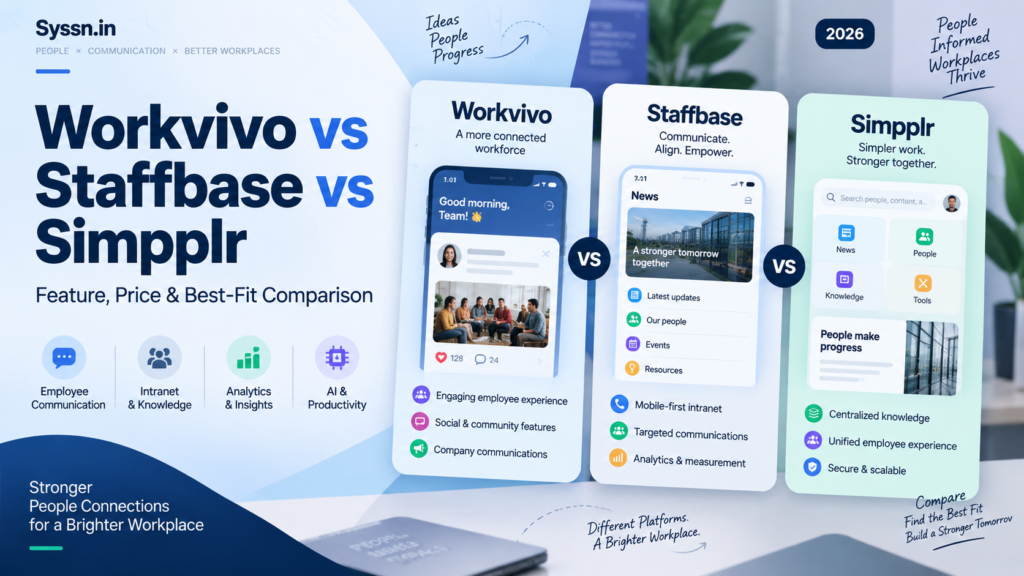
Workvivo vs Staffbase vs Simpplr in 2026: Feature, Price and Best-Fit Comparison

A software demo usually gets interesting around minute 25.
The polished homepage is gone. The standard slides are finished. Someone on your team asks a practical question: “Can a warehouse employee without a company email receive this message, open the policy, complete the survey, and find their payslip?”
That is often where Workvivo, Staffbase, and Simpplr start to look less alike.
All three have expanded well beyond the old idea of an employee intranet. They now cover communication, mobile access, search, analytics, AI, integrations, employee engagement, and workplace content. But they arrive at those capabilities from different directions.
Workvivo puts communication, participation, recognition, and a social-style employee experience near the center.
Staffbase is built around controlled enterprise communication across channels such as intranet, employee app, email, SMS, digital signage, and live formats.
Simpplr starts with the intranet as the employee’s main digital entry point, then adds search, communications, listening, AI, integrations, and employee services.
There is no useful universal winner. Your better fit depends on what employees need to do, how your workforce is structured, and which systems you are trying to replace.
Last checked: September 17, 2026.
Workvivo vs Staffbase vs Simpplr: the short answer
If I were creating a shortlist, I would begin with the job the platform needs to perform.
Choose Workvivo for closer evaluation if participation, mobile communication, recognition, communities, employee-generated activity, and an active company feed sit high on your requirements list.
Put Staffbase on the shortlist when a central communications team needs to coordinate messages across several channels, particularly in a large, distributed, frontline, or multi-region workforce.
Consider Simpplr when the intranet, workplace search, knowledge access, integrations, and employee self-service need to sit at the center of the employee experience.
The difference sounds small on a feature sheet. In practice, it affects implementation, administration, employee adoption, and what you end up paying for.
Workvivo vs Staffbase vs Simpplr feature comparison
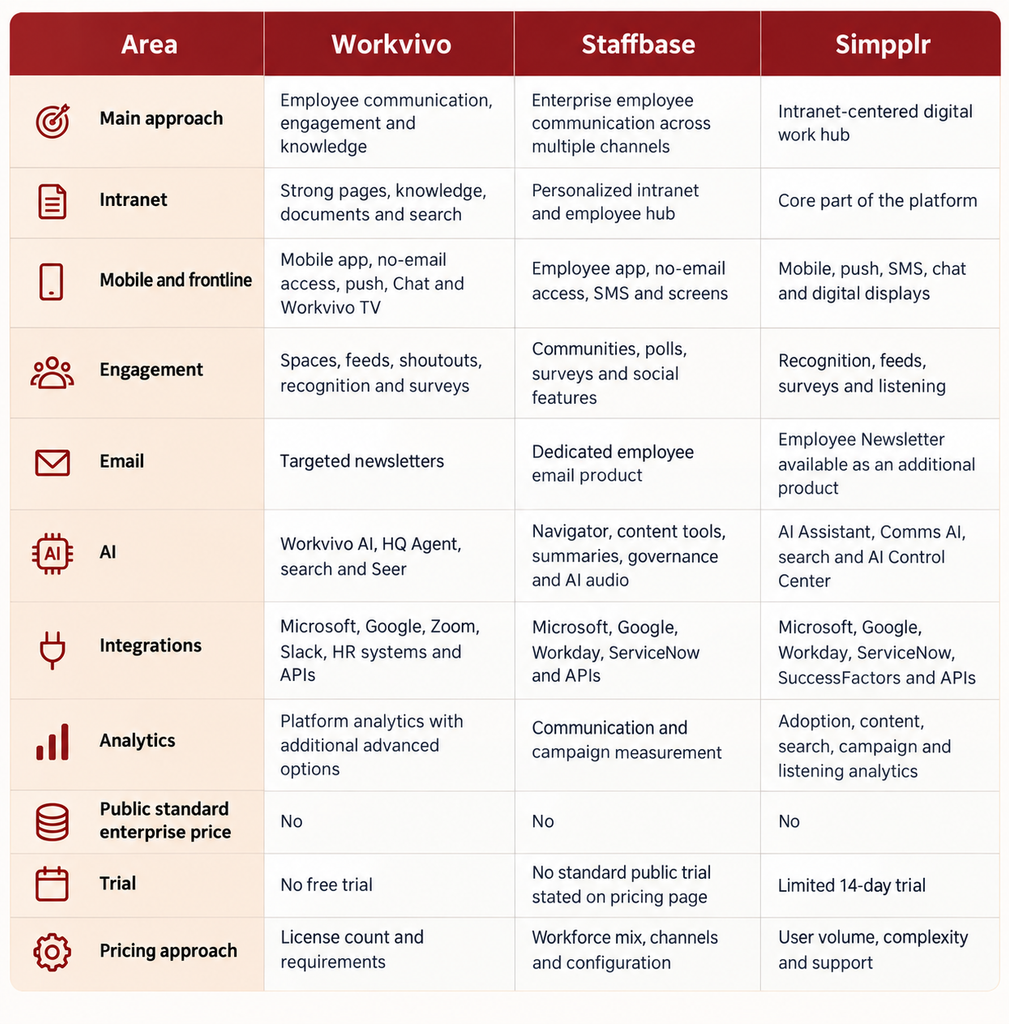
The table is useful for orientation. I would not use it to make the final decision.
Two platforms can both say they have “AI search,” “Workday integration,” or “frontline support” while providing quite different employee experiences. The useful question is what happens when a real employee tries to complete a task.
What is Workvivo best used for?
Workvivo is worth examining when you want communication to feel active rather than mainly page-based.
Its employee experience combines personalized feeds, spaces, company updates, recognition, events, surveys, newsletters, video, livestreaming, employee directories and knowledge content. Employees are expected to participate rather than simply read.
That distinction is easy to underestimate.
A traditional intranet may answer, “Where is the parental leave policy?”
A platform built around participation also asks, “How do employees react to an announcement, recognize somebody, join a group, comment on an update, answer a survey or communicate with coworkers?”
Workvivo has pushed further into workplace knowledge during 2026. Workvivo HQ combines communication, knowledge and AI, while HQ Agent can extend searches and actions into systems such as Workday, ServiceNow, Google Drive and Salesforce.
Recognition remains closely tied to the experience. Shoutouts, awards, badges and celebrations sit alongside everyday company communication rather than living in a separate rewards product.
For frontline employees, Workvivo supports mobile access and push communication, while products such as Chat and Workvivo TV extend the platform into direct messaging, voice/video communication and workplace screens.
Workvivo limitations to check
The first question I would ask Workvivo during procurement is simple:
Which parts of the demo are actually included in the quote?
Workvivo HQ is the core platform. HQ Agent, Seer, Chat and Workvivo TV are separate additions, and deeper analytics can also affect packaging. Workvivo itself describes HQ Agent, Seer, Chat and Workvivo TV as add-ons around its main HQ offering.
That does not make the packaging unusual. Enterprise software is often sold this way. It does mean the sales demo and the commercial proposal need to be compared carefully.
Workvivo does not publish standard license pricing. Pricing depends on license volume and company requirements. It also states that it does not offer a free trial, although buyers can request a tailored demo.
What is Staffbase best used for?
Staffbase becomes interesting when employee communication is less about one destination and more about reaching people wherever they already are.
Its product range includes an intranet, employee app, employee email, SMS, digital signage, live communication, AI and integrations.
Imagine a company with 12,000 employees. Headquarters staff live inside Microsoft 365. Retail workers rely on mobile phones. Distribution centers have shared screens. Some employees do not have corporate email accounts at all.
In that environment, “publish this on the intranet” is not really a communication strategy.
Staffbase is designed around that problem. The platform can deliver targeted communication through several employee channels while giving communications teams centralized control.
This is also why Staffbase deserves attention in frontline-heavy companies. Its pricing approach explicitly accounts for frontline-only and mixed workforces, rather than assuming every employee needs the same enterprise license. Staffbase says it supports employees without corporate email and offers frontline-specific pricing.
Its enterprise focus extends into governance. Multi-brand companies, regional teams and organizations with distributed publishing responsibilities can set up different administrative structures and permissions.
Staffbase has also continued expanding its AI products in 2026. Its Q2 release moved AI Podcast out of beta and added further AI-assisted content-governance functionality. Navigator provides AI-supported workplace answers based on organizational content.
Staffbase limitations to check
Staffbase’s strength can also make purchasing complicated.
An employee app plus intranet is one proposal. Add email, SMS, digital signage, live communication, integrations and regional administration and you are evaluating something much larger.
That makes headline price comparisons unreliable.
Staffbase does not publish a standard enterprise rate card. Its current pricing information says quotes are shaped around workforce composition and organizational needs. It also says a typical fully branded launch takes about 90 days, depending on configuration.
For a large rollout, I would therefore spend as much time examining implementation as feature coverage.
Who configures the platform? Who migrates the content? Who builds integrations? Who handles regional governance? What does the customer’s internal team need to provide during those 90 days?
Those questions can matter more than another ten feature checkboxes.
What is Simpplr best used for?
Simpplr makes the most sense to me when the project begins with a different question:
Where should an employee start when they need something?
That might be a company announcement, HR policy, colleague, IT resource, benefits document, workplace application or answer to an internal question.
Simpplr puts the intranet and employee hub at the center of that experience. It combines content, enterprise search, people information, mobile access, integrations, communications, employee listening and AI assistance.
Its connected-search strategy is an important part of the product.
The goal is not simply to build another repository and ask employees to upload everything there. Instead, Simpplr can connect with systems such as Microsoft 365, Google Workspace, Workday, ServiceNow and SAP SuccessFactors so employees can find material stored elsewhere.
In May 2026, Simpplr also introduced an AI Control Center for centralized administration of AI features, providers and configurations.
That is a useful development because workplace AI is gradually turning into an administration problem as much as a search problem.
Giving employees AI answers is relatively easy to demonstrate.
The harder questions are: Which sources may the system use? Whose permissions apply? Which AI functions are active? Which provider handles the request? Can administrators change the configuration later?
Those are the questions enterprise IT teams eventually ask.
Simpplr limitations to check
Simpplr also has products that may sit outside the standard subscription, so do not assume every feature shown during evaluation is part of the base agreement.
Employee Newsletter and employee-listening capabilities, for example, can affect packaging depending on the proposal.
Simpplr does not publish a normal per-user enterprise rate. It says pricing is tailored according to company size, complexity and support requirements. Its standard pricing information currently advertises limited 14-day trials and volume discounts for organizations with 500 or more employees.
Again, the sensible move is to compare actual proposals rather than estimates taken from third-party software directories.
Which is better for internal communications?
This question sounds straightforward until you ask what “internal communications” means inside the organization.
For one company, internal communications means leadership announcements and a weekly newsletter.
For another, it includes crisis alerts, frontline messaging, local-language content, CEO livestreams, employee communities, surveys, mobile notifications and digital signage in 200 physical sites.
Those companies should probably not evaluate the platforms in the same way.
Workvivo
Workvivo suits communication programs where employee participation is part of the objective.
Employees can consume company content, but the experience also encourages them to post, react, recognize colleagues and join communities.
Staffbase
Staffbase suits organizations where controlled multi-channel distribution is the bigger problem.
A central communications team can manage content intended for apps, intranet pages, email, SMS, screens and live formats while targeting different employee populations.
Simpplr
Simpplr suits organizations where communications need to sit close to workplace knowledge and employee services.
Announcements and campaigns become part of the wider intranet experience, alongside search, applications, people information and company resources.
The useful distinction is not which vendor has more communication features. It is whether communication is primarily a conversation, a distribution problem, or part of a broader employee information hub.
Most organizations need some combination of all three. The balance tells you where to start.
Which is better for frontline employees?
All three can support frontline employees.
I would still test this area carefully because “mobile app available” tells you very little.
Workvivo for frontline teams
Workvivo provides mobile communication, feeds, push notifications, recognition, surveys, chat and optional digital signage.
The social design can work well when organizations want frontline employees participating in company communication rather than receiving one-way updates.
Staffbase for frontline teams
Staffbase combines its employee app with no-email access options, SMS, targeted communication, screens and workforce-specific pricing.
Its channel-first structure can be attractive when the central challenge is reaching different employee populations consistently.
Simpplr for frontline teams
Simpplr provides mobile access, messaging, notifications and employee resources while keeping employees connected to the wider company intranet and search experience.
A better frontline demo
Instead of asking each vendor to demonstrate its mobile app, give them the same scenario:
- Sign in as an employee without a corporate email address.
- Find today’s updated safety policy.
- Change the language.
- Receive an urgent operational notification.
- Complete a two-question survey.
- Find a benefits document.
- Message the appropriate person.
- Access a payroll or scheduling resource.
Time the process.
A five-minute employee task will tell you more than 40 minutes of polished platform slides.
Workvivo vs Staffbase vs Simpplr pricing in 2026
This is where comparison articles often create false precision.
Workvivo, Staffbase and Simpplr do not publish a standard enterprise rate card that lets you multiply “price per user” by employee count and arrive at a reliable total.
Quotes change according to workforce size, products, integrations, support, implementation and other requirements.
Workvivo pricing
Workvivo uses customized pricing based on licenses and organizational requirements.
Workvivo HQ is the starting platform, while products such as HQ Agent, Seer, Chat and Workvivo TV can be added. There is no free trial.
Staffbase pricing
Staffbase uses custom pricing structured around the workforce and selected communication setup.
Its pricing material specifically distinguishes frontline workforces and mixed employee populations, and companies can begin with one communication channel before adding others.
Simpplr pricing
Simpplr bases quotes on company size, complexity and the required support level.
Its published information says subscriptions typically include Simpplr One, support, training and ongoing releases, while premium products and additional services can increase the total. Simpplr also offers limited 14-day trials and volume discounts for companies with 500 or more employees.
How should you compare quotes?
Give every vendor the exact same request.
Suppose you have 5,000 employees, including 2,000 frontline workers.
Ask for a three-year proposal containing:
- 5,000 employee accounts
- frontline access without corporate email
- SSO
- HRIS integration
- Microsoft 365 integration
- mobile apps
- employee newsletters
- digital signage
- surveys
- advanced analytics
- implementation
- data and content migration
- administrator training
- premium support
Then ask the vendor to separate these costs:
- annual software subscription
- implementation
- migration
- integrations
- optional products
- SMS usage
- digital signage
- training
- premium support
- additional storage or usage charges
- price changes when headcount increases
- renewal terms
Now you are comparing three-year operating cost.
That is far more useful than finding three unrelated per-user numbers through Google and pretending they describe equivalent products.
Which platform has stronger integrations?
All three connect with major workplace systems.
Workvivo supports Microsoft, Google, Slack, Zoom and common HR and workplace systems.
Staffbase supports Microsoft 365, Workday, ServiceNow, Google and other enterprise applications.
Simpplr lists Microsoft 365, Google Workspace, Workday, ServiceNow, SuccessFactors, Slack and other workplace platforms.
The mistake is comparing these integrations by counting logos.
Take Workday as an example.
An “integration with Workday” could mean several things:
- importing employee profile data
- provisioning accounts
- searching Workday content
- displaying selected information
- sending employees into Workday through a link
- allowing employees to complete an action
- triggering a workflow
Those experiences are very different.
Before accepting an integration as supported, write down the actual employee action you need.
“Connects with ServiceNow” is vague.
“An employee can ask for the status of an open IT ticket without leaving the employee platform” is testable.
How do their AI capabilities compare in 2026?
AI has become one of the strangest parts of employee-platform demos.
Almost every platform can now produce text, summarize something or answer a question.
That no longer tells you much.
Workvivo AI
Workvivo uses AI across content creation, knowledge search, surveys, employee listening and workplace assistance.
HQ Agent extends this into connected-system search and task execution.
Staffbase AI
Staffbase applies AI to workplace search, content creation, content governance, summaries, translation, audio and communication tasks. Navigator is designed to answer employee questions using organizational information.
Simpplr AI
Simpplr combines enterprise search, AI assistance, communications AI and centralized AI administration. Its 2026 AI Control Center gives IT administrators more direct control over how AI operates within the platform.
How I would test workplace AI
Give each platform the same five questions based on sample company documents.
For example:
- How many weeks of parental leave do employees in Germany receive?
- Can I expense a hotel costing €280?
- Which cybersecurity course is mandatory this quarter?
- When does open enrollment close?
- Who approves international travel?
Then check:
- Was the answer correct?
- Did it cite the source?
- Was the source current?
- Did the system respect employee permissions?
- Could an administrator see which source generated the answer?
- What happened when documents conflicted?
- What happened when there was no reliable answer?
That last question is especially revealing.
A workplace AI system does not need to know everything. Sometimes the safest answer is effectively, “I don’t have enough approved information to answer this.”
Three Workvivo, Staffbase and Simpplr alternatives to consider
The three main platforms cover a large part of the employee-experience market, but they are not the only sensible options.
Firstup, HubEngage and Blink approach the problem differently enough to deserve a place on some shortlists.
1. Firstup
Firstup is built around personalized employee communication and multi-channel delivery.
The platform can distribute information through employee web experiences, mobile apps, email, desktop surfaces and digital signage. Its targeting model allows communications teams to segment employees according to profile data, preferences and behavior.
Its Journey capabilities are particularly relevant when communication happens over time rather than through one announcement. A company could create different sequences for onboarding, benefits enrollment, organizational changes or manager campaigns, then adjust follow-up communication based on employee actions.
Firstup has also expanded workplace search. Its 2026 updates added Model Context Protocol support that can make authorized Firstup content searchable through Microsoft Copilot and ChatGPT, subject to configuration and organizational permissions.
Where Firstup fits: Larger organizations with complex audience segmentation, multiple communication channels and communication journeys that need automation.
What to check: Ask exactly which journey functions, AI features, integrations, signage options and search capabilities are part of your package. Some newer functionality depends on contract configuration.
2. HubEngage
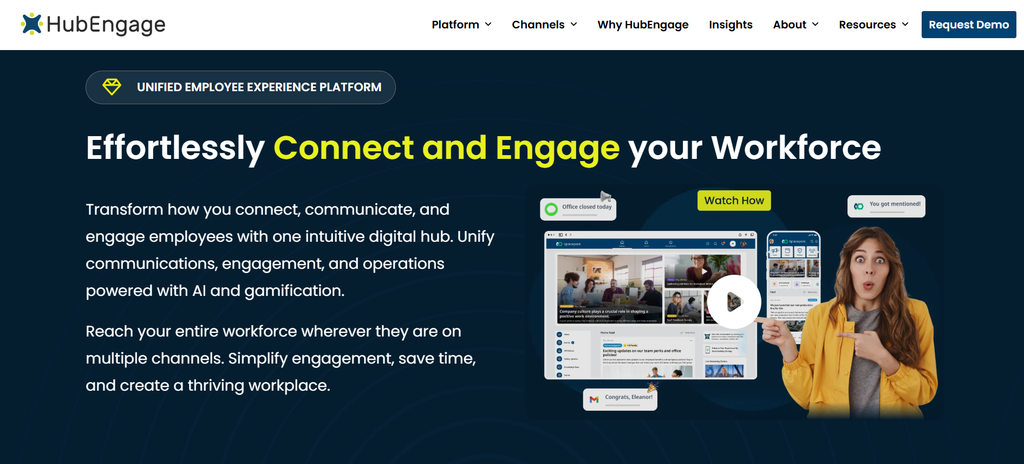
HubEngage takes a modular approach to employee communication and engagement.
Its platform combines employee communications, mobile and web access, newsletters, recognition, surveys, social interaction, messaging, AI assistance and digital displays. Organizations can choose modules rather than treating every implementation as one fixed platform package.
Its Communications Hub supports distribution across web, mobile apps, email, SMS and digital displays. HubEngage also provides separate products for recognition, surveys, social activity and secure employee messaging.
That structure may appeal to organizations that want to begin with communication and add employee-engagement tools later rather than replace several systems at once.
The company also supports connections with SSO, HRIS, payroll, Microsoft environments and other workplace systems. SMS and digital displays can carry additional costs depending on usage and setup.
Where HubEngage fits: Organizations looking for multi-channel employee communication combined with surveys, recognition, social activity and frontline mobile access.
What to check: Request one complete quote covering your exact modules and channels. HubEngage publishes several pricing descriptions across its site, so a vendor proposal is more reliable than using a single advertised starting figure.
3. Blink
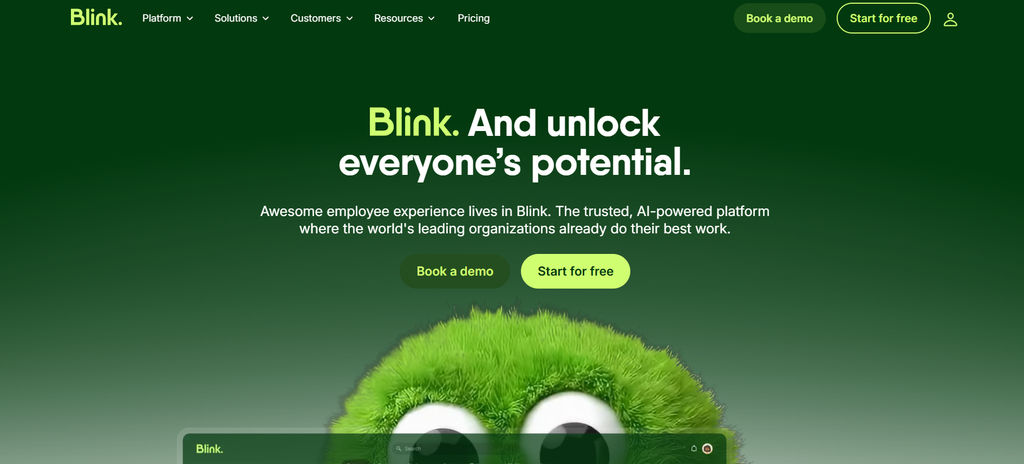
Blink approaches employee communication from a mobile-first, frontline perspective.
The platform is designed around an employee app rather than asking frontline workers to behave like desktop intranet users. It combines a company feed, direct and group messaging, communities, polls, stories, resources and AI-assisted information access.
That structure is relevant to businesses where large employee groups work in stores, hospitals, hotels, warehouses, vehicles or field locations.
Blink’s Hub gives employees a central place for documents and company resources. Higher tiers add multilingual publishing, integrations, customized navigation, onboarding functions, forms, surveys and stronger administrative controls.
Blink is also unusually transparent about its entry pricing. Its current UK pricing lists Core at £2.95 per user per month and Pro at £3.75 per user per month when billed annually, with a 14-day free trial. Enterprise deployments use custom pricing.
Where Blink fits: Frontline-heavy organizations that want mobile communication, messaging, communities and easy access to employee information.
What to check: Large enterprises should test governance, complex intranet publishing, regional administration, advanced search, migration and integration requirements carefully before assuming a mobile-first platform can replace a broader employee portal.
A practical buyer checklist
Before your final demos, write down the ten jobs the platform has to perform.
Do not let the vendors replace those jobs with their preferred presentation.
Ask:
- Can a frontline employee join without a company email?
- Can communicators send the same campaign across every channel we actually use?
- Can employees search the intranet and connected workplace systems together?
- Can content be targeted by country, department, location, job type, language and other employee attributes?
- Can employees complete common HR or IT tasks without switching applications?
- Can administrators separate global, regional and local publishing rights?
- Can we control AI access and data sources?
- Can analytics show actual reach, adoption, search success and employee action?
- Which features in this demo require an additional license?
- What will this configuration cost over three years?
For every requirement, use four answers:
Fully supported
Supported with configuration
Paid addition
Not supported
This removes some of the theatre from software demos.
It also forces an uncomfortable but useful distinction between a platform being technically capable of something and your organization actually having it in the package you bought.
Frequently asked questions
What is the difference between Workvivo, Staffbase and Simpplr?
Workvivo combines employee communication, social participation, recognition, knowledge and mobile access in a feed-led experience.
Staffbase centers more heavily on enterprise communication across channels including intranet, employee app, email, SMS and digital signage.
Simpplr puts the intranet and workplace search at the center, then connects communications, integrations, AI and employee services around it.
Which is better for internal communications?
It depends on your communication model.
Workvivo is worth considering when participation, recognition and employee communities are important.
Staffbase deserves closer attention when the main problem is controlled communication across several channels and workforce groups.
Simpplr makes sense when communications need to sit closely alongside intranet content, workplace search and employee services.
How much do Workvivo, Staffbase and Simpplr cost?
All three use customized enterprise pricing.
Workvivo bases pricing on licenses and requirements. Staffbase builds pricing around workforce and channel configuration. Simpplr uses company size, complexity and support requirements.
Simpplr currently advertises a limited 14-day trial, while Workvivo states that it does not offer a free trial.
Which platform is suitable for frontline employees?
All three support frontline use cases.
Workvivo puts more weight on mobile participation, recognition and communication.
Staffbase combines its employee app with SMS, digital signage, no-email access and frontline-specific commercial options.
Simpplr provides mobile access and frontline communication while retaining a stronger connection to the wider intranet and workplace-search experience.
Can Workvivo replace an intranet?
Potentially.
Workvivo HQ combines communication, knowledge, search, directories, pages and integrations. A company with a complex existing SharePoint or custom intranet should still test content migration, document management, permissions, publishing workflows and search requirements before treating replacement as automatic.
Is Staffbase suitable for large enterprises?
Staffbase specifically positions its platform for enterprise and frontline deployments, including multi-brand organizations, regional administration models and mixed workforce structures. Its pricing page describes both dedicated frontline pricing and configurations for mixed workforces.
What is Simpplr best used for?
Simpplr fits organizations that want the employee intranet to become a central place for company content, search, people information, workplace applications and employee services.
Its current product direction also puts considerable attention on AI administration and connected workplace search.
Conclusion
The more I compare employee platforms, the less useful the question “Which one has the most features?” becomes.
Large platforms eventually accumulate many of the same nouns: AI, mobile, search, integrations, analytics, newsletters, surveys, recognition.
The differences often appear in the verbs.
How does an employee find something?
How does a communicator send something?
How does an administrator control something?
How does a frontline employee access something?
How does the system respond when it does not know something?
That is where Workvivo, Staffbase and Simpplr begin to separate.
Workvivo approaches the employee experience through communication, participation and engagement. Staffbase approaches it through coordinated enterprise communication across employee channels. Simpplr approaches it through the intranet, knowledge access and connected employee services.
You can study feature matrices for weeks and still miss that distinction.
A better test is surprisingly ordinary: give all three vendors the same employees, the same five tasks and the same budget assumptions. Then watch what happens.
The useful answer may turn out to have much less to do with who has the longest product page, and much more to do with which platform makes those ordinary employee tasks feel ordinary.

[…] You can also compare alternatives through Syssn’s Workvivo vs Staffbase vs Simpplr 2026 comparison. […]