
Business Listing Management: The Complete Guide

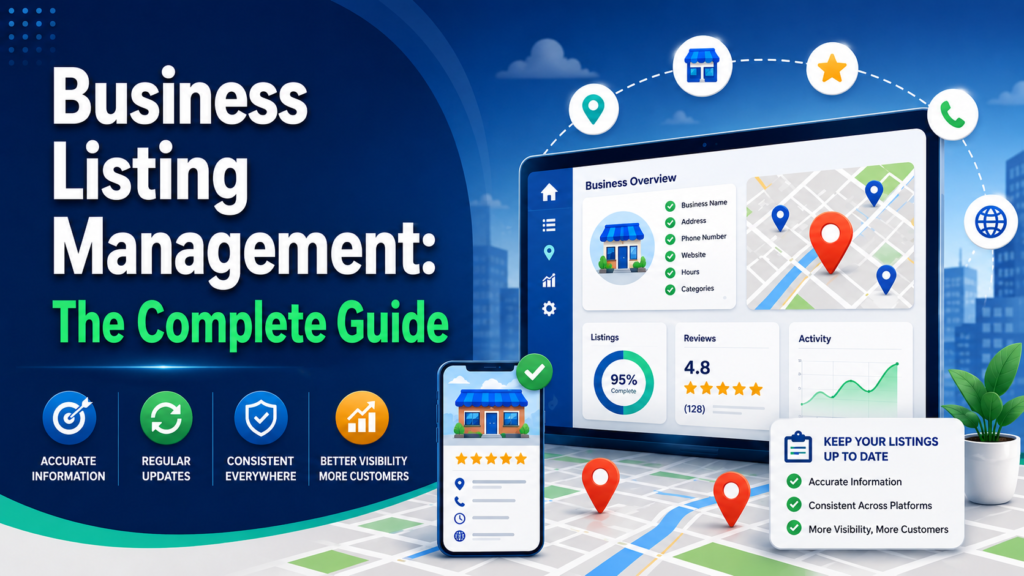
A strange thing about local businesses is how often the smallest pieces of information create the biggest problems.
A restaurant can spend months improving its menu and service, then lose a customer because Google says it closes at 9 p.m. when the kitchen actually shuts at 8. A dental clinic can invest heavily in local SEO while an old phone number still appears on a directory nobody on the marketing team remembers creating. A retailer can have the correct street address everywhere and still send drivers to the wrong side of a shopping center because the map pin is off.
This is really what business listing management is about.
It is the ongoing process of creating, verifying, correcting, optimizing, and monitoring the information that identifies your business across Google, Apple Maps, Bing, Yelp, Facebook, directories, navigation services, and other local discovery channels.
The goal sounds simple: make sure customers see the right information wherever they find you.
Doing that consistently becomes much harder once you have multiple locations, changing business hours, old directory records, duplicate profiles, franchise owners, different publishing platforms, and several people editing the same data.
This guide explains how business listing management works, how listings influence local search, how to deal with incorrect and duplicate records, which platforms deserve attention first, and when software such as Synup, Yext, BrightLocal, Uberall, or Social Places may make sense.
What is business listing management?
Business listing management is the ongoing control of the information that identifies and describes a physical business location online.
It includes:
- Creating new business profiles
- Claiming existing profiles
- Verifying ownership
- Correcting inaccurate information
- Updating hours and operating status
- Adding categories and services
- Managing photos and attributes
- Fixing map pins
- Removing or resolving duplicates
- Monitoring publisher changes
- Keeping information synchronized over time
The word ongoing matters.
It is tempting to think of listings as something you finish. You create a Google Business Profile, add your address and phone number, upload a few photographs, and cross the task off the list.
Public business information does not really work that way.
Google explains that Business Profile information can come from business owners, public web content, licensed third parties, users, and Google’s own interactions with a location.
That means the data shown publicly is influenced by more than the information you entered yourself.
A customer might suggest an edit. A directory may still carry an old address. Another data provider might publish different business hours. A location can move, close temporarily, change its phone number, or start offering new services.
Business listing management is therefore closer to maintaining operational data than completing an SEO checklist.
For a single shop, the job may involve five or ten important profiles.
For a franchise, hotel group, healthcare network, restaurant chain, or retailer with hundreds of branches, the same task becomes a much larger data-management problem.
What information should a business listing include?
A useful listing should answer a few basic customer questions quickly:
Where are you?
When are you open?
How can I contact you?
What do you offer?
How do I take the next step?
The main fields to maintain are:
| Listing field | What to maintain |
|---|---|
| Business name | The real-world name used on signage and branding |
| Address | Complete customer-facing address or approved service area |
| Phone | A working direct number where practical |
| Website | Correct website or location-specific landing page |
| Hours | Regular, seasonal, holiday, and special hours |
| Categories | Accurate primary and secondary categories |
| Services or products | Current services, menus, products, or appointment options |
| Photos | Recent location, product, service, or team images |
| Coordinates | Correct map-pin position |
| Attributes | Accessibility, amenities, payment options, and relevant service details |
| Action links | Booking, ordering, reservation, appointment, or other supported links |
The simplest rule is to describe the business as it actually exists.
Google specifically tells businesses to represent themselves as they are recognized in the real world and to provide an accurate address or service area.
That sounds obvious, yet listing problems often begin when businesses try to make profiles sound more searchable rather than more accurate.
Adding extra keywords to a business name, for example, may seem helpful from an SEO perspective. It can create policy problems if those words are not part of the company’s real-world name.
The same principle applies to hours.
If you close early on Christmas Eve, customers need the Christmas Eve hours, not your normal Tuesday schedule. Special hours are operational information first and marketing information second.
What is NAP consistency, and how much does it affect local SEO?
NAP stands for:
- Name
- Address
- Phone number
NAP consistency means keeping those details reasonably consistent across your website, maps, directories, profiles, and other public sources.
There is a tendency in local SEO to turn this into something almost mathematical: every comma, abbreviation, and formatting choice must apparently match everywhere or rankings will collapse.
Reality is less dramatic.
Google does not publish “NAP consistency” as a separate local ranking factor.
Google describes local search primarily in terms of relevance, distance, and prominence. It also says that complete and accurate profile information can help businesses appear for relevant searches.
That does not make inconsistent data harmless.
Imagine that one directory shows your old number, another has your new address, and a third lists a location that closed six months ago.
Even before we discuss search rankings, customers have a problem.
Someone may call a dead number. Another person may drive to the old location. A platform trying to understand which record represents the real business must reconcile conflicting information.
So it is more useful to think about NAP consistency as data hygiene than as a ranking trick.
Clean data gives customers and platforms fewer contradictions to deal with.
Why does business listing management matter?
Business listings sit at an awkward intersection between marketing and operations.
Customers treat them as facts.
If Google says your pharmacy opens at 8 a.m., people assume someone has checked that information. If Apple Maps places your hotel entrance on the wrong street, the customer probably does not care whether the error came from Apple, an old data provider, a user suggestion, or your own database.
They simply experience the mistake.
That makes listing accuracy valuable for several reasons.
It helps customers:
- Find the right location
- Call the right number
- Visit during the right hours
- Understand what services are available
- Navigate to the correct entrance
- Book, order, reserve, or contact the business
It also gives search and discovery platforms clearer structured information about the business.
And once you operate many locations, accurate listings reduce internal confusion too. Marketing, customer support, franchise teams, operations, and local managers can work from the same approved data instead of maintaining separate versions.
How do business listings affect local search visibility?
Listings give search platforms important context about a business.
They help answer questions such as:
- What type of business is this?
- Where is it located?
- Is it open?
- What services does it provide?
- Which website belongs to this location?
- How should a customer contact it?
Google says local results depend mainly on relevance, distance, and prominence.
Relevance looks at how closely a business matches what someone searched for.
Distance considers how far the business is from the searcher or location used in the query.
Prominence considers how well known or established the business appears to be.
A complete profile can help Google understand the business more clearly.
That is why business listing optimization should usually begin with accurate fundamentals rather than cosmetic changes.
Start with:
- Correct business identity
- Correct location
- Appropriate categories
- Current operating hours
- Correct website or location page
- Relevant services
- Accurate map positioning
Photographs, descriptions, attributes, booking links, and other fields can improve the profile further, but fixing the core business information comes first.
Do business listings affect AI search visibility in 2026?
They can contribute to it, although this area deserves careful language.
Businesses increasingly want to know whether accurate listings can help them appear in ChatGPT, Gemini, AI Overviews, AI-powered search tools, or other recommendation systems.
The reasonable answer is yes, accurate structured information can help make your business easier to understand.
The unreasonable answer would be that subscribing to a listings platform guarantees AI recommendations.
No listing provider can promise that an AI assistant will mention, rank, recommend, or cite your business for a particular query.
What we do know is that business information increasingly flows through interconnected sources.
Google says Business Profile information can combine owner-supplied information with crawled web content, licensed data, user contributions, and other signals.
Apple says location information can appear across services including Maps, Siri, Calendar, and Messages.
Listing companies have noticed the same shift.
Synup, Yext, Uberall, BrightLocal, and Social Places have all expanded their messaging or products around AI search, AI visibility, or broader discovery.
That does not suddenly make traditional listing work obsolete.
If anything, the growing number of discovery channels makes basic accuracy more useful.
A sensible approach in 2026 is to:
- Keep core business information consistent
- Maintain strong location pages on your own website
- Use accurate categories and services
- Maintain major search and map profiles
- Make location facts easy for machines to understand
- Test real customer-style AI queries
- Measure visibility rather than assuming it
AI search may feel new. The underlying question is familiar: can another system confidently understand who you are, where you are, and what you do?
What is the difference between business listing management and citation management?
The two terms overlap, but they are not quite the same.
Citation management
Citation management usually focuses on online mentions of a business’s:
- Name
- Address
- Phone number
- Website
The work may include finding citations, creating missing ones, fixing incorrect information, and cleaning old records.
Business listing management
Business listing management usually covers more information and more ongoing activity.
It can include:
- Verification
- Business hours
- Holiday hours
- Categories
- Photos
- Services
- Attributes
- Map pins
- Action links
- Duplicate profiles
- Publisher changes
- Ownership
- Synchronization
BrightLocal provides a useful example of the distinction.
Its Citation Builder service focuses on creating and correcting citations, while Active Sync maintains information on major profiles such as Google, Apple Maps, Bing, Facebook, and Yelp.
You could think of citation management as one part of the larger listing-management job.
How does business listing management work?
A reliable listing-management process begins with one approved version of the truth.
Without that, every directory update becomes a separate decision.
One team thinks the official business name includes “LLC.” Another uses the storefront name. A spreadsheet contains an old phone number. The website has newer hours than Google. The local manager changes something directly on Facebook.
Soon there are several versions of the same location.
The following process reduces that problem.
Step 1: Create a source of truth
Build one master record for every location.
At minimum, store:
- Approved business name
- Full address
- Phone number
- Website or location page
- Latitude and longitude
- Primary category
- Secondary categories
- Regular hours
- Holiday hours
- Services
- Operating status
Give each location a unique internal ID.
That ID becomes especially useful when two branches have similar names or when locations relocate.
The master record can live in listing software, a database, CRM, spreadsheet, internal location-management system, or another controlled platform.
The technology matters less than one rule: people should know which version is authoritative.
Step 2: Audit your existing listings
Now compare public information with your source of truth.
Look for:
- Missing profiles
- Wrong phone numbers
- Old addresses
- Incorrect websites
- Incorrect opening hours
- Bad map pins
- Unverified listings
- Duplicate profiles
- Closed locations shown as open
- Old business names
- Wrong categories
For a single-location business, you may be able to do this manually.
Search for the business name, address, old phone numbers, previous addresses, and common name variations.
For hundreds of locations, manual auditing quickly becomes difficult. At that point software can help identify mismatches and exceptions.
Step 3: Claim and verify your major profiles
Do not begin by chasing every obscure directory you can find.
Start with the services customers actually use heavily.
For most U.S. businesses, that means reviewing:
- Google Business Profile
- Apple Business
- Bing Places for Business
- Yelp
Verification procedures differ by platform.
Apple lets verified organizations add and claim locations.
Bing Places supports claiming, profile completion, verification, and bulk management.
Google has its own ownership and verification procedures.
The important point is to establish legitimate control before trying to optimize every field.
Step 4: Fix identity information first
Before uploading new photographs or writing polished descriptions, correct the fields most likely to create customer problems.
Prioritize:
- Name
- Address
- Phone
- Website
- Map pin
- Operating status
If the business moved, update the existing profile where the publisher’s rules allow it.
Google advises businesses that change addresses to update the existing profile rather than simply creating a new profile for the new address.
That helps avoid another common problem: duplicates.
Step 5: Complete useful profile fields
Once the business identity is correct, improve the profile.
Add:
- Categories
- Services
- Products
- Menus
- Photos
- Attributes
- Descriptions
- Booking links
- Ordering links
- Appointment links
Do this for customers first.
If you run an urgent-care center, for example, listing available services and accurate opening hours is more useful than stuffing the description with local keywords.
If you run a restaurant, a current menu link and correct holiday schedule may be more valuable than another paragraph of promotional copy.
Step 6: Resolve duplicate listings
Duplicates are one of the least glamorous parts of local marketing, which may explain why they survive for years.
They can appear because of:
- Business relocations
- Previous submissions
- Franchise ownership changes
- Publisher-created records
- User-created profiles
- Data-provider feeds
- Name variations
Google normally allows one Business Profile for an eligible business.
Profiles marked as duplicates may not appear on Search or Maps.
Do not delete records casually.
First confirm:
- Whether the listings represent the same business
- Which profile is verified
- Which one has reviews
- Whether an old record represents a genuinely separate location
- Whether merging or publisher support is more appropriate
A duplicate with hundreds of reviews deserves rather more care than an empty profile somebody accidentally created last week.
Step 7: Distribute updates
Once your core information is clean, update the wider listing network.
This may include:
- Maps
- Directories
- Navigation services
- Industry directories
- Social networks
- Data providers
- Review platforms
A local bakery with one location might handle the main platforms manually without much difficulty.
A restaurant franchise with 300 locations probably should not ask local managers to log into 20 dashboards every time holiday hours change.
At that scale, centralized software, APIs, or a managed service become easier to justify.
Step 8: Monitor public information
Publishing an update is not quite the same as confirming that customers can see it.
Monitor:
- Failed updates
- Publisher overrides
- New duplicates
- Ownership changes
- Verification problems
- Incorrect closures
- User suggestions
- Synchronization errors
Then check the actual public profile.
A dashboard saying “synced” is useful.
A customer seeing the correct information is better.
Which business listing sites should you manage first?
You do not need to treat every directory equally.
For most U.S. businesses, start with the major search, map, social, and review platforms.
| Priority | Platform | Main purpose |
|---|---|---|
| 1 | Google Business Profile | Google Search and Maps |
| 2 | Apple Business | Apple Maps and related Apple services |
| 3 | Bing Places for Business | Bing Search and Maps |
| 4 | Yelp | Reviews and local discovery |
| 5 | Business information and social discovery | |
| 6 | Industry directories | Vertical searches such as healthcare, legal, hospitality, and home services |
| 7 | Navigation and data networks | Broader distribution to downstream services |
Your industry may change the order.
A hotel may care considerably more about travel platforms than a B2B office.
A medical practice may need healthcare-specific directories.
A restaurant may care about food and reservation platforms.
This is why raw publisher counts can be misleading. Being listed on 150 services sounds impressive until you discover that the ten services your customers actually use are the ones with incorrect information.
The Syssn 100-point Listing Reliability Score
One difficulty with listing management is deciding what to fix first.
To make that easier, Syssn uses a simple editorial framework called the Listing Reliability Score.
This is not a Google ranking factor, algorithm, or industry standard. It is simply a way to prioritize listing work.
| Area | Points | What to check |
|---|---|---|
| Identity accuracy | 25 | Name, address, phone, URL, and map pin |
| Hours and status | 20 | Regular hours, holiday hours, and closures |
| Profile completeness | 20 | Categories, services, photographs, and action links |
| Publisher coverage | 15 | Major maps, directories, and relevant vertical sites |
| Change control | 10 | Ownership, approvals, duplicate checks, and audit history |
| Business outcomes | 10 | Calls, directions, bookings, visits, and local conversions |
How to interpret the score
90 to 100: Maintain the current setup and monitor exceptions.
75 to 89: Improve weak fields and fill important publisher gaps.
60 to 74: Run a structured cleanup.
Below 60: Treat the location as an operational data problem rather than a routine SEO task.
The model also raises an interesting organizational question: who actually owns listing accuracy?
Marketing?
Operations?
The branch manager?
The franchise owner?
IT?
Usually the most workable answer is shared responsibility with clear boundaries.
Head office can control:
- Official business names
- Addresses
- Main categories
- URLs
- Location status
Local teams can report:
- Holiday closures
- Temporary opening changes
- Access problems
- Local service changes
- Operational exceptions
Software or AI can detect mismatches and prepare changes.
People who understand the location should still review high-impact edits.
Should you use business listing management software?
Not every business needs listing software.
If you own one stable location and rarely change your operating information, managing the major profiles yourself may be perfectly reasonable.
Software becomes more useful when complexity begins to grow.
Consider using it when you have:
- Many locations
- Frequent hours changes
- Franchise operations
- Multiple people editing data
- Large publisher coverage requirements
- Agency clients
- Duplicate-profile problems
- Bulk updates
- International locations
- Approval requirements
- Reporting needs
- API or database integrations
The useful question is not really, “How many directories can this software connect to?”
A better question is, “How difficult is it for us to keep our real-world business information accurate?”
Ten locations that change schedules every week can create more work than 50 office locations whose information barely changes.
Manual vs. automated business listing management
| Approach | Better fit | Main trade-off |
|---|---|---|
| Manual | One or a few stable locations | Low software cost, higher staff effort |
| Listing software | Multi-location businesses and frequent changes | Faster centralized control, recurring software cost |
| Managed service | Teams without dedicated local SEO resources | Less internal work, less direct day-to-day control |
| Hybrid | Businesses combining software with manual citation work | More flexibility, more workflow complexity |
There is no universally correct model.
The right choice depends on how quickly your information changes and how costly mistakes are.
A wrong map pin for an office where nobody visits may be irritating.
A wrong map pin for an emergency clinic, hotel, restaurant, or retail store can directly affect customers.
Business listing management software to consider
Several platforms approach listing management differently.
The five below cover a useful range of agency, enterprise, local SEO, and managed-service needs.
1. Synup
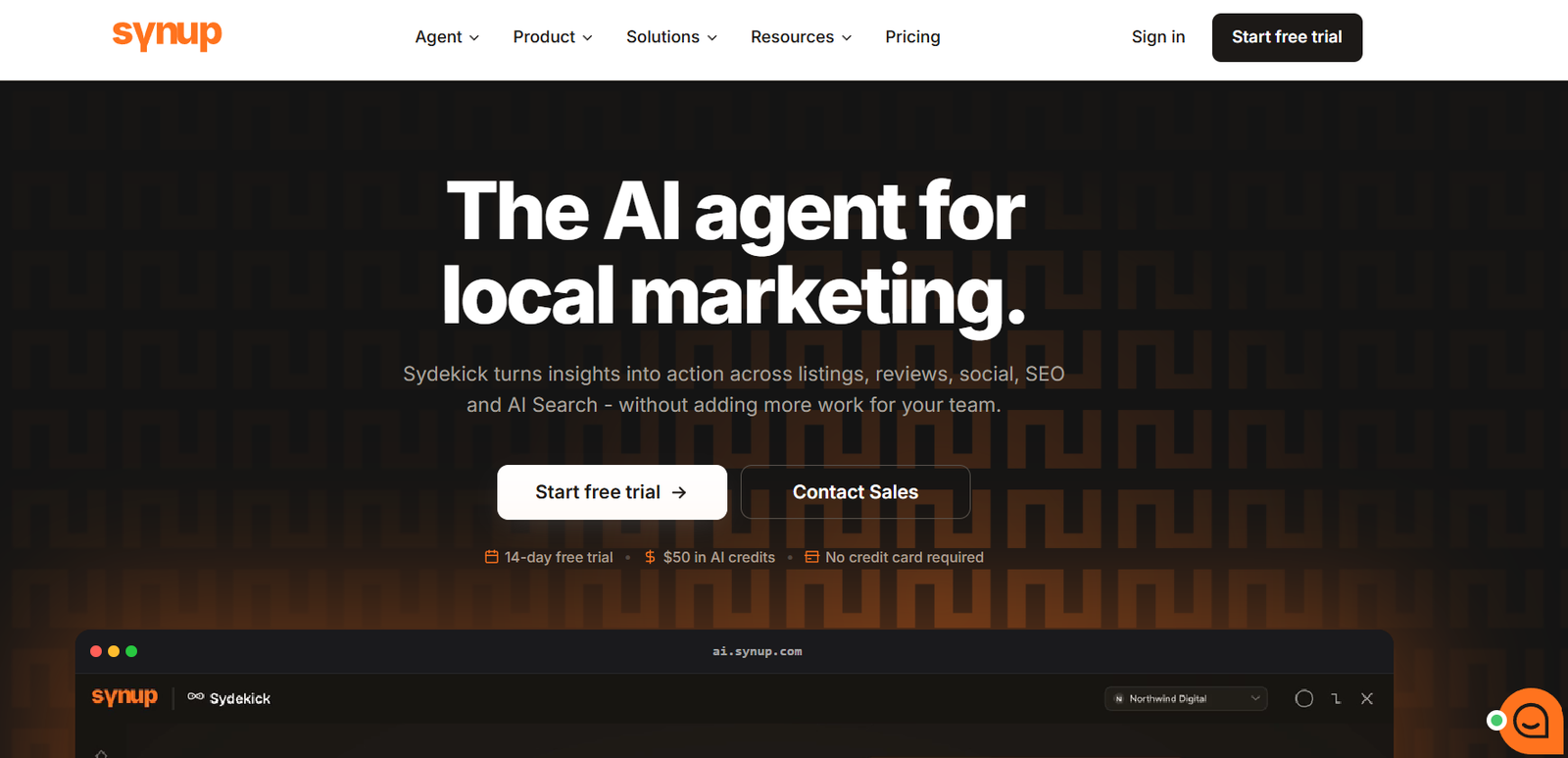
Best for: Agencies, franchises, multi-location businesses, and marketing teams that want listings alongside reviews, social media, local SEO, reporting, and AI-search tools.
Synup manages business information through a centralized location database and distributes supported information across search engines, maps, directories, and other discovery services.
According to Synup, its network covers more than 100 publishers across more than 50 countries. Actual availability varies by geography and business category, so buyers should confirm their own publisher coverage rather than relying on the headline number.
Teams can maintain fields including:
- Business names
- Addresses
- Phone numbers
- Categories
- Opening hours
- Photos
- Attributes
- Services
Synup also provides tools for checking citation information, identifying duplicates, managing special hours, reviewing publisher overrides, and monitoring profile completeness.
For agencies, the platform includes white-label functionality and tools for managing multiple businesses and locations through a shared environment.
That can reduce the need to build a separate listings process for each client.
2026 update: Sydekick AI
Synup introduced Sydekick AI in August 2026.
The company describes Sydekick as an autonomous local-marketing agent designed to perform work across listings, reviews, social media, local SEO, reporting, and AI visibility rather than functioning only as a conversational assistant.
Synup’s current material describes reusable playbooks, learned skills, configuration controls, approval settings, usage tracking, and an agent activity log.
The practical value here is worth separating from the AI terminology.
A franchise team could create a repeatable process that:
- Checks special hours
- Identifies incomplete profiles
- Reviews suspected duplicate listings
- Prepares corrections
- Flags higher-risk changes for approval
That can reduce repetitive work without giving software unrestricted authority over important location information.
Where Synup fits well
Synup is particularly relevant when listings are one part of a broader local marketing operation.
Its wider platform includes:
- Reputation management
- Social publishing
- Local SEO
- Reporting
- Location visibility
- Geo-grid functionality
- AI-related visibility and optimization tools
Strengths:
- Central location-data management
- 100+ publisher network, subject to geography and category
- Duplicate and citation tools
- Profile-completeness monitoring
- Agency workflows
- White-label functionality
- Review management
- Social media tools
- Local SEO capabilities
- Sydekick AI workflows
- Approval controls
- Agent activity records
What to check before choosing Synup: Ask for the publisher network available in your countries and industries. Confirm which fields each publisher accepts, how existing duplicates are handled, what requires manual approval, and how Sydekick usage is included in the proposed plan.
An agency managing 50 independent businesses has different needs from a retailer managing 500 standardized branches.
2. Yext

Best for: Enterprises and large multi-location organizations that need centralized business data, large-scale distribution, publisher integrations, detailed permissions, and governance.
Yext is one of the more established names in enterprise listing management.
Its Listings product connects business information with more than 200 publishers.
Yext says these connections use direct API integrations with supported publishers rather than depending entirely on third-party data aggregators.
Destinations include search engines, maps, directories, social services, and other discovery platforms.
Businesses maintain approved information centrally and distribute it to supported publishers.
For a large retailer, that might mean updating:
- Opening hours
- Addresses
- Phone numbers
- Categories
- Services
- Location attributes
across hundreds or thousands of stores.
Yext also provides a Listings Verifier designed to compare publisher information with data stored in Yext.
According to the company, the tool can help identify errors, publisher changes, and duplicate records.
Duplicate management becomes particularly relevant at enterprise scale because records can accumulate through relocations, acquisitions, franchise changes, aggregator feeds, and old submissions.
Yext offers duplicate-suppression tools intended to address these records through supported publisher relationships.
The platform also provides role-based permissions and audit controls.
That makes sense for organizations where headquarters owns official location information while regional teams need limited editing permissions.
AI and local discovery
Yext increasingly presents structured business information in the context of both conventional search and AI discovery.
Its current product messaging refers to keeping business information usable across services including Google, Apple Maps, ChatGPT, and Gemini.
That should not be interpreted as guaranteed AI placement.
The practical benefit is centralized structured data that can be distributed to supported destinations.
Where Yext fits well
Yext is most relevant when governance and scale are major concerns.
Strengths:
- 200+ publisher connections
- Direct integrations with supported publishers
- Centralized enterprise data
- Listings verification
- Duplicate-management tools
- Bulk location management
- Role-based permissions
- Audit controls
- Large-scale structured data distribution
- Support for newer discovery channels
What to check before choosing Yext: Confirm publisher availability in each country, field-level support, implementation requirements, contract terms, integrations with your current location database, and what happens to listing data if you eventually stop using the service.
At 2,000 locations, those operational details can matter more than another 20 publishers on a network list.
3. BrightLocal
Best for: Local SEO agencies, small and midsize businesses, and multi-location teams that want both ongoing synchronization and manually built citations.
BrightLocal takes a somewhat different approach.
Rather than treating all listings as one continuous distribution network, it separates its work into services such as Active Sync and Citation Builder.
Active Sync focuses on major customer-facing platforms.
BrightLocal currently lists support for services including:
- Google Business Profile
- Apple Maps
- Bing
- Yelp
Availability varies. Yelp support, for example, depends on location and plan conditions.
Citation Builder handles the wider citation footprint.
BrightLocal’s team can create, correct, and clean directory citations. A useful difference is that those citations are intended to remain in place rather than disappearing merely because a synchronization subscription ends.
That creates a model some businesses may prefer.
An agency could keep major profiles synchronized through Active Sync while using Citation Builder to build and repair secondary directory coverage.
BrightLocal also expanded Data Axle support in June 2026. Customers using the relevant Data Axle service through Citation Builder can manage information through Location Manager and synchronize supported updates.
What happens after your business information changes?
This is where BrightLocal’s two-part model becomes important.
Active Sync profiles can receive ongoing updates.
A citation created through Citation Builder does not automatically become a permanently synchronized record.
If the business later moves or changes its phone number, previously built citations may need a new update campaign or manual correction.
That is not necessarily a disadvantage. Some businesses prefer having permanent citations rather than depending entirely on a recurring sync relationship.
It does require a process for future changes.
Where BrightLocal fits well
BrightLocal makes sense for teams that want listing management alongside wider local SEO work.
Strengths:
- Active synchronization on major platforms
- Manual citation-building service
- Citation cleanup
- Duplicate removal
- Business ownership of created citations
- Data Axle integration
- Agency-oriented workflows
- Local search auditing
- Rank-tracking tools
- Options for individual and multi-location businesses
What to check before choosing BrightLocal: Understand exactly which profiles stay continuously synchronized and which citations are one-time builds. If your business frequently changes addresses, phone numbers, or services, calculate how those future updates will be handled.
Large enterprises should also compare its bulk workflows with systems designed primarily for thousands of locations.
4. Uberall
Best for: Franchises, retailers, hospitality companies, healthcare organizations, and other multi-location brands that need centralized profile management, bulk updates, APIs, and protection against unwanted listing changes.
Uberall’s Listings product focuses heavily on multi-location operations.
The company says its network includes more than 150 directories and discovery services.
Examples include:
- Apple Maps
- Yelp
- Bing
- Tripadvisor
Coverage varies by business category and geography.
Uberall supports bulk editing, spreadsheet uploads, and APIs.
This can be particularly useful when a company already maintains a master location database elsewhere.
Consider a retailer opening 30 stores.
Instead of manually creating and updating every store across multiple publisher dashboards, the team can prepare structured location information centrally and distribute it through a controlled workflow.
Uberall also tracks verification status and can flag suspected duplicates.
Its Profile Protection tools are designed to help businesses maintain approved information when publishers receive conflicting updates.
That addresses a subtle problem with local profiles: publishing correct information once does not guarantee that it remains unchanged forever.
User suggestions, external data, publisher systems, and other sources can modify public records.
Bulk operations and governance
Uberall supports bulk editing of fields such as:
- Business hours
- Descriptions
- Services
- Images
- Location details
Its API capabilities can allow an organization’s internal database to remain the main source of location information while Uberall handles external distribution.
For a large organization, that architecture can be more sensible than manually maintaining another master database.
Where Uberall fits well
Uberall suits companies treating listings as part of a large local-customer acquisition and discovery program.
Strengths:
- 150+ directory and discovery connections
- Bulk uploads
- API support
- Duplicate identification
- Verification monitoring
- Profile protection
- Central location-data management
- Large-scale editing
- Support for traditional and newer discovery channels
What to check before choosing Uberall: Confirm publisher coverage by country, which fields can be synchronized, the duplicate-management process, API requirements, and how permissions work for regional teams or franchise owners.
Large businesses should also decide in advance which system will remain the authoritative source of location data.
5. Social Places
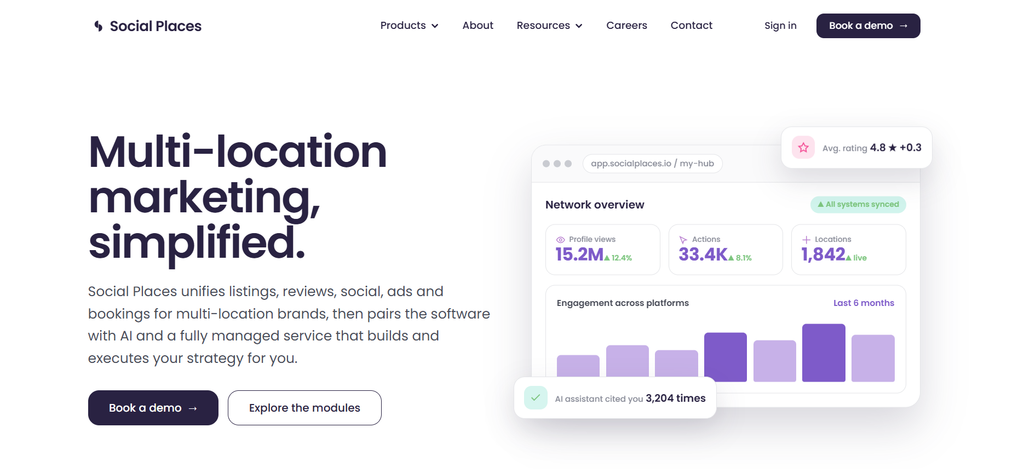
Best for: Multi-location businesses that want listing software combined with hands-on support for verification, duplicate management, ownership issues, location accuracy, and other operational listing work.
Social Places combines listing technology with a stronger managed-service component.
Its listing-management service works across platforms including:
- Google Business Profile
- Apple Maps
- Bing
- Tripadvisor
- Waze
- TomTom
- Garmin
The exact supported network should be confirmed for your country and business category.
Social Places says its team can assist with claiming, verification, unauthorized profiles, listing protection, data consistency, and map-pin checks.
The pin-placement work is particularly interesting because an address can be technically correct while the navigation experience is still wrong.
Think about a restaurant inside a shopping center.
The street address may be perfect.
If the map pin sends customers behind the building instead of toward the public entrance, the listing is still failing.
Social Places describes using methods such as reverse geocoding, Street View, and manual checks to validate location positioning.
It also works on duplicate and unauthorized listing issues, including unexpected ownership claims.
AI visibility in 2026
Social Places has expanded into AI visibility measurement.
Its AI Visibility Tracker is positioned around monitoring how brands and locations appear in AI services such as ChatGPT and Gemini.
The company’s 2026 product updates describe reporting around brand visibility, competitors, linked pages, queries, and AI platforms.
As with other AI visibility products, measurement should not be confused with guaranteed recommendations.
The useful question is whether these tools help you understand where your information appears correctly and where it does not.
Where Social Places fits well
Social Places may appeal to organizations that want software plus a team capable of working through difficult location-data problems.
Its broader platform also includes areas such as:
- Reputation management
- Social media
- Advertising
- Bookings
- Local pages
- AI visibility
Strengths:
- Multi-location management
- Claiming and verification support
- Duplicate-profile work
- Unauthorized-listing management
- Pin-placement checks
- Listing protection
- Bulk management
- Managed-service support
- Reputation tools
- Social media functionality
- AI visibility measurement
What to check before choosing Social Places: Ask for detailed U.S. publisher coverage, how much work is automated versus handled manually, turnaround times for large updates, and the permission model for local managers.
International organizations should verify each region individually rather than assuming identical coverage worldwide.
Business listing management software comparison
| Platform | Good fit for | Listing approach | Wider capabilities |
|---|---|---|---|
| Synup | Agencies, franchises, multi-location marketing teams | Central distribution across a broad publisher network | Reviews, social, local SEO, reporting, AI workflows |
| Yext | Large enterprises | Large direct-integration network and structured data governance | Enterprise search, data management, AI discovery positioning |
| BrightLocal | Agencies, SMBs, local SEO teams | Active synchronization plus manual citation building | Rank tracking, audits, citation work |
| Uberall | Large multi-location brands | Centralized listings, bulk updates, APIs, profile protection | Local marketing and location performance tools |
| Social Places | Multi-location brands wanting operational support | Software plus managed listing work | Reviews, social, bookings, advertising, AI visibility |
No platform wins every category.
The best option depends on what kind of problem you actually have.
A business mainly struggling with citations may prefer a very different service from an enterprise trying to govern 5,000 locations in multiple countries.
Common business listing management problems
Most listing problems are not mysterious.
Businesses change.
Public information fails to keep up.
A location moves
Update existing profiles and map pins instead of automatically creating new records.
On Google, businesses should generally update the address on the existing eligible profile when moving.
Holiday hours are missing
Schedule special hours in advance.
Customers should not have to guess whether “regular hours” still apply on Christmas Day or New Year’s Eve.
Old phone numbers keep returning
Correct the visible profile, but also search for the old number elsewhere.
If an old data source keeps publishing incorrect information, fixing only the final listing may not solve the underlying problem.
Duplicate profiles appear
Before removing anything, determine whether both profiles actually represent the same business.
Check ownership, reviews, history, and operating status.
Local teams edit protected information
Define which fields local teams can change.
A local manager probably should be able to report an unexpected closure.
They may not need unrestricted permission to rename the business or change the primary category.
Software says the profile is synchronized, but the public listing is wrong
Check the public profile directly.
Internal status indicators are useful for workflow management.
The customer-facing page remains the final test.
Best practices for business listing management
1. Keep one source of truth
Do not maintain competing master spreadsheets.
Choose one approved data source and define who owns it.
2. Fix important fields before cosmetic ones
Correct:
- Name
- Address
- Phone
- Website
- Hours
- Location status
- Map pin
before worrying about minor descriptive fields.
3. Prioritize real customer platforms
Do not chase directory counts for their own sake.
Focus first on services customers actually use.
4. Create an approval process
Define which changes require central approval and which operational updates local teams can report directly.
5. Check public records after major updates
Do not assume successful submission equals successful publication.
6. Prepare holiday hours in advance
Multi-location businesses should have a repeatable process for collecting, approving, and publishing seasonal hours.
7. Monitor duplicates continuously
Duplicates can return.
Relocations, acquisitions, automated feeds, and user submissions can create new records even after an earlier cleanup.
8. Measure customer actions
Listing management should eventually connect to something customers do.
Depending on the platform, that may include:
- Calls
- Website visits
- Direction requests
- Bookings
- Reservations
- Orders
- Appointments
- Store visits
- Local conversions
A directory count alone tells you very little.
How often should business listings be updated?
Update listings whenever the underlying business changes.
Do not wait for the next scheduled SEO audit if customers are currently seeing incorrect information.
Syssn recommends the following operating rhythm.
Immediately
Update:
- Moves
- Permanent closures
- Temporary closures
- Phone-number changes
- Rebrands
- Major URL changes
- Serious map-pin errors
Before holidays
Confirm special hours for every location.
Do this even when the holiday schedule happens to match regular hours.
Monthly
For a stable single-location business, review the major customer-facing profiles.
Weekly
Multi-location teams should review:
- Failed updates
- Publisher exceptions
- New duplicates
- Ownership issues
- Verification problems
- Important customer-facing changes
Quarterly
Review:
- Categories
- Services
- Photos
- Attributes
- URLs
- Location pages
- Secondary directories
- Broader citation coverage
This schedule is an editorial recommendation rather than a search-engine requirement.
The ideal frequency depends on how quickly your business information changes.
Common business listing management mistakes
Treating listings as a one-time SEO project
Businesses change after the initial setup.
Your process needs to account for that.
Optimizing before correcting
There is little value in adding twenty new photographs while the phone number is wrong.
Focusing on publisher count alone
A network containing hundreds of directories is useful only if it reaches the platforms relevant to your customers.
Creating a new profile every time something changes
Moves, rebrands, and ownership changes need careful handling.
Creating unnecessary new profiles can create duplicates and split reviews.
Giving everyone unrestricted editing rights
The more locations and users you have, the more important permissions become.
Assuming automation removes the need for review
Software can find errors and distribute changes efficiently.
It cannot always know whether an unusual business fact is actually wrong.
A location manager may have shortened hours because the building is undergoing repairs. An automated system might interpret that as a mismatch.
Some changes still require context.
Business listing management checklist
Before considering a location properly managed, confirm the following:
- The official business name is correct.
- The address is current.
- The phone number works.
- The correct website or location page is linked.
- The map pin is accurate.
- Regular hours are current.
- Holiday and special hours are maintained.
- The business status is correct.
- Primary and secondary categories make sense.
- Services and products reflect what the location offers.
- Photos are current.
- Booking, ordering, or appointment links work.
- Google Business Profile is claimed or reviewed.
- Apple Business information is reviewed.
- Bing Places information is reviewed.
- Yelp information is checked where relevant.
- Facebook information is checked where relevant.
- Important industry directories are reviewed.
- Duplicate and old-location records are handled.
- Local teams know how to report changes.
- Ownership and editing permissions are documented.
- Important listing changes are monitored.
- Performance is tied to calls, directions, bookings, visits, or other meaningful customer actions.
Frequently asked questions
What is business listing management?
Business listing management is the process of creating, verifying, updating, optimizing, and monitoring business information across search engines, maps, directories, review platforms, social networks, navigation services, and other local discovery channels.
Why is business listing management important?
Customers depend on listings for information such as your address, phone number, hours, services, and directions.
Accurate and complete profiles can also help search platforms understand your business and connect it with relevant local searches.
Can duplicate business listings hurt local SEO?
Duplicate profiles can create confusion for both customers and publishers.
Google normally expects one Business Profile for each eligible business and may prevent profiles identified as duplicates from appearing independently on Search or Maps.
The bigger practical problem is often fragmented information, ownership, reviews, and customer confusion.
How do I find incorrect business listings?
Search for:
- Your current business name
- Previous names
- Your address
- Former addresses
- Your current phone number
- Old phone numbers
- Common spelling variations
Compare each public record against your approved location data.
Businesses with large location networks can use listing-management or citation-audit software to speed up the process.
Should a small business use listing-management software?
Maybe, but it is not automatically necessary.
A stable single-location business may be able to manage Google, Apple, Bing, Yelp, Facebook, and important industry directories directly.
Paid software becomes more useful when you have:
- Several locations
- Frequent changes
- Large citation footprints
- Client accounts
- Duplicate issues
- Bulk updates
- Limited staff time
How should multi-location businesses manage listings?
Start with one approved location database.
Give every location a unique ID.
Define which fields headquarters controls and which changes local managers can request.
Then automate distribution where it reduces manual work.
The harder part is usually not publishing the original information. It is keeping hundreds of locations correct after reality inevitably changes.
Does listing management guarantee better Google rankings?
No.
Google does not promise rankings simply because a business uses listing-management software or has identical data across every directory.
Accurate, complete information can help search systems understand the business, while local ranking depends on broader factors including relevance, distance, and prominence.
Can business listing software improve AI search visibility?
Potentially, because accurate structured business data can make location information easier for discovery systems to understand.
But no reputable listing platform can guarantee that ChatGPT, Gemini, Google, or another AI system will recommend your business for a particular query.
Treat AI visibility tools as measurement and optimization systems rather than guaranteed-placement services.
Conclusion
Business listing management sounds like a marketing task until you spend enough time doing it.
Then it begins to look more like information maintenance.
The difficult part is rarely creating the first profile. The difficult part is keeping dozens, hundreds, or thousands of public records aligned with a business that keeps changing.
Stores move. Holiday schedules change. New services appear. Phone numbers get replaced. Managers edit profiles. Publishers receive conflicting information. Duplicates quietly return.
That is why the strongest listing-management system is usually not the one that promises the largest number of directories.
It is the one that gives your organization a reliable way to decide what the truth is, distribute that truth, notice when something changes, and correct errors before customers encounter them.
A single stable business may be able to do that manually.
Agencies, franchises, retailers, healthcare networks, hospitality groups, and other multi-location organizations may benefit from platforms such as Synup, Yext, BrightLocal, Uberall, or Social Places.
Compare them based on your actual operating needs: location volume, publisher coverage, regional availability, update frequency, duplicate handling, permission controls, reporting, APIs, AI workflows, and the amount of work your team wants to manage internally.
The interesting question is perhaps no longer how many places your business is listed.
It is whether all those different systems are describing the same real business.
Sources / References
The factual references and product claims in this rewritten version are based on the source material supplied for the article, including information attributed there to:
- Google Business Profile documentation
- Google local ranking guidance
- Apple Business documentation
- Bing Places for Business
- Synup product documentation
- Yext Listings documentation
- BrightLocal Active Sync and Citation Builder documentation
- Uberall Listings documentation
- Social Places product documentation
Publisher networks, product capabilities, pricing, integrations, and AI-related features can change. Confirm current vendor documentation before making a purchasing decision.



[…] walkthrough of auditing, claiming, correcting, and distributing listings, Syssn has a separate Business Listing Management: The Complete Guide. This article focuses more narrowly on what business listing management means, what a mature […]