7 Best AI Translation Tools for Employee Communications in 2026: Multilingual Reach Compared

The best AI translation tools for employee communications in 2026 include HubEngage, Staffbase, Workvivo, Beekeeper, Microsoft Teams, DeepL, and Smartling.
The interesting part is that these products do not really solve the same problem.
HubEngage, Staffbase, Workvivo, and Beekeeper translate communication inside employee platforms. Microsoft Teams handles multilingual collaboration. DeepL concentrates on translation quality and terminology. Smartling is built for companies that need a more controlled localization process.
So the best choice depends less on who supports the biggest language number and more on a simpler question: where do your employees actually receive information?
Best AI translation tools for employee communications at a glance
| Tool | Best suited to | Translation approach | Employee communication fit | Terminology and review controls |
|---|---|---|---|---|
| HubEngage | Global, distributed, and frontline workforces | AI-powered auto-translation | Employee app, web, email, SMS, Teams, Slack, WhatsApp, social content, surveys | Translation built into communication workflows; language support varies by module |
| Staffbase | Large enterprise communication teams | Azure AI Translator | Employee app, intranet, news, pages, email, posts, comments | Multilingual versions and editorial review |
| Workvivo | Social and community-led employee communication | Amazon Translate | Updates, comments, shout-outs, articles, pages | Automatic translations can be manually corrected |
| Beekeeper | Frontline and deskless employees | Google Cloud Translation | Streams, posts, comments, chats, forms, tasks | Primarily on-demand translation |
| Microsoft Teams | Organizations already using Microsoft 365 | Microsoft translation technology | Chats, meetings, captions, transcripts | Microsoft 365 administration and compliance controls |
| DeepL | Controlled business translation and documents | Specialized language AI and LLM models | Email, documents, presentations, internal content preparation | Glossaries, style rules, translation memory |
| Smartling | Complex enterprise translation operations | Multiple MT and LLM providers | Preparing and governing multilingual content before publishing | Translation memory, terminology, workflows, review controls |
It is worth keeping these categories separate.
A communication director trying to reach 8,000 warehouse and retail workers has a different problem from a localization team translating a 70-page benefits handbook. Both involve language. The workflow around that language is completely different.
What are AI translation tools for employee communications?
AI translation tools for employee communications convert workplace information from one language into another using technologies such as neural machine translation, specialized language models, or large language models.
They can be used for:
- Company announcements
- HR and benefits updates
- Employee newsletters
- Manager communication
- Internal social posts
- Surveys and polls
- Forms
- Knowledge articles
- Training material
- Shift notices
- Safety communication
- Employee chats
But translation itself is only half the problem.
Imagine a Spanish-speaking warehouse employee who rarely checks corporate email. A beautifully translated Word document does very little for that employee if it remains buried in SharePoint.
The communication has to reach the right person, through a channel they actually use, in a language they understand.
That is why employee communication platforms and dedicated translation products need to be evaluated differently.
How were these AI translation tools selected?
This comparison focuses on five practical areas.
Employee reach
Can translated information reach office workers, remote teams, mobile employees, and frontline workers?
Language coverage
Does the platform support the languages and regional variants your workforce actually uses?
Communication formats
Can it translate posts, email, SMS, chat, surveys, documents, forms, or knowledge content?
Translation control
Can someone review the translation, correct terminology, or replace the machine-generated version?
Enterprise administration
Does the product provide the authentication, permissions, integrations, security controls, and administration that larger organizations usually need?
One caution is important here. Language counts are surprisingly difficult to compare.
One company may count regional variants separately. Another may report the languages available in its interface. A third may quote the total supported by the translation engine underneath its product.
A larger number therefore does not automatically mean better coverage for your particular workforce.
1. HubEngage
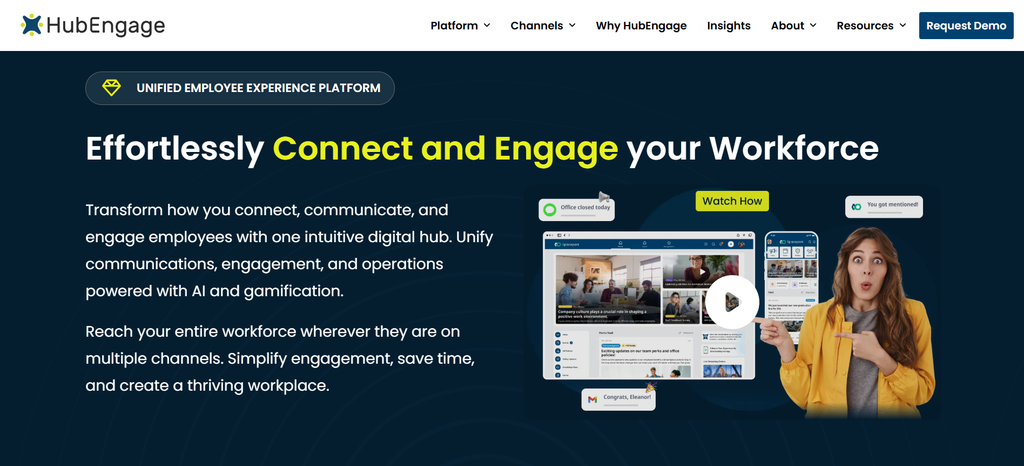
Best for: Companies that want translation inside a multichannel employee communication platform.
HubEngage combines multilingual communication with employee apps, web content, email, SMS, Microsoft Teams, Slack, WhatsApp, surveys, social features, and other employee communication channels.
Its 2025 executive product summary states that Communications Hub content can be automatically translated into more than 40 languages. The same product material connects translation with targeting, push notifications, SMS, and Teams alerts.
Language coverage appears to vary between HubEngage products. Its SMS material refers to more than 30 languages, while some social and survey information has cited 14+ languages. Companies with specific language requirements should confirm availability for each channel they intend to use.
The useful part of the model is distribution. A communication team can create information centrally and deliver it through several channels rather than translating a message and rebuilding it separately for email, mobile, SMS, and other formats.
HubEngage also lists ISO 27001, SOC 2, GDPR, and HIPAA-related compliance across its employee communication products.
It makes the most sense when multilingual communication is part of a wider employee engagement or frontline communication project. If translation itself is the primary need, a dedicated platform such as DeepL may offer more specialized controls.
2. Staffbase
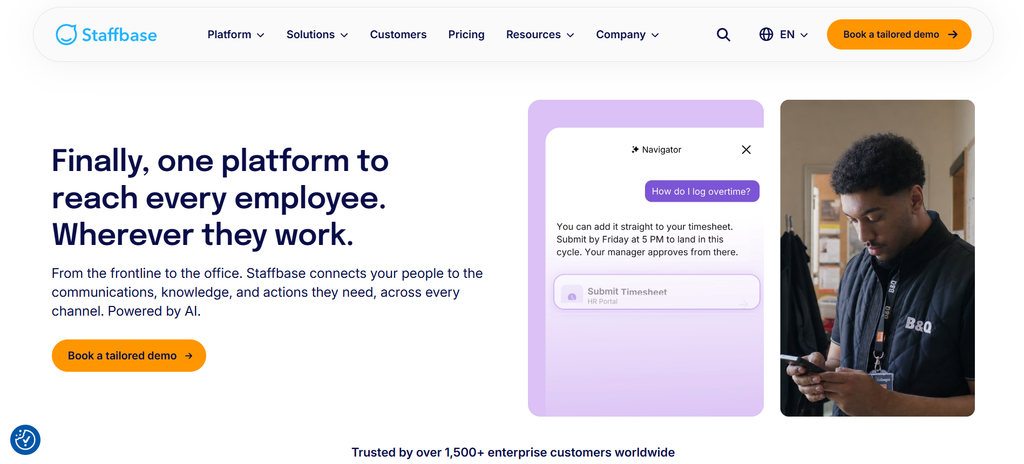
Best for: Large organizations running structured multilingual internal communication programs.
Staffbase combines an employee app, intranet, email, and communication management tools with multilingual publishing.
Its employee-app documentation states that on-demand translation is available in 110 languages through Microsoft Translator, with Azure AI Translator powering the translation service.
Employees can request translations of posts, pages, and comments using the language configured in their profile. Editors can also create separate language versions rather than depending completely on machine-generated output.
That distinction becomes useful when communication passes through an editorial process.
An informal company update may be fine with automatic translation and a quick check. A new benefits policy distributed across ten countries probably deserves more deliberate review.
Staffbase itself recommends proofreading machine-generated content.
The company has continued adding AI communication features in 2026, including email translation and multilingual employee-question capabilities. Its wider platform also includes enterprise authentication, integrations, APIs, and data-residency options.
Staffbase is therefore strongest when translation sits inside a larger corporate publishing operation. For occasional document translation, the platform would be broader than necessary.
3. Workvivo
Best for: Organizations that want translation inside a social employee experience.
Workvivo by Zoom uses Amazon Translate to provide multilingual content across its web and mobile experience.
Employees can translate updates, shout-outs, and comments. Articles and Workvivo’s newer Pages experience also support multilingual publishing.
One particularly useful feature is the ability to manually edit automatically generated translations.
That sounds like a small detail until you think about the kinds of language companies use internally. A phrase that is perfectly understandable in casual conversation may become problematic in healthcare, financial services, legal communication, or regulated operational work.
Workvivo specifically points to these kinds of sectors when explaining the value of manual correction.
Its August 2026 Article Translations Pack also allows administrators to define a standard set of languages for new articles.
Workvivo notes that newly added Amazon Translate languages do not necessarily become available inside Workvivo immediately because additional product work may be required.
The platform maintains ISO 27001 certification and a SOC 2 Type II report.
For companies already using employee feeds, recognition, comments, and community activity as a central part of internal communication, Workvivo makes translation feel like part of the conversation rather than a separate production task.
4. Beekeeper
Best for: Frontline workforces that need quick translation inside everyday operational communication.
Beekeeper uses Google Cloud Translation for approximate translation of workplace messages.
Its documentation covers chat messages, stream posts, comments, forms, and tasks. Employees can request a translation directly rather than copying text into an external service.
That matters more for frontline communication than it might first appear.
Every extra step creates another opportunity for information to be ignored. If a factory employee needs to copy a supervisor’s message, open another app, paste it, translate it, and return to the original conversation, the process is technically possible but practically awkward.
Beekeeper removes much of that friction.
The company is also careful with its wording. Its support documentation describes the output from Google Cloud as an approximate translation.
That is a useful reminder that convenience and certainty are different things. A cafeteria update and a machine-safety instruction should probably not follow the same review process.
Beekeeper states that its product and services organization is ISO 27001 certified and that it complies with GDPR requirements.
Its strength is inline translation for frontline work rather than advanced localization management.
5. Microsoft Teams
Best for: Microsoft 365 organizations whose main multilingual needs involve chat and meetings.
Microsoft Teams has one obvious advantage: many employees are already using it.
Teams can translate received chat messages into a user’s preferred language, and employees can configure automatic translation for incoming messages. Microsoft has documented translation support across more than 100 languages.
Its multilingual features also extend into meetings.
Depending on configuration, Teams can provide multilingual speech recognition, translated captions, transcripts, and transcript translations.
For companies deeply invested in Microsoft 365, this can solve a significant part of the multilingual collaboration problem without introducing another communication platform.
Teams also sits inside Microsoft’s broader enterprise administration environment, including Microsoft Entra ID, encryption, retention policies, data loss prevention, eDiscovery, legal hold, and auditing capabilities.
Its limitation is the type of communication it was designed around.
Teams is excellent for collaboration. It is less specialized for targeted employee publishing, workforce campaigns, surveys, frontline distribution, and employee-app communication.
If most multilingual communication happens inside chats and meetings, that may not matter. If your challenge is reaching employees who rarely open Teams, it matters a lot.
6. DeepL
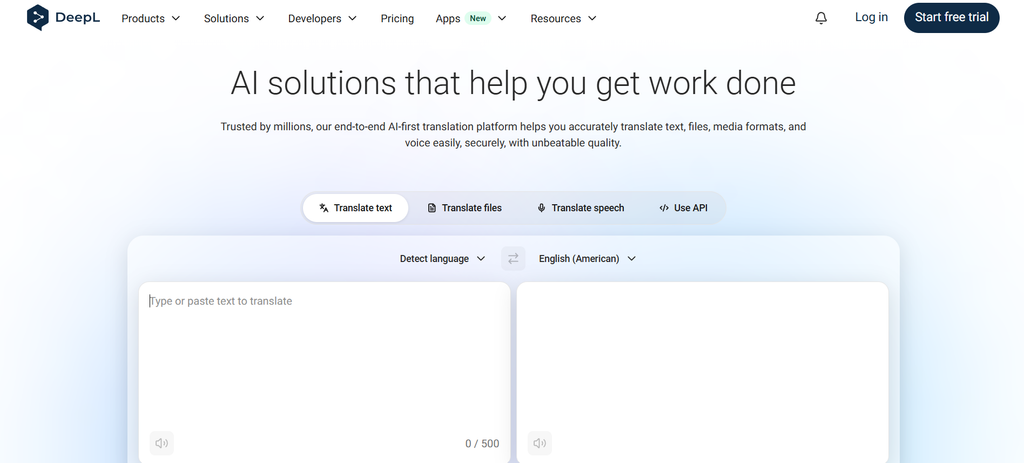
Best for: Companies that care about business translation quality, documents, and consistent terminology.
DeepL approaches the problem differently because it is a dedicated language platform.
In 2026, DeepL Translator supports more than 100 languages following a major expansion of its language coverage. Its newer translation technology uses specialized language models designed specifically for language tasks.
Where DeepL becomes particularly useful for internal communication is terminology.
Companies have their own vocabulary. Product names, HR terms, technical language, abbreviations, job titles, and phrases often need to appear consistently across dozens of documents.
DeepL provides glossaries, translation memory, style profiles, and style rules that help teams control those choices.
It also translates Word documents, PowerPoint files, Excel files, PDFs, HTML, and text while preserving document structure. Microsoft 365 add-ins bring translation into applications such as Outlook, Word, and PowerPoint.
DeepL lists certifications and compliance measures including ISO 27001, SOC 2 Type II, GDPR, HIPAA, and BSI C5 Type 2.
Its limitation is distribution. DeepL can translate your announcement very well, but another platform normally has to make sure a warehouse worker receives it.
7. Smartling
Best for: Enterprises that need structured translation workflows, multiple AI providers, and controlled review.
Smartling is closer to a translation operations platform than an employee communication application.
Its AI Hub can work with multiple providers, including DeepL, Amazon Bedrock, Google Gemini through Vertex AI, Google Translation LLM, Microsoft technologies, OpenAI models, and other translation engines.
That approach becomes useful when a company does not want one model making every translation decision.
Smartling combines machine translation and LLM-based translation with terminology management, translation memory, reviewer workflows, APIs, and optional professional translation processes.
Consider a global company updating HR policies across 25 markets. It may want machine translation for the first draft, an approved glossary for employment terminology, local review for selected markets, and a record of the final approved version.
That is much closer to Smartling’s territory than translating an employee’s chat message.
Its published security program includes ISO 27001, SOC 2, GDPR, HIPAA, and ISO/IEC 42001 certification for AI management systems.
The trade-off is complexity. A communication manager who wants a company announcement translated into five languages may find Smartling excessive. A multinational managing large volumes of controlled multilingual content may see that same complexity as the point.
HubEngage vs. dedicated AI translation tools
The most useful comparison may actually be between communication-first and translation-first software.
| Need | Communication platforms such as HubEngage | Translation platforms such as DeepL or Smartling |
|---|---|---|
| Reach employees directly | Strong | Usually requires another system |
| Frontline delivery | Stronger | Limited |
| SMS, app, survey, social distribution | Often available | Usually outside core product |
| Glossaries and terminology controls | Varies | Strong |
| Translation memory | Less common | Strong |
| Formal localization workflow | Limited to moderate | Strong |
| Quick employee-generated translation | Stronger | Usually not primary use case |
Neither approach is automatically better.
Some companies may reasonably use both.
A multinational employer could use DeepL or Smartling to prepare carefully reviewed HR or compliance material, then distribute the approved versions through HubEngage or Staffbase.
Routine posts could use the employee platform’s automatic translation instead.
Trying to force the same workflow onto a birthday announcement and an evacuation procedure would be an odd form of consistency.
How accurate are AI translation tools for workplace communication?
There is no meaningful universal percentage for AI translation accuracy.
Translation quality changes with:
- Language pair
- Regional dialect
- Sentence structure
- Context
- Technical terminology
- Source-text quality
- Type of message
A system may translate a simple reminder perfectly well and make a consequential mistake in an unusual safety or legal phrase.
Several vendors effectively acknowledge this.
Staffbase recommends proofreading automatic translations. Workvivo allows teams to correct machine-generated versions. Beekeeper describes its Google Cloud output as approximate.
This suggests a more useful question than “How accurate is AI translation?”
How serious would an incorrect translation be in this particular message?
The Syssn Translation Risk Model
The Syssn Translation Risk Model is an editorial framework for deciding how much review a translated employee message deserves. It is not an industry standard.
| Risk level | Examples | Suggested process |
|---|---|---|
| Level 1: Routine | Event reminders, social posts, celebrations, cafeteria notices | AI translation followed by a quick editorial check |
| Level 2: Operational | Process changes, scheduling information, benefits explainers, manager instructions | AI translation plus review by a fluent employee or qualified reviewer |
| Level 3: High consequence | Safety instructions, disciplinary messages, legal notices, employment documents, medical or compliance information | Professional translation plus HR, legal, or subject-matter review as appropriate |
This allows the review effort to follow the risk.
A retailer might automatically translate a notice about Friday’s employee lunch into eight languages.
A revised fire-evacuation procedure deserves more scrutiny, even if exactly the same translation software creates the first draft.
What should you look for in employee communication translation software?
Start with your workforce rather than the vendor’s headline language count.
Ask:
- Does it support the exact languages and regional variants your employees use?
- Which formats can it translate?
- Does translation work for email, app posts, SMS, chats, surveys, forms, and documents?
- Can employees choose a preferred language?
- Can administrators edit machine translations?
- Can you define company terminology?
- Can certain words remain untranslated?
- Does translation happen automatically or only when employees request it?
- Can frontline workers receive translated information without corporate email?
- What happens when a translation fails?
- Is translated content stored?
- Is customer content used to train shared models?
- What authentication and permission controls are available?
- Can you control retention and data location?
- Can you measure whether translated messages were actually delivered and read?
I would also test the workflow rather than relying entirely on a product demo.
Give each shortlisted platform the same five or ten real messages. Include messy ones. Internal communication is full of abbreviations, product names, local expressions, and sentences written by managers five minutes before a shift starts.
Those examples usually reveal more than a polished translation demo.
Which AI translation tool should you choose?
Choose HubEngage when multilingual communication needs to reach employees through several communication channels, particularly when your workforce includes frontline or deskless employees.
Choose Staffbase when you operate a large multilingual publishing program spanning an employee app, intranet, editorial content, and enterprise communication.
Choose Workvivo when translation needs to sit naturally inside employee feeds, social interaction, recognition, and community activity.
Choose Beekeeper when frontline employees mainly need simple, on-demand translation inside chats, posts, forms, tasks, and operational communication.
Choose Microsoft Teams when your workforce already lives inside Microsoft 365 and multilingual chats, meetings, captions, and transcripts are the main requirement.
Choose DeepL when document translation, terminology, writing style, and translation consistency matter more than employee distribution.
Choose Smartling when multilingual communication requires formal localization workflows, translation memory, several AI engines, governed terminology, and structured human review.
The interesting possibility is that the best answer may involve two products rather than one.
Translation and communication are connected problems, but they are not identical ones.
Frequently asked questions
What are the best AI translation tools for employee communications in 2026?
Strong options include HubEngage, Staffbase, Workvivo, Beekeeper, Microsoft Teams, DeepL, and Smartling.
HubEngage, Staffbase, Workvivo, and Beekeeper integrate translation directly into employee communication environments. Teams focuses on workplace collaboration. DeepL and Smartling provide more specialized translation controls.
Can AI translate internal company announcements?
Yes.
Current employee communication systems can translate company news, posts, comments, chats, and other internal material. Some platforms also support multilingual email, SMS, surveys, forms, and documents.
Check channel-level support carefully because translation may be available in one part of a platform but absent from another.
Which AI translation tool is best for a global workforce?
HubEngage is a practical option for global companies that need to communicate across office, remote, and frontline channels.
Staffbase is also well suited to large international communication programs.
Your employee language mix, communication channels, and review requirements should ultimately determine the choice.
Which tool supports the most languages?
There is no clean winner because vendors measure language support differently.
Staffbase states support for 110 languages for on-demand translation. Microsoft Teams documents more than 100 languages, while DeepL now supports more than 100. HubEngage’s executive materials cite 40+ languages, with availability varying between modules.
Always check your required languages directly rather than comparing the headline total.
Can AI translation maintain company terminology and tone?
Yes, although dedicated translation platforms generally provide stronger controls.
DeepL offers glossaries, style profiles, style rules, and translation memory. Smartling provides terminology management and translation workflows across multiple AI and machine-translation providers.
Employee communication platforms may provide manual editing or multilingual versions, but the exact terminology controls vary.
Are AI translation tools secure enough for internal company communication?
Enterprise products can provide security controls suitable for workplace information, but the answer depends on your organization’s requirements and the specific vendor configuration.
Check encryption, SSO, access controls, retention, model-training policies, data location, sub-processors, audit capabilities, contractual terms, and relevant compliance requirements before processing confidential HR or employee information.
What is the difference between AI translation and enterprise translation software?
A basic AI translation tool converts content from one language into another.
Enterprise translation software usually adds controls such as terminology management, SSO, reviewer workflows, translation memory, APIs, approved language versions, and administration.
Employee communication platforms add distribution. They help make sure translated information actually reaches employees through the app, email, SMS, chat, or other channels they use.
Conclusion
It is tempting to judge translation software by language count. It is easy to measure, easy to put into a comparison table, and easy to discuss during procurement.
But multilingual employee communication has another question underneath it: Did the employee actually receive and understand the message?
For communication built into everyday employee distribution, HubEngage is a strong starting point, especially for organizations with mixed office and frontline workforces. Staffbase suits more structured enterprise publishing. Workvivo and Beekeeper make translation accessible inside day-to-day employee conversations. Microsoft Teams works naturally for Microsoft 365 collaboration.
DeepL and Smartling belong in a slightly different conversation. They are stronger when translation itself requires more control over terminology, documents, consistency, or approval workflows.
Before choosing any platform, test it with real company material in the languages your employees actually use. Include routine information, a manager instruction, an HR announcement, and something technical.
Then ask fluent speakers what the translation actually says.
Software can tell you that a message was translated into eight languages. Whether eight different groups of people understood the same thing is still a more interesting question.