
Business Listing Management Services: What Multi-Location Brands Should Expect

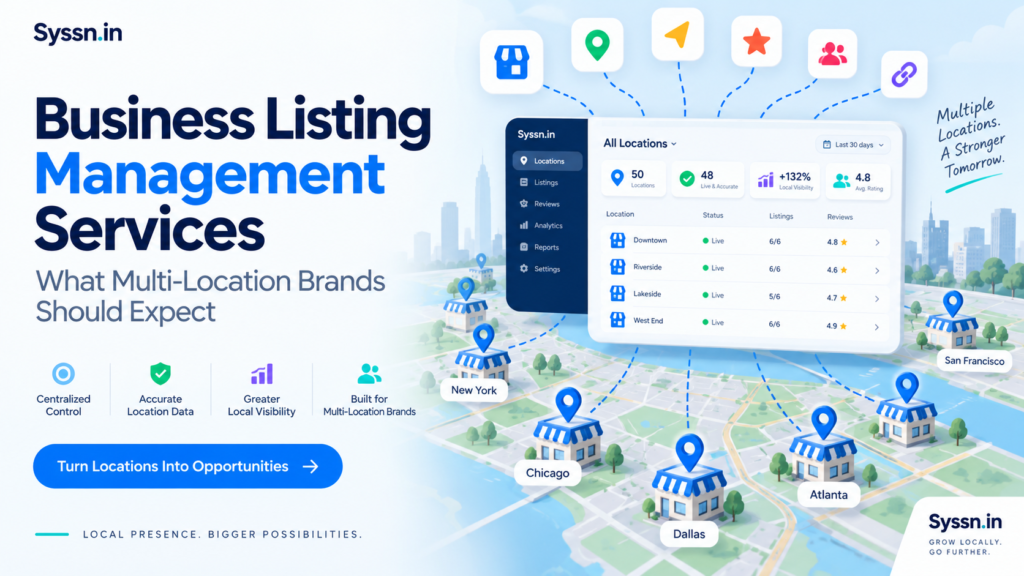
Changing the opening hours for one store is easy.
Changing them for 200 stores, making sure Google, Apple, Bing, Yelp, Facebook, navigation apps, and dozens of other services all receive the right information, then checking which changes actually appeared is a very different job.
That is the problem business listing management services are supposed to solve.
For multi-location brands, a good listing management service should provide one reliable place to manage location information, distribute approved changes, monitor publisher connections, deal with duplicates and exceptions, control user access, and report on what has actually been published.
The harder question is not whether a provider can update listings.
It is what happens when an update fails.
That is where the differences between listing services become much easier to see.
Key takeaways
- Business listing management services centralize location data and distribute it across search engines, maps, directories, review sites, social platforms, and other discovery services.
- Multi-location brands should evaluate Google, Apple, Bing, Yelp, Facebook, navigation networks, and industry-specific coverage before worrying about the total number of directories.
- Bulk editing matters, but exception handling matters more. Duplicates, suspensions, verification problems, ownership disputes, and rejected updates require clear responsibility.
- Your company should normally retain ownership of its major publisher accounts, especially Google Business Profile.
- Listing-service contracts should separate the vendor’s response time from the publisher’s publication time.
- Pricing should be calculated using your real location count, onboarding requirements, integrations, managed services, openings, closures, and duplicate work.
- The most useful buying question may be surprisingly simple: after implementation, what listing work will your internal team still have to do every week?
What are business listing management services?
Business listing management services create, update, distribute, monitor, and maintain location information across the online services customers use to find businesses.
That information can include:
- Business name
- Street address
- Phone number
- Website
- Individual location-page URL
- Regular opening hours
- Holiday and special hours
- Business categories
- Products and services
- Photos
- Business descriptions
- Accessibility information
- Booking or appointment links
- Menu and ordering links
- Geographic coordinates
- Temporary closure status
- Permanent closure status
Nothing on that list looks particularly complicated.
The complication comes from repetition.
If you run one dental clinic, you can probably manage your main profiles manually. If you operate 800 clinics, the same task becomes a data-management problem, an access-control problem, and occasionally an organizational-behaviour problem.
Who tells the listings team that Saturday hours changed?
Who approves it?
Which system contains the correct hours?
What happens if a regional manager updates Google directly and the central system still contains the old information?
Those questions explain why large brands usually need more than a collection of publisher logins.
A listing management provider creates an operating layer between the company’s internal location information and the many external services publishing it.
Why do multi-location brands need listing management services?
The obvious answer is scale.
But scale alone does not quite explain the problem.
Google already provides Business Profile Manager, spreadsheets, business groups, access roles, and bulk-management capabilities for eligible organizations with 10 or more locations. A sufficiently organized company can manage a considerable amount internally.
The issue is that location information rarely stays still.
Stores open and close. Phone systems change. Restaurants adjust holiday hours. Clinics add services. Offices move. Franchisees create their own profiles. Publishers receive information from sources other than the corporate marketing team.
A listing that was correct six months ago may quietly become wrong.
That changes the nature of the work.
Listing management is less about publishing information once and more about maintaining agreement between your company and the outside world.
For 10 locations, people can often maintain that agreement manually.
For 1,000 locations, you probably need systems.
Which platforms should a listing management service cover in 2026?
At minimum, a multi-location brand should ask about coverage for:
- Google Business Profile
- Apple Business
- Bing Places
- Yelp
- Major navigation services
- Important industry directories
- Relevant local and regional directories
- Data networks used by other discovery products
There is also a terminology change worth knowing.
Apple Business Connect was replaced by Apple Business on April 14, 2026. Existing Business Connect location and place-card information moved into the new Apple Business system. Brands can use it to manage location information, photos, place cards, actions, and other information shown through Apple Maps and related Apple services.
Bing Places continues to support bulk management for businesses with multiple locations.
Does directory count really matter?
Only up to a point.
A provider saying it reaches 200 publishers sounds more impressive than one saying it reaches 100.
But what if your customers use 15 of them?
Coverage should match customer behaviour, geography, and industry.
For a US restaurant chain, Google, Apple, Yelp, Facebook, Bing, navigation platforms, and food-related discovery services may matter far more than a long list of obscure directories.
For an international hotel group, the priorities will look different.
The better question is therefore not, “How many publishers do you support?”
Ask:
Which publishers matter for our locations, and exactly how are you connected to them?
That answer tells you much more.
What should business listing management services include?
A capable service should normally cover eight areas.
| Service area | What a multi-location brand should expect |
|---|---|
| Location data management | One controlled record for every store, branch, clinic, restaurant, office, or service location |
| Publisher distribution | Approved updates sent to relevant search engines, maps, directories, social platforms, and data networks |
| Bulk changes | Hours, categories, URLs, descriptions, services, photos, attributes, and other fields updated across groups of locations |
| Duplicate management | Detection, investigation, suppression, merging, or escalation of duplicate profiles |
| Profile monitoring | Alerts for rejected changes, disconnected accounts, verification problems, publisher edits, and missing information |
| Profile optimization | Support for categories, photos, attributes, links, services, descriptions, and other publisher-specific fields |
| Reporting | Visibility into publishing status, errors, profile health, activity, and unresolved problems |
| Access controls | Separate permissions for corporate teams, agencies, franchisees, regional teams, and location managers |
There is an important qualification here.
Publishers do not all work the same way.
Google may support a field that another directory ignores. Apple may structure a feature differently. Yelp may require a different workflow. One system may accept a change automatically while another reviews it.
An enterprise listing program therefore needs publisher-specific rules.
“Send everything everywhere” sounds efficient until you discover that everywhere behaves differently.
How does multi-location listing management work?
Most successful programs follow roughly the same sequence.
1. Establish a location master
Everything begins with one approved record for each location.
That record should contain the information your company considers authoritative.
A stable internal location ID is especially useful. Google recommends unique store codes for bulk-managed Business Profiles because the identifiers help distinguish locations and reduce the risk of accidental duplicates or incorrect updates.
This sounds like technical housekeeping.
It is actually one of the most important parts of the process.
If your organization cannot agree on which internal record is correct, no listing platform can solve the problem for you.
2. Connect or claim existing profiles
The provider then identifies existing listings and publisher accounts.
Some profiles may already belong to the company. Others may have been created by local managers, franchisees, former agencies, customers, publishers, or automated systems.
Typical situations include:
- Correct profile already owned
- Correct profile controlled by another account
- Incorrect profile
- Duplicate profile
- Missing profile
- Verification required
- Expired publisher connection
- Suspended profile
This is also the stage where account ownership needs to become very clear.
Your company should know who owns its important profiles before adding another vendor to the picture.
3. Match internal records with publisher listings
The service compares your approved location information with what publishers already display.
That comparison can reveal:
- Incorrect phone numbers
- Old addresses
- Missing website links
- Wrong categories
- Outdated hours
- Duplicate locations
- Closed businesses still appearing as open
- Publisher-generated edits
- Missing photos or attributes
The software can identify many of these discrepancies automatically.
The difficult part is deciding what to do with them.
4. Distribute approved changes
Once the brand approves the correct information, the provider submits supported fields to publishers.
Submission methods differ.
Providers may use:
- Direct publisher integrations
- APIs
- Data-distribution networks
- Manual submissions
- Bulk publisher tools
- A combination of several methods
This distinction matters because submission speed and control can vary considerably.
It also leads to an important contractual point.
Your listing provider may control how quickly it sends an update. It does not always control how quickly Google, Apple, Yelp, or another publisher displays it.
Those are two different clocks.
5. Monitor what actually appears
Submission should never be treated as completion.
Your service should continue checking whether a profile remains connected and whether the published information matches the approved record.
This becomes particularly important when publishers accept information from several sources.
The central system may say a store closes at 8 PM. A publisher may later receive another signal suggesting 9 PM.
Someone needs to notice.
6. Route exceptions to the right person
Most listing work is repetitive.
The exceptions consume the time.
Examples include:
- Google suspensions
- Ownership disputes
- Failed verification
- Address changes
- Duplicate profiles
- Lost account access
- Unsupported categories
- Publisher rejections
- Franchisee-created profiles
- Unusual service-area businesses
A strong service does more than display a warning icon.
It tells you what happened, who owns the problem, what action is required, and what happens next.
How should multi-location brands manage Google Business Profiles?
Google deserves separate attention because Business Profile management involves more than distributing contact information.
For eligible businesses with 10 or more locations, Google provides tools including Business Profile Manager, bulk spreadsheets, business groups, user roles, and bulk verification.
Business groups can also help organizations separate access when different teams manage different groups of locations.
Your listing provider should be able to answer some fairly specific questions:
- Who has primary ownership of the profiles?
- Who receives manager access?
- Is the business bulk verified?
- How are new locations created?
- What happens when a location closes?
- Who reviews Google-suggested changes?
- Who deals with suspensions?
- Who manages re-verification?
- How are duplicates identified?
- How do local managers request corrections?
- Which fields are managed centrally?
- Which Google-specific tasks still require manual work?
If those answers become vague during the sales process, they are unlikely to become clearer after implementation.
Should your listing vendor own your Google profiles?
Usually, no.
The brand should generally retain primary ownership while giving its vendor the level of access required to perform the work.
This becomes especially important when you change agencies or listing platforms.
You do not want the end of a marketing contract to become the beginning of an account-recovery project.
Google provides owner, manager, organization, and business-group permissions for a reason.
Sharing one employee’s Google password with an agency or vendor is unnecessary and creates avoidable risk.
How should duplicate and incorrect listings be handled?
Duplicate management sounds simple until you encounter a duplicate that nobody appears to control.
Duplicates can originate from:
- Old business names
- Previous addresses
- Publisher-created records
- Former franchisees
- Old data providers
- User submissions
- Incorrect source records
- Separate internal accounts
A good duplicate process should include four stages:
- Discovery
- Validation
- Action
- Status reporting
The important word is validation.
Two listings that look similar are not always duplicates. A provider should confirm what it is looking at before trying to remove or merge anything.
Different services approach this work differently.
Yext, for example, scans supported publishers for potential duplicates and allows users to submit additional duplicates for suppression. Its documentation also notes that duplicate suppression is not available for every publisher. Managed suppression can be available as an additional enterprise service.
BrightLocal takes another approach. Active Sync handles ongoing synchronization for selected platforms, while Citation Builder can create, correct, or remove citations manually across additional sites.
Neither approach is automatically better.
The question is which type of duplicate work your organization actually needs and who pays for it.
Your contract should state whether duplicate management is:
- Included
- Limited to certain publishers
- Available only through support
- Charged separately
- Part of a managed-service package
Without that detail, “duplicate management included” can mean almost anything.
Business listing management services compared for 2026
Several major providers approach listing management differently. The useful distinction is less about which company has the longest feature list and more about how each one expects your team to operate.
1. Synup
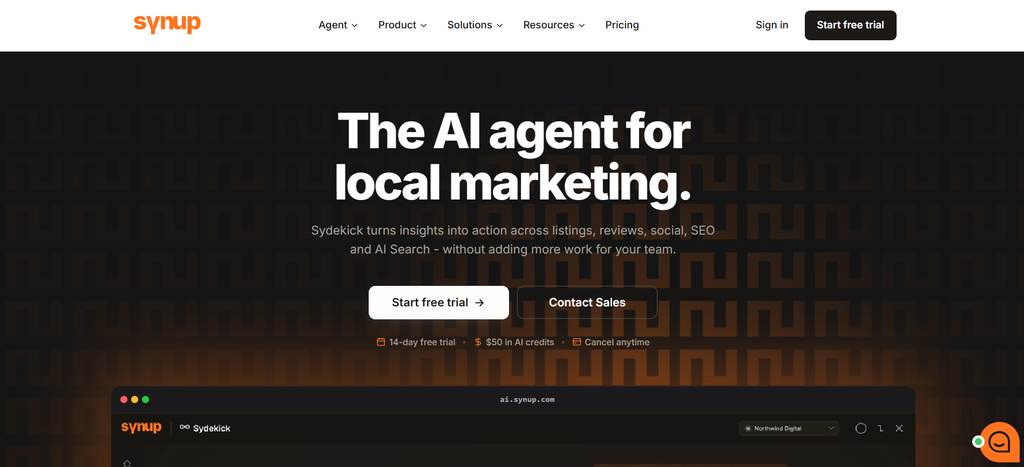
Synup combines listing management with reviews, local SEO, social publishing, local pages, reporting, and AI-search visibility.
Its listings product provides centralized management across Google Business Profile, Apple, Bing, Facebook, Yellow Pages, and a broader publisher network. Teams can organize locations, apply bulk changes, investigate connection problems, review duplicate issues, and monitor profile completeness within one system.
In August 2026, Synup announced Sydekick, an AI agent designed to perform work across listings, reviews, social media, local SEO, reporting, and AI-search visibility. Approval controls and audit history allow teams to review actions before sensitive changes are published.
For multi-location companies, Synup makes the most sense when listings are part of a broader local-marketing program rather than an isolated task. Agencies may also find its client workspaces, permissions, white-label capabilities, APIs, and multi-client controls useful.
Pricing depends on location volume and the selected products. Brands should request a quote based on their actual active-location count rather than estimating from a small-business package.
2. Yext
Yext has long emphasized structured location information and large-scale publisher distribution.
Its listings product reports direct connections with more than 200 publishers, including Google, Apple, Facebook, Bing, Yelp, and newer discovery channels. Its 2026 annual filing also describes a publisher network containing more than 200 service and application providers.
The platform provides listing-status management, duplicate suppression, publisher monitoring, structured location records, APIs, roles, audit controls, and reporting.
Yext added publisher-disruption visibility in May 2026 and connection notifications for Google and Facebook in June.
The platform is particularly relevant to larger organizations that need formal data governance, international distribution, and integrations with enterprise systems.
One thing is worth checking carefully during evaluation: a large publisher network does not mean every publisher is equally relevant in every country or industry.
Pricing typically requires a sales process. Buyers should compare the full contract, including implementation, support, managed services, add-ons, and exit terms.
3. Uberall
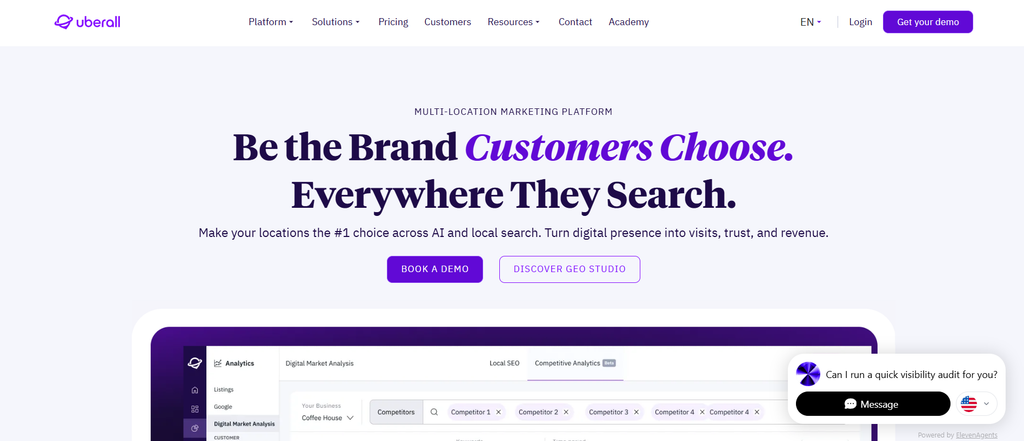
Uberall provides listing management across more than 150 directories and discovery services.
Its platform covers major services including Google, Apple Maps, Yelp, Bing, social channels, voice assistants, and other location platforms. Businesses can make bulk edits through files or APIs and manage fields including descriptions, opening hours, services, photos, and location information.
Uberall also provides duplicate suppression, verification monitoring, media management, local content, reporting, and profile protection intended to detect or counter unwanted external changes.
The platform suits franchises and large brands that need centralized control over a substantial number of location-level fields.
During a demo, it is worth testing actual operational tasks rather than watching prepared screens. Try changing hours for a region, limiting a franchisee’s access, identifying an invalid publisher connection, and finding a failed update.
Pricing is usually quote-based, so the useful number is the annual cost at your real scale.
4. SOCi
SOCi connects listing management with a wider set of multi-location marketing functions including reviews, social publishing, local pages, and search optimization.
Its listings capabilities distribute location information across Google, Apple, Meta, Yelp, Bing, and other networks while allowing centralized management across many locations.
Its 2026 Genius Local Search Agent can monitor profiles, recommend changes, and carry out approved updates. Organizations can establish rules allowing some actions to publish automatically while requiring approval for others.
That distinction is becoming increasingly important.
Automation is useful when the system is correcting a missing attribute across 400 locations. You may want a very different approval process when it proposes changing the primary category on those same profiles.
SOCi is particularly relevant to franchise systems and enterprise organizations trying to manage listings alongside reviews, social content, and other local-marketing activity.
Pricing is generally quote-based. Contracts should make clear which software products, automated actions, and managed services are actually included.
5. Birdeye
Birdeye combines listing management with reputation management and customer-experience products.
Its listing tools support centralized management across more than 100 sites, including Google, Apple, Facebook, Yelp, Bing, and industry-specific directories.
Teams can manage addresses, services, hours, links, media, and other profile information from a central business record.
Birdeye’s Listings Optimization Agent can scan profiles and recommend or perform changes within rules defined by the customer. The platform also provides duplicate suppression, accuracy monitoring, reporting, impressions, engagement metrics, and multi-location performance views.
This makes Birdeye a sensible candidate for businesses that already see listings and customer reviews as closely connected.
During evaluation, multi-location teams should pay particular attention to approval rules, industry-specific publisher coverage, and the permissions available to regional or local users.
Larger deployments generally require custom pricing.
6. BrightLocal
BrightLocal takes a more modular approach than many enterprise listing platforms.
Its services combine Active Sync, which maintains selected major profiles, with Citation Builder, which creates or corrects listings manually across additional directories.
Active Sync covers major services including Google, Facebook, Apple, Bing, and, on applicable plans, Yelp in the United States and Canada.
Citation Builder has a different economic model. Businesses can pay to build or correct citations without maintaining a subscription for every individual listing. BrightLocal states that manually created citations remain in place after cancellation.
Its public pricing lists Citation Builder submissions starting from $3.20 per site, with lower rates available through bulk credits. Active Sync pricing varies according to plan and location count.
This structure can work well for agencies and companies that prefer a mixture of persistent manual citation work and ongoing synchronization.
BrightLocal also supports larger organizations, although its documentation directs customers with more than 50 locations toward its enterprise team for bulk campaign setup.
7. Rio SEO
Rio SEO places more emphasis on managed service.

Its enterprise listing service claims, verifies, updates, and distributes business profiles on behalf of customers while assisting with duplicates and ownership conflicts.
Publisher relationships include major platforms such as Google, Apple, Yelp, Bing, and Facebook, along with other directories and location services.
Rio SEO combines listings with local pages, reputation products, search reporting, and other local-marketing capabilities. Its services are also positioned for international multi-location operations.
The distinction here is operational.
Some brands want software that gives their team tools.
Others want the provider to take responsibility for more of the actual work.
Rio SEO is particularly worth evaluating in the second situation.
Ask exactly which tasks the service team owns, how escalation works, how new locations are onboarded, how duplicates are handled, and what level of support is included.
Pricing is generally custom, so staffing and service commitments should appear clearly in the proposal.
How much should business listing management services cost?
There is no universal price per location that makes comparison easy.
Cost depends on factors including:
- Number of active locations
- Countries
- Publisher coverage
- Ongoing synchronization
- Manual citation work
- Managed services
- Number of users
- APIs
- Integrations
- Local pages
- Review management
- AI-search products
- Setup
- Migration
- Duplicate cleanup
- New-location openings
- Location closures
- Contract length
Some services publish pricing for selected products.
Others require enterprise quotes.
BrightLocal, for example, publishes pricing for several citation and listing products. Yext, Uberall, SOCi, Rio SEO, and many larger enterprise packages normally require a sales conversation.
Calculate the real annual cost
A 200-location business should avoid comparing platforms using a small headline monthly price.
Ask each vendor to calculate:
Annual platform cost + location fees + implementation + managed services + integrations + publisher add-ons + expected opening and closure costs
Then ask what counts as a billable location.
Imagine a retailer begins the year with 200 locations, opens 25, and closes 15.
Are closed stores immediately removed from billing?
Are new locations billed automatically?
Is there a minimum number of locations?
Does the contract allow the location count to decrease?
Those details can matter more than the advertised price.
What SLA should be included in a listing management contract?
A useful service-level agreement separates two things:
How quickly the vendor acts
and
how quickly the publisher publishes
Your provider can normally control the first.
It cannot always control the second.
A practical SLA might address:
| Issue | Question to put in the contract |
|---|---|
| Incorrect regular hours | How quickly will the provider validate and submit the change? |
| Emergency closure | Is there an urgent workflow? |
| Wrong phone number | What response target applies? |
| New location | How far ahead of opening should data be supplied? |
| Duplicate profile | How quickly will it be investigated? |
| Disconnected publisher | Who receives the alert and who fixes the connection? |
| Suspended profile | Is assistance included? |
| Publisher rejection | When is the brand informed and what happens afterward? |
A high-volume brand might negotiate same-day submission for urgent phone or hours corrections, one-business-day acknowledgment for routine issues, and scheduled updates on unresolved duplicate or publisher cases.
Those are negotiation targets rather than universal standards.
The broader principle is more important.
Your SLA should measure things the provider can actually control.
The Syssn CLEAR listing-service score
Feature lists have an odd quality. The longer they become, the harder comparison sometimes gets.
Almost every major platform eventually begins to sound capable of doing everything.
A more useful approach is to score the operational questions.
The Syssn CLEAR model is an editorial evaluation framework rather than an established industry standard.
Score a provider from 0 to 4 across five areas.
Maximum score: 20.
C: Coverage
Does the service cover the publishers, countries, maps, directories, industries, and discovery channels your customers actually use?
L: Latency
Does the contract state how quickly urgent and routine changes are validated and submitted?
E: Exception ownership
Who deals with duplicates, failed verification, suspensions, lost access, rejected changes, and unusual publisher cases?
A: Access and ownership
Does your company retain control of its accounts, location data, profiles, media, and relevant reporting information when the relationship ends?
R: Reporting and resolution
Can you see what is correct, what is pending, what failed, who owns the problem, and what action comes next?
CLEAR score interpretation
| Score | Assessment |
|---|---|
| 17 to 20 | Strong operating fit |
| 13 to 16 | Suitable, but negotiate weaker areas |
| 9 to 12 | Too many operational questions remain unanswered |
| 0 to 8 | Clarify responsibilities before signing |
The purpose of the score is not to turn a complicated software purchase into a perfectly objective number.
No score can do that.
Its value is that it forces a buying team to discuss the things that usually become irritating three months after implementation.
What is still the brand’s job if a vendor manages listings?
This may be the most overlooked part of listing management.
Your provider can distribute correct information.
It cannot invent correct information.
If a restaurant closes two hours early because of staffing problems, the listing platform cannot know that unless somebody communicates the change.
If a clinic begins offering a new service, someone has to approve it.
If a branch permanently closes, somebody inside the organization needs to decide when that information becomes official.
Your company should usually retain responsibility for:
- The master location record
- Internal store or branch IDs
- Publisher account ownership
- Legal business information
- Opening decisions
- Closing decisions
- Approved operating hours
- Local services
- Brand assets
- Escalation contacts
- Approval policies
- Agency and vendor access
This is where listing management stops looking purely like local SEO.
A wrong Google opening time can begin as an internal communication problem.
The store manager knew the hours changed.
Regional operations knew.
Marketing did not.
The customer discovers the gap at 7:40 PM while standing in front of a locked door.
For a multi-location business, listing accuracy is partly a publishing problem and partly an information-flow problem.
That means listing updates should become part of normal operating procedures for:
- Opening locations
- Closing locations
- Moving stores
- Changing operating hours
- Changing phone systems
- Launching services
- Rebranding locations
- Transferring franchise ownership
The service distributes the information.
Your organization still has to know what is true.
How do you choose a business listing management provider?
Start with your operating problems rather than the vendor’s slide deck.
During demos, use real locations.
A practical evaluation could include the following tests:
- Give the provider five locations with known listing errors.
- Ask it to find the problems.
- Change holiday hours for 20 locations.
- Change one store’s phone number.
- Ask how incorrect Google suggestions are handled.
- Find a duplicate and ask the provider to explain the full resolution process.
- Review owner, manager, regional, and franchisee permissions.
- Run a report for one region.
- Ask which publisher relationships are direct.
- Ask what happens when a publisher rejects an update.
- Review the API if your master data comes from another system.
- Ask what work your team still performs manually.
- Ask what happens to your listings when the contract ends.
- Price the platform using your real active-location count.
- Put operational responsibilities in writing.
A polished demo can make almost any platform look straightforward.
Real exceptions are more revealing.
Managed listing services vs. listing management software
The difference comes down largely to who does the work.
Choose software when your internal team wants direct control and has enough people to deal with publisher exceptions.
Choose a more managed model when you want the provider to handle more recurring administration, onboarding, duplicate cases, support tickets, monitoring, and publisher problems.
| Your situation | Better starting model |
|---|---|
| 10 locations and an experienced SEO team | Software |
| 75 locations with regular changes | Software plus support |
| 500-location franchise with many local operators | Enterprise platform with structured permissions |
| 1,500 locations and a small central SEO team | Managed or heavily automated service |
| Agency managing many client accounts | Multi-client platform |
| Brand frequently opening and closing locations | Platform with strong integrations and service support |
The distinction is becoming less clear in 2026.
AI agents can increasingly perform tasks that previously had to sit in someone’s support queue.
Synup’s Sydekick, SOCi’s Genius Agents, and Birdeye’s Listings Optimization Agent all point in that direction.
That creates an interesting buying question.
Should you care how many features the software contains, or how many tasks disappear from your team’s working week?
The second question may tell you more.
Frequently asked questions
What do business listing management services include?
They generally include centralized location data, listing creation and updates, publisher distribution, bulk editing, duplicate management, profile monitoring, optimization, permissions, reporting, and support.
Larger packages may also include APIs, local pages, reviews, social publishing, AI-assisted optimization, or managed services.
Why do multi-location businesses need listing management?
Every location may appear across search engines, maps, directories, social platforms, review sites, and navigation services.
Central management reduces repetitive work and makes it easier to detect incorrect hours, addresses, phone numbers, duplicate profiles, and broken publisher connections.
Can listing services manage hundreds or thousands of locations?
Yes.
Major enterprise listing platforms are designed for bulk location management.
At that scale, however, capacity is rarely the most important question. Permissions, APIs, reporting, exception management, support, and pricing become more useful evaluation criteria.
How quickly should listing updates appear?
It depends on the publisher and submission method.
Some direct connections may process changes quickly. Other publishers can take days or longer.
Your SLA should therefore define how quickly the provider must validate and submit an update rather than guaranteeing a publication time outside its control.
How do business listing services keep information accurate?
They compare centralized location records with publisher profiles, distribute approved updates, monitor connection status, detect mismatches, identify duplicates, and route unresolved problems to the appropriate person or team.
What is the difference between citation management and listing management?
Citation management generally focuses on creating and correcting mentions of a business across online directories.
Listing management usually goes further by adding ongoing synchronization, direct publisher connections, monitoring, bulk updates, permissions, reporting, and operational controls.
Should a vendor own our Google Business Profiles?
Normally, the brand should retain primary ownership.
The provider should receive the access necessary to do its work without becoming the ultimate owner of an important company asset.
Is Apple Business Connect still used in 2026?
No.
Apple Business Connect was replaced by Apple Business on April 14, 2026, with existing Business Connect location information moving into the new system.
Final assessment
Business listing management services are easy to evaluate when everything is already working.
Five hundred correct locations make almost any dashboard look good.
The interesting part begins when 40 stores change holiday hours, two Google connections fail, a franchisee accidentally creates a duplicate profile, three locations move, one profile gets suspended, and a regional manager needs access without seeing the entire organization.
That is where you learn what you actually bought.
Synup, Yext, Uberall, SOCi, Birdeye, BrightLocal, and Rio SEO each approach the problem differently. Synup’s August 2026 introduction of Sydekick adds another dimension to the comparison because listing platforms increasingly have to demonstrate how much work they can perform, rather than how many problems they can identify.
For your shortlist, evaluate coverage, latency, exception ownership, account access, reporting, and full annual cost.
Then ask one final question during every demo:
When something goes wrong with one of our locations, who notices first, who fixes it, and how will we know it is finished?
The answer may tell you more about the service than the rest of the presentation combined.


[…] you’re dealing with hundreds of stores, Syssn’s guide to business listing management services for multi-location brands explains why this becomes an operational workflow rather than a series of one-off profile […]
[…] organizations doing this at large scale, Syssn’s guide to business listing management services for multi-location brands explains what a mature listings workflow should handle beyond simple directory […]
[…] For more detail on service-provider responsibilities, see this business listing management services guide. […]