How to Reach Employees Who Don’t Have a Company Email: 2026 Playbook

There is a strange communications problem inside many large organizations. The people who need operational information most urgently are often the people least likely to have a corporate inbox.
A warehouse employee may need to know that a shift has changed. A hotel housekeeper may need a new safety procedure. A store associate may need an updated promotion before opening. Yet none of them may have Microsoft 365, Google Workspace, or a company laptop.
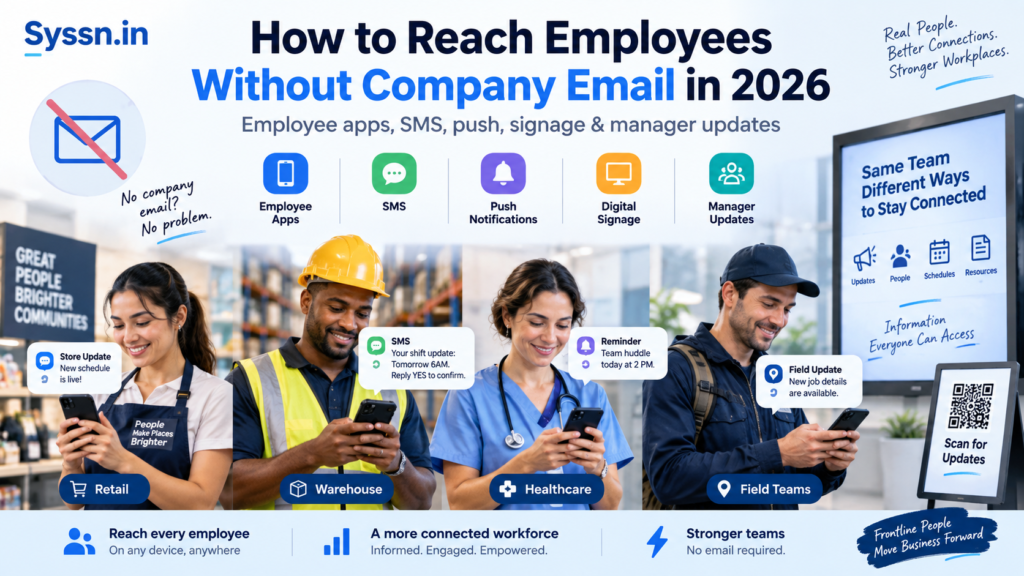
The practical answer is to communicate with employees without email through a planned mix of employee apps, SMS, push notifications, digital signage, QR codes, workplace kiosks, and manager communication. The important part is choosing the channel according to the message rather than forcing every announcement through one system.
For more context on the communication problems facing these workers, Syssn’s State of the Deskless Workforce in 2026 looks at the wider communication gap across frontline organizations.
Key takeaways
- Use an employee app or mobile hub as the main place for routine information.
- Keep SMS and push notifications for messages where speed matters.
- Maintain a physical workplace channel for employees who cannot reliably use mobile devices.
- Do not require company email to activate the platform replacing company email.
- Segment communication by location, role, shift, language, and employment type.
- Separate emergency alerts from normal company announcements.
- Track acknowledgement when an employee needs to take action.
- Review wage-and-hour, personal-device, privacy, accessibility, and texting requirements before making mobile communication mandatory.
The goal is not to send more messages. It is to create a dependable route between the organization and every employee.
What is employee communication without company email?
Employee communication without company email means giving workers access to company information without requiring an employer-issued email account.
That sounds simple until you look at how many systems quietly assume everyone has an inbox.
Password resets go to email. HR announcements go to email. Training reminders go to email. Survey invitations go to email. Emergency notices sometimes go to email too.
For desk-based employees, that can work reasonably well.
For frontline workers, it can create a communication system that appears complete on a spreadsheet while failing in practice.
Employees commonly affected include:
- Retail associates
- Warehouse teams
- Manufacturing workers
- Nurses and healthcare support staff
- Hotel and restaurant employees
- Construction crews
- Delivery drivers
- Field technicians
- Seasonal employees
- Temporary workers
- Maintenance teams
- Cleaning and facilities staff
The more distributed the workforce becomes, the less useful it is to ask, “Did we send the announcement?”
A better question is, “Could the employee realistically receive it?”
That small change in wording tends to expose the real problem.
Where an email-first communication model starts to fail
Imagine a retailer with 4,000 employees.
Perhaps 350 people work in headquarters and use company email every day. Another 500 are store managers with some access to company systems. The remaining 3,150 employees work on shop floors, stockrooms, counters, or temporary shifts.
You could email the entire organization.
Technically, the message has been distributed.
Operationally, you may have communicated with less than a quarter of the workforce.
This is one reason frontline communication should be designed around employee access rather than around the channels corporate teams already use.
Three problems tend to appear.
Access is uneven
Some employees have work phones. Some use personal phones. Others cannot use phones while working.
Connectivity also changes by workplace. A driver may have strong cellular access most of the day, while someone working inside a manufacturing facility may have unreliable reception.
Attention is uneven
Even when employees can receive a message, that does not mean they will notice it.
A corporate announcement sitting beside 40 unrelated notifications competes for attention differently from a supervisor mentioning a safety change during a pre-shift meeting.
Identity systems are uneven
A surprising amount of workplace software still treats an email address as an identity.
That becomes a serious problem when thousands of workers were never given one.
Good frontline communication begins by accepting these differences rather than pretending every employee has the same digital working environment.
What are the best channels for employees without company email?
No single channel solves the problem.
The more useful approach is to give each channel a specific job.
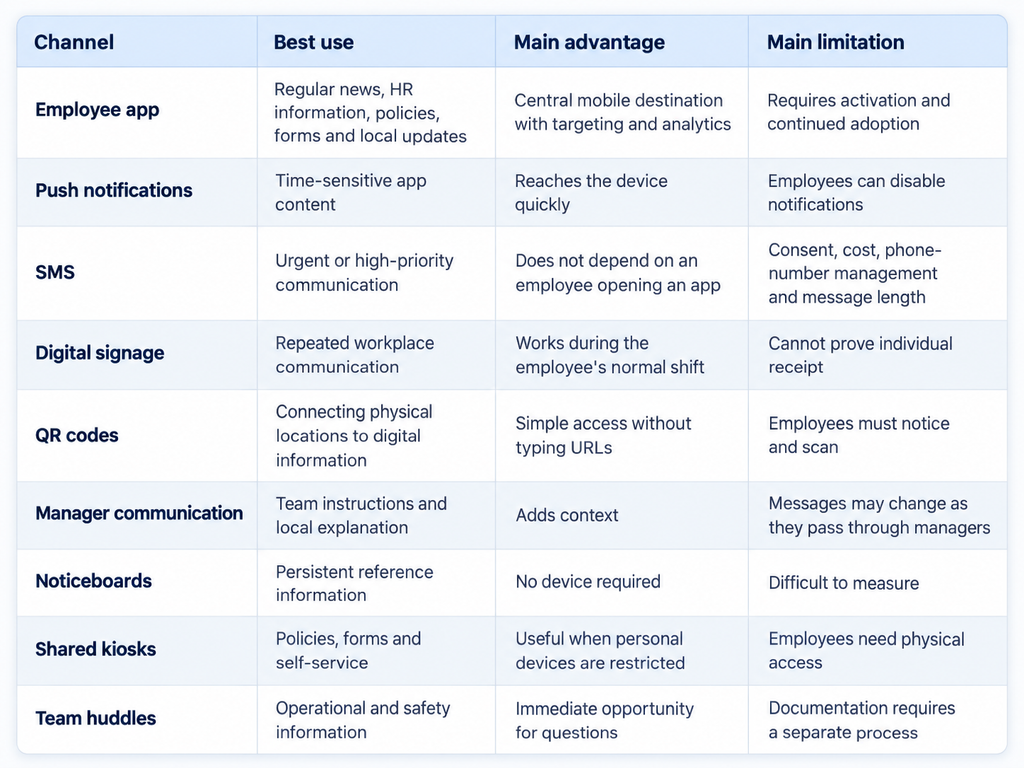
A retail company may lean toward an app, push notifications, store screens and managers.
A field-service organization may rely much more heavily on mobile notifications and SMS.
A manufacturing company may need alarms, supervisors, displays, approved mobile access periods and physical communication.
The channel mix should follow the workplace.
A practical 2026 playbook for communicating without email
Step 1: Map how employees can actually receive information
Before comparing communication software, create an access map.
For each employee group, answer:
- Do employees have company email?
- Do they have company-owned mobile devices?
- Do most employees have personal smartphones?
- Can personal devices legally and operationally be used for work?
- Is cellular or Wi-Fi connectivity reliable?
- Can employees access phones during working hours?
- Which languages are commonly used?
- Which physical communication channels already exist?
- Does the workforce include temporary or seasonal employees?
- How are employees currently authenticated in HR or scheduling systems?
Break this down by location and role.
A single organization can contain several completely different communication environments.
For example:
Headquarters
Laptop, email, Microsoft Teams, strong Wi-Fi.
Store managers
Shared computer, mobile phone, scheduling system.
Store associates
Personal smartphones, no corporate email.
Warehouse team
Personal phones but restricted phone use during working hours.
Drivers
Mobile devices, strong need for urgent operational information, little access to physical screens.
Once you see those differences, the idea of one universal channel becomes less attractive.
Syssn’s guide to frontline engagement software in 2026 provides a useful comparison if your access audit shows that a dedicated frontline platform may be needed.
Step 2: Classify the message before selecting the channel
One of the easiest ways to create communication fatigue is to treat every announcement as urgent.
A birthday announcement and a facility evacuation should not arrive with the same level of interruption.
I would divide communication into three levels.
Level 1: Immediate action
Examples:
- Facility evacuation
- Severe weather closure
- Security threat
- Hazardous equipment issue
- Emergency site shutdown
- Critical shift instruction
Use several channels.
A typical sequence might be:
Workplace alarm → SMS or push alert → supervisor confirmation → follow-up instructions
Mobile communication can support an emergency process. It should not casually replace required workplace alarm systems.
OSHA’s employee-alarm standard says covered alarm systems must provide sufficient warning for employees to take required emergency action or escape, and alarms must be perceivable by affected employees.
Authoritative reference: OSHA Employee Alarm Systems guidance
Level 2: Action required
These messages need a response, but generally not within minutes.
Examples:
- Schedule changes
- Benefits enrollment
- Training deadlines
- Policy acknowledgements
- Mandatory forms
- Updated operating procedures
- Payroll documentation
Use the employee app or portal as the source document.
Then use notifications, SMS or manager follow-up to direct employees toward it.
Keep the required action obvious.
Instead of:
“Please read this week’s HR update.”
Use:
“Review the updated attendance policy and confirm receipt before Friday at 5 p.m.”
The employee should immediately understand what needs to happen.
Level 3: General communication
Examples:
- Company news
- New hires
- Recognition
- Events
- Leadership updates
- Community activities
- Workplace stories
Apps, intranets, displays, team meetings and noticeboards work well here.
SMS usually should not be your default.
Once employees receive enough routine announcements by text, they learn that a text from work probably does not require immediate attention.
That is exactly the habit you do not want when something urgent happens.
Step 3: Build a three-layer communication system
You probably do not need ten independent communication tools.
Three dependable layers are easier to manage.
Layer 1: The primary information destination
This is where employees go when they want the complete version of something.
It could contain:
- Company announcements
- Policies
- Benefits information
- Forms
- Training
- Surveys
- Local news
- Workplace contacts
- Schedules or scheduling links
- Employee recognition
- Searchable documents
For many organizations, an employee app fills this role.
The useful question is whether employees learn to think, “If I need something from work, I know where to find it.”
Layer 2: The alert system
Use SMS and push notifications to draw attention to something.
The notification should usually point toward the primary source instead of attempting to contain the entire message.
For example:
“Plant B is closed for the morning shift due to flooding. Open the employee app for reporting instructions.”
That creates one source of truth rather than several slightly different versions.
Layer 3: Workplace reinforcement
Keep a communication route inside the physical workplace.
That might include:
- Digital displays
- Break-room screens
- Printed noticeboards
- QR posters
- Pre-shift meetings
- Supervisor announcements
- Shared tablets
- Kiosks
This layer matters more than many communication teams initially expect.
People lose phones. Batteries die. Apps get uninstalled. Passwords are forgotten. Connectivity fails.
A robust communication system assumes those things will occasionally happen.
Step 4: Remove company email from authentication
This is one of the easiest purchasing mistakes to make.
A business realizes frontline employees do not have email.
It buys a frontline communication platform.
Then the new platform asks employees to activate their accounts through email.
The original problem has returned wearing a different interface.
Look for authentication options such as:
- Employee ID
- Username and password
- Phone-number login
- Access codes
- QR invitations
- HRIS-generated accounts
- SSO for employees who already have company credentials
Staffbase, for example, documents username/password onboarding specifically for situations where email addresses are unavailable. It also supports access-code onboarding for employees who cannot be invited by email.
Beekeeper supports personalized printed invitations containing login instructions and QR codes, along with QR login assistance from managers.
This sounds like a product detail. It is really an adoption decision.
If signing in becomes difficult, communication coverage falls before the first announcement is published.
Step 5: Target employees rather than broadcasting everything
Imagine receiving every operational announcement from every company location.
Chicago weather closure.
Phoenix store opening.
London benefits reminder.
Singapore shift update.
A message relevant to you eventually arrives, but you have already trained yourself to ignore the feed.
Frontline communication works better when employee data drives targeting.
Useful fields include:
- Location
- Department
- Role
- Shift
- Region
- Employment type
- Language
- Manager
- Business unit
- Safety responsibility
Ownership should also be defined.
For example:
Corporate communications: company-wide announcements
HR: benefits, policies and employee programs
Operations: process and operating updates
Safety: safety communication
Local managers: location-specific information
Without those boundaries, every department becomes a publisher and employees become the filtering system.
That rarely ends well.
Step 6: Design emergency communication separately
Emergency communication should not be improvised after the emergency begins.
Document:
- Who can issue an emergency alert
- Which situations qualify
- Which channels activate
- Which employee groups receive it
- How acknowledgement is tracked
- What supervisors must do
- How employees without mobile access are reached
- Who sends follow-up instructions
- Who sends the all-clear
Consider a hypothetical manufacturing site.
10:07 a.m. A chemical leak is reported.
10:08 a.m. The workplace alarm activates.
10:08 a.m. Push and SMS alerts tell employees which area to avoid.
10:09 a.m. Shift supervisors begin checking team rosters.
10:12 a.m. The safety team reviews employee status.
10:15 a.m. Supervisors follow up with employees whose status remains unknown.
The mobile system adds reach and accountability.
The workplace alarm still handles the immediate physical warning.
That distinction matters.
Step 7: Set rules for personal phones and after-hours communication
Personal phones are convenient because organizations do not need to issue thousands of devices.
They also raise difficult questions.
Device reimbursement
Rules vary by jurisdiction.
California Labor Code Section 2802, for example, requires employers to indemnify employees for necessary expenditures or losses incurred as a direct result of their work duties.
Authoritative reference: California Labor Code Section 2802
If you plan to require personal-device use, get appropriate employment-law advice for every jurisdiction where employees work.
Off-the-clock work
Notifications create another question: when does communication become work?
For U.S. employees covered by the Fair Labor Standards Act, the Department of Labor explains that hours worked generally include time an employee is required or allowed to work, including additional time that an employer “suffers or permits” an employee to work.
Authoritative reference: U.S. Department of Labor off-the-clock guidance
A notification arriving at 9:30 p.m. does not automatically mean compensable work occurred.
Requiring a non-exempt employee to open an app, read a detailed procedure, fill out a form and confirm completion outside scheduled hours is a different situation.
Set expectations clearly.
Whenever possible, required communication should be handled during paid working time.
SMS consent and opt-outs
SMS deserves separate legal review when automated texting technology is involved.
FCC rules restrict certain robocalls and robotexts without the required consent or a recognized exemption. FCC rules also address how consent can be revoked, while emergency-purpose communications receive different treatment under the TCPA framework.
Authoritative reference: FCC TCPA consent and robotext rules
Do not assume that having someone’s phone number automatically answers every legal question about automated messaging.
Step 8: Keep employee data collection narrow
A communication app does not need unlimited access to an employee’s personal device simply because it sits on that device.
Ask a basic question about every permission:
Do we actually need this information to deliver the service?
The FTC advises businesses to collect and retain personal information only where there is a legitimate business need and to limit access to data. Its guidance specifically recommends that mobile apps access only the data and functionality they require.
Authoritative reference: FTC guide to protecting personal information
That principle can guide practical decisions around:
- Location permissions
- Contact access
- Device identifiers
- Employee phone numbers
- Personal email addresses
- Usage analytics
- Data retention
- Administrator permissions
Employees may reasonably ask what the company app can see on their phone.
You should have a clear answer.
Step 9: Plan for language and accessibility
Frontline workforces are often multilingual.
A communication system that reaches an employee’s phone but arrives in a language they do not comfortably understand has only solved half the problem.
Identify which employee groups require translated communication.
Pay particular attention to:
- Safety instructions
- Benefits
- Payroll
- Emergency procedures
- Legal notices
- Mandatory policies
Automated translation can speed up routine communication, but higher-risk messages deserve additional review.
Syssn has a separate comparison of AI translation tools for employee communications for organizations managing multilingual workforces.
Accessibility should also be tested in the real environment.
Can the employee enlarge text?
Can important information be understood without audio?
Can workers with visual or hearing impairments receive emergency warnings?
OSHA specifically notes that employee alarm systems need to be perceivable by affected employees and recognizes audible, visual and tactile approaches depending on the workplace.
Step 10: Measure reach, not publishing activity
A communications dashboard showing “1,000 messages sent” tells you almost nothing about communication quality.
Measure the employee journey.
| Metric | What it tells you |
|---|---|
| Eligible employees | How many people should have access |
| Activation rate | How many successfully created accounts |
| Active users | Whether employees continue using the platform |
| Delivery rate | Whether messages reached devices |
| Read rate | Whether tracked content was opened |
| Acknowledgement rate | Whether required information was confirmed |
| Survey response | Whether employees participate |
| Time to acknowledgement | How quickly important messages receive action |
| Location coverage | Which sites consistently underperform |
| Unreachable employees | Who still lacks a dependable communication route |
Suppose you have 2,000 employees.
1,850 activate the app.
1,600 read a new policy.
1,420 acknowledge it.
The communications dashboard could celebrate an 80% read rate.
Operations should probably focus on the 580 people who have not acknowledged the policy.
This is where exception reporting becomes useful.
Instead of sending another reminder to 2,000 employees, send managers a list containing the remaining 580.
Communication becomes more precise as the campaign progresses.
Employee app vs SMS vs digital signage vs managers
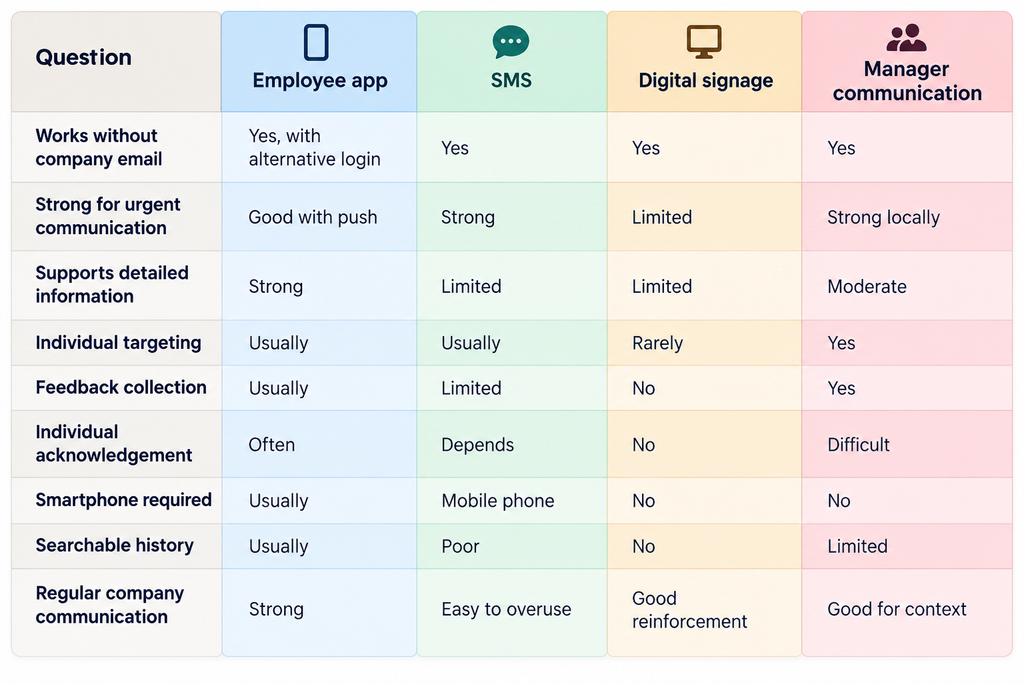
For many organizations, the practical formula is:
Employee app + fast alert channel + workplace reinforcement
Simple enough to understand. Flexible enough to handle different employee groups.
Four employee communication platforms to consider in 2026
If you are comparing platforms, Syssn’s 2026 employee experience platform comparison covers HubEngage, Staffbase, Workvivo, Simpplr and Firstup in more detail.
The important thing here is not which vendor has the longest feature page.
Test how a real frontline employee completes a real task.
1. Staffbase
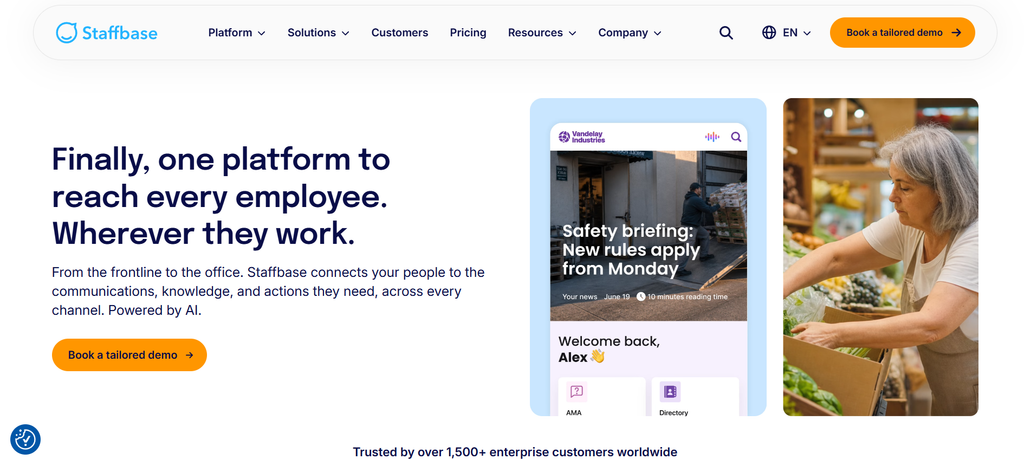
Staffbase focuses on structured employee communication through channels that can include an employee app, intranet, email, SMS and other enterprise communication formats. It is particularly relevant to larger distributed organizations where central communications teams need targeting, publishing controls and several ways to reach employees.
Its onboarding options are worth examining for frontline environments. Staffbase documents both access-code onboarding and username/password onboarding for situations where employees do not have suitable email addresses. User creation can also connect with approaches such as CSV imports, SCIM, SSO and APIs, depending on the deployment.
When evaluating Staffbase, test the frontline journey rather than only the communications-team interface. Ask a warehouse worker without corporate email to register, find an announcement, acknowledge a policy and recover a forgotten password. That exercise usually tells you more than another feature slide.
2. HubEngage
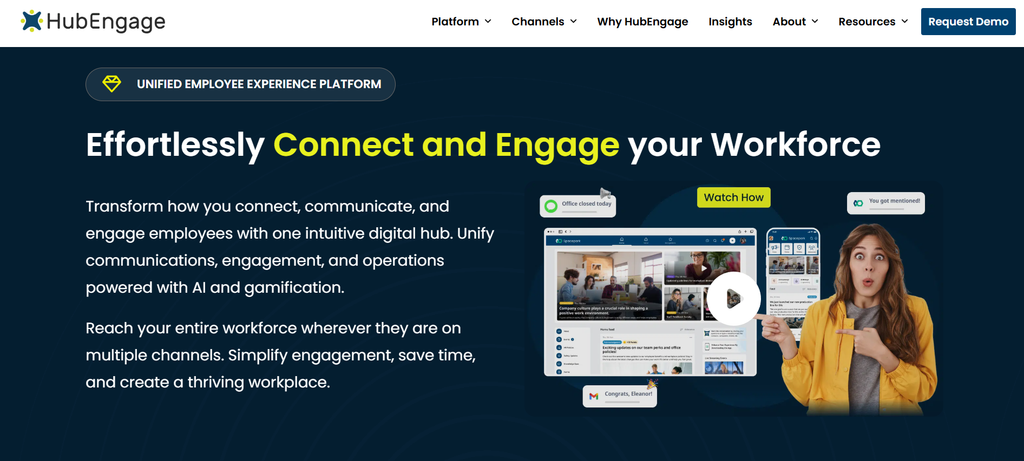
HubEngage combines employee communication with mobile access, surveys, recognition, social communication, messaging and workplace content. Its broader communication model includes mobile, web and digital-display options, making it relevant where employees do not all receive information through the same channel.
The mobile app supports multiple login approaches and QR-based installation, according to HubEngage’s current product material. Its digital signage system can also place QR codes alongside workplace content, allowing employees to move from a shared display to an action on their phone.
That combination can be useful in retail, hospitality, manufacturing and other environments where some employees actively use mobile communication while others encounter information through physical workplaces. During evaluation, determine which modules you actually need and test employee segmentation, authentication, SMS requirements, HRIS integration, display management and reporting.
3. Beekeeper
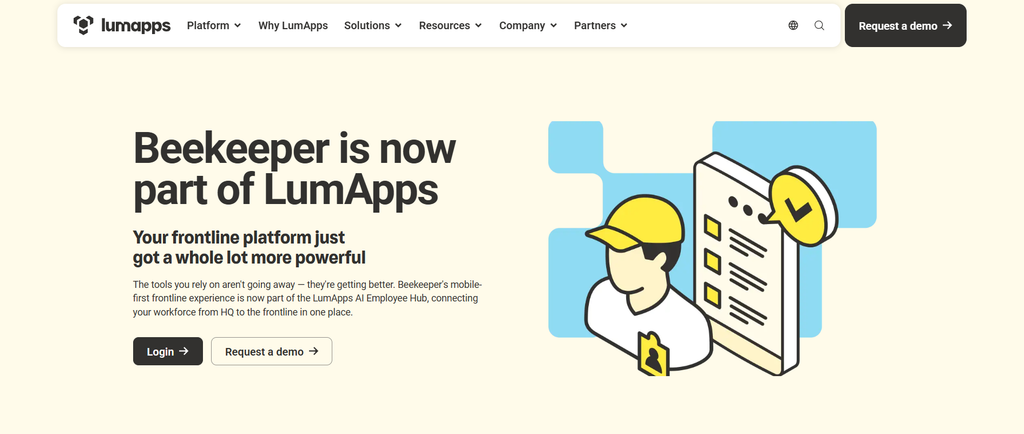
Beekeeper is built around frontline work and combines employee communication with chat, campaigns, documents, forms, surveys and operational workflows. That makes it relevant when the organization wants communication to sit near everyday frontline tasks instead of operating as an isolated news channel.
Its onboarding process addresses a common deskless problem. Administrators can create personalized invitations containing login instructions and QR codes, while managers can generate QR login codes for employees who need assistance.
When comparing Beekeeper with communication-focused products, decide how much operational functionality you want inside the same environment. Some businesses primarily need targeted company communication. Others want forms, tasks, workflows and self-service sitting beside communication. Those are different requirements even though both may be described as “frontline engagement.” Test the product with employees working under your actual device, connectivity and shift conditions.
4. Connecteam
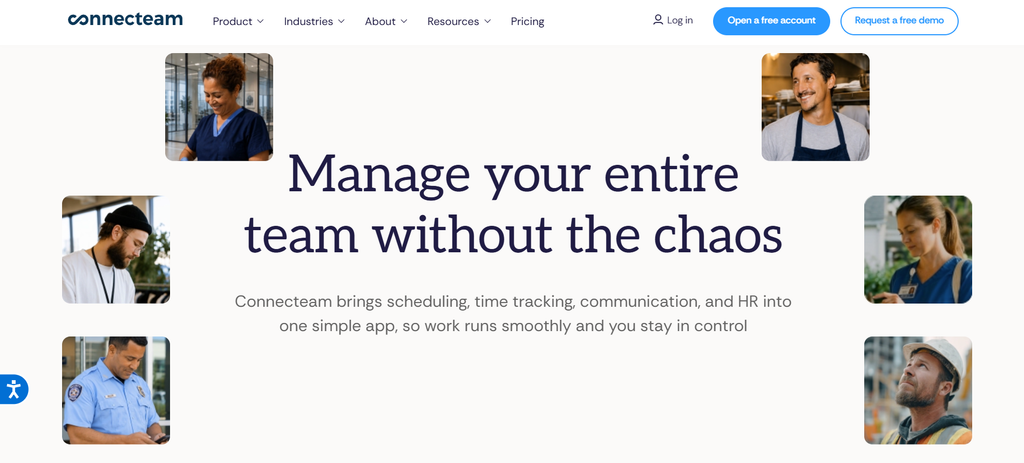
Connecteam approaches frontline communication alongside workforce operations. Its communication tools include company updates and employee interaction, while the wider product also covers areas such as scheduling, time management, training and operational workflows.
The Updates experience can place company information directly in the employee feed, and administrators can configure important posts to require employee confirmation. Employees can also choose to be reminded later when confirmation has not yet been completed.
That operational orientation may appeal to companies that do not want employee communication separated completely from the systems workers use during the day. A retailer, service company or field organization, for example, may want schedules, training, forms and communication accessible through a smaller number of employee tools. When evaluating it, look closely at how its communication capabilities fit the HR, payroll, identity and scheduling systems already in place.
You can also compare alternatives through Syssn’s Workvivo vs Staffbase vs Simpplr 2026 comparison.
How frontline communication changes by industry
Retail
Imagine a 200-store retailer.
The employee app holds company announcements, procedures, product launches and HR information.
Store-specific messages are targeted by location.
Push notifications call attention to time-sensitive operating changes.
Break-room screens reinforce major campaigns.
QR codes beside equipment provide access to detailed instructions.
Managers receive exception lists showing which employees have not acknowledged mandatory policies.
The system remains centralized without forcing every employee to receive every message.
Manufacturing
Manufacturing creates a different problem because employees may not be allowed to use phones during production.
Emergency alarms and workplace safety procedures come first.
Digital displays handle repeated information.
Supervisors use pre-shift meetings for operational changes.
Employees access the app during approved periods.
SMS may become particularly useful for workers who are off-site when the plant closes because of weather or another event.
The mistake would be assuming that because employees own smartphones, smartphones should automatically become the primary channel during every part of the shift.
Healthcare
Healthcare work moves across shifts, departments and physical spaces.
An employee platform can distribute:
- HR information
- Training reminders
- Organizational news
- Surveys
- Employee recognition
- Non-clinical operational updates
Urgent clinical and facility procedures require systems appropriate to the healthcare environment.
General employee-communication platforms should also be kept separate from channels intended for sensitive patient information unless the technology and implementation are specifically designed and approved for that purpose.
Hospitality
Hotels and hospitality businesses often contain permanent employees, hourly workers, seasonal staff, contractors and multilingual teams within the same property.
A mobile app can centralize HR information, property announcements, surveys and training.
Managers reinforce daily operational messages during shift meetings.
QR codes can connect staff-only physical spaces with current procedures.
Digital signage can reach workers who spend very little time sitting at a computer.
Field service
For field employees, mobile communication may become the main communication layer because workers rarely visit a central workplace.
Routine information can live inside the app.
Push notifications flag priority updates.
SMS provides a backup for urgent messages.
Important procedures should remain available when connectivity becomes unreliable.
The central question is always the same: where is the employee when the communication needs to reach them?
How do you confirm that employees received something important?
There are three separate stages.
Delivered: The system successfully sent the communication.
Read: The employee opened it.
Acknowledged: The employee actively confirmed receipt or review.
Do not treat them as interchangeable.
For a company-news story, a read may be enough.
For a handbook update, you may need acknowledgement.
For safety training, an app acknowledgement may still be insufficient if your formal process requires actual training, testing or additional documentation.
A practical escalation process might look like this:
0 to 24 hours: Publish through the employee app.
24 hours: Send an automatic reminder.
48 hours: Give managers an exception list.
72 hours: Manager follows up during scheduled working time.
Final deadline: HR or operations handles unresolved employees individually.
Notice what happens here.
The audience becomes smaller over time.
That is better than repeatedly interrupting everyone because a minority still needs action.
A 30-day rollout plan
Week 1: Map the workforce
Document:
- Employee groups
- Locations
- Shifts
- Device access
- Connectivity
- Languages
- Existing channels
- Current login methods
- Types of communication received
Do not start by configuring software.
Start by understanding employees.
Week 2: Define communication rules
Decide:
- What becomes an emergency message?
- What belongs in SMS?
- What belongs in the app?
- Which information appears on displays?
- Who can publish?
- Who approves sensitive communication?
- When is acknowledgement mandatory?
- What happens after hours?
- Which languages require translation?
Write these rules down.
Week 3: Pilot with different working environments
Choose two or three employee groups with meaningfully different conditions.
For example:
- One retail store
- One warehouse shift
- One field-service team
Test:
- Account activation
- Password recovery
- Notification delivery
- Read rates
- Acknowledgements
- Manager workload
- Employee questions
- Connectivity problems
- Language issues
A pilot containing only office employees proves very little about frontline communication.
Week 4: Fix the friction
Look for employees who:
- Could not register
- Never received notifications
- Forgot passwords
- Shared devices
- Had weak connectivity
- Could not understand instructions
- Did not trust the app
- Could not use phones during their shifts
Fix these problems before expanding.
The purpose of a pilot is to expose inconvenience while inconvenience is still cheap to fix.
Common mistakes
Sending everything by SMS
If emergency alerts, employee birthdays, surveys and cafeteria updates all arrive as texts, SMS stops feeling urgent.
Give the channel a defined job.
Buying software before mapping employees
A product demonstration happens under perfect conditions.
Real employees work in basements, warehouses, kitchens, hospitals, trucks and stores.
Understand those conditions first.
Requiring email to activate the email replacement
Test registration yourself with no company inbox.
If the process fails, you have found the problem before thousands of employees find it for you.
Assuming app installation equals adoption
An employee can install an app and never open it again.
Give people useful reasons to return.
Schedules, forms, documents, training, benefits information and local updates tend to be more practical reasons than another CEO announcement.
Making managers the entire communication system
Managers are important for context and follow-up.
They are a poor substitute for an accessible source document.
After a message passes verbally through four management layers, small changes become surprisingly easy.
Measuring one company-wide engagement number
A company-wide 78% read rate can hide a warehouse at 41%.
Segment results by:
- Location
- Role
- Shift
- Employee group
- Language
- Manager
Find the places where the system is failing.
Forgetting about employees who cannot use smartphones
Some workers cannot or do not want to use personal devices for work.
Maintain a genuine alternative.
A kiosk, display, supervisor process or shared workplace device should be part of the design rather than an afterthought.
Frequently asked questions
How do you communicate with employees who do not have company email?
Use a combination of employee apps, SMS, push notifications, digital signage, QR codes, shared devices, noticeboards and manager communication. Choose channels according to message urgency and employee access.
What is the best way to communicate with deskless employees?
A mobile employee platform often works well as the main information destination where workers can use smartphones. Pair it with a fast alert channel and a workplace-based backup rather than relying on the app alone.
Can employees use an employee app without Microsoft 365 or Google Workspace?
Yes. Some platforms support usernames, employee IDs, access codes, QR invitations, phone-based authentication and other login methods. Verify the exact authentication process before buying.
Is SMS better than an employee app?
They perform different jobs.
SMS works well for short, urgent alerts.
Employee apps are better suited to detailed information, forms, documents, feedback, surveys, targeted content and searchable communication.
How should companies send emergency alerts to frontline workers?
Start with the emergency systems and procedures required for the workplace. Mobile push notifications, SMS, radios, manager communication and other channels can provide additional reach and follow-up.
Avoid making one smartphone channel the only method of onsite emergency warning.
How do you communicate with hourly employees?
Provide required communication during scheduled working time where practical and define expectations around after-hours messages.
If employees are required or allowed to perform work outside scheduled hours, applicable wage-and-hour rules should be reviewed.
How do you know whether an employee received the communication?
Track delivery, reads and acknowledgements separately.
For required communication, create lists of employees who still need to respond and direct follow-up toward them.
Should employees be required to use personal phones?
That depends on the workplace, jurisdiction, employee role and company policy.
Review expense reimbursement, wage-and-hour, privacy, security and device-use requirements before making personal-device use mandatory.
Conclusion
The interesting thing about reaching employees without company email is that the problem is rarely email itself.
The problem is the assumption underneath it: that everyone receives information in roughly the same way.
They do not.
One employee starts the day by opening Outlook. Another clocks in beside a warehouse floor. Another gets into a delivery van. Another changes into hospital scrubs. Another walks into a hotel kitchen.
A communication system has to survive those differences.
For many organizations in 2026, that means using an employee app as the main information destination, SMS and push when speed matters, and workplace communication as a dependable backup.
Then measure what happened.
Who could log in?
Who received the message?
Who understood it?
Who acted?
And perhaps the most useful question of all: who are you still failing to reach?