
State of the Deskless Workforce in 2026: Communication Gaps, Trends and What’s Changing

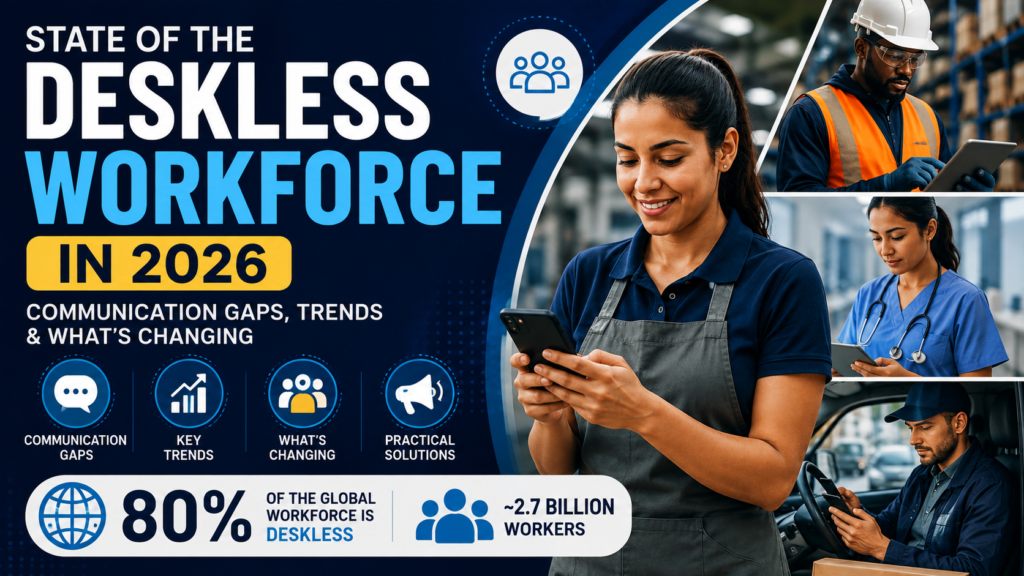
State of the Deskless Workforce in 2026: Communication Gaps, Trends and What’s Changing shows a workforce that is more digitally connected than before, but still unevenly served by workplace communication. Deskless employees make up roughly 80% of the global workforce, yet many still lack consistent access to email, intranets, and information designed around office workers. In 2026, mobile employee apps, SMS, digital signage, AI-powered search, translation, targeted communication, and employee feedback tools are becoming more important. The biggest change is moving from simply sending more messages to making information easier for frontline employees to find, understand, trust, and act on.
What is a deskless workforce?
A deskless workforce consists of employees who spend most of their working day away from a traditional office desk or computer.
Think about a nurse moving between patient rooms, a hotel employee preparing rooms, a warehouse picker scanning orders, a technician repairing equipment, or a retail associate helping customers.
Technology may still be part of their work. It simply isn’t centered around a laptop.
Deskless workers are common in:
- Healthcare
- Retail
- Manufacturing
- Warehousing and distribution
- Transportation
- Logistics
- Hospitality
- Construction
- Agriculture
- Utilities
- Telecommunications
- Field services
The distinction matters because much of the modern workplace was designed around the assumption that an employee has a computer, a corporate email address, reliable internet access, and time to read company communication.
A deskless employee may have none of those things during an average shift.
What is the difference between deskless and frontline workers?
Deskless describes where and how someone works.
Frontline usually describes someone’s position close to customers, patients, products, equipment, production, or day-to-day service delivery.
The categories overlap heavily.
A retail cashier is both frontline and deskless. A warehouse picker is clearly deskless but may never interact with a customer.
Understanding the difference helps organizations avoid treating every non-office employee as though they have the same communication needs.
How large is the global deskless workforce?
Deskless employees represent approximately 80% of the global workforce, according to a widely cited estimate from Emergence Capital.
Emergence describes roughly 2.7 billion workers worldwide as employees who are not desk-bound for most of their jobs. BCG has also cited the roughly 80% estimate in its research on deskless employment.
The number shouldn’t be interpreted as an exact live count for 2026. Definitions vary between studies.
Some researchers talk about frontline workers. Others use terms such as field, hourly, essential, operational, or deskless employees.
The broader fact is difficult to miss.
Most workers globally do not spend their day in the kind of environment around which traditional corporate communication technology was built.
BCG has also noted that deskless workers frequently have limited access to communication channels such as corporate email and intranets.
That helps explain why internal communication remains a problem even as companies spend more on workplace technology.
What is the state of the deskless workforce in 2026?
The deskless workforce in 2026 has access to more digital tools than ever, but the central challenge has changed.
A decade ago, the problem was often access.
How do you send company communication to someone without a corporate computer?
Organizations now have plenty of answers:
- Employee apps
- SMS
- Push notifications
- Digital screens
- Messaging systems
- Mobile intranets
- QR codes
- Shared devices
- AI-powered assistants
The new problem is deciding how these tools should work together.
Imagine a hotel employee who wants to know whether a benefits policy has changed.
The employee might need to check an HR portal, employee app, manager message, shared folder, WhatsApp group, or company email.
Adding another communication system doesn’t necessarily make the answer easier to find.
For this reason, the conversation around deskless workforce communication in 2026 is increasingly about reducing fragmentation, improving mobile access, targeting content, using AI to retrieve information, supporting multiple languages, and measuring whether employees understood what they received.
6 deskless workforce trends shaping 2026
1. Mobile communication is becoming the default for deskless employees
Deskless communication needs to work where employees work.
Usually, that means a smartphone, handheld device, shared tablet, kiosk, or digital display.
Modern employee communication apps can bring several functions into a mobile environment:
- Company announcements
- Safety alerts
- Policies
- Surveys
- Recognition
- Documents
- Shift information
- Messaging
- Training
- HR resources
Mobile access changes communication design as much as communication delivery.
A 1,500-word company announcement might work when an employee is sitting at a computer.
It becomes much less practical when someone has 90 seconds between serving customers.
Effective frontline communication therefore tends to answer four questions quickly:
What changed?
Who does it affect?
When does it happen?
What should I do?
That sounds simple.
It is also surprisingly different from how many traditional corporate announcements are written.
2. Companies are moving beyond email-only employee communication
Email remains useful.
But it cannot serve as the only communication channel for organizations with large deskless populations.
Many frontline employees rarely check corporate email during their shifts. Some don’t have corporate email addresses at all.
Organizations are increasingly combining:
- Employee mobile apps
- SMS
- Push notifications
- Mobile intranets
- Digital signage
- Manager briefings
- Messaging tools
- QR codes
- Workplace kiosks
- Email where appropriate
The important change isn’t replacing email.
It is matching the channel to the message.
An emergency weather closure may require SMS and an immediate push notification.
A revised benefits guide may work better inside a searchable employee app.
A company recognition announcement could appear in a social feed and on digital displays.
When everything produces an alert, employees eventually stop treating alerts as important.
3. Communication is becoming more personalized and targeted
One-size-fits-all communication becomes inefficient when companies operate across many locations, jobs, shifts, and countries.
A warehouse employee in Singapore doesn’t need every announcement written for the London finance department.
A nurse on a night shift may need different information from corporate staff working Monday through Friday.
Modern workforce communication platforms increasingly allow companies to target messages according to:
- Location
- Role
- Department
- Business unit
- Shift
- Employee group
- Language
Targeting has a simple benefit: employees see less irrelevant information.
That can improve the visibility of messages that actually matter.
Staffbase, for example, positions its employee app around targeted communication and personalized frontline access to information, tools, and services.
4. AI is moving closer to frontline work
Much of the early discussion about workplace AI centered on office tasks.
Writing emails.
Creating presentations.
Summarizing meetings.
Analyzing documents.
Deskless work presents a different question: what does AI look like when someone has a few seconds to get an answer while doing another job?
Some of the most relevant uses in 2026 include:
- Searching workplace policies using everyday questions
- Finding operating procedures
- Translating announcements
- Summarizing long documents
- Answering routine HR questions
- Finding safety instructions
- Helping managers prepare team communication
- Analyzing employee survey responses
Microsoft’s 2026 Work Trend Index reflects the broader expansion of AI and agents at work. Its survey found that 66% of surveyed AI users said AI allowed them to spend more time on high-value work, while 58% said they were producing work they couldn’t have produced a year earlier. Microsoft also found significant differences in organizational readiness for AI adoption.
Those findings aren’t specific to every frontline environment, but they point toward an important issue.
Introducing AI and giving employees useful access to AI are two different things.
A warehouse employee might benefit more from asking:
“What should I do if an incoming package is damaged?”
than from receiving a sophisticated generative writing assistant.
AI could make company knowledge easier to retrieve, provided the answer comes from reliable information.
That source issue deserves attention. An AI response is much more useful when employees can see which policy, document, or knowledge source supports it.
5. Workplace technology is being judged against consumer apps
Employees don’t lower their expectations for software when they arrive at work.
Outside work, they can open an app and order food, transfer money, search for a destination, watch a video, or message someone almost instantly.
At work, they may encounter a platform that requires multiple passwords, a VPN, confusing menus, or desktop access.
That gap affects adoption.
Frontline technology increasingly needs:
- Mobile-first design
- Straightforward login
- Fast loading
- Simple navigation
- Strong search
- Relevant notifications
- Low-friction onboarding
- Reasonable mobile data usage
- Offline access where needed
For example, HubEngage describes mobile-first intranet access, AI-powered search, SMS alerts, digital displays, and offline access for employees working in locations with unreliable connectivity.
The lesson extends beyond one platform.
An employee app can have dozens of features and still fail if employees find it annoying to open.
6. Employee communication is becoming more two-way
Sending information is only one side of communication.
The other side is discovering whether employees understood it.
Suppose a retailer rolls out a new scheduling policy.
The communications team sees a 94% delivery rate.
That looks successful.
But store managers spend the next week answering the same question because employees misunderstood an important detail.
Was the communication effective?
The answer depends on what you measure.
Organizations are increasingly using:
- Pulse surveys
- Polls
- Comments
- Forms
- Recognition
- Employee-generated posts
- Anonymous feedback
- Direct messaging
- Manager feedback
Two-way communication gives HR and communications teams information that delivery dashboards can’t provide.
The biggest communication gaps affecting deskless workers
1. Information passes through too many management layers
Traditional frontline communication often follows a familiar path:
Headquarters → regional manager → site manager → supervisor → employee
Every additional person can provide useful context.
Every additional step can also delay or distort the message.
One manager forgets to pass something along.
One shift misses the announcement.
One site interprets the message differently from another.
Direct employee communication can shorten this chain while keeping local managers involved.
2. Employees sometimes receive information after they need it
Timing matters enormously in operational environments.
A safety update discovered two days late isn’t merely inconvenient.
Neither is a change to a customer process that reaches employees after their shift has already started.
Urgent operational messages should travel through channels employees actually monitor during work.
3. Language creates another barrier
Global employers may have several languages represented within a single site.
Sending every announcement in one corporate language can leave employees dependent on supervisors or coworkers for interpretation.
AI-assisted translation is making multilingual employee communication easier.
HubEngage says its communication platform supports automated translation across multiple languages. Workvivo offers auto-translation for workplace communication, while Staffbase promotes AI-powered translation in its employee communication app.
Organizations should still take extra care with safety instructions, payroll information, compliance communication, legal notices, and other high-risk material.
Speed is useful. Accuracy matters more.
4. Frontline feedback struggles to travel upward
Corporate communication travels downward fairly easily.
Frontline information doesn’t always travel in the opposite direction.
A senior leader can publish one announcement and reach thousands of employees.
Finding out what those thousands of employees are seeing in stores, warehouses, hospitals, hotels, or field locations is considerably harder.
Short surveys, comments, polls, anonymous forms, and manager reporting can help.
But collecting feedback isn’t enough.
Employees also need evidence that someone reads it.
Otherwise, “employee listening” can become another place where people submit information without knowing what happened afterward.
5. Too many workplace applications create confusion
One of the more ironic workforce technology problems in 2026 is that employees can become disconnected because companies give them too many ways to connect.
Schedules live in one platform.
Training lives in another.
Policies are stored elsewhere.
Employee communication happens through email.
Local managers use WhatsApp.
Recognition happens in another application.
Surveys arrive through separate links.
Eventually, the employee has to remember the architecture of the company’s software before answering a simple question.
Organizations should map where employees currently find:
- Corporate announcements
- HR information
- Operational updates
- Schedules
- Training
- Team messages
- Recognition
- Surveys
- Emergency communication
- Policies and procedures
If three systems perform nearly the same function, consolidation may be more useful than another rollout.
Deskless workforce communication platforms to know in 2026
No single platform is automatically the best choice for every organization.
A hospital system, hotel group, retailer, manufacturer, and logistics business can have very different workforce requirements.
Here is a practical comparison.
| Platform | Frontline access | Main communication options | AI capabilities | Other functions |
|---|---|---|---|---|
| HubEngage | Mobile, web, SMS, digital screens | News, push, SMS, email, messaging, multi-channel publishing | AI search, translation, content assistance, summaries, analytics | Surveys, recognition, social features, gamification |
| Staffbase | Mobile and desktop | Employee app, intranet, email, targeted communication | AI search, translation, personalized content, chatbot assistance | Frontline Tasks, chat, content management |
| Workvivo | Mobile and desktop | Feed, campaigns, chat, livestreams, push communication | AI content generation, sentiment analysis | Spaces, recognition, auto-translation, Workvivo TV |
| Microsoft Teams | Mobile, desktop and supported frontline devices | Chat, channels, calls and announcements | Microsoft 365 Copilot environment | Shifts, Walkie Talkie, Planner and Microsoft integrations |
1. HubEngage
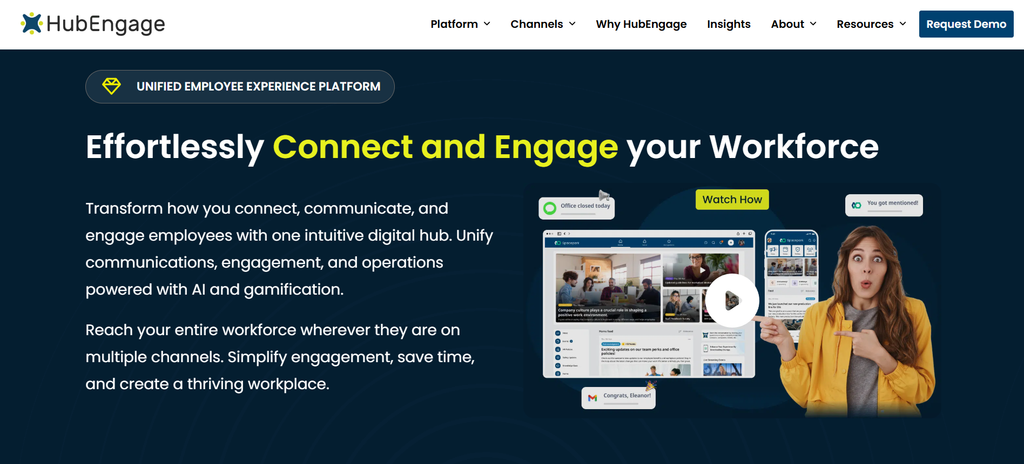
HubEngage combines employee communication with engagement, surveys, recognition, social interaction, messaging, and employee resources.
Its main distinction for organizations with deskless populations is multi-channel publishing.
HubEngage says organizations can publish communication across mobile apps, web, email, SMS, Microsoft Teams, Slack, WhatsApp, and digital signage. Content can be distributed through several channels without communications teams creating every version separately.
Its employee app combines company communication with surveys, social features, recognition, team messaging, documents, and other resources. QR-code onboarding can give employees another route into the platform where traditional corporate email onboarding isn’t practical.
HubEngage also offers AI-assisted translation, content creation, summaries, employee search, and an AI chatbot capable of searching connected knowledge sources and returning answers with source attribution.
Digital signage adds another frontline channel for workplaces where employees may not continually use personal devices.
HubEngage is worth considering when an organization wants employee communication and engagement capabilities combined with multiple ways to reach deskless employees rather than relying entirely on an app or intranet.
2. Staffbase
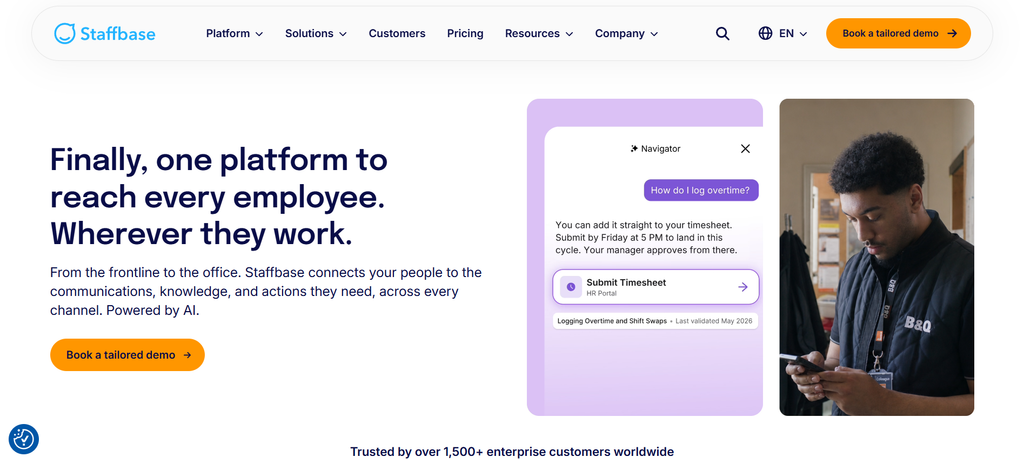
Staffbase focuses heavily on structured employee communication through mobile apps, intranet experiences, email, and frontline information access.
Its employee app is designed to give frontline, deskless, and office employees a central place for company information, workplace tools, and communication. Staffbase also promotes AI-powered search, translation, personalized communication, and chatbot-style assistance.
The platform has been expanding further into frontline execution.
Staffbase Tasks allows frontline employees to create, assign, organize, and track operational tasks from mobile or desktop environments. The feature moved out of beta as part of Staffbase’s Q1 2026 release.
Staffbase positions the broader platform around reducing scattered frontline tools and giving workers access without requiring corporate email accounts.
It is worth evaluating when structured corporate communication, employee-app access, intranet governance, AI-assisted information retrieval, and frontline task execution are major requirements.
3. Workvivo
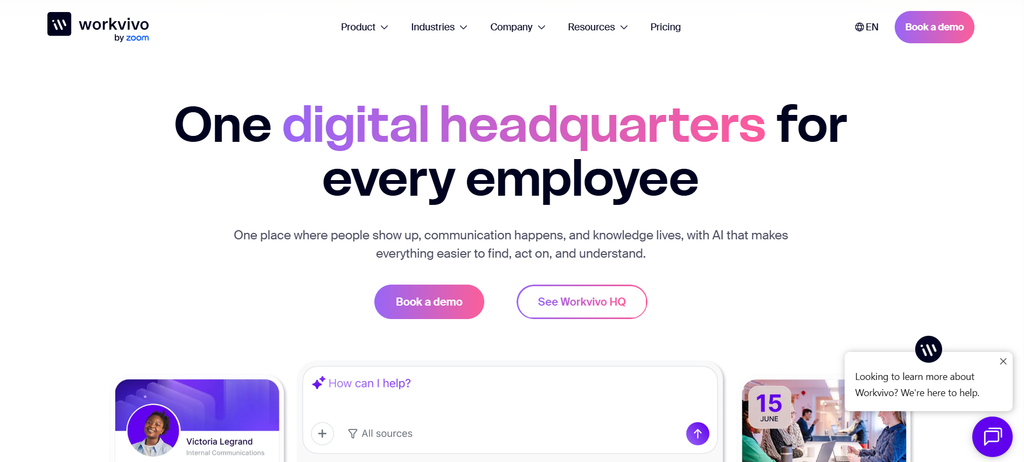
Workvivo, part of Zoom, combines employee communication with social interaction and community-oriented features.
Its communication platform includes targeted campaigns, employee feeds, chat, voice and video calls, livestreams, employee spaces, translations, and employee-generated communication.
Workvivo TV can place company updates and alerts on workplace screens, helping organizations reach employees who aren’t regularly opening an app.
The platform also includes AI content generation and sentiment analysis for communications teams.
Workvivo’s strength is the combination of formal organizational communication with employee participation.
It may therefore suit organizations that want news, employee communities, recognition, social interaction, campaigns, and frontline communication within the same experience.
4. Microsoft Teams
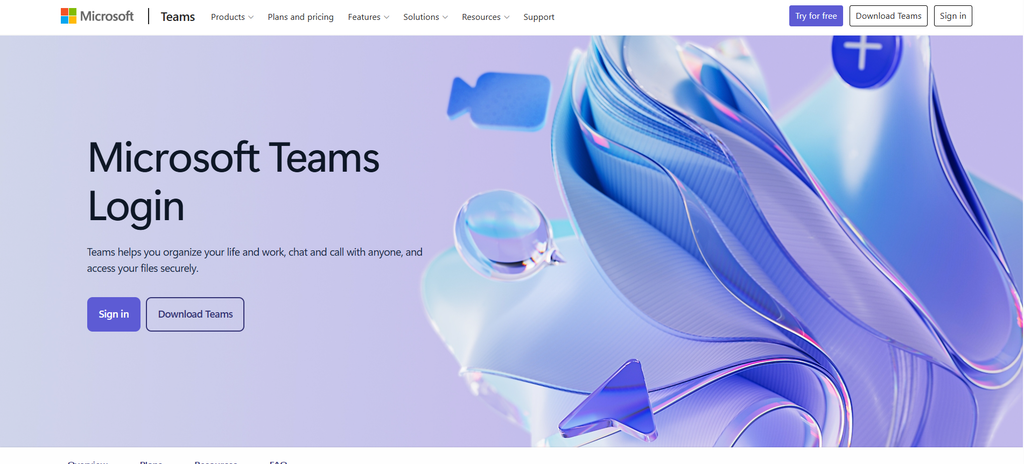
Microsoft Teams is commonly associated with office collaboration, but Microsoft has developed specific capabilities for frontline workers.
Teams supports mobile chat, announcements, channels, calls, and access to frontline-oriented applications such as Shifts, Walkie Talkie, Planner, and Approvals.
The platform can therefore combine communication with scheduling and operational collaboration.
Its position within Microsoft 365 is particularly important.
Organizations already using Microsoft technologies may prefer to extend an existing platform rather than introduce another communication environment.
Microsoft’s growing Copilot and AI-agent strategy also places Teams inside a broader workplace AI environment.
Microsoft’s 2026 Work Trend Index reports rapid growth in active Microsoft 365 agents and argues that many organizations still need to redesign work processes to make effective use of AI.
Teams is worth evaluating when Microsoft 365 already plays a central role in the organization and frontline communication needs to connect closely with existing Microsoft tools.
HubEngage vs. Staffbase vs. Workvivo vs. Microsoft Teams
The products overlap, but their strengths differ.
Choose HubEngage when multi-channel communication is particularly important and you also want surveys, recognition, employee engagement, social features, messaging, and AI-supported knowledge access.
Choose Staffbase when structured enterprise communication, intranet publishing, mobile employee access, AI-supported information retrieval, and frontline task execution are priorities.
Choose Workvivo when employee communication needs a strong community, social, recognition, and participation component.
Choose Microsoft Teams when your company already relies heavily on Microsoft 365 and wants frontline collaboration to remain connected to that environment.
Product selection should ultimately depend on employee behavior.
The longest feature list isn’t necessarily the most useful one.
How can companies improve communication with deskless workers?
Audit the real communication journey
Start by listing every channel employees are expected to use.
Then ask employees how communication actually happens.
A communications leader may believe warehouse employees use the intranet.
Employees may say they ask their supervisor because finding anything on the intranet takes too long.
That difference is useful.
Give employees one clear starting point
Workers should know where to look first.
That could be an employee app, Teams, a mobile intranet, or another central system.
Other communication channels can support the main destination without becoming competing sources of truth.
Match channels to urgency
Don’t make every communication urgent.
Use push notifications and SMS selectively.
Emergency, safety, weather, and immediate operational changes justify interruptions.
Routine announcements usually don’t.
Write for the employee’s working environment
A nurse or driver may only have a short opportunity to read a message.
Put the useful information first:
- What changed?
- Who is affected?
- When does it begin?
- What action is required?
Corporate background can come afterward.
Support multiple languages where needed
Don’t assume the organization’s default corporate language is every employee’s strongest reading language.
Use translation where appropriate and review high-risk content carefully.
Make feedback quick
A survey doesn’t need 25 questions.
Sometimes the most useful employee feedback begins with one:
“Was the new procedure clear?”
Yes or no.
Follow-up questions can go to employees who say no.
Measure understanding rather than delivery alone
Useful communication metrics include:
- Reach
- Read rates
- Acknowledgements
- Search activity
- Survey participation
- Employee questions
- Response times
- Channel preference
- Differences between locations
- Differences between employee groups
Open rates provide part of the picture.
Employee behavior provides the rest.
Best practices for deskless workforce communication in 2026
Create one reliable source of truth
Employees should know where the latest policy, procedure, announcement, or document lives.
Notifications can point employees toward information without becoming the permanent home of the information.
Personalize communication where it improves relevance
Target content by role, location, language, shift, or department where appropriate.
Avoid sending every employee everything.
Keep managers involved without turning them into bottlenecks
Local managers provide context.
Use them.
But avoid relying on managers to manually relay every corporate announcement.
Design for small screens and short attention windows
Short paragraphs, clear headings, bullets, direct actions, and mobile-friendly documents work better for people reading between tasks.
Review your technology stack regularly
Every new platform should answer a useful question:
What existing process or tool can this simplify or replace?
If the answer is nothing, the organization may simply be adding another login.
Common mistakes in deskless workforce communication
Mistake 1: Assuming an employee app automatically creates engagement
Downloading an app doesn’t mean employees will keep using it.
The app needs to solve recurring problems.
Employees should know they can find useful information there every time they open it.
Mistake 2: Sending too many notifications
When every announcement triggers an alert, alerts lose meaning.
Reserve urgent channels for urgent information.
Mistake 3: Requiring corporate email access
A frontline communication system that depends on email may exclude employees who need the system most.
Consider employee IDs, mobile numbers, QR codes, SSO options, shared-device access, or other suitable authentication approaches.
Mistake 4: Measuring communication through open rates alone
A 90% open rate doesn’t tell you whether people understood the message.
Follow it with feedback, acknowledgements, questions, or operational results.
Mistake 5: Adding software without removing complexity
Buying another communication platform can make communication worse if employees now have another place to check.
Consolidation should be part of technology planning.
What should HR and communications leaders watch during 2026?
Three issues deserve particular attention.
AI access may create a new deskless technology gap
AI is becoming increasingly common in corporate environments.
If sophisticated AI assistants remain available primarily to laptop-based workers, the technological difference between corporate and frontline employees could widen.
The relevant question isn’t whether an organization offers AI.
It is whether AI solves problems for employees doing different kinds of work.
A deskless worker may not need a presentation generator.
They might genuinely value an assistant that finds the correct safety procedure in five seconds.
Communication platforms are becoming broader
Employee apps increasingly combine functions that were once separated among several systems.
Communication, search, surveys, recognition, social interaction, digital signage, tasks, and AI assistance are beginning to overlap.
That can help companies reduce tool fragmentation, although consolidation should still be evaluated carefully.
Measurement is becoming more behavioral
Communications teams can increasingly understand:
- Who receives information
- Which groups read it
- What employees search for
- Where questions continue to appear
- Which channels employees prefer
- Which locations have lower participation
That moves communication measurement beyond “Did we send it?”
The better question becomes “Did employees find what they needed?”
Frequently Asked Questions
What is a deskless workforce?
A deskless workforce consists of employees who perform most of their work away from traditional computer-based offices. Examples include nurses, warehouse workers, retail associates, drivers, hospitality employees, manufacturing workers, construction workers, and field technicians.
What percentage of workers are deskless?
A widely cited estimate from Emergence Capital places the deskless workforce at approximately 2.7 billion people, or about 80% of the global workforce. BCG has cited a similar estimate.
What are the biggest deskless workforce challenges in 2026?
Common challenges include poor access to corporate communication, fragmented technology, inconsistent mobile experiences, language differences, delayed information, weak employee feedback channels, and difficulty finding authoritative workplace information.
Why is deskless workforce communication difficult?
Deskless employees may work shifts, travel between locations, use shared devices, or spend most of their day working with customers, patients, equipment, vehicles, or production processes. Traditional email and desktop intranet workflows don’t always fit those environments.
How should companies communicate with frontline workers?
Companies can combine mobile employee apps, SMS, push notifications, digital signage, manager briefings, messaging tools, mobile intranets, kiosks, email, and QR codes. The channel should depend on urgency and employee behavior.
What technology is changing deskless work?
Important technologies include AI-powered search, generative AI, mobile employee platforms, digital signage, automatic translation, workforce management systems, employee surveys, recognition tools, mobile learning, and integrated messaging.
How is AI affecting deskless employees in 2026?
AI can help employees search workplace information, find policies, translate communication, summarize documents, answer common questions, and locate procedures. Adoption depends on accessibility, training, reliable data sources, and integration with employees’ actual workflows.
What do deskless workers expect from workplace technology?
They generally benefit from fast mobile performance, simple login processes, strong search, clear navigation, relevant notifications, and information personalized to their role, location, or language.
What is the difference between deskless and frontline workers?
Deskless refers mainly to where and how an employee works. Frontline describes employees directly involved with customers, patients, products, equipment, operations, or service delivery. Many employees fall into both groups.
How can employers improve the deskless employee experience?
Give employees a reliable way to access information, reduce unnecessary applications, improve mobile usability, target messages appropriately, support employee feedback, provide relevant training, and measure whether employees can find and understand the information they need.
Conclusion
The state of the deskless workforce in 2026 reveals an interesting communication problem.
Organizations have more ways than ever to reach employees.
Mobile apps. SMS. Email. Digital displays. AI assistants. Push notifications. Chat. Surveys. Intranets. QR codes.
Yet an employee can still finish a shift without knowing something headquarters believes it communicated successfully.
Perhaps the next stage of frontline communication isn’t about creating more channels.
It is about making the journey between a question and a useful answer shorter.
Platforms such as HubEngage, Staffbase, Workvivo, and Microsoft Teams approach that problem differently. They can help distribute communication, personalize it, translate it, measure it, collect feedback, and increasingly make workplace knowledge searchable.
But technology cannot decide every part of the communication strategy.
Companies still need to determine where employees should look first, what deserves an interruption, which information can be trusted, and how employees can respond when something doesn’t make sense.


[…] more context on the communication problems facing these workers, Syssn’s State of the Deskless Workforce in 2026 looks at the wider communication gap across frontline […]
[…] more context, see The State of the Deskless Workforce in 2026, which examines communication gaps and technology considerations for deskless […]