What Citation Rebuild Triggers Should Agencies Avoid During a Yext Alternative Migration?

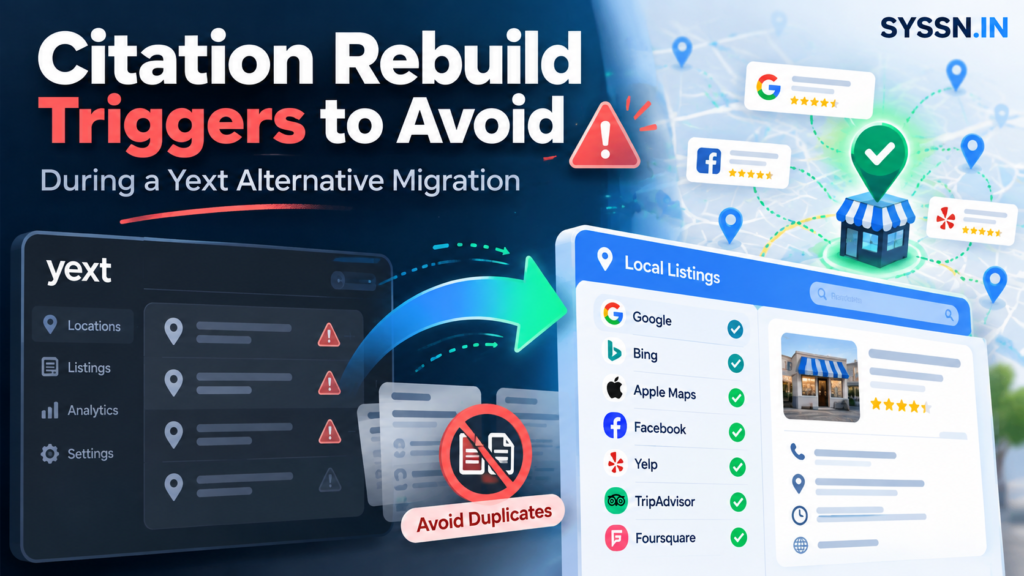
One of the easiest mistakes to make during a Yext migration starts with a reasonable thought: if the old system is going away, perhaps the listings should start again too.
It sounds tidy. Cancel Yext, move the location data into the new platform, rebuild the citations, and begin with a clean slate.
The problem is that local listings rarely have clean slates.
A Google Business Profile may already have years of reviews. An Apple Maps location may be claimed by the client. A directory record may have an established publisher ID, verification history, photos, links, and connections to other data sources.
So during a Yext alternative migration, cancellation, sync loss, a phone-number change, a duplicate, or a failed automated match should rarely trigger an immediate citation rebuild.
The safer rule is simple: find the existing record first, establish whether it represents the same business, and preserve it whenever possible.
Create a new citation when you have good evidence that there genuinely isn’t an existing record to work with.
What is a citation rebuild trigger?
A citation rebuild trigger is any event that causes your agency or listings platform to create a new business record instead of updating, claiming, matching, transferring, or reconnecting an existing one.
That distinction sounds technical until you see what happens when it goes wrong.
Imagine a dental practice that has occupied the same location for eight years. It changes its phone number.
The old number is inconvenient. The business itself hasn’t changed.
If the migration software interprets the phone mismatch as evidence that it has found a different business, you can end up with two profiles:
| Existing citation | Newly created citation |
|---|---|
| 8 years of history | No history |
| Reviews attached | No reviews |
| Old telephone number | New telephone number |
| Established publisher ID | New publisher ID |
| Existing ownership | New verification process |
You haven’t fixed the phone number. You’ve created a second problem.
Google’s own guidance reflects this distinction. If an existing profile represents your business, Google tells you to claim it or request ownership rather than simply creating another profile. It also says businesses should generally have only one Business Profile for each eligible business. Google guidance on duplicate profiles and ownership
Data Axle makes a similar distinction at the underlying data level. Its Local Listings Premium system separates an Add submission from an Update, and it warns that inconsistent business names, addresses, and phone data can contribute to duplicate creation. Data Axle Local Listings Premium documentation
This is the principle I would carry through the entire migration:
A platform change is not automatically a business-identity change.
Citation rebuild triggers agencies should avoid
1. Treating Yext cancellation as a reason to rebuild everything
This is probably the biggest misconception around moving away from Yext.
An agency cancels the subscription and assumes that every listing previously managed through Yext must now be recreated through the replacement platform.
Yext’s own documentation says otherwise.
Yext states that when a listings subscription ends, it stops actively managing the listings. It says it does not intentionally send old information or try to revert them. Its publisher documentation is even more explicit: when a publisher receives a cancellation from Yext, the publisher should not remove, delete, or revert the listing. Yext guidance on listings after cancellation
That doesn’t mean you can cancel and forget about the listings.
Once Yext stops supplying data, publishers may increasingly rely on other sources, including aggregators, user suggestions, their own datasets, and other providers. Over time, inconsistencies can appear.
That calls for monitoring.
It doesn’t call for deleting a functioning citation and replacing it simply because your software contract changed.
If you’re comparing the different models available after leaving Yext, Syssn’s guide to [local listings management software] is useful because synchronization platforms and citation-building services solve very different migration problems. Local Listings Management Software guide on Syssn
2. Rebuilding when synchronization stops
Suppose your new listings platform connects to 80 of a client’s locations correctly but reports a sync problem on location 81.
What does that tell you?
Less than you might think.
The publisher record could still be perfectly valid. The problem might involve authentication, a category mismatch, an expired account connection, conflicting ownership, an unsupported field, or the new platform failing to match the record correctly.
A failed synchronization is evidence of a connection problem.
It is not evidence that the business needs a new listing.
Before creating anything, check the publisher directly. Search for the location using the business name, address, telephone number, old telephone number, previous name, and existing URL.
Then determine whether the destination platform can connect to that record.
This little bit of manual work can look inefficient when you’re migrating hundreds of locations. Creating duplicates across hundreds of locations is considerably less efficient.
3. Treating minor NAP changes as new-business events
NAP changes are one of the oldest problems in local SEO.
Name. Address. Phone.
They’re also one of the easiest areas in which software can make an overly confident decision.
A changed phone number does not normally mean you have a new business.
Neither does:
a corrected suite number, a standardized street abbreviation, a small business-name correction, new opening hours, or an updated website URL.
Google even tells businesses that when an existing business relocates, they should update the address on the existing Business Profile rather than create another profile. Google guidance for existing and duplicate Business Profiles
That makes sense when you think about what a citation is supposed to represent.
It represents the business.
The fields describe the business. They are not the business itself.
During migration, I would therefore normalize your canonical location data before sending updates through the replacement platform. Decide what the correct business name, phone, URL, address formatting, categories, and hours should be. Then use that dataset to correct existing citations.
This becomes especially important with large portfolios, where small formatting inconsistencies can spread quickly.
4. Rebuilding because ownership is difficult
This one is tempting.
You find the correct business profile. Someone else controls it. Nobody knows which former employee created the account. The client wants the migration finished.
Creating another listing can feel easier.
It usually isn’t.
Google provides an ownership-request process for profiles controlled by another account. Apple provides a transfer process when a location is already managed by another organization. In Apple Business, for example, an organization can request that management of an existing location be transferred rather than treating it as a completely unrelated location. Apple guidance on existing locations and transfer requests
Ownership recovery takes work.
A duplicate can take even more work later because you now have two versions of the business, and someone has to decide which one survives.
I would rather spend an afternoon recovering ownership than spend the following month explaining why reviews, photos, and local visibility are split between competing records.
5. Treating a duplicate as a reason to create another citation
Finding a duplicate during migration feels messy.
Creating a third listing doesn’t make it less messy.
Google’s policy is clear that multiple Business Profiles representing the same business can be considered duplicates. It provides mechanisms for resolving ownership conflicts, removing accidental duplicates, and in some circumstances requesting merges.
So when migration software detects two possible records, the useful question isn’t:
“Which new listing should we create?”
It is:
“Which existing record represents the canonical business?”
You may find that one listing has the reviews, another has accurate data, and a third-party directory has an old address.
This is where migration stops being a simple software transfer and starts becoming data governance.
For agencies managing multiple clients, that’s an important distinction. Syssn’s guide to [business listing management services] goes further into the operational side of maintaining location data across large portfolios. Business Listing Management Services guide on Syssn
6. Assuming “not found” means “doesn’t exist”
Automated matching is useful.
It is not omniscient.
A citation scanner can miss an existing record because:
the publisher changed its URL structure, the location still uses an old phone number, the business name is formatted differently, the suite information changed, the listing is under a previous brand name, or the publisher limits automated crawling.
This becomes one of the more dangerous migration triggers because “not found” looks surprisingly definitive inside a dashboard.
It isn’t.
Before authorizing a new citation on an important publisher, search manually using several combinations of identifying information.
That small check matters most on Google, Apple, Bing, Yelp, major data providers, industry directories, and any source that already sends meaningful traffic.
Bing itself starts its onboarding instructions by telling businesses that an existing listing may already exist and that they can claim it rather than immediately adding another one. Bing Places guidance for claiming an existing listing
The bigger lesson is slightly uncomfortable for anyone who loves automation: sometimes the responsible thing for software to say is, “I’m not sure.”
7. Rebuilding because categories, services, or hours changed
Businesses change their information constantly.
A restaurant adds breakfast.
A clinic begins opening on Saturdays.
A retailer changes its primary category.
A law firm adds a new practice area.
None of these changes automatically creates a new business entity.
They are profile updates.
Yet migration projects sometimes combine so many changes at once that ordinary field updates begin to look like reasons to rebuild the record.
I would keep two decisions separate.
First ask: Is this still the same business?
Then ask: Which information about that business needs changing?
If the answer to the first question is yes, the second question should normally be solved by editing the existing citation.
8. Rebuilding an entire portfolio before testing the migration
The consequences become much larger once you move beyond a handful of locations.
An incorrect matching rule applied to one listing is irritating.
Applied to 500 locations across 30 publishers, the same rule can create thousands of cleanup tasks.
That’s why I wouldn’t begin a large Yext migration with the cleanest locations in the portfolio.
I’d deliberately test difficult ones.
Choose locations with duplicates, recently moved branches, unusual categories, ownership conflicts, previous phone numbers, closed legacy records, and locations that have been through a rebrand.
You want to see how the new system behaves when the data isn’t perfect because real location portfolios are rarely perfect.
A migration pilot should reveal how the platform thinks.
Does it aggressively create records?
Does it pause uncertain matches?
Can your team approve matches manually?
Can you see publisher IDs and existing URLs?
Can you suppress duplicates without touching the canonical record?
Those details become far more important than a polished migration dashboard.
When should you actually rebuild a citation?
There are legitimate reasons to create a new listing.
A genuinely new location is the obvious one.
If a company opens a branch where no legitimate record exists, create the profile.
A genuinely separate business operating from the same building may also qualify for its own listing if it meets the publisher’s eligibility requirements.
Major business-identity changes are more complicated. A substantial rebrand, acquisition, relocation, or replacement business can justify creating a new entity in some publisher systems.
The word I keep coming back to is identity.
Ask whether the business continues to be meaningfully the same business.
If the answer is yes, preserving the existing record should usually be your starting position.
If the answer is no, a fresh citation becomes easier to justify.
A quick citation rebuild decision table
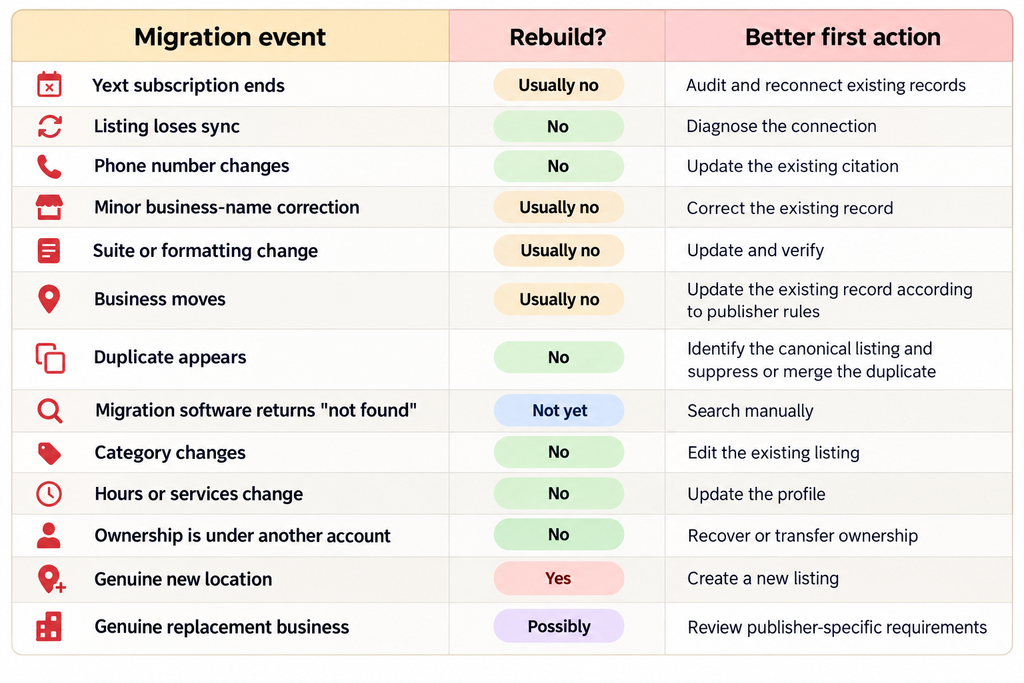
That table probably looks conservative.
It is.
Citation rebuilding is easy. Undoing unnecessary citation rebuilding is the expensive part.
How to migrate citations away from Yext without unnecessary rebuilding
The best migration work starts before cancellation.
I would use a sequence like this:
- Export your source data. Yext currently supports entity exports in CSV and Excel formats and provides export schemes for destinations including Google Business Profile and Bing Places. Yext entity export documentation
- Create a canonical location ledger. Include the approved name, address, phone, website, categories, hours, location IDs, publisher URLs, ownership accounts, former names, former numbers, duplicate URLs, and closed-location status.
- Audit the major publishers manually. Google, Apple, Bing, Yelp and high-value vertical directories deserve more scrutiny than an obscure citation source.
- Classify every record. Mark it as keep and connect, keep and update, ownership recovery, duplicate, closed legacy record, or genuinely missing.
- Run a pilot. Test a small but messy group of locations before moving the entire portfolio.
- Expand the migration in controlled batches. Watch what happens to existing URLs, ownership, verification, publisher IDs, duplicate detection, and sync status.
- Monitor after cancellation. The absence of Yext’s active synchronization can allow other publisher data sources to influence listings over time.
Notice what isn’t in that process: “delete everything and start again.”
There is usually no reason for it.
What should agencies look for in a Yext alternative?
A migration platform shouldn’t be judged only by how many directories appear on its sales page.
The more interesting question is what happens when the platform encounters uncertainty.
For example, suppose it finds a probable matching listing with a slightly different phone number.
Does it connect to the record?
Does it flag it for review?
Does it try to claim it?
Or does it create another listing?
Those behaviors tell you much more about migration quality.
If you’re comparing alternatives more broadly, Syssn’s [Moz Local alternatives comparison] covers Synup, BrightLocal, Yext, Uberall, Semrush Local, Birdeye, and Whitespark using different listings-management models. Moz Local Alternatives comparison on Syssn
For a Yext migration specifically, four platforms in the supplied comparison illustrate four different approaches.
Yext alternative migration platforms to examine
| Platform | Migration model | Useful for |
|---|---|---|
| Uberall | Continuous listings synchronization | Larger multi-location portfolios |
| Synup | Listings management with agency and migration workflows | Agencies, resellers and staged migrations |
| BrightLocal | Sync plus more manual citation-building options | Cleanup-heavy migrations |
| Advice Local | Agency and reseller-focused listings fulfillment | White-label agency operations |
1. Uberall
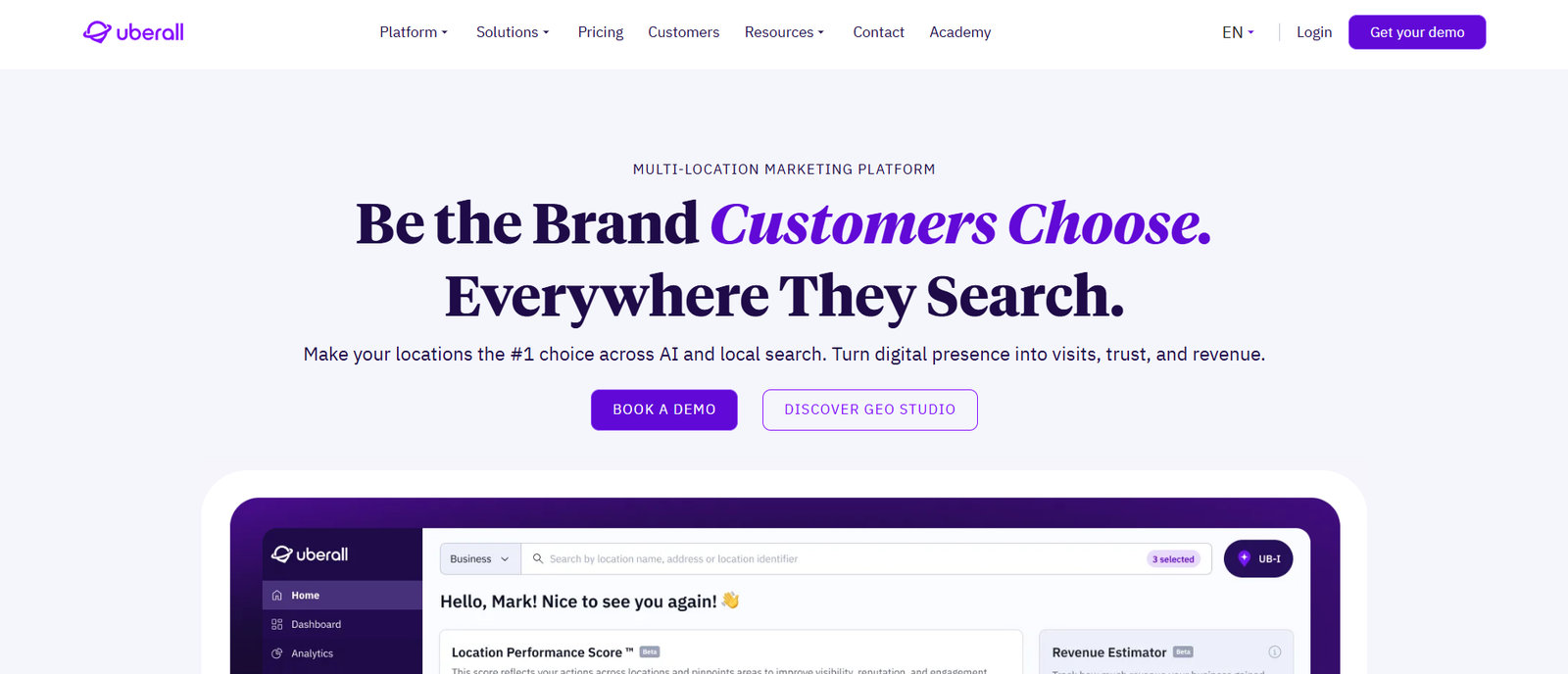
Overview: Uberall is built primarily for multi-location brands, agencies, and partners that need to manage location information continuously rather than perform a one-time citation cleanup. Its listings platform currently supports more than 150 directories and discovery platforms, including Google, Apple Maps, Bing, Yelp, Facebook, navigation services, and other search destinations.
Best for: Agencies managing large multi-location clients, franchises, enterprise portfolios, or businesses where location information changes frequently.
Migration approach: Uberall fits a Yext migration where the goal is to replace one continuous synchronization system with another. Rather than treating the migration as a citation-building project, the agency can centralize location information and distribute updates across supported publishers. Uberall also flags duplicates and tracks verification status, which is useful when inherited location portfolios contain conflicting records.
Key features: Agencies can manage NAP data, hours, categories, attributes, photos, and other profile information centrally. Bulk updates can be handled through spreadsheets or APIs, making the platform more practical when hundreds or thousands of locations require the same change. Uberall also provides APIs and reseller capabilities for organizations integrating listings into their own systems.
Agency and white-label capabilities: Uberall supports white-label implementations. Partners can use their own branding and configure access through their own subdomain, which can be useful for agencies that want clients working inside a branded portal rather than a vendor-branded interface.
Strengths: The broad publisher network, bulk editing, API capabilities, verification monitoring, and multi-location architecture make Uberall particularly relevant for complex portfolios.
Limitations: It may be more platform than an agency needs for a small number of stable businesses. If your goal is simply to repair a few citations and retain direct ownership, a manual or pay-as-you-go approach may be more economical.
Pricing: Uberall generally follows a sales-led pricing model rather than publishing a simple universal per-location price.
What I would test before migrating: Give Uberall several difficult locations containing old phone numbers, duplicates, previous addresses, or ownership problems. Pay attention to how it matches those records before approving a portfolio-wide migration.
2. Synup
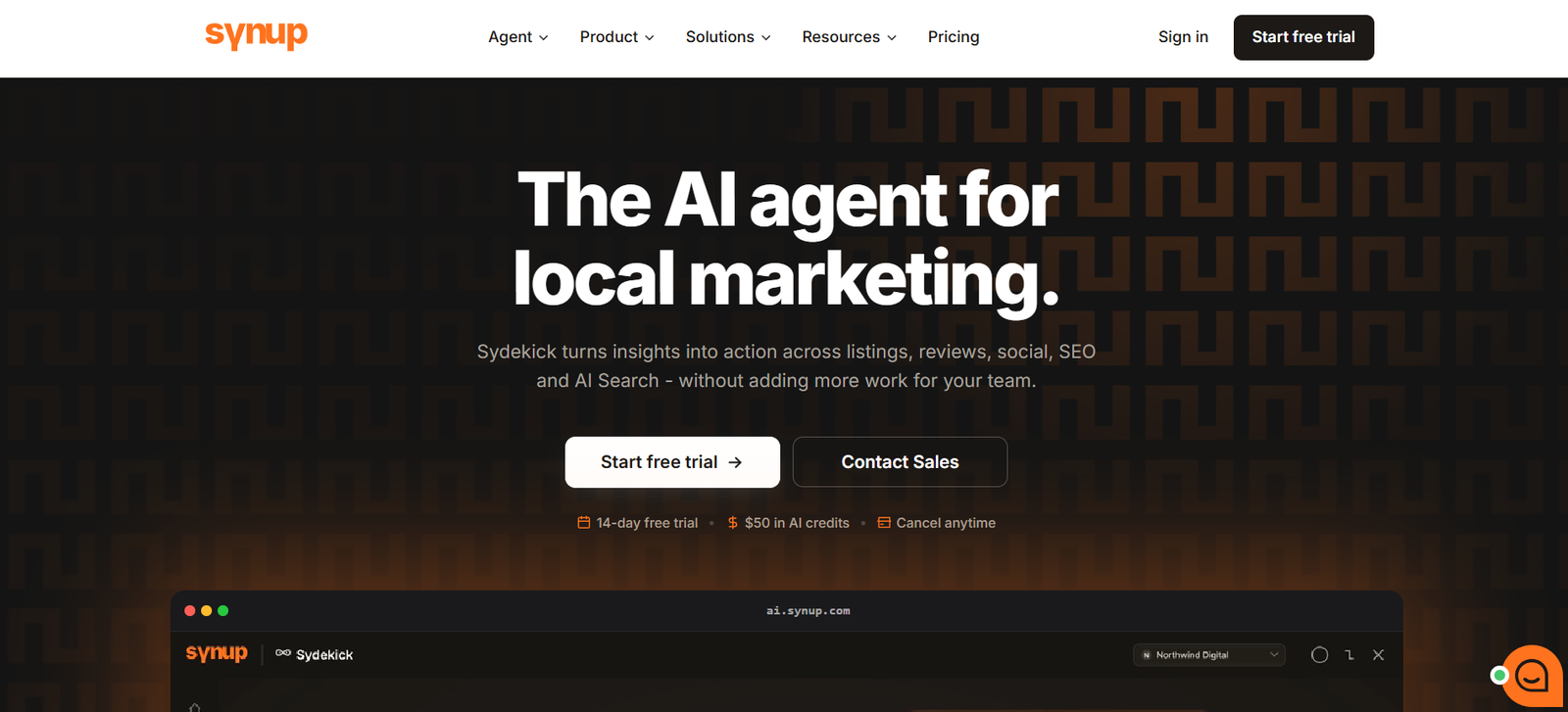
Overview: Synup combines listings management with tools designed specifically for agencies and resellers. Its current platform connects with Google Business Profile, Apple Business Connect, Bing, Facebook, and more than 100 publishers, aggregators, navigation services, and related destinations. It also supports multi-client and multi-location management from a single agency workspace.
Best for: Agencies that want listings management, client workspaces, white-label delivery, and gradual migration under one platform.
Migration approach: Synup is particularly interesting for agencies that don’t want to move every client at once. Its agency workflow allows clients to be added gradually, which means an agency can move a small group first, examine how listings and duplicates are handled, and then expand the migration once the process is reliable.
Key features: Synup provides centralized listing management, duplicate detection, publisher connection monitoring, listing-health views, bulk management, publisher-specific fields, local SEO tracking, and APIs. Its current listings tools can surface duplicates and connection issues at the individual-location level, making it easier to separate a genuine missing citation from a listing that simply needs attention.
That distinction is useful during a Yext migration. If a listing exists but is disconnected, a migration team needs to reconnect or match it rather than automatically generating another citation.
Agency and white-label capabilities: Synup provides white-label dashboards, custom domains, client portals, branded reporting, multi-client management, team permissions, and API access. Its agency materials also describe an approval model where actions can remain queued until the agency approves them.
Strengths: Staged onboarding is useful for agencies that want to reduce migration risk. The combination of white-labeling, multi-client management, duplicate detection, listing monitoring, and publisher synchronization makes the platform relevant when listings management is being sold as an ongoing agency service.
Limitations: An agency that only needs occasional citation creation or a one-time cleanup may not need a full recurring listings platform. Publisher eligibility can also vary by country and location, so agencies should check the actual publisher network for each client’s market rather than relying only on the headline number.
Pricing: Synup says its agency plans are based on the number of locations managed, with a 14-day trial currently available.
What I would test before migrating: Start with clients containing known duplicates and disconnected publisher accounts. Watch how Synup classifies each problem before allowing automated changes.
3. BrightLocal
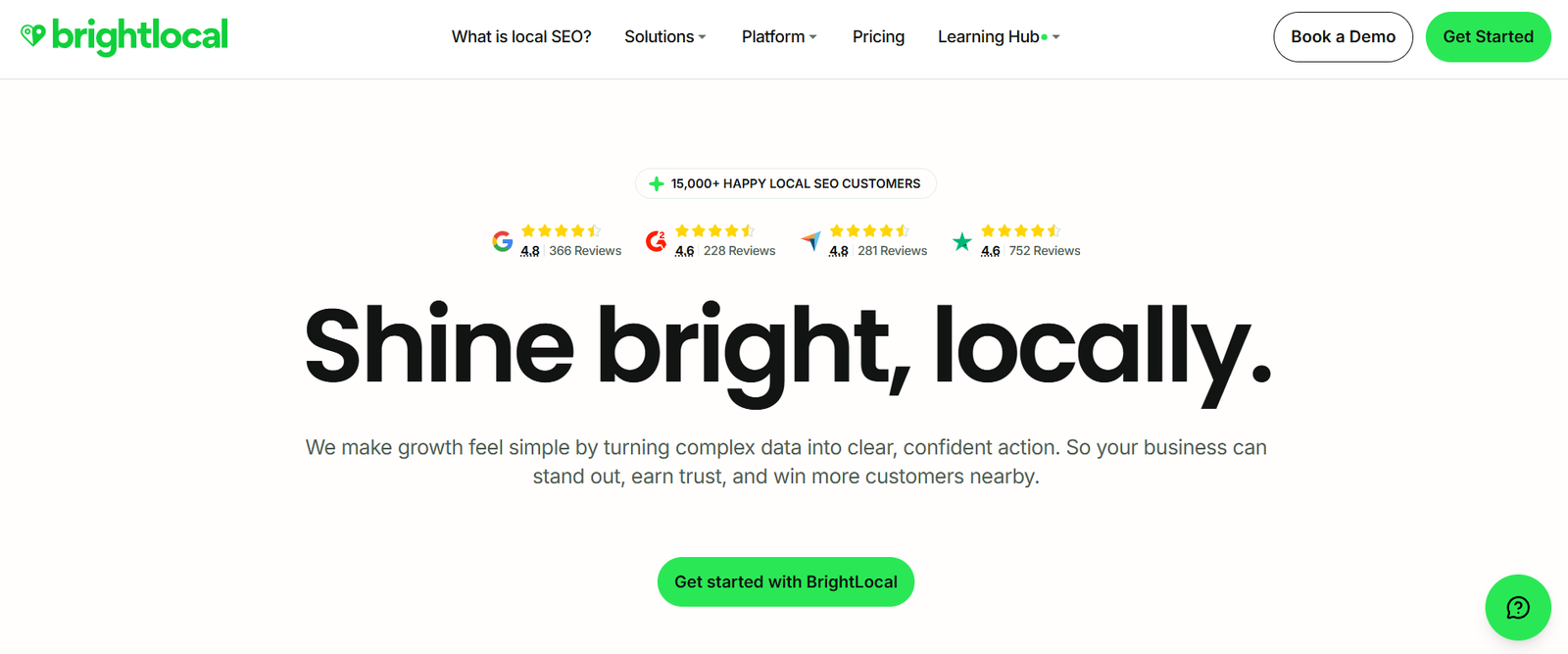
Overview: BrightLocal takes a more flexible approach because it separates citation creation and cleanup from continuous listings synchronization.
Its Citation Builder service handles manual citation creation, claiming, updates, and optional duplicate removal. Active Sync, by comparison, is designed to keep important publisher profiles such as Google Business Profile, Facebook, Apple Maps, Bing, and Yelp accurate over time.
Best for: Agencies that want more control over which citations are built or updated, particularly when citation ownership and cleanup are more important than replacing Yext with another large publisher-synchronization network.
Migration approach: BrightLocal can work well when an agency wants to treat the migration as a cleanup project. Citation Builder can create missing citations and work on inaccurate existing records rather than forcing every client into a broad recurring synchronization model.
That can be useful when the agency manages relatively stable businesses where NAP data rarely changes.
Key features: Citation Builder provides manual submissions and updates, data-aggregator options, duplicate-removal services, and access to a large citation database. Active Sync covers a smaller group of important publishers for ongoing updates. BrightLocal’s broader platform also includes citation tracking, local rank tracking, Google Business Profile auditing, local search auditing, review tools, and agency reporting depending on the selected plan.
Agency capabilities: BrightLocal provides white-label reporting and agency-oriented local SEO tools. Citation Builder can also be used without maintaining a paid BrightLocal software subscription, which makes it unusual among broader local SEO platforms.
Strengths: Pricing for manual citation work is unusually transparent. Current card pricing is $3.20 per manual submission or update. Bulk credits can reduce the rate to as little as $2 per citation. Duplicate removal costs an additional 20% of the manual-submission amount.
This model makes cost forecasting easier when the agency already knows how many citations need work.
Limitations: Manual citation work and continuous publisher synchronization solve different problems. If a 1,000-location client changes holiday hours, store details, and categories frequently, managing those changes primarily through manual citation campaigns would be very different from using an enterprise synchronization platform.
Pricing: Citation Builder is pay-as-you-go. Active Sync is included in BrightLocal’s Manage and Grow plans, while additional options can carry separate fees.
What I would test before migrating: Determine which clients genuinely need continuous synchronization and which mainly need citation cleanup. That decision can change the economics of BrightLocal considerably.
4. Advice Local
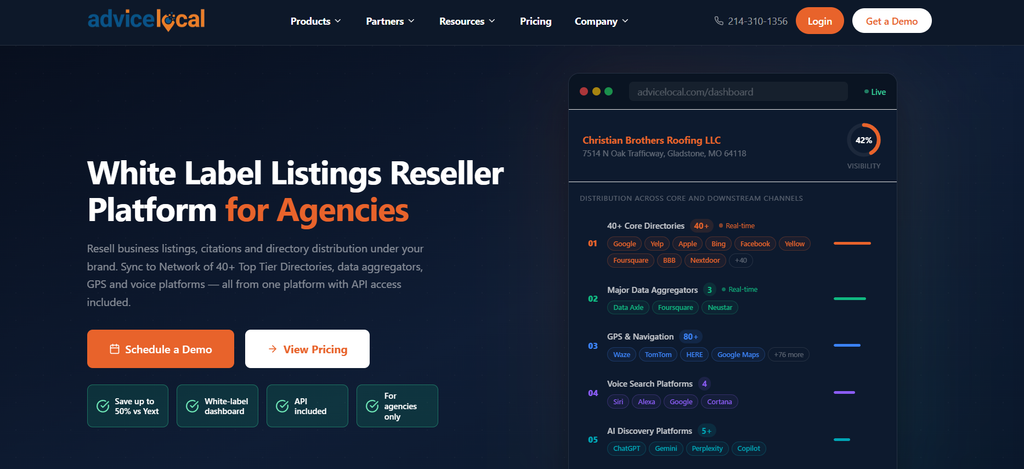
Overview: Advice Local is heavily focused on agencies, resellers, and partners rather than positioning listings management purely as a direct-to-business product.
Its listing-management model combines automated distribution with manual work. Advice Local describes this as a hybrid approach using APIs and manual submissions to create, claim, update, and optimize business listings.
Best for: Agencies that want to sell local listings management under their own brand and prefer a fulfillment-oriented partner model.
Migration approach: Advice Local can make sense when an agency wants another company to handle much of the listing distribution and citation work while the agency keeps the client relationship.
Its approach includes business-listing creation and updates, data-aggregator distribution, Bing Places, Google Business Profile synchronization, and other listing-management services.
For a Yext migration, the hybrid model is worth examining because automated distribution alone does not solve every difficult citation problem. Old records, duplicates, ownership problems, and inconsistent data sometimes require manual intervention.
Key features: Advice Local provides listing creation and updating, data distribution, partner dashboards, multi-location management, local visibility reporting, data-aggregator submission, and related Google Business Profile tools. Its platform also provides reporting that agencies can schedule and send to clients.
Agency and white-label capabilities: This is one of the clearer parts of Advice Local’s positioning. The company describes its partner environment as fully white-label, including dashboards and reports. It also offers white-label lead-generation tools that agencies can place on their own websites.
Strengths: The agency-first business model can appeal to firms that want to bundle listings management into a larger local SEO service while keeping their own branding in front of the client.
Limitations: Advice Local does not publish the same kind of simple pay-per-citation pricing available from BrightLocal. That makes it harder to compare migration costs without requesting a quote. Agencies should also ask exactly which publishers are handled through direct integrations, data distribution, and manual submission because those methods can behave differently during a migration.
Pricing: Advice Local says its packages are customized and asks agencies to request pricing based on their requirements.
What I would test before migrating: Ask Advice Local to explain what happens to an existing citation that contains conflicting information. The important question is whether it gets matched and updated, manually investigated, or treated as missing.
Continuous synchronization vs manual citation control
This may be the most useful question in the entire migration.
Do you actually need another Yext-like synchronization system?
For a 500-location retailer changing hours, services, attributes and store information throughout the year, probably.
For an agency cleaning up 20 relatively stable local-business clients, perhaps not.
Continuous synchronization gives you speed and centralized control.
Manual citation ownership can give you more independence and clearer long-term access to individual records.
Neither model solves every case.
And perhaps that is why Yext migrations often become more complicated than expected. The project begins as a software replacement exercise and eventually forces the agency to answer a deeper operational question:
Who should control this location data, and how should that control work when the next platform eventually changes?
Common mistakes during a Yext alternative migration
The mistakes that cause the most work tend to be surprisingly ordinary.
Teams migrate before exporting their complete location data.
Nobody knows which email account owns Google.
Old location URLs aren’t recorded.
Former business names disappear from the migration spreadsheet even though publishers still use them.
Every mismatch gets labelled “missing.”
Duplicates get discovered halfway through the migration instead of before it.
The replacement platform becomes the assumed source of truth before anyone has established whether its imported information is actually correct.
These aren’t really software problems.
They’re information-management problems.
The software merely makes them move faster.
Frequently asked questions
What triggers a citation rebuild during a Yext alternative migration?
A rebuild should usually happen when no legitimate existing record represents the business or when a genuinely new business entity needs a listing.
Cancellation, sync failure, small NAP changes, ownership problems, category changes and duplicate discovery should usually lead to investigation or updating first.
Should agencies rebuild citations after leaving Yext?
Usually, no.
Existing legitimate listings should normally be preserved, claimed, matched, transferred or updated.
The platform managing the citation can change without requiring the citation itself to be replaced.
What happens to listings when you cancel Yext?
Yext says it stops actively managing the listings and does not intentionally send old data or instruct publishers to revert the records.
Over time, publisher information can still change as other data sources begin influencing the listing.
That is why monitoring should continue after the migration.
Can rebuilding citations create duplicates?
Yes.
If you create a new listing when a valid record already represents the same business, you may end up with competing profiles.
Google explicitly treats multiple profiles representing the same business as a duplicate-profile issue.
What data should you export before leaving Yext?
At minimum, preserve your canonical location details, internal location IDs, publisher URLs, ownership information, business categories, hours, website URLs, service-area configuration, previous addresses and phone numbers, known duplicate URLs, and permanently closed locations.
Keep enough information to recognize an existing listing even when the information on that listing is outdated.
Conclusion
I understand the appeal of a rebuild.
There is something reassuring about starting again, especially when the listings footprint already contains bad phone numbers, former employees, duplicate profiles and mysterious accounts nobody remembers creating.
But local business data has history.
Sometimes that history is inconvenient. It can also contain the reviews, ownership, verification, publisher relationships and signals you were trying to preserve in the first place.
So I would treat citation rebuilding as the exception during a Yext alternative migration.
Start by assuming the existing record has value. Find it. Understand it. Take control of it. Correct it.
Create something new only when you have established that something genuinely new needs to exist.
Perhaps that is the useful question to ask before every migration action:
Are we changing the business, or are we simply changing the software that manages its information?