Best Frontline Task Management Software in 2026: 8 Tools Compared (Not Shift Scheduling)

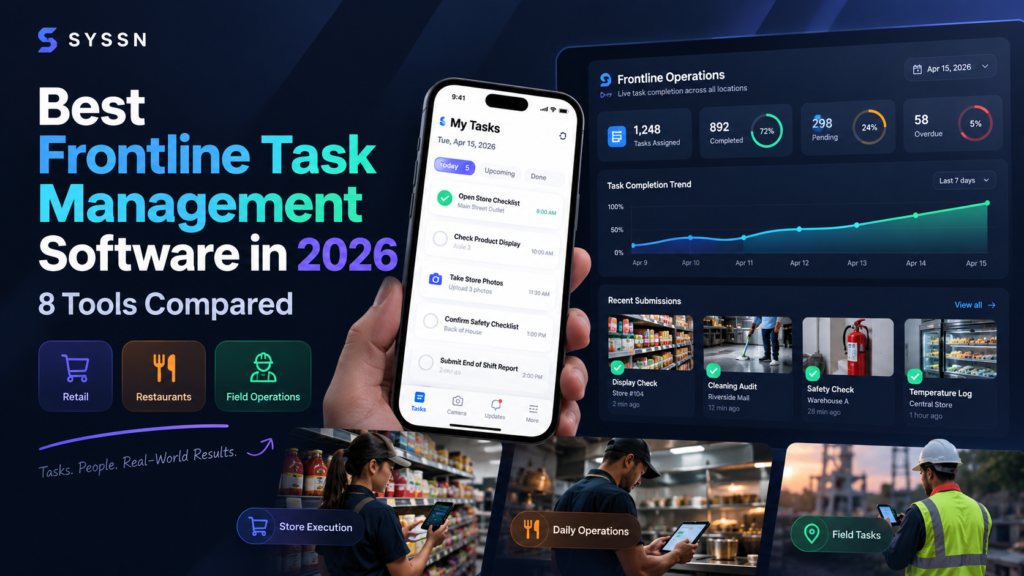
The best frontline task management software depends on the work your employees need to complete. HubEngage combines task assignments with employee communication; YOOBIC, Zipline, and Opterus OPSCENTER focus on retail execution; GoSpotCheck by FORM supports field tasks and photographic evidence; Mitti by SafetyCulture emphasizes inspections; and SmartSense ONE and Crunchtime Ops Execution serve food-service operations.
Unlike shift scheduling software, which organizes when employees work, frontline task management software helps businesses assign, track, and verify what employees accomplish during their shifts.
For retailers, restaurants, hotels, manufacturers, and distributed service businesses, this distinction matters. A completed shift does not prove that cleaning checks, merchandising updates, safety inspections, or other operational procedures were performed correctly.
This guide compares eight frontline task management platforms based on task assignment, mobile usability, digital checklists, completion evidence, reporting, pricing, and industry suitability.
The 8 Best Frontline Task Management Tools at a Glance
The following platforms address different operational priorities. The recommendations are use-case assessments, not the results of a standardized performance benchmark.
| Software | Best for | Main reason to consider |
|---|---|---|
| 1. HubEngage | Tasks and employee communication | Connects assignments, progress updates, and employee collaboration |
| 2. YOOBIC | Retail task execution | Guided missions, merchandising workflows, and photo approvals |
| 3. Zipline | Multi-location retail chains | Headquarters-to-store assignments and execution visibility |
| 4. Opterus OPSCENTER | Retail operations coordination | Centralized task management, communications, and dashboards |
| 5. GoSpotCheck by FORM | Field operations and merchandising | Mobile data collection and photographic verification |
| 6. Mitti by SafetyCulture | Inspections and corrective actions | Digital checklists, issue reporting, and operational records |
| 7. Jolt / SmartSense ONE | Food-service procedures | Recurring checklists, food safety workflows, and task accountability |
| 8. Crunchtime Ops Execution | Multi-unit restaurants | Daily procedures, audits, and corrective-action tracking |
A retail operations director coordinating promotional displays across hundreds of stores may need different capabilities from a restaurant manager responsible for temperature logs and food safety checks.
The most suitable platform is the one that supports the organization’s actual workflows, verification requirements, and operating conditions.
What Is Frontline Task Management Software?
Frontline task management software is a digital system for assigning, organizing, tracking, and verifying operational work performed by employees who interact directly with customers, facilities, equipment, or products.
It helps businesses replace fragmented paper checklists, spreadsheets, verbal instructions, and disconnected messages with a structured workflow.
A typical frontline task management process has five stages:
- Assign: A manager creates a task with an owner, deadline, and instructions.
- Execute: The employee completes the required activity.
- Verify: A manager or an established review process checks the submitted evidence.
- Resolve: Any incomplete or incorrect work is corrected.
- Report: The organization reviews completion status, exceptions, and operational trends.
For example, a retail chain might assign a promotional display setup to 150 stores. Employees receive instructions, complete the setup, and submit photographs.
Regional managers can then identify which stores have completed the assignment, which submissions need correction, and which locations are overdue.
The same workflow applies to restaurant opening checks, hotel room inspections, equipment maintenance, warehouse procedures, and safety audits.
For distributed teams, mobile accessibility is important because employees may not have access to corporate email accounts or dedicated office computers.
Frontline Task Management vs. Shift Scheduling: What’s the Difference?
Shift scheduling software manages workforce availability and coverage. Frontline task management software manages operational assignments and their completion.

Consider a restaurant that opens at 8 a.m.
Scheduling software can confirm that three employees are assigned to the opening shift. Task management software helps those employees complete equipment inspections, cleaning procedures, temperature records, and opening preparations.
Some workforce platforms provide both functions. However, businesses should evaluate scheduling and task execution separately rather than assume one capability guarantees the other.
Microsoft provides a practical example of this distinction. Its Planner task publishing functionality lets organizations distribute operational assignments to frontline locations and monitor their completion. Microsoft Shifts focuses on managing employee schedules and workforce availability.
How We Selected These Frontline Task Management Tools
This comparison evaluates eight products whose published capabilities address frontline operational execution rather than focusing primarily on employee scheduling.
The assessment uses six criteria:
- Task assignment: Ownership, deadlines, priorities, and location-based distribution.
- Mobile execution: Access and task completion away from a desk.
- Completion verification: Photographs, checklists, forms, inspections, and approval workflows.
- Multi-location visibility: Reporting across teams, stores, regions, and business units.
- Operational workflows: Repeatable procedures, audits, exceptions, and corrective actions.
- Pricing and commercial fit: Public pricing, seat requirements, modules, and purchasing considerations.
The research draws on official product pages, vendor documentation, published pricing information, and company announcements.
This is a documentation-based editorial comparison, not a hands-on benchmark. The products were not independently performance-tested for this review, and no customer satisfaction scores, proprietary implementation measurements, or negotiated contract prices are claimed.
Products appear in an order intended to cover different buyer needs. Their positions do not represent numerical performance scores.
Frontline Task Management Software Platforms Reviewed
1. HubEngage — Best for Tasks Combined With Employee Communication

Best for: Organizations that want to manage frontline assignments, employee communications, and collaboration through a shared employee platform.
Category: Employee experience and workforce collaboration.
HubEngage provides task management alongside employee communication and engagement capabilities.
Managers can create assignments, set deadlines, track progress, and receive task status updates. Employees can access assigned work through a centralized task view.
HubEngage also offers employee communications, mobile access, messaging, recognition, and surveys through its broader platform.
This combination is relevant when completing tasks depends on employees receiving timely instructions, announcements, and feedback.
Key features
- Task creation, ownership, deadlines, and progress tracking.
- Centralized task views and completion updates.
- Notifications and communication integration.
- Employee mobile access and collaboration features.
Advantages
HubEngage brings task management and employee communication into a shared environment.
For example, a regional operations manager may need to announce an updated customer-service procedure, assign related tasks, and monitor employee progress.
Keeping communications and assignments connected can reduce the need to coordinate work across unrelated applications.
The broader employee platform may also be useful when an organization is evaluating communication and engagement alongside operational task management.
Limitations
HubEngage is not positioned solely as specialized inspection or merchandising software.
Organizations requiring mandatory photo submissions, complex conditional checklists, regulatory audit trails, or advanced corrective-action workflows should ask the vendor to demonstrate those capabilities.
Buyers should also confirm which task, communications, and engagement modules are included in the proposed package.
Pricing: Request a custom quote. A standardized public price for the task-management configuration was not verified.
Choose HubEngage if: Your organization needs employee assignments and progress tracking closely connected to frontline communications.
2. YOOBIC — Best for Retail Task Execution and Photo-Verified Work

Best for: Retail businesses coordinating visual merchandising, promotional campaigns, store audits, and operational standards across locations.
Category: Retail execution and frontline operations.
YOOBIC offers a mobile-first platform for managing frontline retail operations.
Its task management system uses guided missions containing instructions, checklists, and visual references.
Store employees can complete assigned activities and submit photographs for headquarters review. Managers can provide feedback, annotate images, and request adjustments.
This workflow is particularly useful when the quality of execution matters as much as whether a task was marked complete.
For example, a store might submit a photograph of a newly installed promotional display. Headquarters can review its placement and presentation before accepting the assignment.
Key features
- Mobile task missions with instructions and checklists.
- Photographic submissions and visual approvals.
- Annotated feedback and corrective action plans.
- Store visits, audits, and merchandising workflows.
- Operational dashboards and reporting.
Advantages
YOOBIC’s photo-review workflow helps retail managers assess work that cannot be adequately verified through a simple completion checkbox.
The platform also connects merchandising execution with store visits, reporting, and follow-up actions.
This makes it relevant for retail networks that frequently introduce new displays, promotions, and operational procedures.
Limitations
YOOBIC’s retail-oriented workflows may be more specialized than necessary for organizations that only need basic employee to-do lists.
Businesses should also verify which communication, learning, reporting, and AI capabilities are included in their subscription.
Pricing: Request a custom quote. A standard public subscription rate was not verified.
Choose YOOBIC if: Your retail business needs guided store tasks, photographic verification, and centralized merchandising execution reporting.
3. Zipline — Best for Coordinating Tasks Across Retail Chains
Best for: Multi-location retailers managing headquarters instructions, store priorities, and execution accountability.
Category: Retail communication and store operations.
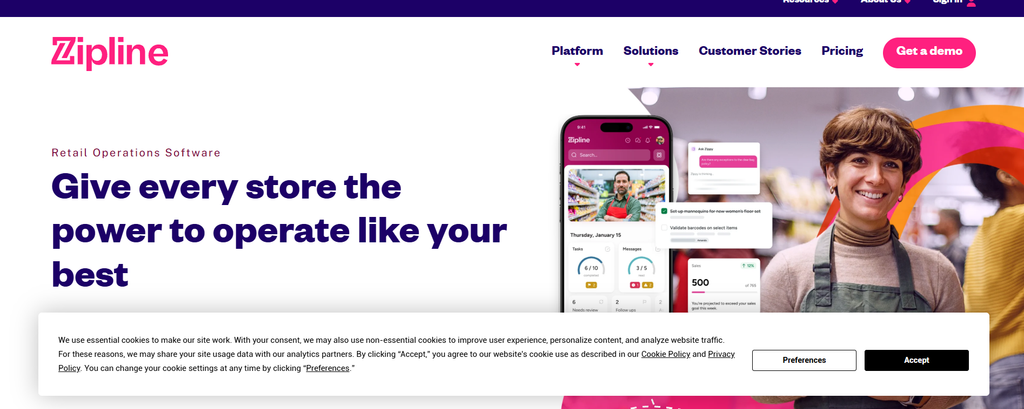
Zipline combines retail communications with task assignment and execution tracking.
Headquarters teams can distribute assignments to stores, establish priorities, and monitor completion.
The platform allows organizations to identify important and critical assignments so store teams can prioritize operational work.
Its published capabilities include photo task approvals, task tracking, and visibility into upcoming assignments.
For example, when a retail brand launches a seasonal promotion, headquarters can distribute the rollout requirements and monitor completion across participating stores.
Key features
- Headquarters-to-store task distribution.
- Prioritized operational assignments.
- Upcoming-task calendar views.
- Photographic task approvals.
- Reporting and store execution tracking.
Advantages
Zipline is designed around communication between headquarters, district managers, and store employees.
This is useful when operational execution depends on coordinating announcements, deadlines, reference materials, and store-level work.
The ability to identify critical assignments can help teams distinguish urgent tasks from routine administrative activity.
Limitations
Zipline’s broader communications and operations approach may exceed the requirements of a small business seeking a standalone checklist tool.
Buyers should clarify the available modules, integrations, reporting permissions, and implementation requirements.
Pricing: Request a quote. A fixed public subscription price was not verified.
Choose Zipline if: Your retail chain needs to distribute operational instructions and track store-level execution through a coordinated platform.
4. Opterus OPSCENTER — Best for Centralized Retail Operations Management
Best for: Retail operations teams managing store assignments, communications, merchandising instructions, and performance reporting.
Category: Multi-location retail operations.
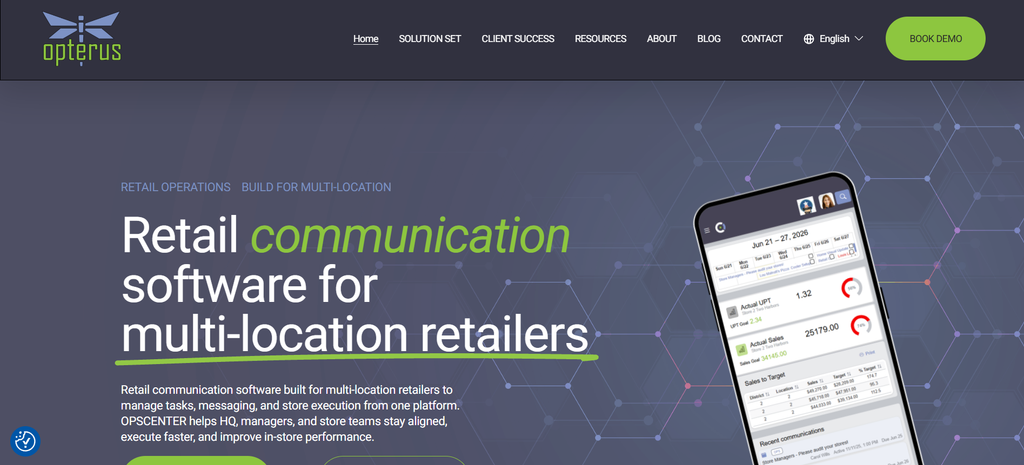
Opterus OPSCENTER is a retail operations platform that centralizes store communications and task execution.
Its Task Manager allows organizations to assign, distribute, and track work across store locations.
The Message Center supports targeted communications, while dashboards provide visibility into store execution.
OPSCENTER also includes capabilities for operational calendars, planograms, visual merchandising reviews, and system integrations.
For example, a retailer can distribute updated planogram instructions, assign implementation tasks, and use photographic merchandising reviews to assess execution.
Key features
- Store-level task assignment and progress monitoring.
- Centralized communications through Message Center.
- Dashboards for multi-location reporting.
- Planogram distribution and supporting documents.
- Visual merchandising reviews.
- Integration capabilities through OpsEngine.
Advantages
OPSCENTER connects task management with the information employees need to complete retail assignments.
Headquarters teams can coordinate operational work while maintaining visibility across stores and districts.
Its integration between planograms, task assignments, and visual merchandising reviews is particularly relevant for retailers managing frequent in-store changes.
Limitations
The platform’s retail-specific focus may make it less suitable for organizations primarily managing manufacturing maintenance or independent field-service operations.
Buyers should confirm the availability, configuration requirements, and commercial terms of relevant modules and integrations.
Pricing: Contact sales. A standard public task-management subscription price was not verified.
Choose Opterus OPSCENTER if: Your business needs centralized store instructions, task execution, communications, and operational reporting.
5. GoSpotCheck by FORM — Best for Field Task Execution and Photo Evidence
Best for: Field merchandising teams, retail auditors, sales representatives, and distributed operations requiring structured data collection and photographic evidence.
Category: Mobile field execution and retail data collection.
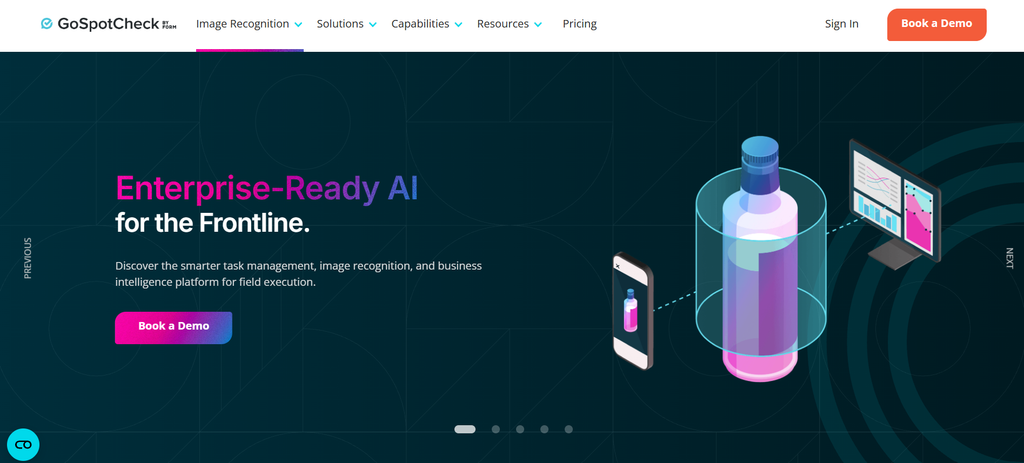
GoSpotCheck by FORM provides mobile task management and field execution capabilities.
Managers can assign tasks based on users, roles, and locations. Employees complete structured missions, capture photographs, and submit operational information.
GoSpotCheck supports offline data capture, with information synchronized when the device reconnects to a network.
Its published functionality also includes configurable question types, conditional logic, and photographic reporting.
Advanced offerings include business intelligence reporting, PhotoWorks, API access, and image recognition capabilities, depending on the selected package and add-ons.
Key features
- Mobile task assignments based on users, roles, and locations.
- Configurable field missions and conditional questions.
- Offline data capture and synchronization.
- Photographic verification and reporting.
- Optional advanced analytics and image recognition.
Advantages
GoSpotCheck is particularly relevant when employees visit many locations and need to document what they observe.
A field merchandising representative, for example, can inspect retail displays, capture photographs, record product availability, and submit information from the store.
Offline data capture is also valuable when field employees work in areas with inconsistent internet connectivity.
Limitations
GoSpotCheck has a published minimum requirement of 20 users, making it potentially less economical for very small teams.
Advanced reporting, photo management, integrations, and image recognition may involve higher-tier offerings or additional commercial arrangements.
Organizations should verify the capabilities included in their quoted plan.
Pricing
GoSpotCheck’s official pricing pages currently show different starting figures:
- The main GoSpotCheck pricing page displays $35 per user per month.
- The dedicated GoSpotCheck pricing page lists Essentials starting at $40 per user per month.
Both indicate a 20-user minimum.
Because these published figures differ, request confirmation of the current subscription rate, billing terms, minimum commitment, and included features directly from FORM.
Choose GoSpotCheck if: Your field employees need mobile instructions, structured data collection, photographic evidence, and reporting across multiple visited locations.
6. Mitti by SafetyCulture — Best for Digital Inspections and Corrective Actions

Best for: Businesses managing recurring inspections, safety checks, quality procedures, and operational follow-up work.
Category: Inspections and operational workflows.
Mitti by SafetyCulture provides digital inspections, checklists, task management, and issue reporting.
Teams can create inspection templates, document operational findings, assign actions, and monitor progress.
The platform also offers reporting, analytics, training, permissions, and integrations, with availability varying by plan.
Its workflow structure is particularly relevant when organizations need to document inspections and track corrective actions.
For example, a facilities team could perform a workplace inspection, record a maintenance issue, assign corrective work, and retain the resulting operational record.
Key features
- Customizable digital inspection templates.
- Mobile inspections and checklists.
- Task assignment and issue reporting.
- Inspection records and operational evidence.
- Reporting, analytics, and training capabilities.
- Advanced permissions and integrations on applicable plans.
Advantages
Mitti connects inspections with follow-up operational tasks.
This is useful for businesses where completing a checklist is only part of the process and employees must also identify, report, and resolve problems.
Its free plan provides an accessible starting point for small teams evaluating basic inspection workflows.
Limitations
The free plan limits the number of active inspection templates.
Advanced analytics, permissions, integrations, and administrative capabilities vary by subscription.
Organizations should also investigate full, lite, and guest seat options, along with available location-based pricing.
Pricing
Mitti publishes the following plans:
| Plan | Published price | Important details |
|---|---|---|
| Free | $0 | Up to 10 users and five active inspection templates |
| Premium — annual | $24 per seat/month | Billed annually, excluding applicable taxes |
| Premium — monthly | $29 per seat/month | Monthly billing, excluding applicable taxes |
| Enterprise | Custom | Pricing and services based on organizational requirements |
These figures are published by Mitti and may not represent the final price for every user type or location-based arrangement.
Choose Mitti if: Your organization prioritizes inspections, operational checklists, documented issues, and corrective actions over broader employee communication features.
7. Jolt / SmartSense ONE — Best for Food-Service Checklists and Daily Procedures
Best for: Restaurants, hospitality businesses, and food-related operations managing recurring procedures, temperature records, and operational checks.
Category: Food safety and operational workflows.
Jolt’s operational capabilities are now represented within SmartSense ONE, a platform combining capabilities from the SmartSense and Jolt applications.
SmartSense ONE includes several modules covering operational workflows, monitoring, food safety, audits, maintenance, and scheduling.
Its Operate module supports task management through reusable digital checklists, role-based assignments, automatically triggered work, and offline completion.
Other modules address related operational requirements.
For example, Guard supports food safety procedures and temperature capture, while Assure focuses on audits, findings, and follow-up actions.
Businesses should distinguish these modules when evaluating the product rather than assume that every capability is included in a single package.
Key features
- Reusable operational checklist templates.
- Role-based task assignments.
- Offline task completion.
- Task status reporting and operational records.
- Food safety and temperature-related workflows through relevant modules.
- Audit and corrective-action capabilities through applicable modules.
Advantages
SmartSense ONE addresses recurring operational work found in restaurants and food-related businesses.
Daily opening procedures, cleaning tasks, temperature checks, and audit activities can be organized into repeatable digital workflows.
The broader platform may be useful to organizations that want task execution alongside food safety monitoring and operational documentation.
Limitations
Organizations familiar with Jolt should confirm how their existing workflows and features correspond to the current SmartSense ONE modules.
Monitoring, food safety, audit, maintenance, and scheduling features should not automatically be treated as part of the same subscription.
Buyers should request a detailed module demonstration and written confirmation of included functionality.
Pricing: Request a quote. A standardized public business subscription rate for the required SmartSense ONE configuration was not verified.
Choose SmartSense ONE if: Your primary requirements involve repeatable restaurant procedures, food safety documentation, digital checklists, and operational accountability.
8. Crunchtime Ops Execution — Best for Multi-Unit Restaurant Task Management
Best for: Restaurant chains, franchise operators, and convenience-store networks managing recurring operational tasks, audits, and corrective actions.
Category: Multi-unit restaurant operations execution.
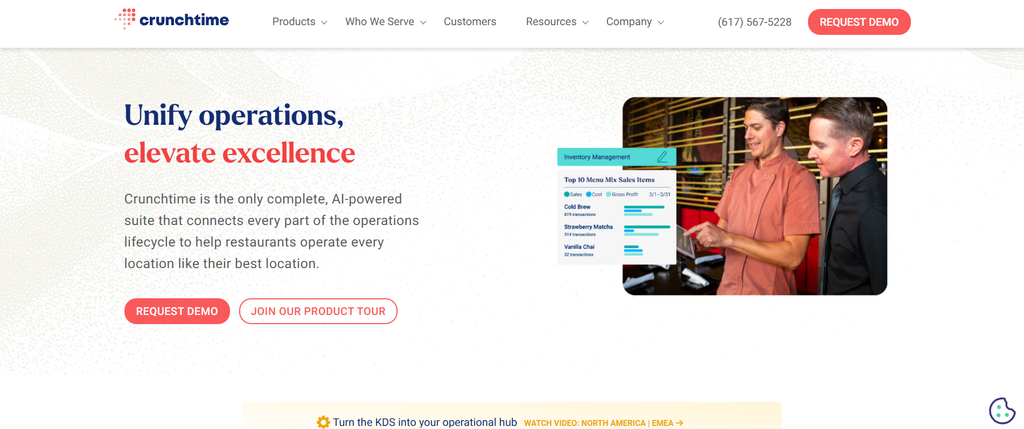
Crunchtime Ops Execution, formerly Zenput, helps distributed restaurant and food-service businesses coordinate operational work.
On February 9, 2026, Crunchtime announced that Zenput had been renamed Crunchtime Ops Execution.
The platform supports operational assignments, digital forms, audits, and visibility into work performed across locations.
Restaurant operators can use it to standardize procedures, monitor execution, and access records of completed operational activities.
For example, a multi-unit restaurant company might use the platform to coordinate daily opening checks, store inspections, and follow-up work across its locations.
Key features
- Recurring operational tasks.
- Digital forms and audit workflows.
- Store-level operational reporting.
- Multi-location task visibility.
- Exception and follow-up management.
- Operational records for internal reviews and inspections.
Advantages
Crunchtime Ops Execution is oriented toward the requirements of multi-unit restaurant organizations.
It is relevant when corporate operations teams need standardized procedures while giving field leaders visibility into execution at individual restaurants.
The product also forms part of the broader Crunchtime restaurant operations suite, which includes other capabilities such as inventory and labor management.
Limitations
Its restaurant operations focus may make it unnecessarily specialized for a small business that only needs general-purpose task tracking.
Buyers should also clarify implementation requirements, integration needs, and whether additional Crunchtime products are necessary for their workflows.
Pricing: Request a quote. A current standardized public per-user subscription price was not verified.
Choose Crunchtime Ops Execution if: Your organization manages multiple restaurants and needs centralized oversight of daily procedures, audits, and operational accountability.
What Features Should Frontline Task Management Software Include?
The most useful platform is not necessarily the one with the largest feature list. Businesses should prioritize capabilities that match their operational work and verification requirements.
| Feature | Why it matters | What buyers should verify |
|---|---|---|
| Task assignment | Establishes responsibility | Individual, role, team, and location assignments |
| Recurring tasks | Standardizes routine activities | Daily, weekly, and event-based workflows |
| Digital checklists | Supports consistent execution | Required fields, templates, and conditional questions |
| Mobile access | Supports deskless employees | Shared devices, supported operating systems, and offline access |
| Completion evidence | Helps verify submitted work | Photos, timestamps, approvals, and audit records |
| Notifications | Highlights unfinished work | Overdue reminders and escalation rules |
| Multi-location dashboards | Provides regional oversight | Store, district, and organization-level views |
| Reporting | Identifies execution problems | Exports, trends, and exception reports |
| Integrations | Reduces duplicate administration | Identity, workforce, reporting, and operational systems |
Digital Checklists and Completion Verification
A basic checklist records whether an employee marked an activity complete.
An evidence-based workflow may require a photograph, measurement, form response, timestamp, or managerial approval.
Consider a restaurant employee completing a freezer temperature inspection.
A checkbox indicating that the temperature was checked provides limited information.
Recording the actual measurement, identifying an out-of-range result, and documenting corrective action creates a more useful operational record.
However, a recorded measurement or submitted photograph does not independently prove that every procedure was performed correctly.
Organizations should decide what constitutes acceptable evidence for each activity and who is responsible for reviewing it.
Operational Compliance and Audit Trails
Frontline task management software can help document inspections, procedures, exceptions, and corrective actions.
It does not automatically make an organization compliant with safety, food handling, privacy, or other industry-specific regulations.
Legal obligations depend on the organization, jurisdiction, and applicable requirements.
For example, the U.S. Occupational Safety and Health Administration’s hazard identification and assessment guidance recommends regular workplace inspections, documentation of identified hazards, and follow-up to verify that hazardous conditions are corrected.
The guidance also discusses using photographs or videos to document workplace conditions.
Task management software may help organizations organize these records, but management remains responsible for appropriate procedures, inspections, and compliance obligations.
Mobile Usability and Offline Access
Mobile access should be evaluated under the same conditions employees experience during their normal shifts.
A task management app that works well at a desk may create problems when employees use shared devices, wear protective equipment, or work in locations with weak connectivity.
During demonstrations, ask vendors to show how employees access assignments, submit evidence, and recover from interrupted internet connections.
Confirm whether offline completion, synchronization, and shared-device functionality are supported by the specific product and plan.
Reporting and Multi-Location Visibility
A multi-location organization needs more than a company-wide task completion percentage.
Regional managers may need to filter tasks by store, district, business unit, deadline, or exception status.
Useful reports should help answer questions such as:
- Which locations repeatedly miss operational deadlines?
- Which submitted tasks require correction?
- How long do unresolved issues remain open?
- Are certain procedures generating recurring failures?
- Can managers export records for operational reviews?
The reporting system should make these questions easier to answer without requiring extensive manual spreadsheet work.
Which Frontline Task Management Software Fits Your Industry?
Industry fit matters because frontline operations differ substantially.
| Industry | Common task requirements | Tools to shortlist |
|---|---|---|
| Retail chains | Promotions, merchandising, store inspections | YOOBIC, Zipline, Opterus OPSCENTER |
| Restaurants | Opening checks, food safety, cleaning | SmartSense ONE, Crunchtime Ops Execution |
| Hospitality | Housekeeping, service checks, procedures | Mitti, HubEngage |
| Manufacturing | Safety checks, quality inspections | Mitti; evaluate other tools against specific operational needs |
| Field merchandising | Store visits, display verification | GoSpotCheck, YOOBIC |
| Distributed service teams | Assignments, communication, task visibility | HubEngage, Mitti |
| Multi-location franchises | Standardized execution and reporting | Zipline, YOOBIC, Crunchtime Ops Execution |
These are initial shortlists, not restrictions on where products can be used.
A hotel group, for example, might prioritize inspection checklists for housekeeping operations. Another hospitality business might place greater value on employee communication alongside general assignments.
The appropriate choice depends on the workflow, required evidence, number of locations, and level of operational complexity.
How to Choose Frontline Task Management Software
Businesses should begin with operational problems rather than purchasing a platform because it offers a long list of features.
Step 1: Identify the Tasks That Repeatedly Fail
Choose three representative workflows, such as store opening, promotional setup, and workplace inspection.
For each activity, document who assigns it, who performs it, what evidence is required, and what happens when the employee cannot complete it.
This helps distinguish essential features from capabilities that are merely interesting during a sales demonstration.
Step 2: Define What Counts as Completed
A useful operational model distinguishes three states:
Submitted: An employee reports that the assigned work has been performed.
Verified: The required evidence or result has been reviewed and accepted.
Resolved: Any identified exception has been corrected and closed.
Not every software product uses these exact status labels. The organization may need to configure equivalent workflows.
This distinction matters because a high submitted-task completion rate can conceal problems when employees mark activities complete without sufficient evidence.
Step 3: Test the Employee Experience
Evaluate the software using realistic frontline working conditions.
Ask a representative employee to locate an assignment, understand the instructions, complete the task, and submit any required evidence.
Test how the application behaves on the devices your organization actually uses.
For teams working in facilities with unreliable connectivity, include an offline scenario.
Also assess whether supervisors can identify incomplete work without repeatedly contacting employees or exporting reports.
Step 4: Test Multi-Location Reporting
A platform may work effectively at one location but become difficult to administer across hundreds.
Ask shortlisted vendors to demonstrate:
- Bulk task distribution.
- Recurring assignment templates.
- Store and regional permissions.
- Reporting by location and task type.
- Evidence review and rejection.
- Escalation of overdue tasks.
Use your actual organizational structure and representative workflows during demonstrations.
Step 5: Compare Total Ownership Costs
Request itemized quotations covering subscription fees, implementation, training, integrations, support, optional modules, and contract commitments.
Consider whether the provider charges by employee, administrator, location, or another licensing model.
A lower subscription price may not deliver the lowest overall cost if the system requires extensive configuration or manual administration.
Step 6: Run a Representative Workflow Evaluation
Before committing to a rollout, ask each shortlisted vendor to demonstrate the same operational scenario.
For example, use a promotional display assignment:
| Evaluation stage | What to test |
|---|---|
| Assignment | Can headquarters distribute the task to selected stores? |
| Instructions | Can employees access photographs, documents, or setup guidance? |
| Execution | Can employees complete the task on their normal devices? |
| Verification | Can managers review evidence and request changes? |
| Exception handling | Can unresolved work be tracked and escalated? |
| Reporting | Can regional leaders identify late, accepted, and rejected submissions? |
Evaluate the workflow from beginning to end instead of comparing isolated features.
This approach makes it easier to identify which platform fits your actual operating requirements.
How to Measure Frontline Task Management Performance
Task management software should help managers distinguish operational activity from verified results.
Four practical metrics are:
| Metric | Calculation | What it measures |
|---|---|---|
| On-time completion rate | Tasks completed by deadline ÷ tasks due × 100 | Execution timeliness |
| Verified completion rate | Submitted tasks accepted after verification ÷ submitted tasks × 100 | Evidence acceptance |
| Exception resolution rate | Exceptions resolved ÷ exceptions logged × 100 | Corrective-action closure |
| Average resolution time | Total time spent resolving exceptions ÷ number resolved | Responsiveness |
These are suggested management metrics, not vendor-provided benchmarks or universal industry standards.
Use consistent reporting periods and clear definitions for submitted, completed, accepted, and resolved work.
For example, suppose a store reports a 98% task completion rate but only an 80% verified completion rate.
These hypothetical figures suggest that some submitted work may not have satisfied the organization’s evidence or quality requirements.
Managers should investigate whether employees misunderstand instructions, encounter operational obstacles, or need additional training.
A completion percentage alone does not establish that work was performed correctly.
Frequently Asked Questions
What Is the Best Frontline Task Management Software in 2026?
There is no single best platform for every organization.
HubEngage is relevant for tasks combined with employee communication. YOOBIC, Zipline, and Opterus OPSCENTER address retail execution. GoSpotCheck specializes in field work and photographic reporting, while Mitti emphasizes inspections. SmartSense ONE and Crunchtime Ops Execution are particularly relevant to restaurant and food-service operations.
The right choice depends on industry requirements, task complexity, verification needs, and available budget.
Which Frontline Task Management Tools Support Digital Checklists?
YOOBIC, Mitti, SmartSense ONE, and Crunchtime Ops Execution provide documented checklist or form-based operational workflows.
GoSpotCheck also supports structured field missions and data collection.
Buyers should confirm whether a product supports required fields, conditional questions, recurring templates, and evidence-based completion for their specific use case.
How Much Does Frontline Task Management Software Cost?
Pricing varies by vendor, user count, locations, modules, and contract terms.
Mitti publishes a free plan and Premium pricing starting at $24 per seat per month with annual billing.
GoSpotCheck currently displays starting prices of $35 and $40 per user per month on different official pages, with a published 20-user minimum.
Many enterprise-focused vendors require businesses to request a custom quotation.
Can Frontline Task Management Software Improve Operational Compliance?
It can support compliance processes by standardizing instructions, recording inspections, documenting evidence, and tracking corrective actions.
However, software alone cannot guarantee legal or regulatory compliance.
Effective results depend on appropriate procedures, employee participation, accurate records, managerial oversight, and adherence to applicable requirements.
Do Businesses Need Separate Scheduling and Task Management Software?
Not necessarily.
Some organizations use platforms that support both workforce scheduling and operational execution. Others connect specialized scheduling applications with task management systems.
Businesses should evaluate whether the chosen solution adequately supports both workforce coverage and completion of required operational activities.
How Can Managers Confirm That Daily Tasks Were Completed Correctly?
Managers can define completion requirements, request evidence, review submitted information, and assign corrective actions when necessary.
For example, a merchandising task might require a photograph and manager approval, while an equipment inspection may require recorded measurements and documented follow-up.
The verification method should match the operational risk and nature of the task.
Final Verdict: Which Frontline Task Management Tool Should You Choose?
For businesses seeking frontline assignments combined with employee communication, HubEngage is a relevant starting point.
For multi-location retail operations, YOOBIC, Zipline, and Opterus OPSCENTER offer different approaches to task distribution, merchandising execution, and store-level visibility.
GoSpotCheck by FORM is particularly relevant for field teams requiring structured data capture and photographic evidence, while Mitti by SafetyCulture is worth evaluating for inspections and corrective-action workflows.
For restaurant and food-service organizations, SmartSense ONE and Crunchtime Ops Execution address recurring operational procedures and documentation requirements.
The deciding factor should be the work employees must actually perform.
Before purchasing, ask every shortlisted vendor to demonstrate a representative task from assignment through execution, verification, exception handling, and reporting.
The most suitable frontline task management software is the platform that makes daily work practical to complete, meaningful to verify, and manageable across your organization’s locations.