7 Best Workplace Digital Signage Software Platforms in 2026


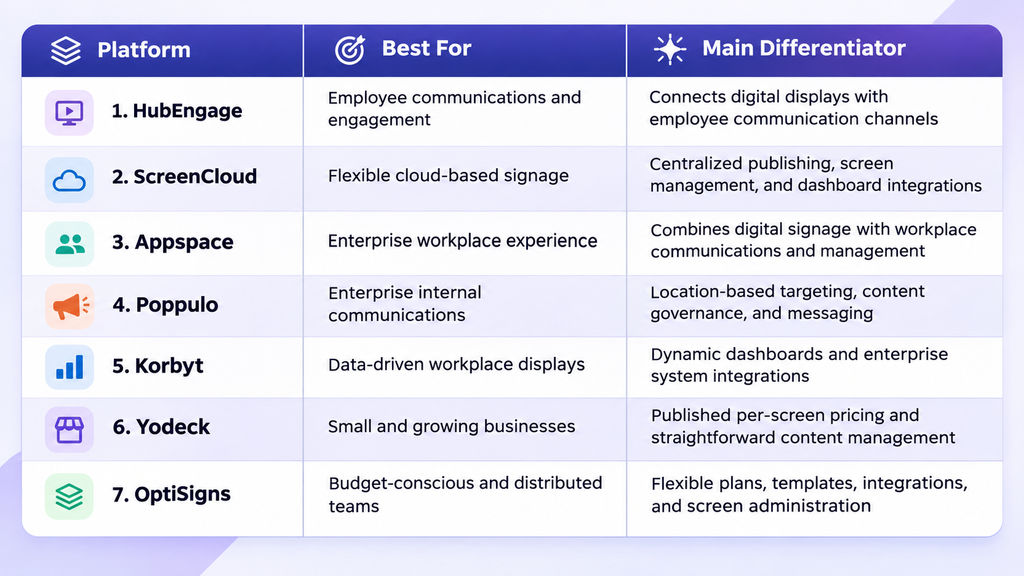
HubEngage, ScreenCloud, Appspace, Poppulo, Korbyt, Yodeck, and OptiSigns are seven workplace digital signage software platforms worth comparing in 2026. They help organizations manage employee announcements, company updates, dashboards, schedules, and other information displayed on workplace screens.
HubEngage is particularly relevant for organizations connecting digital signage with employee engagement and multichannel communications. ScreenCloud focuses on flexible cloud-based screen management, while Appspace brings digital signage into a broader workplace experience platform.
Poppulo emphasizes enterprise communications and content governance. Korbyt is relevant for dynamic business information and data-driven displays. Yodeck and OptiSigns offer accessible entry plans and published per-screen pricing.
The right platform depends on screen count, employee communication needs, existing systems, hardware compatibility, security requirements, and total cost.
This guide compares all seven options using official product documentation, published pricing, workplace use cases, and practical purchasing considerations.
Best Workplace Digital Signage Software at a Glance
What Is Workplace Digital Signage Software?
Workplace digital signage software is a system for creating, scheduling, distributing, and managing information displayed on digital screens in offices, factories, warehouses, and other business locations.
It replaces or supplements printed notices, bulletin boards, and manually updated screens with content that authorized teams can control centrally.
Common applications include:
- Company announcements and leadership messages
- Employee recognition and work anniversaries
- Meeting room schedules and office events
- Safety reminders and emergency information
- Operational KPIs and performance dashboards
- HR announcements and benefits reminders
- Onboarding information and workplace navigation
Cloud-based platforms usually allow teams to manage screens remotely, although hardware compatibility and device-control capabilities vary.
For example, a business with offices in New York, Chicago, and London could publish one approved company announcement across all locations while maintaining separate local event calendars and operational updates.
Why Workplace Digital Signage Matters
Digital signage can improve the visibility and consistency of workplace information, particularly when organizations have multiple facilities or employees who do not regularly access corporate email.
A centralized platform can reduce repetitive publishing work, help teams maintain approved messaging, and provide an additional channel for operational updates.
It is especially relevant for employees working in production facilities, retail locations, hospitals, hotels, and warehouses.
Syssn’s guide to the deskless workforce in 2026 explores the communication challenges facing employees who work away from traditional office desks.
However, digital signage is a one-to-many communication channel. Employees may notice a message without reading it completely, understanding it, or taking the intended action.
For that reason, signage should complement appropriate channels such as employee apps, supervisor briefings, email, and mobile notifications rather than replace them indiscriminately.
How We Evaluated These Digital Signage Platforms
This comparison uses publicly available product information and documentation relevant to workplace communications, IT administration, and software procurement.
The evaluation considers six areas.
| Evaluation Area | What Matters |
| Workplace communication | Support for announcements, recognition, dashboards, and employee information |
| Content management | Templates, scheduling, audience targeting, and publishing controls |
| Integrations | Compatibility with workplace productivity, collaboration, HR, and reporting systems |
| Administration | Permissions, remote management, monitoring, and identity controls |
| Pricing | Public subscription rates, quote requirements, and additional cost factors |
| Deployment | Supported hardware, player requirements, and implementation flexibility |
7 Best Workplace Digital Signage Software Platforms: Detailed Reviews
1. HubEngage — Best for Employee Communications and Engagement
Best for: Organizations that want digital signage to complement employee communications, recognition, and engagement programs.
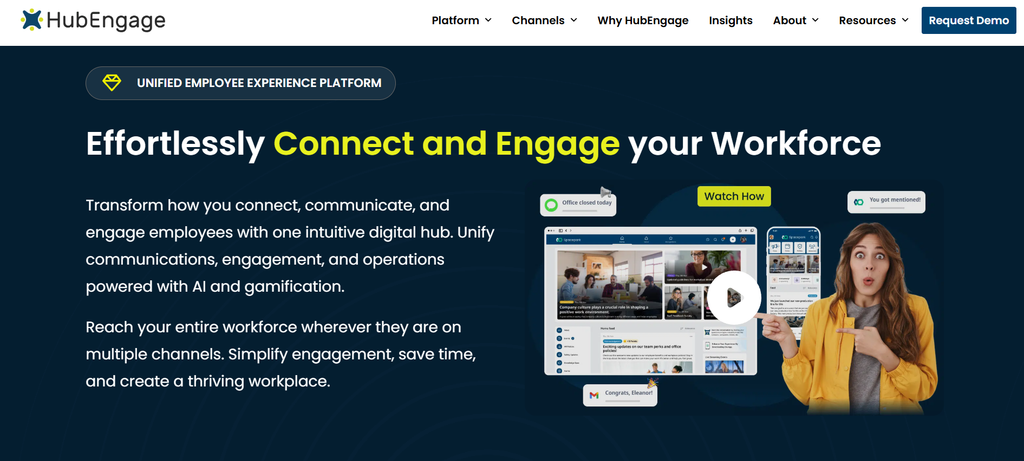
HubEngage provides employee communications and engagement software with digital signage as a workplace communication channel.
Unlike signage tools centered mainly on media playback, HubEngage connects screen content with a wider employee communication environment, including employee apps, intranet experiences, email, and SMS.
This can be useful for organizations with frontline workers, multiple locations, or employees who do not regularly use corporate email.
For example, an HR team could publish an employee recognition announcement through its internal communications platform and extend that message to workplace screens. The displays would reinforce information that employees may also encounter through other communication channels.
Key capabilities
- Cloud-based content management: Publish images, videos, announcements, employee updates, and other workplace content centrally.
- Multichannel communication: Distribute relevant messages through supported HubEngage employee communication channels.
- Employee recognition: Display achievements, milestones, birthdays, and work anniversaries.
- Content targeting: Direct relevant information to selected displays and locations.
- Enterprise integrations: Connect with supported identity, HRIS, and payroll systems.
- Flexible display options: Use supported Android TVs, Android-based devices, Fire TV environments, and compatible player hardware.
HubEngage’s documentation also describes cloud-based administration and updating content across remotely managed displays.
Advantages
HubEngage is a good fit when digital signage is part of a broader internal communication strategy. Teams using multiple communication channels may be able to reuse existing content rather than maintaining entirely separate signage workflows.
Employee recognition, workplace announcements, and HR information fit naturally within its product positioning.
Limitations
Public pricing is less transparent than the fixed per-screen rates available from Yodeck, OptiSigns, and ScreenCloud.
Organizations should also verify the hardware requirements for their existing TVs and understand which integrations are included in the proposed package.
Businesses needing only a small number of uncomplicated advertising or informational screens may find a dedicated signage CMS easier to evaluate.
Pricing
HubEngage does not provide a universal public per-screen subscription rate on its main digital signage product page.
Buyers should request a written quotation identifying software licensing, screen or device allowances, implementation charges, support, and any additional employee communication modules.
Choose HubEngage if: Your main objective is to connect workplace screens with internal communications, employee recognition, and a broader workforce engagement program.
2. ScreenCloud — Best for Flexible Cloud-Based Workplace Signage
Best for: Businesses needing centralized content publishing, operational dashboards, and remote management across different locations.
ScreenCloud is a cloud-based digital signage platform for managing content on workplace displays.
Its ScreenCloud Studio offering combines screen administration, content creation, scheduling, and integrations. Organizations can use it to display announcements, business dashboards, departmental updates, and other information across multiple facilities.
A corporate headquarters might publish leadership messages and reporting dashboards, while regional offices use the same system for local announcements and schedules.
ScreenCloud is particularly relevant when different departments need flexibility but IT still requires centralized control.
Key capabilities
- Remote screen management: Organize and manage connected displays across locations.
- Content creation and scheduling: Publish media, templates, applications, and scheduled content.
- Dashboard integrations: Display information from supported analytics and reporting platforms.
- Screen takeovers: Temporarily override standard content with important messages.
- Enterprise administration: Access advanced permissions, auditing, and identity-related controls according to plan eligibility.
- Emergency alert integration: Use its Emergency Alerts application with supported external notification platforms.
ScreenCloud’s Emergency Alerts application is included with Pro and Enterprise plans. It can receive notifications from supported systems such as Omnilert, Rave, Singlewire, and Alertus.
Advantages
ScreenCloud serves a broad range of workplace display needs without requiring companies to adopt a full employee experience platform.
Its published pricing and centralized management tools make it relatively straightforward to evaluate for distributed offices.
Dashboard integrations are particularly useful for organizations where visual operational information is a priority.
Limitations
Subscriptions are charged per screen, so licensing costs increase as the network expands.
Some dashboard, administration, and emergency communication capabilities are restricted to specific tiers.
Single sign-on also has plan-specific conditions and may require an additional fee depending on the subscription and number of licenses.
Pricing
ScreenCloud lists the following US prices with annual billing:
- Core: $20 per screen per month
- Pro: $30 per screen per month
- Enterprise: Custom quotation
Before purchasing, confirm whether the required dashboards, integrations, permissions, and SSO configuration are included in the proposed subscription.
Choose ScreenCloud if: You need flexible cloud-based digital signage for announcements, dashboards, and remote screen administration across several locations.
3. Appspace — Best for Integrated Workplace Experience
Best for: Enterprises that want digital signage connected with intranet content, workplace communications, meeting rooms, and office management.
Appspace combines digital signage with workplace communications and management functionality.
Its platform supports screen publishing alongside employee-facing communication tools, workplace reservations, visitor experiences, and other office services.
This makes Appspace relevant to organizations looking to connect physical workplace displays with the software employees use throughout the day.
For example, a hybrid office could use Appspace to display company announcements, communicate room availability, provide visitor information, and distribute selected content across digital and physical channels.
Key capabilities
- Centralized publishing: Create and distribute content across supported signage and communication destinations.
- Multichannel communications: Publish information to digital screens, intranet experiences, mobile channels, and supported collaboration tools.
- Room and workplace information: Connect signage with relevant scheduling and workplace management systems.
- Enterprise integrations: Work with supported Microsoft, Google, and business applications.
- Remote device management: Monitor and manage compatible signage endpoints.
- Workplace services: Extend deployments into visitor management, space reservations, and wayfinding.
Appspace also documents offline playback capabilities for supported deployment environments.
Advantages
Appspace may reduce the need for disconnected tools when digital signage is part of a larger workplace technology project.
Its combination of communications and workplace management is particularly relevant for organizations coordinating IT, facilities, and internal communication requirements.
The platform also provides a limited free option for initial exploration.
Limitations
Organizations focused only on displaying a small number of announcements may not need Appspace’s broader workplace capabilities.
Licensing depends on the selected solutions, users, and devices, making a direct price comparison with basic per-screen products more complicated.
Implementation may require input from multiple departments.
Pricing
Appspace offers a free plan that includes:
- One compatible device
- Two Premium Users
- Up to two administrators
- 5 GB of storage and 5 GB of monthly bandwidth
Paid offerings depend on the number of users, devices, and workplace solutions selected.
A quotation should distinguish signage-related device costs from any additional workplace management or employee communication licenses.
Choose Appspace if: Your organization wants workplace digital signage integrated with intranet communications, meeting rooms, visitor experiences, and other workplace systems.
4. Poppulo — Best for Governed Enterprise Internal Communications
Best for: Large organizations needing targeted workplace messaging, centralized governance, and consistent communications across departments and locations.
Poppulo provides enterprise digital signage alongside broader employee communication technology.
Its signage offering is designed for organizations that need to distribute approved messages across facilities while retaining control over targeting and branding.
For example, an international company might publish a corporate policy update across all locations while regional teams add local safety instructions and employee announcements.
This balance between central control and local relevance is an important consideration for large workplace communication programs.
Key capabilities
- Targeted publishing: Distribute content according to location or department.
- Content governance: Use access permissions, brand controls, reusable templates, and approval workflows.
- Operational communication: Display workplace information, dashboards, and employee updates.
- Urgent messaging: Replace normal content with important announcements when required.
- Dynamic information: Connect supported data sources to keep selected content current.
- Enterprise screen management: Maintain and monitor signage across distributed locations.
Poppulo also supports use cases such as employee recognition, training communications, meeting room information, and workplace navigation.
Advantages
Poppulo is relevant to organizations with established internal communication processes and requirements for editorial control.
Its targeting and approval capabilities can help organizations maintain consistent messaging while allowing departments to share information relevant to their employees.
It is well aligned with communication programs involving many locations or stakeholder groups.
Limitations
Pricing requires a tailored quotation.
Companies should determine whether the required features belong to the digital signage offering or another part of Poppulo’s employee communication portfolio.
Smaller organizations with limited publishing requirements may not need its broader enterprise capabilities.
Pricing
Poppulo uses a sales-led pricing approach for its enterprise digital signage solutions.
A useful quotation should identify license scope, supported devices, hardware requirements, implementation services, integrations, support, and any additional communication products.
Choose Poppulo if: Your organization needs centralized governance, targeted employee messaging, and consistent workplace communications across many facilities.
5. Korbyt
Best for: Enterprises that need workplace announcements, operational dashboards, and information drawn from business systems.
Korbyt provides enterprise digital signage through its Korbyt Anywhere platform.
The software combines content management with business data integrations, automated publishing, and workplace communication capabilities.
It is particularly relevant when screens need to display information that changes frequently, such as production metrics, sales performance, contact center dashboards, and operational updates.
For example, a customer support center could display team performance indicators alongside service announcements and workplace information.
Key capabilities
- Dynamic content management: Create layouts, templates, playlists, and automated screen content.
- Business intelligence integrations: Connect supported reporting and enterprise data systems.
- Data-driven publishing: Use scheduling and automated content delivery functions.
- Workplace communication: Distribute information through supported signage and additional employee-facing channels.
- Enterprise system integrations: Connect with selected collaboration, HR, and operational systems.
- Workplace displays: Support use cases involving meeting room information, operational wallboards, and interactive displays.
Korbyt documents integrations with platforms including Microsoft Power BI, Salesforce, Microsoft Teams, Slack, Google Drive, and various enterprise applications.
Its integration capabilities differ by system and use case, so buyers should confirm what information can be accessed, displayed, and refreshed.
Advantages
Korbyt is particularly relevant when digital signage must connect with existing enterprise data.
Its combination of dashboards, content scheduling, and automation supports organizations that want screens to communicate frequently changing operational information.
The wider platform also provides options for more complex workplace display requirements.
Limitations
Korbyt does not offer a simple universal public per-screen price for its full enterprise signage offering.
Complex dashboards may require authentication, data permissions, software integration, and implementation planning.
Organizations should test refresh behavior, device compatibility, access controls, and recovery after network interruptions before deployment.
Pricing
Korbyt uses custom quotations for its enterprise deployments.
Buyers should request an itemized estimate covering software licenses, supported devices, implementation, integrations, support, and professional services.
Choose Korbyt if: Your organization wants data-driven workplace displays that connect operational metrics and enterprise information with employee communications.
6. Yodeck — Best for Small and Growing Businesses
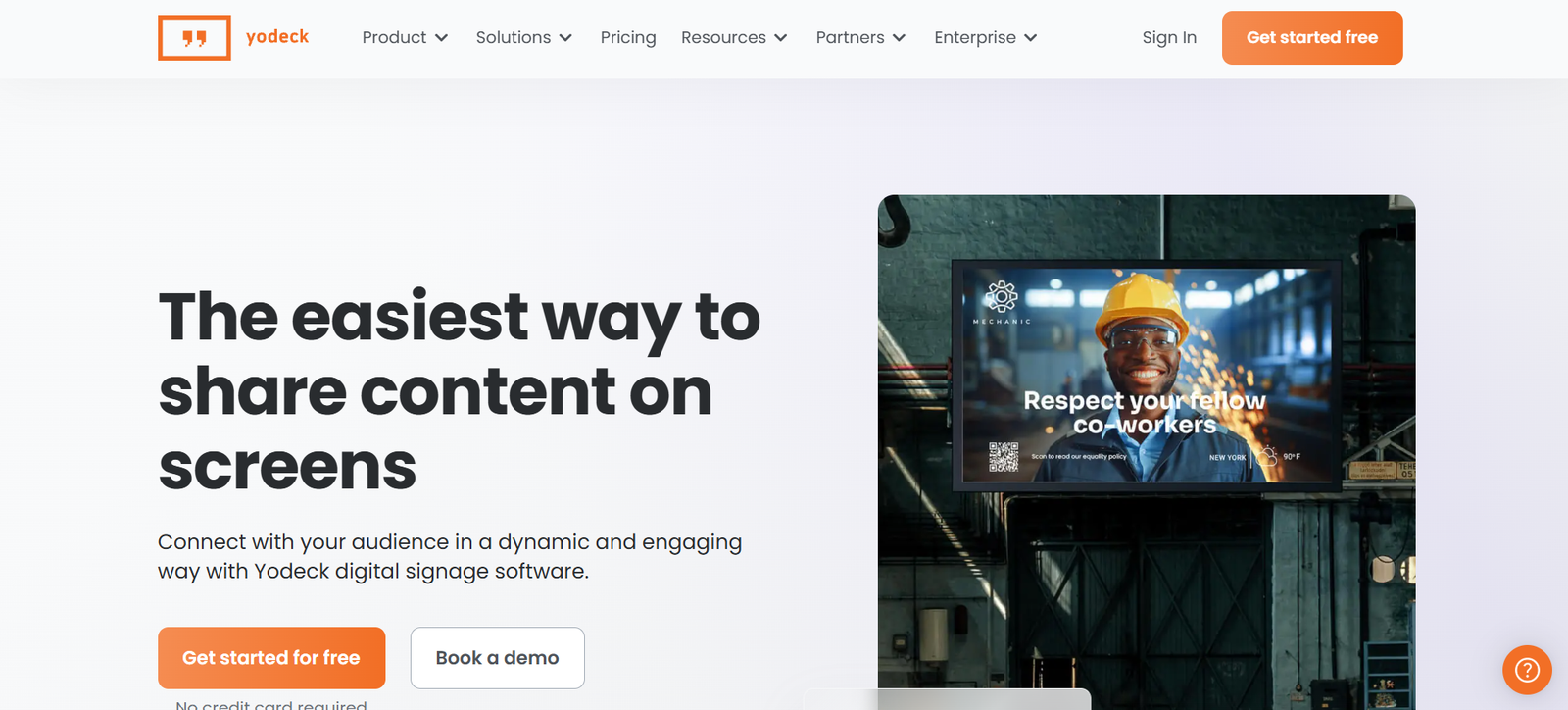
Best for: Organizations that want accessible pricing, centralized publishing, and room to expand their screen networks.
Yodeck is a cloud-based digital signage platform offering content management, scheduling, templates, and remote screen administration.
It can serve organizations starting with one display as well as businesses managing screens across multiple locations.
For example, a small office could use Yodeck to show staff announcements, calendars, visitor messages, and workplace information without purchasing a comprehensive employee communications platform.
As screen requirements grow, organizations can evaluate higher tiers for integrations, automation, and administrative controls.
Key capabilities
- Cloud publishing: Upload, organize, schedule, and distribute content.
- Templates and layouts: Create information boards, announcements, and multimedia displays.
- Supported integrations: Connect to relevant business applications according to the subscription tier.
- Remote administration: Manage content, scheduling, and supported player settings.
- Screen takeovers: Temporarily override scheduled content.
- Enterprise controls: Access capabilities such as SAML SSO, custom roles, and more advanced administration on suitable plans.
Yodeck also supports multiple compatible player environments, including its own media players.
Advantages
Yodeck has a publicly documented pricing structure and a permanent free option for a single screen.
Its annual subscription options can include Yodeck player hardware, subject to the applicable plan and conditions.
This makes it a practical candidate for businesses that want to test a limited deployment before expanding.
Limitations
Microsoft 365, Google applications, and advanced data features are associated with higher plans.
Enterprise administration capabilities are also tier-dependent.
Hardware availability, compatibility, and subscription conditions should be confirmed before purchasing.
Importantly, the free one-screen benefit does not continue as an additional free license when an account expands to multiple registered screens.
Pricing
Yodeck’s US annual-billing prices are:
| Plan | Price per Screen per Month |
| Free | $0 for one screen |
| Basic | $8 |
| Premium | $12 |
| Enterprise | $16 |
| Enterprise+ | Custom quotation |
For a paid deployment with multiple screens, the subscription applies to all registered screens under the selected plan.
Choose Yodeck if: You want a straightforward digital signage platform with published prices and a manageable path from a few displays to a larger network.
7. OptiSigns — Best for Flexible, Affordable Digital Signage
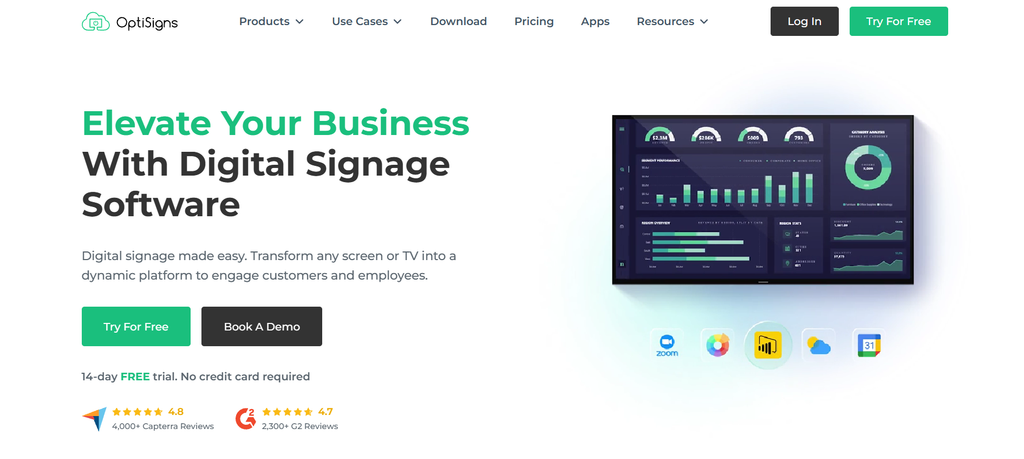
Best for: Small and medium businesses, distributed offices, and organizations that want flexible screen management with optional advanced features.
OptiSigns is a cloud-based digital signage platform providing content creation, scheduling, business integrations, and remote screen administration.
It supports several signage environments, including offices, operational facilities, and customer-facing locations.
For workplace communication, organizations can use it to publish employee notices, calendars, reporting dashboards, company news, and multimedia content.
The available subscription tiers allow businesses to start with basic publishing and select additional capabilities as their requirements become more complex.
Key capabilities
- Content design: Create screen layouts and announcements with templates and design tools.
- Scheduling: Organize content using playlists and publishing schedules.
- Business integrations: Connect supported workplace productivity and reporting applications.
- Remote screen management: Manage supported devices and troubleshoot display issues.
- Collaboration: Use higher-tier permissions, approval workflows, and team controls.
- Enterprise capabilities: Access features such as SAML SSO, audit logs, and additional administration tools on appropriate plans.
OptiSigns documents Microsoft 365, Google Workspace, Power BI, Salesforce, Slack, and Teams-related functionality within its broader paid offerings.
Advantages
OptiSigns offers accessible entry pricing and a choice of subscription levels.
The platform can support relatively simple workplace announcements as well as more advanced integrations and content administration.
Its combination of templates, remote publishing, and optional collaboration features makes it relevant to teams managing different types of screens.
Limitations
Not every integration or administrative capability is included in the Standard plan.
Approval workflows, more advanced permissions, and identity controls require appropriate subscription tiers.
Interactive experiences, additional services, and some advanced deployments may increase total costs.
Pricing
OptiSigns lists the following US prices with annual billing:
| Plan | Price per Screen per Month |
| Free | $0, with restrictions |
| Standard | $9 |
| Pro | $11.25 |
| Pro Plus | $13.50 |
| Engage | $27 |
| Enterprise | $40.50 |
The Enterprise offering lists a minimum of 25 screens.
The restricted free option supports up to three eligible screen types and includes limitations involving applications, storage, and branding.
For businesses paying monthly instead of annually, Standard is listed at $10 per screen per month.
Choose OptiSigns if: You want accessible digital signage pricing, content creation tools, and the option to add collaboration, dashboard, and enterprise features as needed.
How to Choose the Right Workplace Digital Signage Software
Selecting software should begin with the communication problem, not with a feature count.
A company deploying five reception screens may need very different functionality from an enterprise managing hundreds of displays across factories, offices, and warehouses.
1. Match the Platform to Your Main Requirement
| Primary Requirement | Platforms to Evaluate |
| Employee recognition and multichannel communications | HubEngage, Poppulo, Appspace |
| Straightforward workplace announcements | Yodeck, OptiSigns, ScreenCloud |
| Dashboards and operational information | Korbyt, ScreenCloud, OptiSigns |
| Workplace management and room systems | Appspace, Korbyt |
| Centralized communication governance | Poppulo, Appspace, HubEngage |
| Low-cost initial deployment | Yodeck, OptiSigns |
| Flexible screen management across offices | ScreenCloud, Yodeck, OptiSigns |
These are starting points rather than exclusive categories. Several platforms can support more than one requirement.
For example, if a company already has an employee communication application, it may only need a compatible signage platform. Another organization might prefer to manage signage and employee communications through a common system.
2. Consider Screen Count and Organizational Complexity
Employee count alone is not a reliable measure of digital signage requirements.
A 500-person company occupying one building might need only a handful of screens. A smaller business with dozens of branches could need a much larger signage network.
When planning deployment, estimate:
- The number of screens required at each location
- Whether local teams can publish content
- How many people need administrative access
- Whether content must be targeted by location or department
- What integrations are necessary
- Whether displays operate during business hours or continuously
| Organization Scenario | Suggested Starting Shortlist |
| Small office with a few screens | Yodeck, OptiSigns |
| Mid-sized company focused on employee messaging | HubEngage, ScreenCloud |
| Distributed organization requiring communication governance | Poppulo, HubEngage, Appspace |
| Enterprise with operational data requirements | Korbyt, ScreenCloud |
| Business integrating signage with workplace reservations | Appspace, Korbyt |
The deciding factors should be the deployment requirements and communication workflows, not arbitrary employee-count thresholds.
3. Check Workplace Integrations Carefully
Digital signage is more useful when it connects with the systems that already contain relevant business information.
Potential integrations include Microsoft Teams, Microsoft 365, Slack, Google Workspace, SharePoint, HR applications, BI tools, and meeting room calendars.
However, an advertised integration does not necessarily support every workflow associated with that application.
For example, one vendor might provide an app that displays selected information from Microsoft Teams. Another might allow content created inside its own platform to appear within Teams.
Those are different capabilities.
Ask each vendor to demonstrate the specific outcome you need. For a Power BI dashboard, this might involve confirming authentication, data refresh frequency, permissions, and what happens if the network is interrupted.
Organizations considering more advanced audience targeting may also find Syssn’s guide to AI-powered personalization in internal communications useful.
4. Review Hardware Compatibility Before Buying
Some digital signage products work with selected smart TVs, while others require external media players or specific operating systems.
Before purchasing, inventory the displays and devices you already own.
Check:
- Supported television models and operating systems
- Compatibility with media players and streaming devices
- Display orientation and resolution support
- Network and bandwidth requirements
- Offline playback capabilities
- Remote updates and device recovery
- Hardware warranties and replacement policies
A platform that supports an existing TV can reduce initial costs, but compatibility should be tested under real operating conditions.
For installations that operate continuously or display complex dashboards, device reliability and remote maintenance may be more important than minimizing hardware costs.
5. Evaluate Security and Administration
Enterprise signage systems often connect to business applications and internal information.
That introduces considerations beyond the security of the physical screen.
Before deployment, ask whether the software supports the identity provider your organization uses and whether permissions can restrict access by role, location, or department.
Review audit logs, device management, authentication, content approval, incident response, and the handling of stored or cached information.
Screens placed in public areas should not expose confidential business information, personal employee data, or authenticated dashboards without appropriate restrictions.
Security claims and certifications should be assessed using current vendor evidence and the organization’s established procurement requirements.
6. Compare Cloud and Private Deployment Options
Cloud-based signage typically allows teams to publish and administer content without maintaining the core management application themselves.
This is useful for geographically distributed facilities, although organizations still remain responsible for compatible devices, connectivity, access management, and local maintenance.
Private-cloud or on-premises deployment may be more relevant when specialized infrastructure, network isolation, or data-handling requirements apply.
| Factor | Cloud-Based Signage | On-Premises or Private Deployment |
| Remote publishing | Commonly built in | Depends on implementation |
| Core infrastructure | Mainly vendor-managed | Greater customer responsibility |
| Initial setup | Often simpler | May require more planning |
| Network configuration | Vendor architecture dependent | Potentially more deployment control |
| Maintenance | Subscription plus local devices | Infrastructure, software, and device maintenance |
| Security | Depends on controls and configuration | Depends on controls and configuration |
Cloud deployment is not automatically more secure or less secure than private deployment.
The appropriate option depends on operational requirements, vendor capabilities, and the organization’s security policies.
How Much Does Workplace Digital Signage Cost?
Software subscription pricing is only one component of a workplace signage budget.
Organizations may also need media players, commercial displays, mounting equipment, network configuration, installation, content preparation, and ongoing support.
Example: Software Costs for 20 Screens
The table below illustrates annual software licensing costs using the publicly advertised entry-level paid annual rates.
| Platform and Plan | Monthly Rate per Screen | Annual Software Cost for 20 Screens |
| Yodeck Basic | $8 | $1,920 |
| OptiSigns Standard | $9 | $2,160 |
| ScreenCloud Core | $20 | $4,800 |
Calculation: Monthly price × 20 screens × 12 months.
These are illustrative subscription calculations, not vendor quotations. They exclude hardware, installation, taxes, add-ons, and other charges. They also compare different feature sets, so the lowest amount does not necessarily represent the most economical qualifying solution.
For example, if a business needs premium dashboard integrations or enterprise permissions, the lowest-priced plan may not meet its requirements.
Calculate Total Cost of Ownership
For a first-year budget, include:
First-year cost = Annual software subscriptions + Hardware + Installation + Integrations + Support + Content administration
For a multiyear comparison, separate one-time purchases from recurring licensing, device replacement, maintenance, and support costs.
A practical procurement worksheet should include these figures for each shortlisted vendor.
| Cost Component | Questions to Ask |
| Software | Is licensing based on screens, devices, users, or packages? |
| Hardware | Are media players included or purchased separately? |
| Installation | Who handles mounting, cabling, and provisioning? |
| Integrations | Are connectors included, or is configuration charged separately? |
| Support | What response times and service levels are available? |
| Content administration | How much staff time is required to maintain screens? |
| Renewal | Can prices or license minimums change at renewal? |
Request a written proposal that distinguishes recurring costs from one-time expenses.
How to Test Digital Signage Software Before Purchasing
Product demonstrations can show what a platform is designed to do. A controlled pilot can reveal whether it fits an organization’s actual workflow.
A useful pilot should represent the types of content, screens, users, and integrations expected in production.
Step 1: Define the Communication Scenario
Choose two or three realistic activities, such as publishing an HR announcement, displaying a live operational dashboard, and delivering a location-specific safety reminder.
Avoid evaluating a platform only through the vendor’s sample templates.
Step 2: Test Content Publishing
Ask a communications team member to create, schedule, edit, and publish an announcement.
Check whether the workflow is manageable without excessive IT assistance and whether approval steps behave as expected.
Step 3: Test Real Integrations
Use an authorized test account to connect the required business applications.
Confirm whether displayed information updates as expected and whether sensitive data remains appropriately protected.
Step 4: Test Offline and Recovery Behavior
Interrupt connectivity under controlled conditions.
Observe whether supported content remains visible, how the device reports its status, and how playback recovers when the connection returns.
Step 5: Test Administration
Evaluate access permissions, screen grouping, content targeting, remote troubleshooting, and the ability to deactivate a device.
For enterprise deployments, test the actual identity and approval requirements rather than relying only on feature descriptions.
Step 6: Document the Result
Record the features that worked, limitations identified, configuration effort, and estimated deployment costs.
This gives IT, communications, and procurement teams comparable evidence for their final decision.
Workplace Digital Signage Use Cases
Employee Announcements and Recognition
Digital signage can display company news, employee achievements, milestones, workplace events, and benefits reminders.
This is especially relevant for employees who may not regularly use a corporate inbox.
For example, a warehouse operator could display shift updates and recognition messages on screens in shared employee areas.
HubEngage, Poppulo, and Appspace are relevant when these displays form part of a coordinated employee communication program.
For a broader channel strategy, see Syssn’s guide on how to reach employees without company email.
Meeting Rooms and Hybrid Offices
Workplace screens can display room calendars, event schedules, office announcements, and navigation information.
Appspace is a strong candidate when signage must connect with broader space management and workplace reservation functions.
Other platforms can support selected scheduling and calendar display requirements, depending on their integrations.
Organizations should distinguish between simply displaying a room calendar and managing reservations through an integrated workplace system.
Operational Dashboards
Operations teams may want to display sales results, production targets, customer support indicators, or other approved business metrics.
Korbyt and ScreenCloud are particularly relevant to this use case, while OptiSigns, Appspace, and other platforms offer supported dashboard functionality.
Before implementation, check whether the dashboard requires an authenticated account, how often data refreshes, and which information is appropriate to display.
A screen that shows outdated or confidential data can create operational problems rather than solve them.
Safety and Emergency Communications
Digital signage can reinforce safety reminders, workplace procedures, and urgent messages.
Some vendors provide screen takeovers or integrations with external emergency notification services.
ScreenCloud, for example, documents an Emergency Alerts application that receives notifications from supported mass-alert systems.
These capabilities should be tested against the organization’s established emergency procedures.
Digital signage should supplement, not automatically replace, dedicated emergency alerting systems.
How to Measure Workplace Digital Signage ROI
A digital signage program should be evaluated by its contribution to communication effectiveness and operational efficiency.
Installing more screens is not, by itself, evidence that workplace communication has improved.
| Measurement Area | Useful Metric | How to Evaluate |
| Communication visibility | Employee message recall | Short surveys or structured feedback |
| Publishing efficiency | Time required to distribute updates | Compare workflows before and after deployment |
| Screen reliability | Availability and playback status | Device monitoring and playback reports |
| Employee response | Registrations, QR interactions, acknowledgments | Track relevant employee actions |
| Content relevance | Feedback on usefulness | Employee and department feedback |
For example, an organization could compare the staff time required to publish the same announcement across multiple locations before and after centralized signage deployment.
It might also survey employees to determine whether they recall specific safety updates or policy changes.
What Signage Analytics Cannot Tell You
Screen status and proof-of-play reports can help establish whether content was displayed.
They do not independently establish that an employee noticed, understood, or acted on that content.
A screen may be operating correctly while employees ignore repetitive announcements.
Measuring effectiveness therefore requires a combination of system reporting, feedback, and relevant behavioral outcomes.
For organizations evaluating a broader employee communication strategy, Syssn’s comparison of the best frontline engagement software platforms provides additional context on mobile communication, recognition, and workforce engagement tools.
Frequently Asked Questions
1. What is the best workplace digital signage software in 2026?
The best choice depends on what the organization wants to achieve.
HubEngage is worth evaluating for employee communications and engagement. ScreenCloud is relevant for flexible cloud signage and dashboards. Appspace is suited to connected workplace environments, Poppulo to enterprise communication governance, and Korbyt to data-driven displays.
Yodeck and OptiSigns are suitable starting points for organizations prioritizing published pricing and straightforward screen management.
2. Which digital signage software is best for a 500-employee company?
HubEngage, ScreenCloud, and Appspace are reasonable candidates depending on the communication and technology requirements.
HubEngage fits employee-focused communication programs, ScreenCloud supports flexible workplace displays, and Appspace is relevant when signage connects with broader workplace services.
However, the number of screens, locations, integrations, and administrators matters more than employee count alone.
3. How much does workplace digital signage software cost?
Among the reviewed platforms with publicly listed rates, Yodeck Basic starts at $8, OptiSigns Standard at $9, and ScreenCloud Core at $20 per screen per month under annual billing.
Enterprise-focused offerings such as HubEngage, Poppulo, and Korbyt require quotations. Appspace offers a limited free plan, while paid pricing depends on the selected solutions.
Hardware, installation, support, integrations, and additional services can affect the total cost.
4. Which platforms support Microsoft Teams, Slack, and Google Workspace?
Several platforms document integrations with workplace collaboration and productivity systems.
Appspace supports relevant enterprise messaging integrations, Korbyt documents Teams and Slack-related capabilities, and OptiSigns provides Microsoft and Google integrations in its broader paid offerings.
Yodeck includes Microsoft 365 and Google applications in its Premium tier.
Buyers should confirm whether a specific integration supports content display, publishing, synchronization, or a more advanced workflow.
5. What is the difference between workplace and retail digital signage?
Workplace digital signage focuses on employees, internal operations, visitors, and shared workplace information.
Typical content includes company news, recognition, safety notices, calendars, and operational dashboards.
Retail signage more commonly displays promotions, product information, advertising, and customer-facing content.
Some software platforms support both environments, but their requirements for content governance, access controls, and business integrations may differ.
6. Can workplace digital signage be managed remotely?
Yes. All seven platforms in this comparison offer centralized content management for supported displays.
However, the degree of remote control differs.
Some products focus on content publishing, while others provide additional functions such as device health monitoring, remote updates, screenshots, troubleshooting, and administrative access controls.
Confirm the specific management capabilities supported by the chosen hardware and subscription.
7. Is TelemetryTV another alternative worth considering?
Yes. TelemetryTV is another option for organizations emphasizing dashboards, screen administration, automation, and technical flexibility.
Its published pricing includes an Entry tier from $8 per device per month under annual billing.
Organizations with dashboard-heavy or technical signage requirements may wish to compare TelemetryTV with ScreenCloud, Korbyt, Yodeck, and OptiSigns.
It is included here as an additional alternative rather than as an eighth fully evaluated platform.
8. Can digital signage improve employee engagement?
Digital signage can support engagement by making employee recognition, company updates, and other workplace information more visible.
Whether it improves engagement depends on content quality, relevance, consistency, placement, and how effectively the organization connects messages with employee needs.
It is generally more useful when combined with feedback mechanisms and other communication channels.
Final Verdict
The right workplace digital signage software depends on whether the main requirement is employee communication, workplace management, business dashboards, or straightforward screen publishing.
HubEngage is particularly relevant when digital signage should connect with employee recognition and internal communications. ScreenCloud is a flexible candidate for cloud publishing and dashboards, while Appspace is worth evaluating for integrated workplace experience projects.
Poppulo suits organizations emphasizing enterprise content governance and targeted messaging. Korbyt is relevant to operational dashboards and data integrations.
For organizations prioritizing published prices and accessible deployment, Yodeck and OptiSigns offer practical starting points.
Before purchasing, shortlist two or three platforms, request demonstrations using your own workplace scenarios, verify device and integration compatibility, and compare complete deployment costs.
The most useful signage platform is not necessarily the one with the most features or the lowest advertised price. It is the one that helps the organization deliver accurate, relevant information reliably while remaining manageable for the teams responsible for its operation.