What Is Grok Bot? A Simple Guide to xAI’s AI Assistant and AI Teammates

If you have spent any time around artificial intelligence lately, you have probably encountered the name Grok. It appears in conversations about AI chatbots, xAI, the social platform X, image generation, real-time search, and now something slightly different: Grok Bot.
The confusing part is that “Grok” and “Grok Bot” are not quite the same thing.
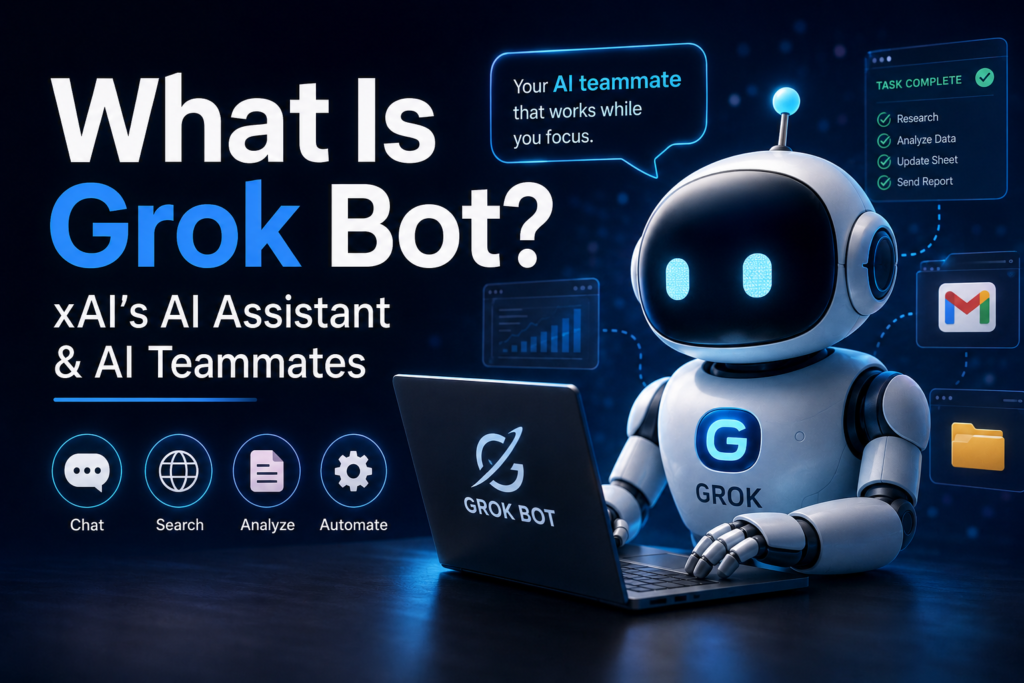
Grok is the general-purpose AI assistant created by xAI. Grok Bot is a newer product designed to behave less like a chatbot waiting for your next question and more like an AI teammate that can actually carry out tasks using a computer, websites, and applications.
That distinction sounds small. It isn’t.
For years, the basic idea behind an AI assistant was: You ask; the AI answers.
Grok Bot points toward a different model: You assign; the AI works.
That shift raises some interesting questions. If an AI can browse websites, use software, manage information, and continue working while you’re away, are we still talking about a chatbot? Or are we beginning to talk about something closer to a digital employee?
Let’s take a closer look.
What Is Grok?
Grok is a conversational generative AI assistant developed by xAI. It can answer questions, help with writing and coding, analyze uploaded files, search for information, generate images and video, understand images, and communicate through voice. xAI currently makes Grok available on the web as well as through iOS and Android apps.
In other words, Grok belongs to the same broad category as other general-purpose AI assistants: you interact with it through natural language rather than learning a complicated software interface.
You can ask it to explain something.
You can give it a document and ask for a summary.
You can ask it to help write an email.
You can ask it to analyze some code.
You can ask it to research a subject.
You can also use its creative capabilities for images and video.
But Grok has another characteristic that has been part of its identity from the beginning: its connection to the real-time information environment around X and the web. xAI originally introduced Grok in 2023 as an AI designed with access to real-time information through the X platform and with a deliberately witty, somewhat unconventional personality.
That was the original idea.
Grok was not supposed to feel like a particularly formal encyclopedia.
It was supposed to feel more like a conversational intelligence that could react to what was happening in the world.
And that brings us to Grok Bot.
What Is Grok Bot?
Grok Bot is a newer xAI product that turns the idea of an AI assistant into something more autonomous.
According to xAI’s current documentation, Grok Bot provides persistent AI teammates that operate on their own cloud computers. A Bot can use a browser, filesystem, and terminal, connect to applications and websites, and work on tasks without requiring you to remain in front of the screen.
xAI introduced Grok Bot as an early-beta product in August 2026, describing it as a system of “always-on” AI teammates. The company says these Bots can work across tools and applications, continue operating when the user is away, and return when human approval is required.
This is the important distinction:
Grok is primarily an AI assistant you interact with. Grok Bot is an AI agent you can hand work to.
That may sound like a matter of wording, but it changes the relationship.
Imagine asking a traditional chatbot:
“How should I organize my weekly sales report?”
It might explain a good process.
With an agent such as Grok Bot, the goal is closer to:
“Prepare my weekly sales report, collect the information from the relevant systems, update the spreadsheet, draft the summary, and tell me when it needs my approval.”
The first gives you information.
The second attempts to accomplish something.
And that is where AI becomes much more interesting.
Why Does Grok Bot Matter?
There is a subtle difference between knowing how to do something and actually doing it.
Humans have always built tools around this distinction.
A calculator can tell you the answer to a mathematical problem. A spreadsheet can perform thousands of calculations. But neither one necessarily understands what business question you’re trying to answer.
Software automation can move data from one system to another. But someone generally has to configure the workflow.
A chatbot can draft an email. But someone still has to open the email application, find the recipient, review the message, and send it.
Grok Bot is attempting to push further into that final stretch.
The ambition is not simply to generate an answer. It is to make the AI capable of interacting with the digital environment in which the work actually happens.
xAI says Bots can sign into tools and websites and use them in much the same way a person would, including services that don’t offer a convenient API or MCP integration.
That last detail is particularly interesting.
The internet was not designed as one enormous machine-readable database. It is a collection of websites, applications, dashboards, forms, login pages, spreadsheets, PDFs, inboxes and increasingly complicated interfaces.
Humans navigate this mess naturally.
We see a button and click it.
We read a form and understand what belongs in each field.
We notice that something looks wrong.
We switch between applications.
We remember what we were doing five minutes ago.
For an AI to operate inside this environment rather than merely describe it is a considerably different problem.
How Does Grok Bot Work?
The easiest way to understand Grok Bot is to think about it as having several important components.
1. A Persistent Computer
The most unusual part is that a Bot gets its own computer in the cloud.
xAI describes this as a persistent cloud virtual machine with a browser, filesystem, and terminal.
Why does that matter?
Because the AI is no longer restricted to the tiny space of a chat window.
Suppose you ask an AI:
“Look through these documents, compare the information, update the spreadsheet, and prepare a report.”
A conventional chatbot may help you generate the report.
A computer-using agent can potentially open the documents, work with the spreadsheet, navigate websites, manipulate files, and produce the finished result.
It has somewhere to do things.
That is a fundamental difference.
2. Access to Tools and Websites
Grok Bot is designed to operate within the software people already use.
According to xAI, Bots can work across apps, websites and other tools, including environments that may not have a clean API or MCP connection.
This is important because businesses often have messy technology stacks.
One department might use Gmail.
Another might use a CRM.
Someone else might keep information in spreadsheets.
Invoices may arrive as PDFs.
A customer database may live in an old web application.
A human employee doesn’t care whether each system has an elegant API. They simply open the systems and work.
The idea behind computer-using AI agents is to give AI a similar ability.
3. Memory and Context
Grok Bot is also designed around longer-term interaction.
xAI says Bots can remember conversations, learn how a user prefers work to be done, and maintain context over time.
That changes the experience considerably.
Imagine explaining a complicated process to an assistant every Monday.
You would quickly become frustrated if you had to explain the same process every week.
A useful teammate learns.
If the Bot can understand that your weekly report always uses the same structure, the same data sources and the same approval process, the interaction can become less like programming and more like delegation.
Instead of specifying every tiny step, you can increasingly describe the outcome.
4. Routines
Grok Bot can also learn workflows from demonstrations.
The official Grok Bot site describes a feature in which you can show a Bot how a workflow is done once, after which the Bot can save that process as a routine and run it again.
This is an interesting idea because it sits somewhere between traditional automation and human delegation.
Traditional automation usually requires you to define the workflow explicitly.
AI agents can potentially observe or infer the workflow.
Imagine showing an AI:
- Open the sales dashboard.
- Download the weekly numbers.
- Put them into the reporting spreadsheet.
- Calculate the changes.
- Draft a summary.
- Send it to you for approval.
The next week, you might simply say:
“Run the weekly report.”
The interesting question isn’t whether that saves time. Obviously, it potentially does.
The deeper question is whether this changes what we consider a “task.”
Grok vs. Grok Bot
The names make the distinction confusing, so it helps to put them side by side.
| Feature | Grok | Grok Bot |
|---|---|---|
| Main purpose | AI assistant | AI teammate/agent |
| Typical interaction | Ask and discuss | Delegate work |
| Web access | Yes | Yes |
| Writing | Yes | Yes |
| Coding | Yes | Yes |
| File analysis | Yes | Yes |
| Image/video creation | Yes | Grok ecosystem |
| Computer environment | Primarily assistant interface | Persistent cloud computer |
| Autonomous task execution | More limited | Central purpose |
| Multiple agents/Bots | Multi-agent features exist | Multiple Bots can work in parallel |
| Routines | General assistant workflows | Designed for repeatable delegated work |
Grok itself is already much more than a simple chatbot. xAI describes capabilities including real-time web search, X integration, reasoning, coding, image generation, video generation, voice conversations, file analysis, vision, memory and custom instructions.
Grok Bot adds another layer: action.
That’s probably the simplest way to remember the difference.
Examples
Example 1: Sales
Imagine a sales team receives dozens of call transcripts each week.
A Bot could potentially:
- read the transcripts,
- identify important customer information,
- update CRM records,
- draft follow-up messages,
- organize leads,
- prepare a summary for the salesperson.
The salesperson isn’t necessarily replaced.
Instead, the salesperson spends less time performing administrative work.
But even that seemingly simple change has an interesting consequence.
If AI handles the administrative layer, what becomes the valuable part of the salesperson’s job?
Probably judgment, relationships, negotiation and understanding what a customer actually wants.
The technology may therefore change not only how quickly work gets done, but which parts of the work humans consider worth doing.
Example 2: Office Operations
Administrative work is full of repetitive digital tasks.
An invoice arrives.
Someone opens it.
The information is extracted.
A spreadsheet or accounting system is updated.
A person checks the result.
A confirmation is sent.
None of these actions is particularly intellectually glamorous.
But organizations spend enormous amounts of human time on them.
A persistent AI agent could potentially handle parts of this chain, while asking a person for approval when something unusual happens.
The human becomes the exception handler rather than the person pushing every button.
Example 3: Software Development
Software development is another interesting case.
xAI says an engineering Bot can reproduce a bug in a product interface, file a ticket and hand the task to another debugging Bot.
That sounds almost mundane until you think about what it means.
A software engineer often spends time moving information between systems:
“Here’s the bug.”
“Here are the reproduction steps.”
“Here’s the ticket.”
“Here’s the relevant code.”
“Here’s what happened when I tested it.”
An agent can potentially connect those pieces.
Instead of asking AI:
“How would you debug this?”
you can eventually ask:
“Investigate this.”
That’s a much bigger conceptual shift.
Grok Bot vs. Traditional Automation
It is tempting to think that Grok Bot is simply another automation platform.
But there is an important difference.
Traditional automation generally works best when the rules are predictable.
For example:
If an invoice arrives → extract the amount → enter it into the accounting system → notify the manager.
The workflow is predefined.
AI agents are interesting because real work is rarely that tidy.
Maybe the invoice is formatted differently.
Maybe the vendor name has changed.
Maybe one number doesn’t match the purchase order.
Maybe the website has moved a button.
Maybe the document contains something unexpected.
A human doesn’t necessarily stop functioning when the environment changes slightly. They interpret the situation and improvise.
AI agents are attempting to bring some of that flexibility into software automation.
That doesn’t mean they are infallible. Far from it.
It means the ambition is different.
Traditional automation says:
“Follow these instructions.”
An AI agent says something closer to:
“Achieve this goal, using these tools, within these boundaries.”
That is a much harder problem.
Why the “Bot” Idea Is Interesting
The word bot sounds almost trivial.
We’ve had bots for decades.
Spam bots.
Customer-service bots.
Trading bots.
Social-media bots.
Chatbots.
So why does this new generation feel different?
Perhaps because earlier bots mostly performed a narrow action.
A modern agent can combine several capabilities.
It can read.
It can reason.
It can browse.
It can write.
It can manipulate files.
It can interact with applications.
It can remember context.
It can potentially coordinate with other agents.
At that point, the word “bot” begins to feel slightly misleading.
It starts to resemble a digital worker.
And that brings us to the psychological part of the story.
Are AI Agents Becoming Digital Coworkers?
There is something strange about giving a task to an AI and walking away.
With a chatbot, the relationship is obvious.
You type.
It responds.
You type again.
It responds again.
The conversation remains visible.
But with an autonomous agent, you can say:
“Take care of this.”
Then close the laptop.
There is a small psychological leap there.
You have delegated something.
That is what we normally do with people.
Grok Bot is explicitly designed around this model. xAI describes Bots as AI teammates that can continue working and return when they need approval.
The interesting part is not merely that AI can perform tasks.
It is that our relationship with software is beginning to resemble our relationship with other people.
For decades, software behaved like a tool.
You learned the software.
You clicked its menus.
You followed its workflow.
Now we’re increasingly building software that learns our workflow.
That reversal is significant.
What Are the Limitations?
This is where a little skepticism is useful.
AI agents sound impressive in demonstrations, but real work is messy.
A system that can successfully complete ten tasks may still make an unacceptable mistake on the eleventh.
And when an AI is merely generating text, an error can often be corrected before anything happens.
When an AI is operating a computer, the consequences can be different.
A mistaken email can be sent.
A wrong spreadsheet can be edited.
A customer record can be changed.
A purchase could theoretically be initiated.
That is why approval systems matter.
xAI specifically describes Bots as returning when human approval is required.
The principle is sensible: let AI handle the routine work, but preserve human control over consequential actions.
There is another limitation, too.
AI agents still depend on the quality of their reasoning.
An agent can misunderstand an objective.
It can interpret ambiguous instructions incorrectly.
It can encounter a website it doesn’t understand.
It can make assumptions.
And because the system is autonomous, mistakes can sometimes propagate further than they would in a simple chat conversation.
So the useful question isn’t:
“Can AI do this task?”
The better question is:
“What happens when AI gets this task wrong?”
That question will probably become increasingly important as agents move from experiments into ordinary work.
Is Grok Bot the Same as Grok on X?
No.
This is another common source of confusion.
Grok is available through the web and mobile applications, and it has also been integrated with X. xAI describes Grok as a general-purpose assistant with capabilities including web search and live X integration.
Grok Bot is a separate product designed specifically around persistent AI teammates and computer-based task execution. xAI’s FAQ explicitly says that Grok Bot is not the same as Grok on grok.com or the Grok mobile apps.
So if you are simply looking for an AI to ask questions, write something, analyze a document or have a conversation with, you’re looking for Grok.
If you’re interested in handing an AI ongoing digital work, you’re entering Grok Bot territory.
Who Is Grok Bot For?
Grok Bot is potentially most interesting for people who spend a large portion of their working day inside software.
That includes:
- entrepreneurs,
- marketers,
- sales teams,
- operations teams,
- developers,
- researchers,
- administrative workers,
- customer-support teams,
- small businesses,
- organizations with repetitive digital processes.
The common factor isn’t a particular profession.
It’s digital repetition.
If your work consists of repeatedly moving information between applications, checking dashboards, writing routine reports, updating records and following predictable processes, an AI agent becomes particularly interesting.
On the other hand, jobs that depend heavily on physical presence, nuanced interpersonal relationships, unpredictable environments or high-stakes judgment may be much harder to automate completely.
And perhaps that is the more useful way to think about AI agents.
Not:
“Which jobs will AI replace?”
But:
“Which parts of a job are mostly coordination between screens?”
Those parts may be especially vulnerable to automation.
Best Practices
1. Give the Agent a Clear Outcome
“Work on my business” is vague.
“Prepare this week’s sales report using these sources and draft it for my review” is much better.
The clearer the desired result, the easier it is to evaluate whether the agent succeeded.
2. Start With Low-Risk Tasks
Don’t begin by handing an autonomous system your most consequential operation.
Start with something reversible.
Let it learn the workflow.
Observe where it succeeds and where it gets confused.
Then gradually expand its responsibilities.
3. Keep Approval Gates
Not every action should happen automatically.
A useful division might be:
AI can do automatically: gathering information, organizing files, drafting documents, preparing reports.
Human approves: sending sensitive messages, changing important records, making purchases, publishing content or taking irreversible actions.
The exact boundary depends on the situation.
4. Review the Result, Not Just the Process
An AI agent can appear to work correctly while producing an incorrect result.
So don’t only ask:
“Did it complete all the steps?”
Ask:
“Is the final result actually correct?”
That distinction matters enormously.
Common Mistakes
One mistake is assuming that an AI agent is smarter simply because it is more autonomous.
Autonomy and intelligence aren’t identical.
A system can execute a task very efficiently and still misunderstand what you wanted.
Another mistake is giving the agent too much authority too early.
It’s easy to think:
“If it can do it, why not let it do everything?”
Because capability isn’t the same thing as trust.
Humans don’t give a new employee access to every financial system on their first day.
We probably shouldn’t give an AI that access either.
There is also a subtler mistake: automating something simply because it can be automated.
Sometimes the human activity is valuable precisely because it forces someone to look closely at what is happening.
If an AI automatically summarizes every customer complaint, for example, you might save time while simultaneously losing contact with the actual voice of customers.
Efficiency isn’t always the same thing as improvement.
Frequently Asked Questions
Is Grok Bot free?
Grok itself is free to start, with paid SuperGrok plans offering higher limits and additional capabilities.
Grok Bot is currently in beta with availability tied to specific subscription tiers and platforms. xAI announced early access for certain SuperGrok and Cursor subscription tiers, while enterprise access has a separate path.
Because availability and pricing can change, it is best to check the current official Grok Bot information before subscribing.
Can Grok Bot use websites?
Yes. xAI says Bots can sign into tools and websites and use them similarly to a human, including services without a clean API or MCP integration.
Can Grok Bot work while I’m offline?
That’s one of the central ideas behind the product. xAI describes Bots as running on persistent cloud computers and continuing work even when you step away from your own computer.
Is Grok Bot the same as ChatGPT?
No. They are different products developed by different organizations. Grok is developed by xAI, while ChatGPT is developed by OpenAI.
The more useful comparison, however, is not simply which chatbot is “better.” The interesting comparison is how different AI systems approach assistance, reasoning, search, automation and autonomous action.
Can Grok Bot replace a human employee?
That is too broad a question.
It can potentially automate portions of certain jobs, particularly repetitive digital workflows. But whether it can replace a whole role depends on how much of that role involves judgment, relationships, physical activity, responsibility and unpredictable situations.
In many cases, the more realistic near-term possibility is not “one AI replaces one person.”
It is “one person works with several AI agents.”
That is a considerably different future.
Conclusion
The first time you hear about Grok Bot, it is easy to think it is simply another chatbot with a new name.
It isn’t.
Grok is already a broad AI assistant: something you can talk to, ask questions of, use for research, writing, coding, image creation, file analysis and other tasks.
Grok Bot takes the idea one step further.
It gives an AI something like a workplace.
A computer.
A browser.
Files.
Applications.
Persistent context.
Routines.
And, importantly, the ability to keep working after you stop looking at the screen.
That may turn out to be more important than another improvement in chatbot conversation.
We’ve spent the last few years learning how to ask AI better questions. The next phase may be about learning how to delegate better tasks.
And delegation is an interesting human skill.
When you delegate to another person, you don’t usually explain every movement they need to make. You explain what needs to be accomplished, give them the relevant context, establish boundaries, and trust them to make some decisions.
AI agents are beginning to imitate that relationship.
Which leaves us with a slightly uncomfortable question.
If software can eventually understand what we want, navigate the tools we use, remember how we prefer things done, and quietly take care of routine work while we’re having dinner, what exactly is a “computer” anymore?
Perhaps the computer was never really the important thing.
Perhaps the important thing was always what we could ask it to do.
And now we’re beginning to ask it to do more than calculate.
We’re asking it to act.