What Is Frontline Employee Engagement and How Do You Improve It in 2026?

Frontline employee engagement is the level of involvement, connection and commitment employees have toward their work, managers, colleagues and organization. For frontline teams, engagement depends heavily on whether employees can access useful information, receive feedback and recognition, communicate with managers, and see opportunities to develop.
In 2026, improving frontline employee engagement requires more than an annual survey. Organizations need communication that reaches employees where they work, accessible feedback channels, meaningful recognition, capable frontline managers, development opportunities and technology that fits the realities of deskless and shift-based work.
Platforms such as Workvivo, HubEngage, Connecteam, Blink, Axonify and WorkJam can support these programs. The right platform depends on whether your main problem is employee communication, engagement, learning, scheduling, workforce operations or a combination of those needs.
For a broader look at the software category, see our guide to frontline engagement software.
Key Takeaways
- Frontline employee engagement is broader than job satisfaction. It includes how connected, informed, supported and involved employees feel.
- Access matters. Employees who do not regularly use corporate email, laptops or traditional intranets need other ways to receive information and provide feedback.
- Managers remain central to engagement. Recognition, feedback, clarity and development conversations shape much of the daily employee experience.
- Mobile access can be important for deskless workforces, particularly when employees work across stores, facilities, warehouses, healthcare settings, hospitality locations or field environments.
- Short feedback mechanisms can reduce participation friction. The format should match the time employees realistically have available.
- Technology should support management practices rather than replace them.
- The right platform depends on the workforce and problem being solved. Communication-focused platforms differ from tools that combine engagement with scheduling, tasks, learning or workforce management.
What Is Frontline Employee Engagement?
Frontline employee engagement describes how involved and connected frontline employees are with their work and workplace.
Gallup’s employee engagement research defines engagement around employees’ involvement and enthusiasm for their work and workplace. Its framework includes areas such as role clarity, recognition, development, opinions being heard and regular conversations about progress.
Frontline employees can include:
- Retail associates
- Healthcare workers
- Restaurant and hospitality employees
- Warehouse and distribution workers
- Manufacturing employees
- Drivers and delivery teams
- Field technicians
- Construction workers
- Security personnel
- Cleaning and facilities teams
- Customer-facing service workers
The exact definition varies by organization, but the common feature is the working environment. Many frontline employees spend much of their working day away from a conventional office desk.
That creates different communication and engagement requirements.
An office employee may receive an internal newsletter, open an intranet, attend a town hall and complete an employee survey from a company laptop.
A retail associate, warehouse worker, nurse or field technician may instead work primarily from a phone, shared device, workstation on the floor or another operational environment.
Microsoft’s frontline worker documentation similarly distinguishes frontline work from traditional information-worker environments and covers the use of mobile devices and other frontline technologies.
The important question is therefore not simply whether employees are motivated.
It is whether the organization has designed the employee experience around how those employees actually work.
For more context, see The State of the Deskless Workforce in 2026, which examines communication gaps and technology considerations for deskless employees.
Why Is Frontline Employee Engagement Important?
Frontline employees often have direct contact with customers, patients, products, equipment and daily operations.
Engagement can therefore intersect with:
- Customer service
- Product and service quality
- Safety
- Productivity
- Absenteeism
- Retention
- Training
- Operational consistency
- Manager workload
- Employee morale
This does not mean engagement software automatically improves these outcomes. It means organizations should examine engagement alongside operational measures rather than treating an engagement score as an isolated number.
The CIPD’s employee engagement research discusses the relationship between employee engagement, management practices, wellbeing and organizational outcomes.
Gallup’s workplace research also connects engagement with business outcomes and identifies management practices such as recognition, feedback and development as important engagement conditions.
A practical example
Imagine a retail company operating 200 stores.
Corporate leadership changes a returns policy on Monday. If store employees do not receive the updated procedure until Thursday, customers may receive inconsistent answers.
The resulting problem may look like an employee engagement issue, but the immediate failure is communication access and execution.
The same principle can apply in healthcare, manufacturing, logistics, hospitality and field services.
Employees need timely information that is relevant to their role, location and work.
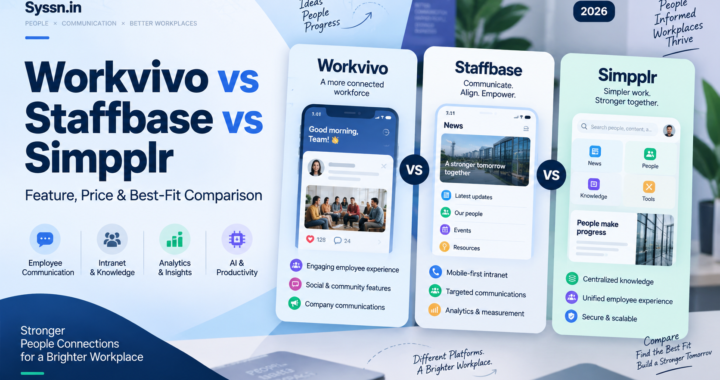
Frontline Employee Engagement Platforms Compared
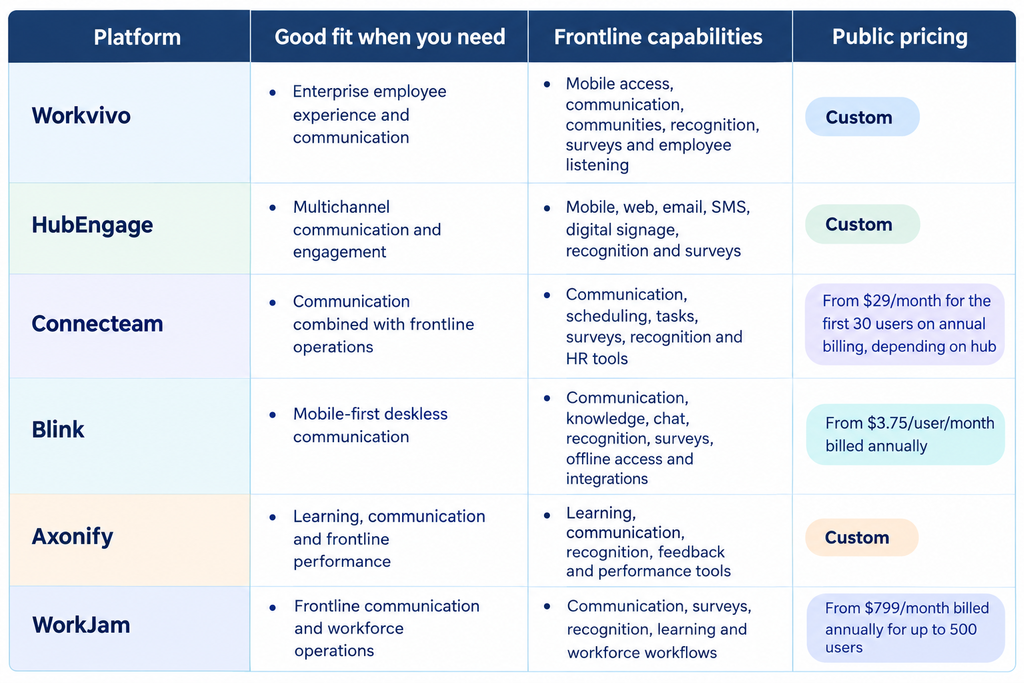
There is no single category of frontline engagement software.
Some platforms focus mainly on employee communication and culture. Others combine engagement with scheduling, tasks, learning, workforce management or employee listening.
The following comparison uses publicly available vendor information.
Pricing and features can change, so verify the vendor’s current pricing before making a purchase.
Workvivo
Good fit for: Organizations building a broader employee experience and communication environment.
Workvivo provides communication, employee communities, recognition, surveys, analytics and mobile access. Its current product structure includes Workvivo HQ and Seer, its employee listening and people intelligence product.
Workvivo’s product information describes employee communication, engagement and listening capabilities for organizations with desk-based and frontline employees.
Seer supports engagement surveys, pulse surveys, engagement snapshots, comment analysis, topic grouping and other employee-listening functions.
Strengths
Workvivo makes sense when employee communication and employee listening need to sit within a broader employee experience platform.
The platform supports mobile access and communication across desk and frontline employees, while Seer adds a dedicated listening layer.
Limitations
Organizations primarily looking for scheduling, time tracking or detailed frontline task management may need additional workforce-management tools.
Pricing
Workvivo uses custom pricing. Its pricing information requires organizations to request a quote.
Assessment
Workvivo is worth evaluating when your primary requirement is enterprise employee communication and engagement rather than frontline workforce management.
HubEngage
Good fit for: Organizations that need to reach employees through several communication channels.
HubEngage combines employee communication, social engagement, recognition, surveys and messaging. Its communication capabilities include mobile, web, email, SMS and digital displays.
Its survey platform supports distribution through web, mobile, SMS and email, along with pulse surveys, anonymous surveys, multilingual capabilities and AI-assisted sentiment and thematic analysis.
Strengths
The multichannel model is useful when employees have different levels of access to workplace technology.
For example, an organization could use its employee app for routine communication while using SMS or digital signage for situations where another communication route is more practical.
Limitations
Organizations primarily seeking advanced scheduling, time tracking or workforce task management may need another platform alongside HubEngage.
Pricing
HubEngage does not publish a standard price for its employee communication platform. Its current materials describe contract options with pricing based on workforce requirements.
Assessment
HubEngage is reasonable to evaluate when communication reach across mobile, email, SMS and other channels is a major requirement.
Connecteam
Good fit for: Small and midsize frontline organizations that want communication alongside workforce management.
Connecteam combines communication with operations and HR capabilities. Its Communications Hub includes chat, updates, surveys, events and a knowledge base. Other hubs provide scheduling, time tracking, tasks, courses, recognition and HR functionality.
Strengths
Connecteam is useful when employee engagement and daily operations overlap.
A manager can use the same general platform for employee updates while also managing schedules, tasks, forms, training or recognition.
Limitations
Organizations primarily looking for a large-enterprise employee experience platform may find Connecteam’s operational focus broader than necessary.
Pricing
Connecteam’s current pricing page lists Communications Basic at $29 per month for the first 30 users on annual billing. Operations Basic and HR & Skills Basic also start at $29 per month for the first 30 users on annual billing, with additional-user pricing depending on the hub and plan.
Connecteam also offers a 14-day free trial.
Assessment
Connecteam is particularly relevant when communication, scheduling, time, tasks and employee administration need to work together.
Blink
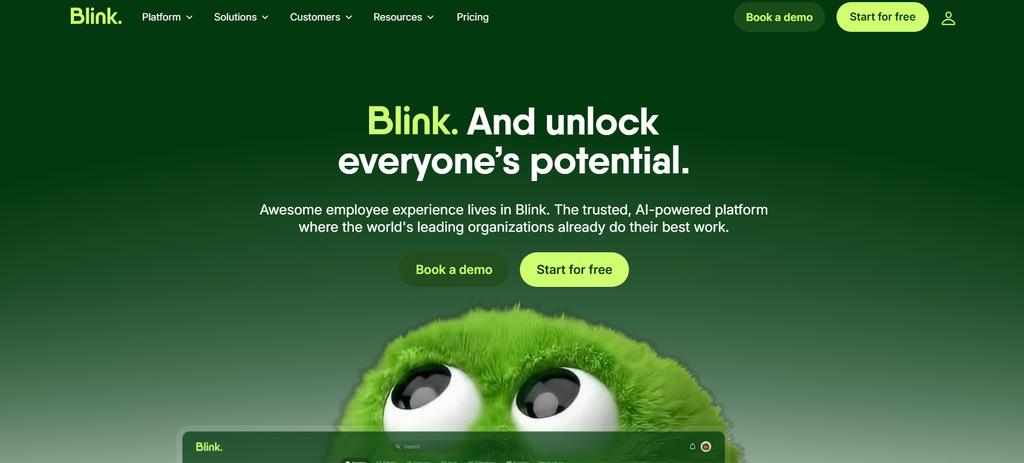
Good fit for: Organizations prioritizing mobile-first communication for deskless employees.
Blink combines internal communication, a knowledge hub, chat, employee engagement features, integrations and workforce functionality.
Blink’s current pricing page lists Core at $3.75 per user per month and Pro at $5 per user per month when billed annually. Enterprise pricing is custom.
Blink also supports offline access to saved content, allowing employees to access relevant content when they do not have a network connection.
Strengths
The mobile-first design is relevant for employees who do not spend their working day at a desk.
Blink also supports passwordless activation through methods including SMS, email and QR-code invitations, which can be useful for workforces that do not use corporate email accounts.
Limitations
Organizations requiring extensive workforce management, advanced learning or highly specialized operational workflows may need additional systems or integrations.
Pricing
Blink’s pricing page currently lists Core at $3.75/user/month and Pro at $5/user/month when billed annually. Enterprise pricing is custom.
Assessment
Blink is worth considering when the main challenge is putting communication, knowledge and engagement tools into a mobile environment that frontline employees can access.
Axonify
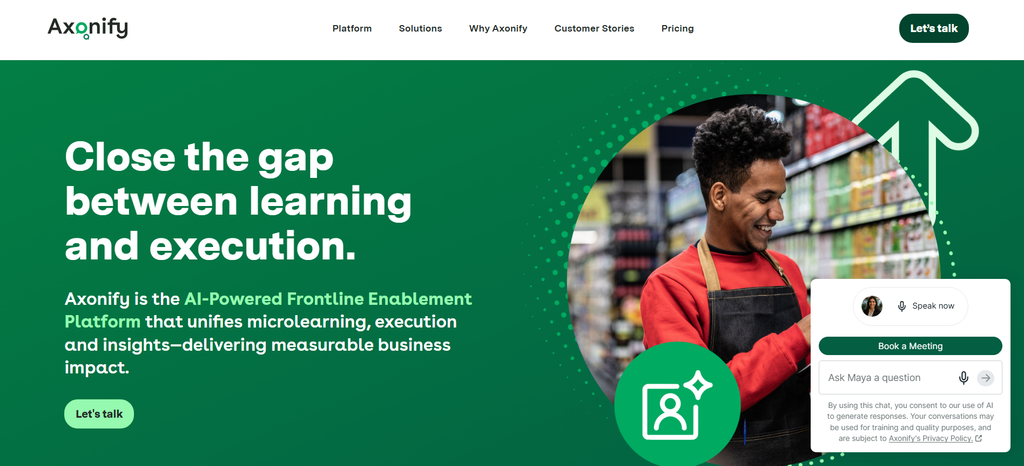
Good fit for: Organizations connecting frontline engagement with learning, knowledge and performance.
Axonify currently offers Core, Pro and Premium packages.
The platform combines frontline learning with communication and engagement features. Current capabilities include broadcast messages, recognition pins, rewards, games, polls and quizzes, with additional capabilities available at higher tiers.
Axonify also describes targeted messaging, frontline feedback, pulse surveys and role- or location-based communication as part of its communication capabilities.
Strengths
Axonify is particularly relevant when communication needs to reinforce learning, procedures or operational execution.
Limitations
Organizations seeking a communication-first social employee platform may prefer a product whose primary experience is centered more heavily on communication and community.
Pricing
Axonify’s pricing information uses custom pricing based on factors such as organization size, locations and selected capabilities.
Assessment
Axonify deserves consideration when employee engagement is closely connected to training, knowledge retention and frontline execution.
WorkJam
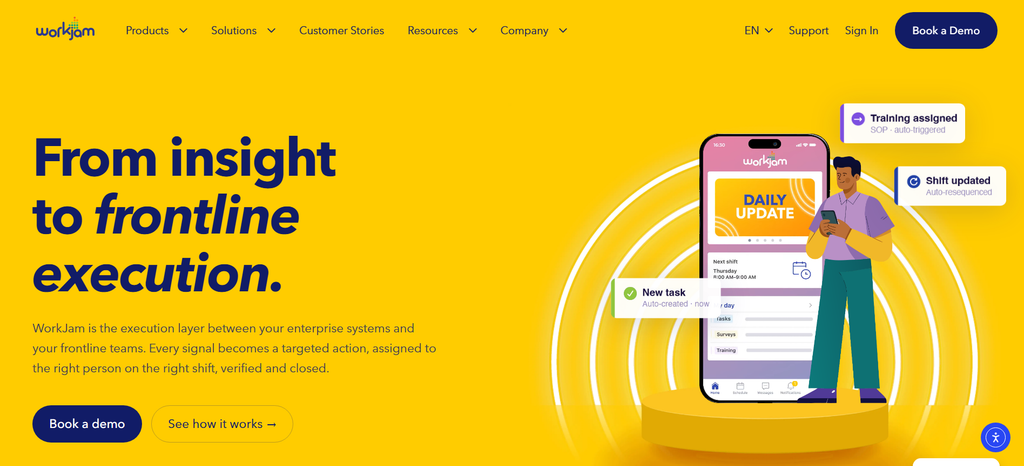
Good fit for: Organizations combining frontline communication with workforce operations.
WorkJam combines employee communication with access to workplace applications and operational capabilities.
Its Frontline Connect product includes communication features, while broader WorkJam offerings cover areas such as workforce workflows, learning, tasks and other frontline operations.
Strengths
WorkJam is useful when engagement cannot be separated from frontline workflows.
Its broader product structure can connect communication with operational processes rather than treating engagement as a standalone activity.
Limitations
Smaller organizations that only need basic communication may find the broader workforce-management approach unnecessary.
Pricing
WorkJam’s current Frontline Connect pricing lists Essential at $799 per month billed annually for up to 500 users.
Higher tiers and operational modules have additional pricing.
Assessment
WorkJam is most relevant for organizations that want employee communication to sit alongside operational workflows.
What Are the Biggest Frontline Engagement Challenges?
Limited access to company communication
Email can be ineffective when employees do not have a company inbox or cannot reasonably check email during work.
The answer is not necessarily to eliminate email.
Instead, organizations should identify the channels employees actually use and match the channel to the importance and urgency of the message.
Microsoft’s guidance on targeted frontline communications provides examples of targeting announcements based on attributes such as location, department and job title.
Information overload
More communication does not automatically mean better communication.
An employee who receives a large number of irrelevant notifications may have difficulty identifying the message that actually affects their shift.
Segment information where appropriate by:
- Location
- Role
- Department
- Shift
- Language
- Employment type
- Urgency
Inconsistent manager communication
Managers are often the practical connection between organizational leadership and frontline employees.
Gallup’s research on workplace challenges identifies manager practices as an important part of the employee experience and examines gaps in feedback and recognition.
Managers therefore need clear communication expectations, useful information, feedback processes and enough time to support their teams.
Recognition gaps
Recognition is another important part of the frontline employee experience.
The 2026 Humans at Work Barometer reports that 43% of deskless workers either have no recognition program or do not know whether one exists, while 33% had been formally recognized during the previous three months.
Read the 2026 Humans at Work Barometer.
Recognition systems should therefore be accessible to employees who do not work at a desk.
Recognition can include manager recognition, peer recognition, customer compliments, safety achievements, service milestones and specific examples of useful contributions.
Limited development visibility
Employees can struggle to see a future inside an organization when training and career opportunities are difficult to find.
Make development opportunities visible through:
- Available training
- Required skills
- Internal vacancies
- Career paths
- Mentoring
- Development conversations
- Certification requirements
The goal is to make the path understandable, not to promise that every employee will receive a promotion.
How Do You Improve Frontline Employee Engagement?
A practical frontline engagement program should combine communication, management, recognition, feedback, development and improvements to everyday work.
1. Start with access
Before asking employees to participate, determine whether they can actually access the program.
Ask:
- Does every employee have a smartphone?
- Do employees have corporate email?
- Can personal devices be used?
- Are shared devices available?
- Is network access reliable?
- Do employees need multiple logins?
- Are there privacy or security requirements for personal devices?
Do not assume every employee should use the same access method.
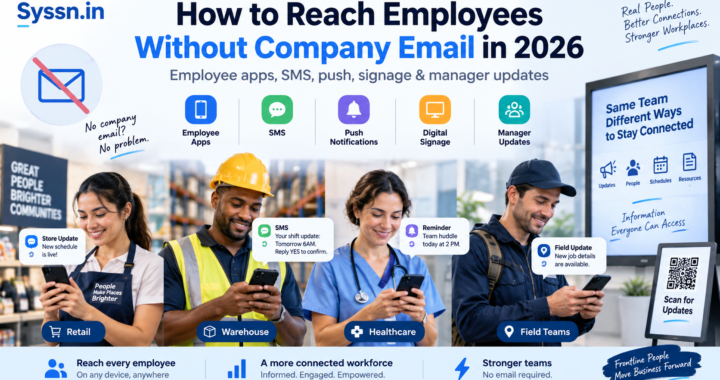
2. Make communication mobile-friendly
Mobile access is particularly relevant for employees who spend much of their working day away from a desktop.
Use:
- Push notifications for important updates
- Short mobile messages for routine information
- Targeted announcements
- QR codes where appropriate
- Digital signage where mobile access is limited
- Manager communication for context and discussion
Microsoft’s frontline communication documentation provides examples of targeted announcements for frontline workers.
3. Use low-friction feedback
Frontline employees may have limited time available for surveys.
Depending on the workforce, useful formats can include:
- One-question pulse surveys
- Two- or three-question check-ins
- Quick polls
- QR-code feedback
- SMS responses
- Mobile forms
- Anonymous feedback channels
The important point is to design the feedback process around realistic working conditions.
4. Close the feedback loop
Asking for feedback without communicating what happened afterward can reduce trust.
Suppose employees report that shift handovers are causing repeated problems.
A useful response should explain:
- What you heard
- What you are changing
- Who owns the change
- When employees should expect an update
A simple “you said, we did” update can make the feedback process more visible.
5. Make recognition part of everyday management
Recognition should be timely and specific.
Useful approaches include:
- Manager recognition
- Peer recognition
- Service milestones
- Customer compliments
- Safety achievements
- Team achievements
- Skills certifications
- Values-based recognition
- Recognition tied to specific contributions
Gallup’s research on feedback and recognition also discusses recognition as an important part of effective feedback.
Instead of:
Great job.
Try:
Thank you for helping the new team member complete the safety checklist before the shift started.
The second example explains what behavior was valuable.
6. Train frontline managers
Technology cannot replace effective management.
Managers should know how to:
- Communicate priorities
- Give useful feedback
- Recognize contributions
- Handle concerns
- Run short team check-ins
- Explain organizational decisions
- Escalate problems
- Follow up on employee feedback
- Discuss development
Gallup’s employee engagement research identifies managers and workplace practices as important components of employee engagement.
7. Make development visible
Show employees what skills and opportunities are available.
For example, a restaurant employee might see a path from associate to shift leader to assistant manager.
A warehouse employee might see the training and experience required for a lead or supervisor role.
Development information should be available through the same channels employees already use wherever possible.
8. Reduce unnecessary workplace friction
Employee engagement can be affected by everyday processes that make work harder.
Review:
- Schedule changes
- Time-off requests
- Payroll questions
- Benefits access
- Training
- Policy lookup
- Shift communication
- Equipment requests
- Manager escalation
If an employee needs several applications and passwords to solve a simple workplace problem, review whether the process can be simplified.
How Do You Measure Frontline Employee Engagement?
Avoid reducing engagement to one annual score.
A more useful measurement system combines employee sentiment, participation and relevant operational indicators.
Employee sentiment
Measure areas such as:
- Belonging
- Manager trust
- Recognition
- Communication quality
- Workload
- Development
- Confidence in leadership
- Intention to stay
Communication reach
Track:
- Delivery
- Views or opens where available
- Acknowledgements
- Participation
- Content engagement
- Missed communications
Where appropriate, segment results by location, shift, role or manager.
Feedback participation
Track:
- Survey response rate
- Pulse participation
- Comments
- Recurring themes
- Differences between locations
- Changes over time
A company-wide engagement score can conceal significant differences between teams.
For example, an overall score of 72% could coexist with substantially weaker results in one warehouse, store group or region.
Recognition
Track:
- Percentage of employees recognized
- Recognition frequency
- Peer versus manager recognition
- Recognition by location
- Participation
- Recognition gaps
Retention and operational indicators
Depending on the organization, compare engagement data with:
- Voluntary turnover
- Absenteeism
- Internal promotion
- Safety indicators
- Customer complaints
- Training completion
- Productivity
- Quality measures
These relationships should be analyzed carefully. A correlation between engagement and an operational measure does not automatically establish that engagement caused the change.
Frontline Employee Engagement Strategies for 2026
Several practical principles can improve the employee experience.
Personalize communication when it improves relevance
A nurse, warehouse employee and retail associate do not necessarily need the same information.
Target communication by role, location, department or other relevant attributes when doing so makes the information more useful.
Use more than one channel when necessary
Some employees may use a mobile app regularly. Others may rely on SMS, digital signage, shared devices or manager communication.
The communication system should reflect those differences.
Design for short interactions
A frontline employee may have only a short pause between tasks.
Keep important messages easy to scan.
Use:
- Short paragraphs
- Clear headings
- Direct calls to action
- Simple forms
- Visual instructions where useful
Recognize specific contributions
Specific recognition tells employees what the organization values.
It also gives managers a practical way to reinforce desired behaviors.
Give managers usable information
Managers do not necessarily need another dashboard filled with dozens of metrics.
Give them a manageable view of:
- Major issues
- Trends
- Team feedback
- Areas requiring attention
- Actions already taken
Make communication two-way
Employees should have practical ways to ask questions, raise concerns and provide feedback.
Communication becomes less useful when information only travels from headquarters to employees.
How We Evaluated These Platforms
This article uses an editorial comparison framework based on publicly available product documentation and pricing information. It does not claim that Syssn independently tested every platform.
The criteria are:
- Frontline accessibility: Can employees access the product from mobile or other devices appropriate to frontline work?
- Communication: Does the platform support timely and targeted communication?
- Engagement: Does it provide recognition, surveys, communities, polls or related participation features?
- Manager support: Can managers communicate, gather feedback and act on employee needs?
- Operational fit: Does the platform connect engagement with scheduling, tasks, learning or other frontline workflows?
- Measurement: Can organizations measure participation, feedback and communication effectiveness?
- Scale: Is the platform designed for distributed or multi-location workforces?
- Pricing transparency: Is public pricing available, or does the buyer need a custom quote?
A long feature list is not automatically an advantage.
A platform is useful only when employees can access it, managers can use it and the organization can maintain the processes around it.
How to Choose the Right Frontline Employee Engagement Platform
For a broader evaluation framework, see How to Evaluate an Employee Experience Platform in 2026.
Consideration 1: How do employees access technology?
Start with the employee’s actual working environment.
If workers use personal smartphones, evaluate mobile access, authentication, privacy and device requirements.
If employees use shared devices or kiosks, confirm that the platform supports that model.
Consideration 2: Is the primary problem communication or operations?
Communication-first platforms can be useful when the central problem is reaching employees and creating connection.
Workforce platforms become more relevant when scheduling, time tracking, tasks, training and HR workflows are equally important.
Consideration 3: How much employee listening do you need?
If feedback is central to the program, evaluate:
- Pulse surveys
- Anonymous feedback
- Segmentation
- Sentiment analysis
- Reporting
- Manager access
- Feedback follow-up workflows
Do not evaluate surveys only by whether the software has a survey button.
Consideration 4: Can managers use it easily?
Ask managers to complete common tasks during the product evaluation.
For example:
- Send an update
- Recognize an employee
- Find a policy
- Review feedback
- Answer an employee question
If basic actions require too many steps, adoption may suffer.
Consideration 5: Can it scale across locations?
Multi-location organizations should examine:
- Location-based groups
- Role-based permissions
- Audience segmentation
- Automated onboarding
- Reporting by location
- Language support
- Central administration
Consideration 6: What happens after feedback is submitted?
Ask the vendor to demonstrate the complete feedback cycle.
Can an employee submit feedback?
Can the appropriate manager see it?
Can leadership identify recurring issues?
Can the organization record or communicate the resulting action?
That workflow matters more than simply collecting responses.
Frontline Engagement Platforms by Use Case
Enterprise employee experience and communication: Workvivo
Multichannel employee communication: HubEngage
Communication plus workforce operations: Connecteam
Mobile-first deskless communication: Blink
Learning and frontline performance: Axonify
Frontline communication plus workforce operations: WorkJam
These are fit-based assessments rather than overall rankings. A company with 150 field employees may have very different requirements from a retailer managing thousands of employees across hundreds of locations.
Frequently Asked Questions
What is frontline employee engagement?
Frontline employee engagement is the level of involvement, connection and commitment employees have toward their work and workplace. It includes how informed, recognized, supported and involved employees feel in their day-to-day work.
Why is frontline employee engagement important?
Frontline employees often have direct influence over customer interactions, service delivery and daily operations. Engagement should therefore be considered alongside relevant measures such as retention, quality, safety, customer experience and productivity.
How do you engage deskless employees?
Use communication channels employees can access during their normal workday. Depending on the workforce, these may include mobile apps, SMS, push notifications, digital signage, shared devices and manager-led communication.
Keep interactions easy to complete and make it clear where employees should go for complete information.
What are effective frontline employee engagement strategies?
Start with accessible communication, regular recognition, short feedback cycles, capable frontline management and visible development opportunities.
Then measure whether employees are actually receiving, understanding and using the information and resources provided.
How can recognition improve frontline engagement?
Recognition helps employees see that useful contributions are noticed.
It works best when recognition is timely, specific and accessible to employees regardless of where they work.
What is the difference between frontline and deskless employees?
The terms overlap but are not identical.
Deskless generally describes the working environment. A deskless employee spends much of the workday away from a traditional desk or computer.
Frontline generally describes an employee’s relationship to customers, patients, products, equipment or operational work.
Many employees are both deskless and frontline, but not all are.
Final Recommendation
Frontline employee engagement in 2026 should be designed around how frontline employees actually work.
Employees may not have corporate email. They may not sit at a computer. They may work different shifts, locations and languages from their colleagues. Some may have only a short amount of time to read an update or answer a question.
Start with the fundamentals:
- Reliable communication
- Accessible feedback
- Timely recognition
- Capable managers
- Visible development opportunities
- Less unnecessary workplace friction
Then use technology to make those practices easier to deliver and measure.
Workvivo is a reasonable fit for organizations building a broader enterprise employee experience and listening environment. HubEngage is worth evaluating when multichannel employee communication is central. Connecteam fits organizations that want communication alongside workforce operations. Blink is focused strongly on mobile-first deskless communication. Axonify connects engagement with learning and frontline performance, while WorkJam combines communication with broader frontline operational workflows.
The best platform is therefore not necessarily the one with the largest feature list.
It is the one employees can access easily, managers can use consistently, and leadership can connect to meaningful improvements in communication, recognition, feedback and the employee experience.