Selenium Automation Testing Course: What Beginners Should Learn First

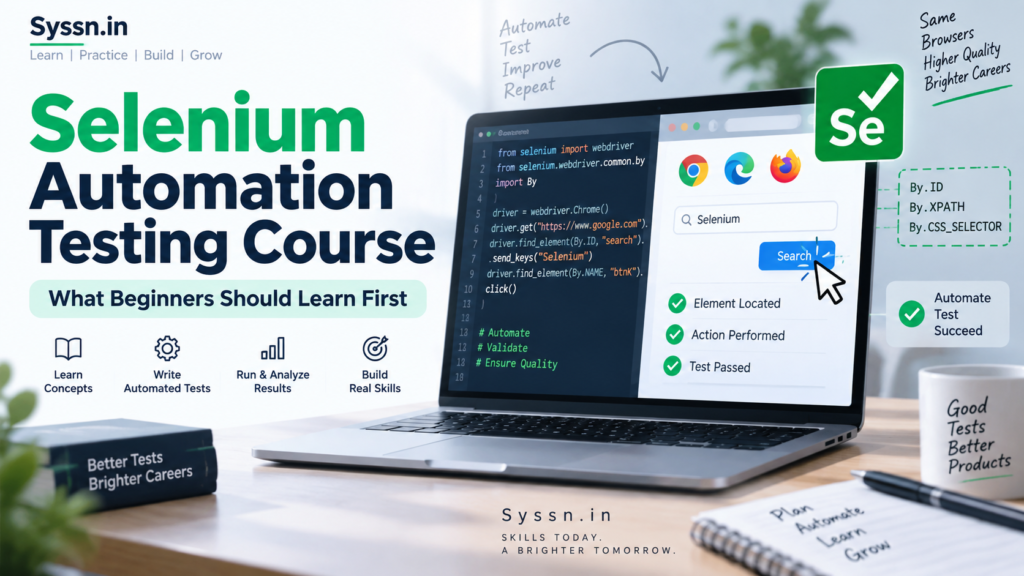
Selenium Automation Testing Course: What Beginners Should Learn First starts with software testing fundamentals, basic programming, HTML and CSS, and then moves into Selenium WebDriver, locators, waits, TestNG, Maven, frameworks, and real projects. A good Selenium automation testing course should teach you to write and maintain tests rather than simply record browser actions. Providers in India include Intellipaat, Edureka, and StarAgile, with different course structures and learner support. This guide explains what Selenium does, what to learn before WebDriver, which Java topics matter, and how to progress toward practical automation testing work.
What is Selenium automation testing?
Selenium is an open-source project for automating web browsers. Testers use it to reproduce browser actions through code, check whether an application behaves as expected, and run the same tests repeatedly across supported browsers.
The Selenium project contains several components. For a beginner planning to work in QA automation, Selenium WebDriver is the main component to learn first.
The official Selenium documentation describes WebDriver as an API and protocol for controlling browser behaviour. Your test code sends commands through WebDriver, and the appropriate browser implementation carries them out in Chrome, Firefox, Edge, Safari, or another supported environment.
A simple automated test might:
- Open Chrome.
- Visit an e-commerce website.
- Search for a product.
- Click the product.
- Add it to the cart.
- Verify that the correct product appears in the cart.
You write those instructions in a programming language. Selenium controls the browser and performs the actions.
Selenium itself does not replace testing knowledge. You still need to decide what should be tested, what the expected result is, and which failures matter.
What should a beginner learn before Selenium?
Learn basic software testing and enough programming to write simple programs before trying to build a Selenium automation framework.
You do not need to become a Java developer first. You should, however, understand variables, conditions, loops, methods, classes, objects, collections, and exceptions.
A sensible Selenium learning roadmap looks like this:
| Stage | What to learn |
|---|---|
| 1 | Software testing fundamentals |
| 2 | Basic Java or another supported language |
| 3 | HTML, CSS and DOM basics |
| 4 | Selenium WebDriver setup |
| 5 | Locators, XPath and CSS selectors |
| 6 | WebElement interactions |
| 7 | Waits and synchronization |
| 8 | Alerts, frames, windows and actions |
| 9 | TestNG or another test framework |
| 10 | Maven and Git |
| 11 | Page Object Model and framework design |
| 12 | Data-driven and reusable tests |
| 13 | Selenium Grid and cross-browser testing |
| 14 | CI/CD basics |
| 15 | Portfolio projects and interview preparation |
Trying to skip directly to Selenium syntax often creates a problem. You can copy scripts, but you cannot easily diagnose them when they fail.
Step 1: Learn software testing fundamentals first
A Selenium course for beginners should start with testing, not WebDriver.
Automation is a way of executing tests. It does not decide whether your test case is useful.
Learn these concepts first:
- SDLC and STLC basics
- Functional and non-functional testing
- Test scenarios
- Test cases
- Expected versus actual results
- Positive and negative testing
- Smoke and regression testing
- Defect life cycle
- Severity and priority
- Test data
- Bug reporting
- Regression suites
- Basic Agile and Scrum terminology
Consider a login page.
A beginner who only knows automation may write one Selenium script that enters the correct username and password.
Someone who understands testing will think about empty fields, incorrect passwords, locked accounts, invalid characters, password visibility, error messages, session behaviour, and successful authentication.
Learn how to design those tests before worrying about automating them.
Step 2: Learn enough Java to write Selenium tests
Do you need Java before learning Selenium?
You need programming knowledge, but Selenium itself is not limited to Java.
Current Selenium releases provide bindings for Java, Python, JavaScript, Ruby, and .NET. Selenium 4.48, released in August 2026, included releases for JavaScript, Ruby, Python, .NET, Java, and Grid.
Java remains a practical choice for many Selenium learners in India because numerous QA training programs combine Selenium, Java, TestNG, and Maven.
If you choose Selenium with Java, concentrate on the Java that you will actually use.
Java topics beginners should learn
Start with:
- Variables and data types
- Operators
- If/else statements
- Switch statements
- For and while loops
- Methods
- Classes and objects
- Constructors
- Strings
- Arrays
- Lists, sets and maps
- Inheritance
- Encapsulation
- Polymorphism
- Interfaces
- Exception handling
- File handling
You do not need months of advanced Java study before launching your first browser.
For example, loops become useful when you want to test several values. Collections help when working with groups of elements. Exception handling helps you deal with errors. Classes and objects become important when you build Page Objects and reusable framework components.
Learn each concept, write a few small programs, and then apply it to testing.
Step 3: Understand HTML, CSS and the DOM
Selenium has to find elements before it can interact with them.
That makes basic web knowledge useful.
You should be able to look at HTML such as:
<input id="email" name="email" type="text">
and understand that it represents an input field with attributes Selenium can use to locate it.
Learn:
- HTML tags
- Attributes
- IDs
- Names
- Classes
- Links
- Buttons
- Input fields
- Forms
- Basic CSS
- Parent-child relationships
- DOM structure
You do not need to become a front-end developer. You need enough knowledge to inspect a page and work out how Selenium can reliably identify an element.
Step 4: Learn how Selenium WebDriver works
Selenium WebDriver should be the centre of a beginner’s Selenium testing course.
According to the Selenium project, WebDriver uses browser automation APIs supplied by browser vendors to control browsers. The WebDriver interface lets your code communicate with different browser implementations without rewriting the entire test for each browser.
Start with basic browser commands:
- Launch a browser
- Navigate to a URL
- Read the page title
- Get the current URL
- Refresh a page
- Navigate backward and forward
- Maximize or resize the window
- Close a tab
- Quit the browser session
Your first Selenium project does not need a framework.
Write a small script that opens a website, checks its title, performs one action, verifies the result, and closes the browser.
Understand each line before adding another layer.
Step 5: Learn Selenium locators properly
Locators tell Selenium which element you want to interact with.
Common locator strategies include:
- ID
- Name
- Class name
- Tag name
- Link text
- Partial link text
- CSS selector
- XPath
Beginners should learn simple and stable selectors before writing complicated XPath expressions.
Suppose a page contains:
<button id="login-button">Sign in</button>
An ID locator may be more readable and stable than a long XPath based on the element’s exact position in the page.
XPath or CSS selector?
Learn both.
XPath becomes useful when you need to navigate relationships between elements or identify an element using particular attributes and text.
CSS selectors are often concise when elements have usable IDs, classes, attributes, and parent-child relationships.
Your goal is not to prove that you can write the longest selector. Your goal is to create a locator that keeps working when unrelated parts of the page change.
Step 6: Learn how to interact with web elements
Once you can locate elements, learn how to work with them.
Practice:
- Entering text
- Clicking buttons and links
- Clearing fields
- Reading displayed text
- Checking element state
- Selecting dropdown options
- Working with checkboxes
- Selecting radio buttons
- Uploading files
- Taking screenshots
- Handling mouse actions
- Handling keyboard actions
Then move into browser situations that require extra handling:
- Alerts
- Frames and iframes
- Multiple windows
- Multiple tabs
- Pop-ups
- Dynamic elements
Build a separate small exercise for each one.
That works better than building one enormous script containing every Selenium feature.
Step 7: Learn waits before building a framework
One of the first practical problems Selenium learners encounter is synchronization.
Modern web pages do not always load every element at the same moment. A button may appear after an API request completes, for example.
If Selenium searches for the button too early, your test can fail even though the application works.
This is why you need to understand waits.
Implicit wait vs explicit wait
An implicit wait applies a general timeout when Selenium searches for elements.
An explicit wait waits for a particular condition before proceeding. You might wait until an element becomes visible, clickable, or otherwise reaches the state your test requires.
Beginners should learn:
- Implicit waits
- Explicit waits
- Expected conditions
- Fluent wait concepts
- Why fixed sleeps can create slow or unreliable tests
Synchronization is worth practising early because poor wait handling is a common source of unstable browser tests.
Step 8: Add TestNG and assertions
Selenium controls the browser. You still need a testing framework to organize test execution and results.
For Java-based Selenium training, TestNG is commonly taught alongside WebDriver. The course curricula published by Edureka and StarAgile both include TestNG.
A beginner should understand:
- TestNG installation
@Test- Setup and teardown annotations
- Assertions
- Hard and soft assertions
- Test priorities
- Groups
- Test suites
- Parameters
- DataProvider
- Listeners
- Basic reports
Assertions are especially important.
Opening a browser and clicking a button does not prove that a test passed. Your script needs to compare the actual application behaviour with an expected result.
Step 9: Learn Maven and Git
Once your Selenium project has several classes and dependencies, manual management becomes awkward.
For Java projects, Maven helps manage libraries and project builds. Instead of manually downloading every dependency, you define what the project needs.
Learn enough Maven to understand:
pom.xml- Dependencies
- Plugins
- Project structure
- Running tests through Maven
You should also learn basic Git.
Start with:
- Repository creation
- Clone
- Add
- Commit
- Push
- Pull
- Branch basics
A portfolio project stored in a clean Git repository gives an interviewer more to discuss than a course certificate by itself.
Step 10: Learn Page Object Model and framework design
Do not begin your first week by trying to create an elaborate automation framework.
First learn to write working tests.
Then learn to make them maintainable.
The Page Object Model, or POM, separates page-specific elements and actions from test logic.
For an e-commerce application, you might have:
LoginPageSearchPageProductPageCartPageCheckoutPage
Your tests then call reusable methods from these page classes.
A beginner-level Selenium automation framework should eventually teach you how to separate:
- Test classes
- Page objects
- Test data
- Configuration
- Utilities
- Browser setup
- Reports
- Reusable methods
After that, you can explore data-driven, hybrid, and BDD approaches.
Step 11: Learn Selenium Grid and cross-browser testing
Your tests should eventually work beyond one browser on your laptop.
Selenium Grid lets WebDriver scripts execute on remote machines and supports parallel execution, different browser versions, and different platforms.
Do not start with Grid on day one.
First make sure you can create stable local WebDriver tests.
Then learn:
- Why remote execution is useful.
- How RemoteWebDriver works.
- How to start a basic Grid.
- How to run tests remotely.
- How to execute tests in parallel.
- How browser and platform capabilities are configured.
Current Selenium documentation says a simple Grid setup requires Java 11 or higher. Selenium Manager can also configure drivers automatically when Grid is started with the appropriate option.
Do beginners still need to install browser drivers manually?
Not necessarily.
Old Selenium tutorials often tell beginners to download ChromeDriver manually, find the matching browser version, and configure its path.
Modern Selenium provides Selenium Manager.
Selenium Manager has shipped with Selenium since version 4.6 and acts as the project’s official driver manager. When an appropriate driver is unavailable, Selenium bindings can use Selenium Manager to discover and manage the required driver.
You should still understand what a browser driver does because it helps when troubleshooting.
But a Selenium automation testing course in 2026 should teach the current setup process rather than making an old manual driver-management workflow the default.
Step 12: Build practical Selenium projects
Projects turn individual commands into testing skills.
Build at least two or three projects before applying for automation roles.
Project 1: E-commerce website
Automate:
- Login
- Product search
- Filters
- Product selection
- Add to cart
- Quantity changes
- Cart validation
- Logout
Add negative tests for invalid login and unavailable products.
Project 2: Travel or booking application
Test:
- Origin and destination selection
- Dates
- Passenger counts
- Search
- Results
- Filters
- Booking form validation
This gives you practice with dynamic elements, calendars, dropdowns, and changing search results.
Project 3: Complete automation framework
Turn one of your earlier projects into a reusable framework containing:
- Java
- Selenium WebDriver
- TestNG
- Maven
- Page Object Model
- Test data
- Configuration
- Screenshots
- Reports
- Git
If possible, add a CI tool after the basic framework works.
What should a good Selenium automation testing course cover?
A beginner course should progress from testing and programming into WebDriver and then framework development.
Use this checklist when comparing courses:
| Course area | What you should expect |
|---|---|
| Testing | Test cases, defects, regression and testing fundamentals |
| Programming | Core Java or another Selenium-supported language |
| Web basics | HTML, DOM and CSS |
| WebDriver | Browser control and WebElement interactions |
| Locators | ID, name, XPath, CSS and other strategies |
| Synchronization | Explicit and implicit waits |
| Browser handling | Frames, alerts, tabs and windows |
| Test framework | TestNG or an equivalent |
| Build management | Maven for Java projects |
| Framework design | POM and reusable components |
| Cross-browser testing | Multiple browsers and Grid |
| Source control | Git |
| Practical work | Assignments and realistic projects |
| Job preparation | Framework discussion, debugging and interview practice |
Do not judge a course by the number of tools listed on its sales page.
A course that mentions 15 tools but gives you little time to write and debug code may be less useful than one that teaches a smaller set properly.
Three Selenium and automation testing courses beginners in India can compare
Course providers package Selenium differently. Some offer a focused Selenium course, while others teach it inside a broader automation testing program.
Here are three options, with similar coverage for each provider.
1. Intellipaat
Intellipaat offers a dedicated Selenium Certification Course that combines Java fundamentals with Selenium WebDriver, locators, TestNG, JUnit, Maven, Grid, and framework-related concepts. Its current course page lists 45 hours of instructor-led training, 45 hours of self-paced video, and 72 hours of projects and exercises. It states that learners should have basic knowledge of programming and testing concepts before starting.
The syllabus begins with Core Java and object-oriented programming before introducing Selenium. It then covers Selenium IDE, WebDriver architecture, element searches, XPath, CSS selectors, user interactions, and cross-browser testing. That order can suit beginners who want Java included within the learning program rather than completing a separate programming course first.
Practical work is part of the published program. Intellipaat lists real-time projects, case studies, exercises, mentor support, and interview preparation. Its course-completion certificate is issued by Intellipaat after learners meet the provider’s completion and assessment requirements. That certificate should be understood as a training-provider credential rather than a certification issued by the Selenium open-source project itself.
Current published options include instructor-led, self-paced, one-to-one, and corporate formats, with prices differing by route. Before enrolling from India, ask for the final INR price, tax treatment, current live-class schedule, project access, trainer details, refund conditions, and exact career-support terms. Also check whether parts of the syllabus have been refreshed, since older Selenium concepts still appear on the published curriculum alongside current WebDriver material.
2. Edureka

Edureka offers instructor-led Selenium training that covers Core Java, WebDriver, locators, TestNG, Maven, Grid, Cucumber-related concepts, and supporting automation tools. Its published Selenium curriculum moves through WebDriver architecture, locating web elements, XPath and CSS selectors, browser interactions, alerts, windows, Grid, and framework-related topics.
The program includes live interactive learning, mentoring, learner support, quizzes, assignments, and project work. Edureka also advertises lifetime access to its course content and future updates. Its published practical exercises include creating Selenium applications, integrating Maven, working with locators, handling browser elements, and developing automation around a travel and booking project.
For someone starting with limited programming experience, the inclusion of a Java course can help. Beginners should still spend enough time writing Java independently rather than treating Java as a short prerequisite to rush through. By the time you start building reusable Selenium tests, you should be comfortable with methods, classes, objects, collections, exceptions, and basic object-oriented programming.
Edureka issues its own course-completion certificate after learners satisfy its participation, quiz, project, and assessment conditions. Before buying, request the current India fee, GST-inclusive amount, batch timings, trainer information, cancellation rules, project requirements, and interview or career-support terms. Some provider pages also refer to third-party Selenium-related certifications, so distinguish the Edureka completion certificate from any separate certification exam before paying.
3. StarAgile
StarAgile offers Selenium through both focused Selenium training and its broader Software and Automation Testing program. Its current automation curriculum starts with manual testing and Java before moving into Selenium WebDriver, locators, waits, TestNG, Page Object Model, frameworks, Cucumber, Grid, API testing, and other automation tools. Its broader program also covers Cypress, Playwright, Appium, SQL, and DevOps-related topics.
The current StarAgile curriculum lists practical work around Maven projects, browser launches, navigation commands, alerts, frames, multiple windows, mouse and keyboard actions, screenshots, cross-browser tests, TestNG reports, Page Objects, and Cucumber scenarios. StarAgile also publishes examples of capstone work involving e-commerce, HR, and telecom applications.
Sales-call information supplied for this article adds details that should be verified before purchase. One weekday pattern was described as Monday to Thursday live training at roughly 8:00 p.m. to 10:30 p.m., with around 2.3 hours of teaching plus 30 minutes for Q&A, and Friday used for mentoring or projects. The counsellor also described lifetime recordings and the possibility of a batch change when timing or trainer fit is the problem.
The same sales information described placement support, placement assistance, and interview nomination, not a guaranteed job outcome. One counsellor said learners could exit during the first three sessions if the class was a poor fit, while mid-course cancellation would be refused after interview nomination. Course fees for Automation Testing were not stated during the August 6 to 11 calls supplied for this article, so the current rupee fee, refund conditions, class schedule, and placement-assistance terms should be confirmed in writing before enrolling.
How should you compare Selenium courses?
Compare what you will actually write, test, and build.
Ask each provider these questions before paying:
- How many hours are live rather than recorded?
- How much Java is taught before Selenium?
- Which Selenium version does the current curriculum use?
- Does the setup use current Selenium Manager practices?
- How much time is spent on WebDriver?
- Are XPath and CSS selectors taught through practical exercises?
- Do you build a Page Object Model yourself?
- Are TestNG and Maven included?
- Do you write a framework or only watch the instructor build one?
- How many projects do you complete?
- Can you put your project code on GitHub?
- Are Cypress or Playwright covered after Selenium?
- Are class recordings available?
- What happens if you need to change batches?
- What exactly does placement or interview support include?
- What is the final fee after tax?
- What is the written cancellation and refund policy?
Ask for the current syllabus rather than relying on an old blog post or video.
Is Selenium easy for beginners?
The basic Selenium commands are relatively approachable. Building reliable automation requires more practice.
A beginner can learn how to launch a browser and click a button quickly.
The harder work begins when applications contain:
- Dynamic elements
- Asynchronous loading
- Changing locators
- Multiple windows
- Frames
- Complex test data
- Large regression suites
- Parallel execution
- Reusable framework code
This is why a course should spend more time on practical debugging than on memorizing Selenium methods.
How long does it take to learn Selenium?
A beginner can build basic Selenium tests within a few weeks, but becoming comfortable enough to build and explain an automation framework usually takes longer.
A reasonable part-time roadmap is:
| Period | Learning target |
|---|---|
| Weeks 1–2 | Testing fundamentals and Java basics |
| Weeks 3–4 | OOP, collections, exceptions, HTML and CSS |
| Weeks 5–6 | WebDriver, locators and WebElements |
| Weeks 7–8 | Waits, alerts, frames, windows and actions |
| Weeks 9–10 | TestNG, Maven and Git |
| Weeks 11–12 | Page Object Model and framework development |
| Weeks 13–14 | Grid, cross-browser testing and CI basics |
| Weeks 15–16 | Projects, revision and interview preparation |
This is an example, not a universal deadline.
If you already know Java and manual testing, you can move faster. If coding is completely new to you, spending more time on Java will probably save time later.
What should you learn after Selenium basics?
Once you can build a maintainable WebDriver project, expand into the tools used around browser automation.
A useful next sequence is:
API testing: Learn HTTP basics, REST, JSON, Postman, and an API automation library appropriate for your language.
SQL: Learn SELECT statements, filters, joins, aggregates, and enough database testing to validate application data.
Git: Store and manage your automation project properly.
CI/CD: Learn how automated tests can run through a CI system rather than only from your laptop.
Other browser automation tools: Learn the basics of Playwright or Cypress so that you can compare tools rather than treating Selenium as the answer to every browser-testing problem.
Mobile testing: Consider Appium if your target roles include mobile application automation.
Selenium vs Playwright vs Cypress: should beginners still learn Selenium in 2026?
Selenium remains actively developed in 2026. Selenium 4.48 was released on August 27, 2026, following several other Selenium releases during the year.
It is therefore inaccurate to treat Selenium as an abandoned technology.
Playwright and Cypress are also relevant browser-testing tools.
| Area | Selenium | Playwright | Cypress |
|---|---|---|---|
| Primary use | Browser automation | End-to-end browser automation | Web application testing |
| Multiple language options | Yes | Yes | Primarily JavaScript/TypeScript |
| Java support | Yes | Yes | No equivalent first-class Java workflow |
| Python support | Yes | Yes | No equivalent first-class Python workflow |
| Grid | Selenium Grid | Different parallel execution model | Cypress execution model |
| Good to know in 2026 | Yes | Yes | Yes |
Playwright officially supports JavaScript/TypeScript, Python, Java, and .NET, with testing integrations varying by language. Cypress currently supports Chrome-family browsers, Firefox, and experimental WebKit.
For a beginner targeting QA automation roles, the practical answer is to learn testing fundamentals first, become competent with one automation stack, and then learn how another modern tool approaches the same problems.
Knowing Selenium well and having basic Playwright or Cypress experience is more useful than knowing the syntax of three tools but being unable to design a stable test suite.
What Selenium skills should you be able to demonstrate in an interview?
You should be able to explain your code rather than recite definitions.
Prepare to discuss:
- WebDriver architecture
- Locators
- XPath and CSS
- WebElements
- Implicit and explicit waits
- Alerts
- Frames
- Multiple windows
- Dropdowns
- Actions
- TestNG
- Assertions
- DataProvider
- Maven
- Page Object Model
- Framework structure
- Cross-browser testing
- Selenium Grid
- Common exceptions
- Debugging failed tests
Expect practical questions.
For example, an interviewer may ask what you would do if a button’s ID changes on every page load.
Another question may give you a test that passes locally but intermittently fails in CI and ask how you would investigate it.
Knowing that an explicit wait exists is the starting point. You should be able to explain when you would use it and what condition you would wait for.
Can you learn Selenium without coding experience?
Yes, but learn programming as part of the process.
Do not spend your first month memorizing Selenium syntax while ignoring Java or whichever programming language you choose.
A better sequence is:
Learn a Java concept → write a small Java program → use that concept in Selenium.
Learn loops, then use one to process data.
Learn classes, then create a Page Object.
Learn collections, then work with multiple WebElements.
Learn exceptions, then understand why a Selenium test failed and how the exception should be handled.
That connection between programming and testing makes the learning process much more practical.
Does a Selenium course certificate get you an automation testing job?
A course-completion certificate can document your training, but employers can still assess whether you can write and debug automation code.
Focus on evidence you can demonstrate:
- Two or three working projects
- A Git repository
- Readable Java
- Stable locators
- Correct waits
- TestNG tests
- Page Objects
- Maven configuration
- Reports
- Cross-browser execution
- Clear explanation of your framework
If a training provider offers placement assistance or interview support, read the exact terms.
Placement assistance may include resume preparation, mock interviews, job referrals, or interview nominations. It should not automatically be interpreted as an employment guarantee.
Frequently asked questions about Selenium automation testing courses
What should a beginner learn first in a Selenium automation testing course?
Start with software testing fundamentals and basic programming. Then learn HTML and DOM basics before moving into Selenium WebDriver, locators, WebElements, and waits.
Should I learn Java before Selenium?
Learn basic Java before or alongside Selenium if you plan to use the Java binding. You need enough Java to understand variables, conditions, loops, methods, classes, objects, collections, OOP, and exceptions.
Which programming language is best for Selenium?
There is no single language that is best for every learner. Selenium currently supports major bindings including Java, Python, JavaScript, Ruby, and .NET. Choose based on your target jobs, existing skills, and the technology used by the teams you want to join.
What is Selenium WebDriver?
WebDriver is the Selenium API and protocol used to control browsers programmatically. It communicates with browser-specific implementations to perform actions and retrieve browser information.
What are Selenium locators?
Locators are strategies used to find elements on a web page. Common options include ID, name, class name, link text, CSS selector, and XPath.
What is Page Object Model in Selenium?
Page Object Model is a design approach in which page-specific elements and actions are placed in reusable page classes instead of being repeated throughout test classes.
What is Selenium Grid?
Selenium Grid runs WebDriver tests on remote browser instances. It can be used for parallel execution and testing across browser and platform combinations.
Is Selenium still worth learning in 2026?
Selenium remains actively maintained, with Selenium 4.48 released in August 2026. It remains useful to learn for roles and projects that use Selenium, particularly when combined with testing fundamentals, a programming language, TestNG or another runner, Maven or an equivalent build system, Git, and framework skills.
How long does it take to learn Selenium automation testing?
A beginner studying part-time can learn the fundamentals within several weeks. Building enough programming, framework, project, and debugging experience for entry-level automation interviews may take roughly three to four months of consistent practice.
Do I need manual testing knowledge before Selenium?
You should understand testing concepts even if you do not have a manual testing job first. Learn test cases, test scenarios, regression testing, defect reporting, test data, and expected results before concentrating on automation.
What should I learn after Selenium WebDriver?
Move into TestNG, Maven, Page Object Model, framework design, Git, Grid, API testing, SQL, and CI/CD. After you are comfortable with one complete Selenium project, learn the basics of Playwright or Cypress.
Conclusion
A Selenium automation testing course should teach you much more than how to open Chrome and click web elements.
Start with software testing fundamentals. Learn enough Java or another supported programming language to understand the code you write. Learn HTML and the DOM so you can locate elements reliably. Then work through WebDriver, locators, XPath, CSS selectors, waits, TestNG, Maven, Page Object Model, Grid, and framework development.
Spend a large part of your learning time writing and debugging tests yourself. Build an e-commerce or booking project, store your work in Git, and practise explaining why you designed the framework the way you did.
If you are comparing training in India, Intellipaat, Edureka, and StarAgile take somewhat different approaches to Selenium and broader automation testing. Compare their current syllabus, live hours, projects, Java coverage, recordings, support, price, refund rules, and career-assistance terms before enrolling.
Selenium is also still moving technically. Selenium Manager has simplified driver setup, Selenium Grid remains available for remote and parallel browser execution, and Selenium received several releases during 2026.
Your first goal should be simple: reach the point where you can take a real web application, decide what needs testing, write reliable automated tests for it, organize those tests into maintainable code, and explain your decisions to another tester or interviewer.